
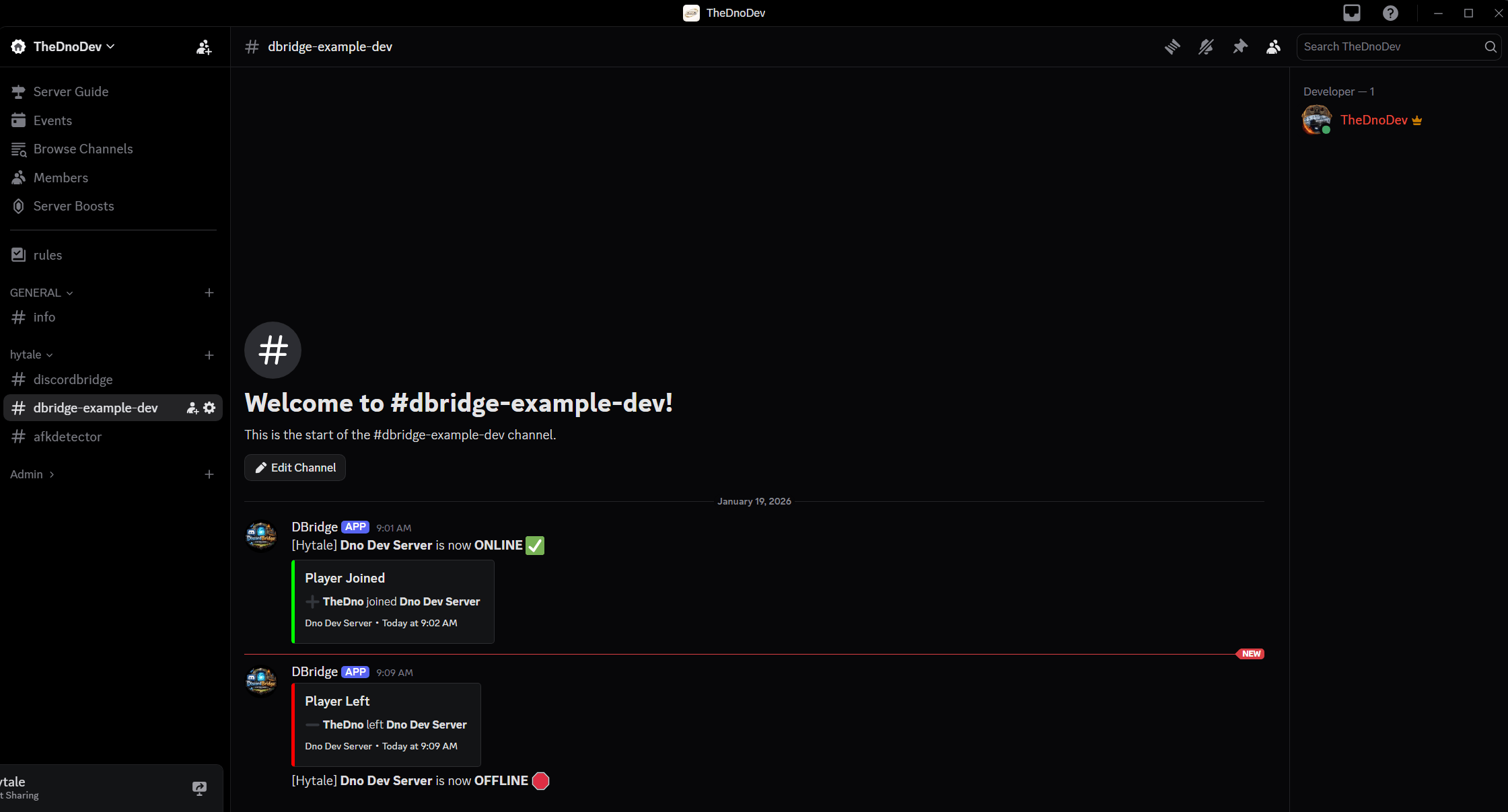
Works via Discord Webhooks, very customizable, safe, easy to use
Description

🔗 DiscordBridge
DiscordBridge is a lightweight Hytale server plugin that sends server events directly to Discord using a Webhook.
No Discord bot.
No tokens.
No external hosting required.
Designed to be drop-in, easy to configure, and safe for public servers.
✨ Features
- ✅ Server ONLINE / OFFLINE notifications
- ✅ Player JOIN / LEAVE notifications
- ✅ Discord embeds for join/leave events
- ✅ Fully customizable embeds via
config.json - ✅ Placeholder support:
{playerName}{serverName}{disconnectReason}
- ✅ Works with Discord webhooks only
- ✅ Survives Hytale API changes via reflection
- ✅ Zero runtime dependencies
📦 Installation
- Download
DiscordBridge-x.y.z.jar - Place it in your Hytale server
mods/directory - Start the server once (this generates
config.json) - Edit
config.jsonand set your Discord webhook URL - Restart the server
🔧 Creating a Discord Webhook
- Open Discord
- Go to Channel Settings → Integrations → Webhooks
- Click New Webhook
- Copy the Webhook URL
- Paste it into
config.json
⌨️ Commands
/discordbridge reload
Reloads config.json without restarting the server.
Default permission:
discordbridge.reload
You can change this permission via
reloadPermissioninconfig.json
Workflow:
- Edit
config.json - Run
/discordbridge reload - Changes apply immediately
⚙️ Configuration (config.json)
{
  "webhookUrl": "PASTE_WEBHOOK_HERE",
  "serverName": "My Hytale Server",
  "sendServerStartStop": true,
  "sendJoinLeave": true,
  "useEmbedsForJoinLeave": true,

  "webhookUsername": "Hytale Bridge",
  "webhookAvatarUrl": "",

  "joinEmbed": {
    "title": "Player Joined",
    "description": "➕ **{playerName}** joined **{serverName}**",
    "color": 65280,
    "footerText": "{serverName}",
    "thumbnailUrl": "",
    "includeTimestamp": true
  },

  "leaveEmbed": {
    "title": "Player Left",
    "description": "➖ **{playerName}** left **{serverName}**\nReason: `{disconnectReason}`",
    "color": 16711680,
    "footerText": "{serverName}",
    "thumbnailUrl": "",
    "includeTimestamp": true
  }
}
NOTES
- Embed color values are decimal integers (Discord format)
- Leave fields blank to omit them from embeds
- Some changes may require a server restart
Compatibility
- Requires the official Hytale server
- Built against the Hytale Server API
- Java version must match the server runtime
The DiscordBridge Team