


GlymeraWebMap
- By
- Mods
2_setup.jpg
1_hero.jpg
Description
GlymeraWebMap — Your World, Live in the Browser
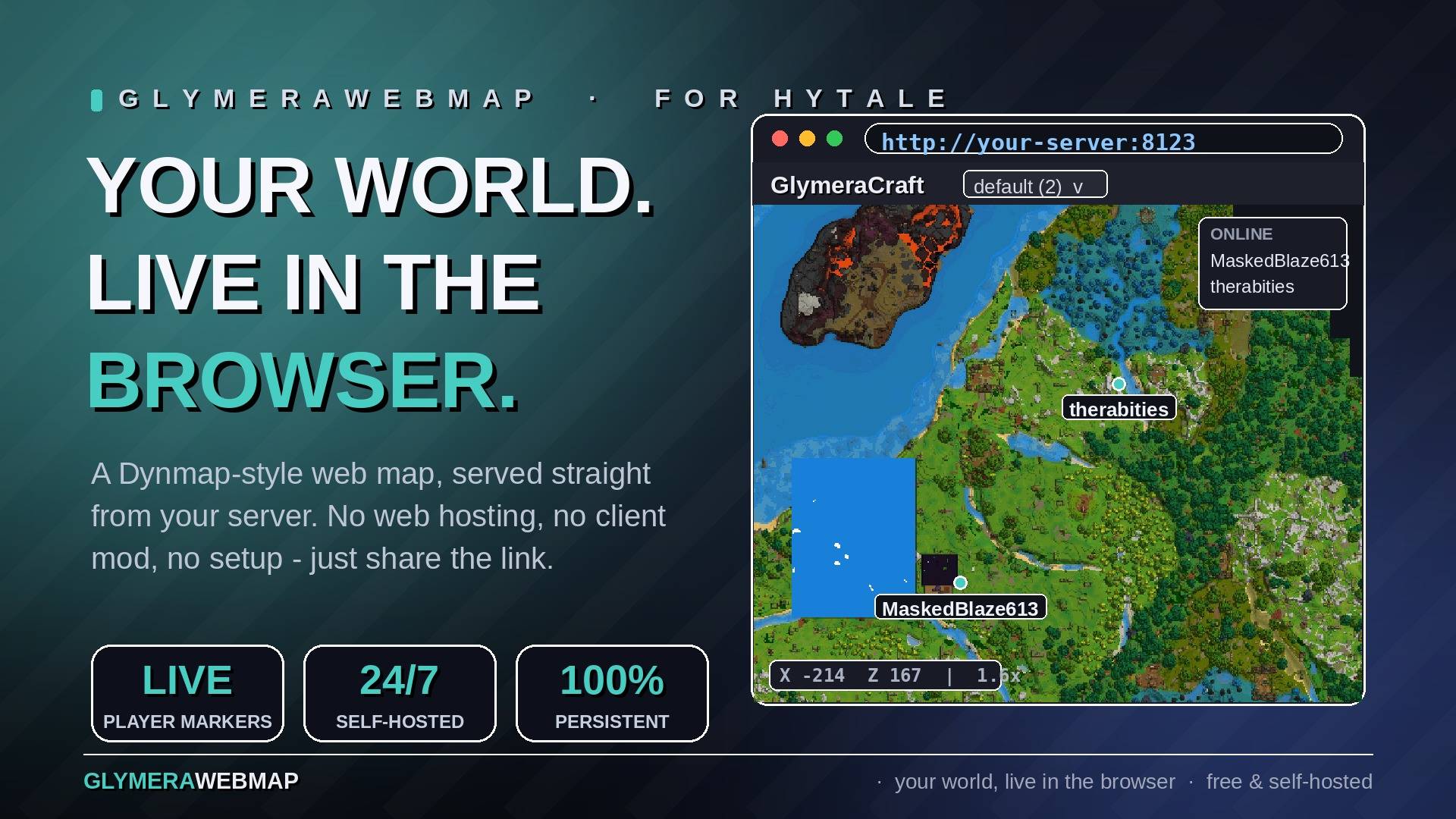
A live map of your server world that anyone can open in a web browser — like Dynmap, for Hytale. The plugin serves the map itself from your game server: no web hosting, no external services, no accounts. Install the jar, open http://<your-server-ip>:8123, and share the link with your players.
What is GlymeraWebMap?
A persistent, ever-growing map of your server. While players explore in-game, the plugin renders the world from Hytale's own cartography into map tiles and serves them on a built-in web page. Everything mapped once stays on the map forever — it keeps growing across restarts, slowly building a complete picture of your world that visitors can browse from anywhere, on any device, without launching the game.
Features
- Live player markers. See who is online and where they are, updated every few seconds. Click a name in the online list to jump straight to that player and watch them uncover new land as they travel.
- Pan & zoom viewer. Drag to pan, scroll to zoom, with a coordinate readout under the cursor. Clean dark theme, works on phones and tablets too.
- Multi-world support. Every world gets its own map; switch between them with the world selector. New worlds appear automatically once a player visits them.
- Persistent exploration. The map never forgets: terrain stays visible even when chunks unload or everyone logs off. Over days of play it grows into a full atlas of your server.
- Completely self-hosted. The page, the tiles and all data live on your server and nowhere else. Nothing is sent to any external service.
For Admins — Setup in Two Steps
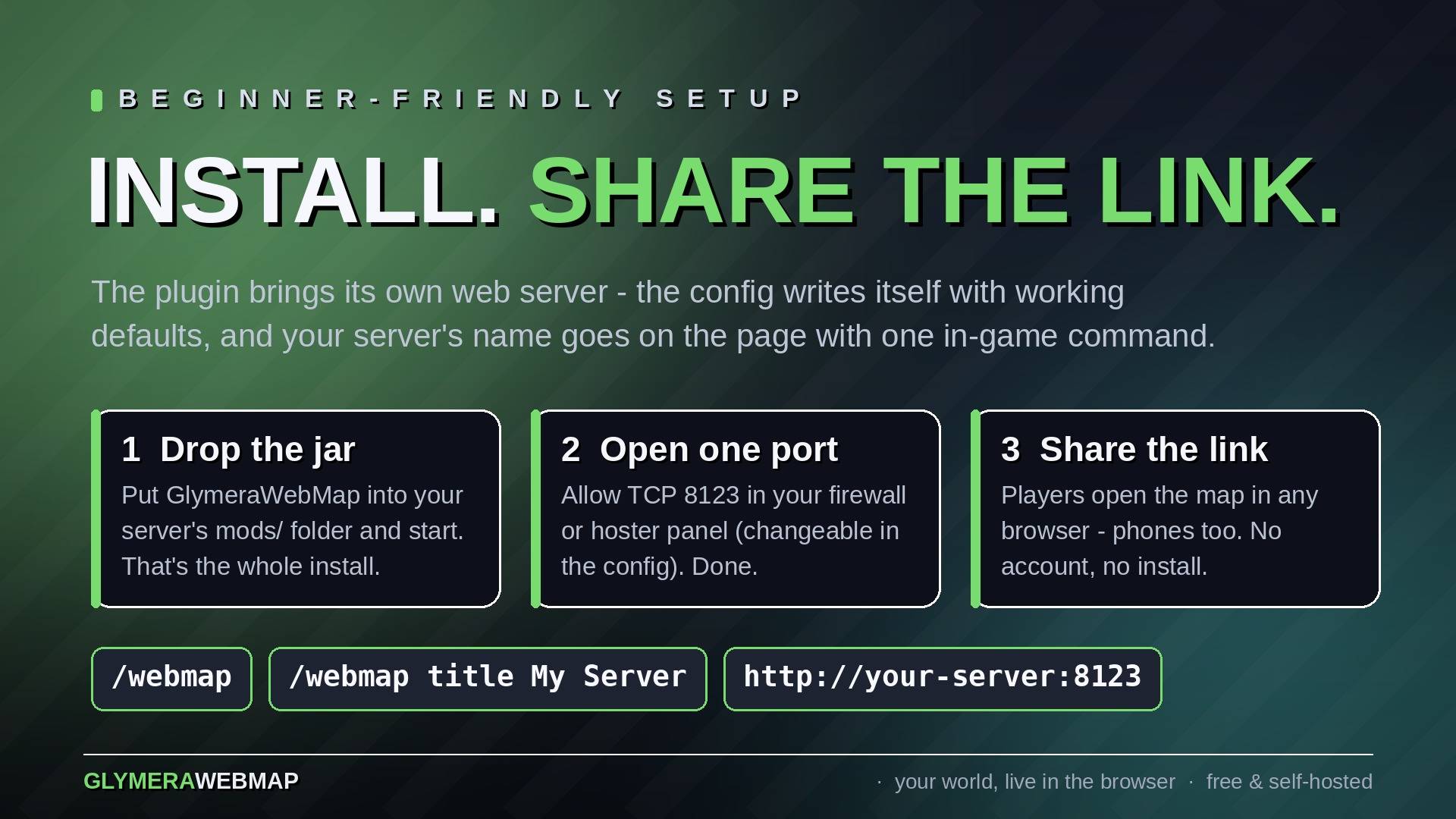
- Drop the jar into your server's
mods/folder and start the server. That's the whole installation — the config writes itself with working defaults. - Open TCP port
8123in your firewall or hoster panel (the one thing a plugin cannot do for you). The port can be changed in the config if 8123 is taken.
Then give the map your server's name — in-game, as OP:
/webmap title My Awesome Server
The name appears on the page within seconds. /webmap (OP-only) shows status and the URL to share.
Optional settings in mods/de.glymera_GlymeraWebMap/config.json:
playerMarkers: false— hide live player positions from the page (privacy)port/bindAddress— where the web server listenstitle— the page title, if you prefer editing the file over the command- render cadence and budget — sensible defaults, no tuning needed
Good to Know
- The map is rendered from the game's own cartography at its native resolution, so it always matches what players see on their in-game map.
- Tiles render near online players only, on background threads, with a hard per-pass budget — no impact on world tick performance, and an idle server does no map work at all.
- Tiles are plain PNG files under
mods/de.glymera_GlymeraWebMap/tiles/— trivially easy to back up, and deleting them simply resets the map (it re-fills as players explore). - Browsers cache tiles aggressively; the page only re-downloads a tile when its pixels actually changed. A handful of open map pages costs your server next to nothing.
- Works standalone — no other plugin required.
Data directory: mods/de.glymera_GlymeraWebMap/
Made with care by Glymera for the Hytale community
The GlymeraWebMap Team
