Captura de pantalla 2026-01-16 151050.png
Screenshot_178.png
HeroXp | Party Hud
Create your game server with 
Description
Party HUD
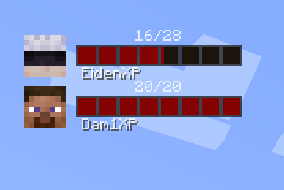
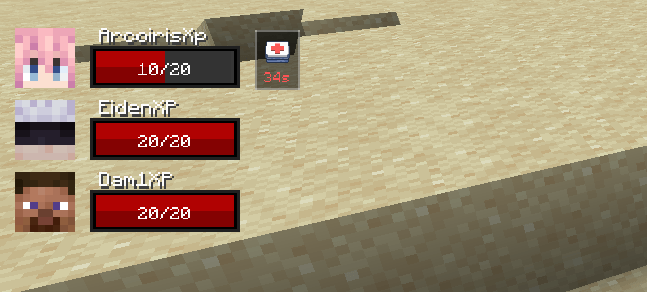
Party HUD adds a Party system to Minecraft multiplayer, with a customizable HUD that shows your teammates' health, effects, and status on your screen in real time. Press H to open the menu and get started.Features
• Parties: create a party from the My Party tab, with no member limit• Invitations: right-click a player in the Invitations tab and select Invite to Party
• Teammate HUD: health, negative effects, and status indicators for each member
• Favorites: click the star next to a member in the Members tab to list them first in the HUD
• Max players: choose how many teammates the HUD shows, from 1 to 8
• Favorites only: show just your favorites if you prefer
• Multiple styles: change position, style, scale, names, and health text from the Settings tab
• Party tools: kick members, delegate leadership, and teleport to teammates when the server allows it
• Vanilla teams: parties stay synchronized with Minecraft's built-in team system
Compatibility
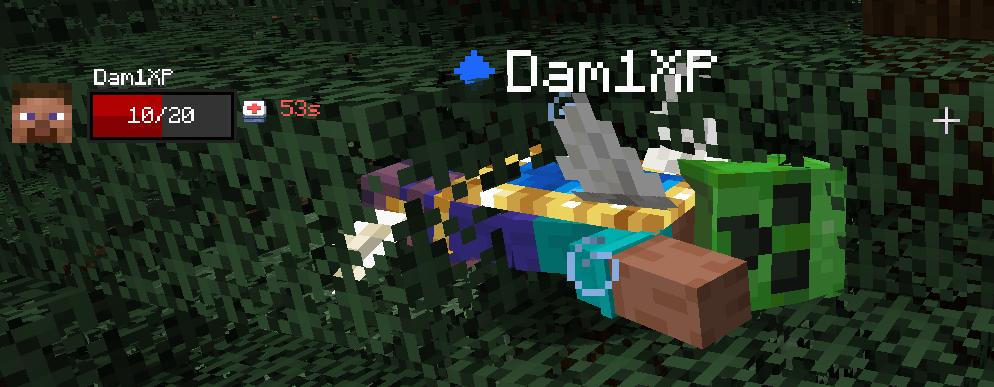
 Hardcore Revival
Shows an icon and the remaining seconds when a party member is knocked out and can still be rescued.
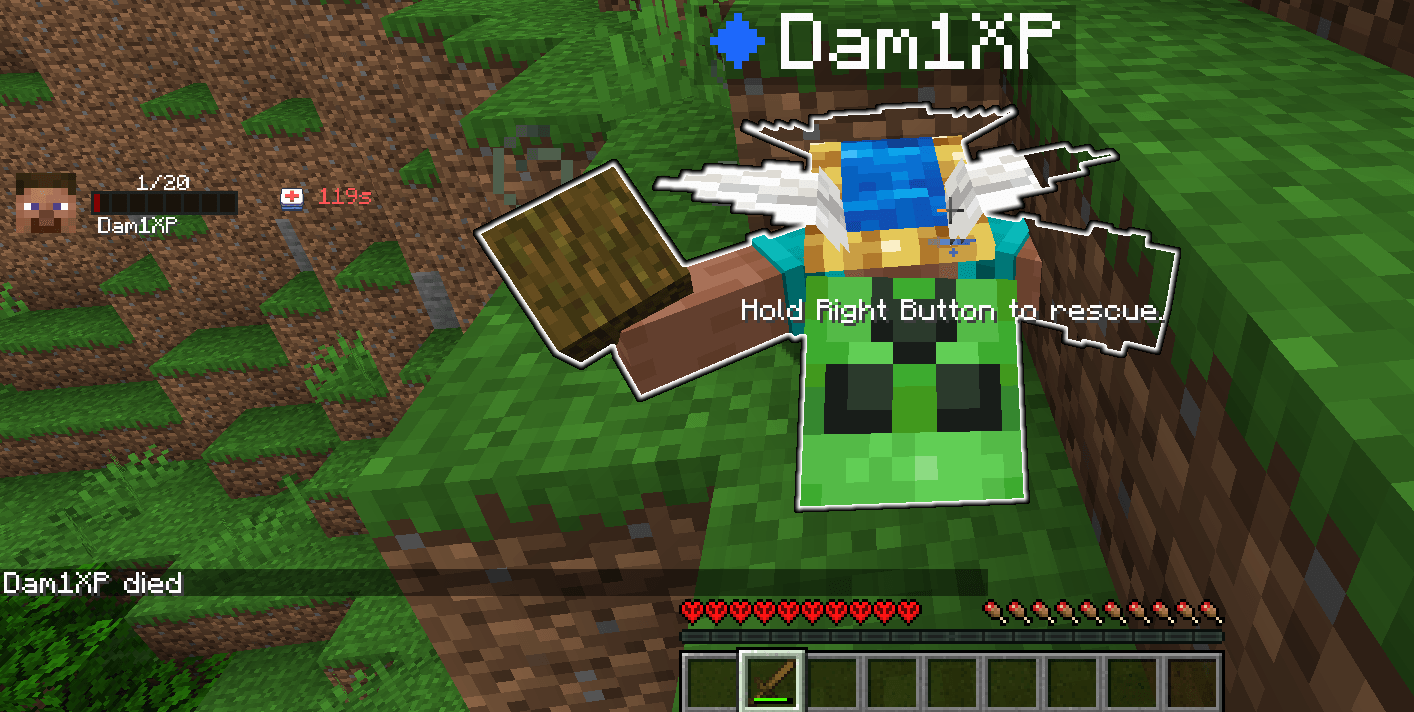
 PlayerRevive
Shows an icon and the remaining seconds when a party member is downed and can still be revived.
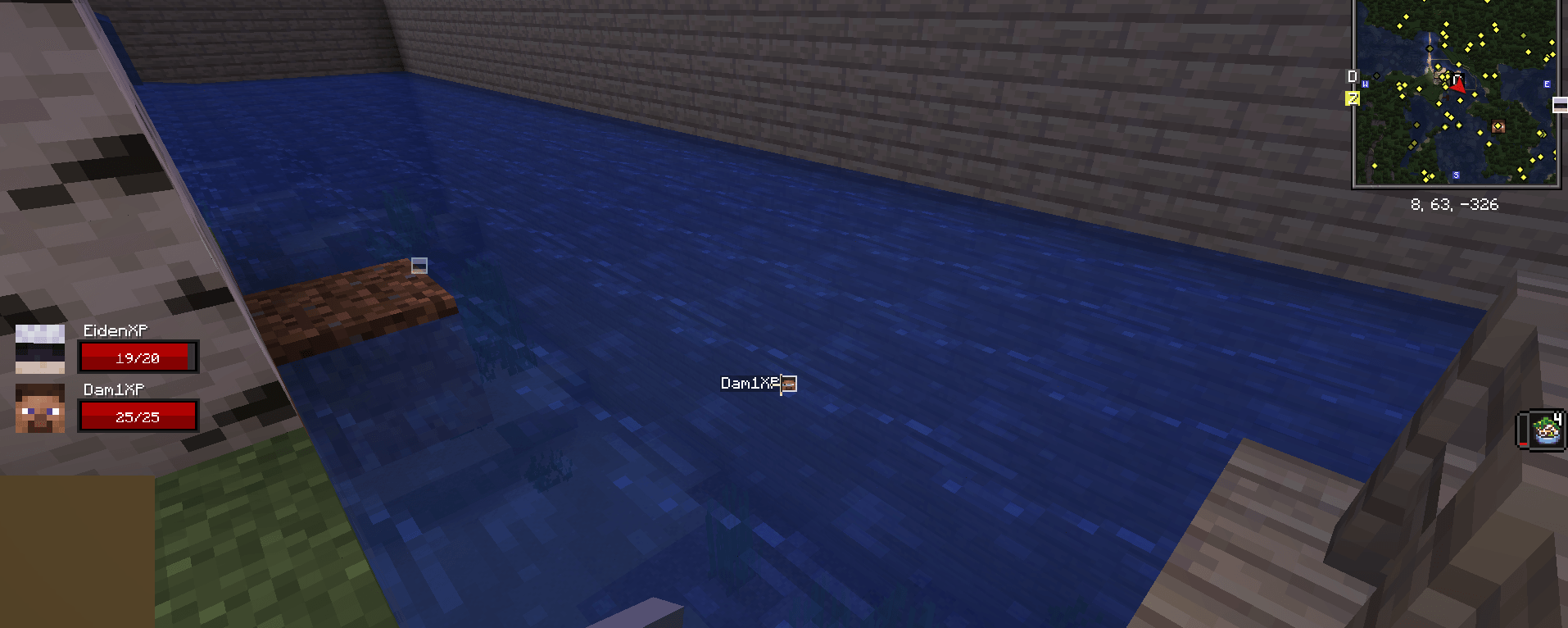
 Xaero's Minimap
When installed, Party HUD enables an integration option that lets you track teammates at long distance with a marker under them, making their direction easier to follow.
 FTB Teams
Disabled by default. Enable it in the config to synchronize Party HUD parties with FTB Teams.Join the Community
Join our Discord to share ideas, report issues, suggest improvements and talk with other players and modpack creators. You are welcome to include my mods in your modpacks. If you are building something with them, share your project with the community — we would love to see it. Join the Discord Community Support Development on Ko-fi If you enjoy the project and would like to support its development, you can contribute through Ko-fi. Support is entirely optional; sharing feedback and ideas is also a great way to help. Thank you for being part of the community.
The Epic RPG: Party Hud Team