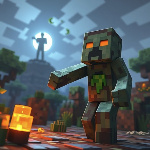
Zombified Player
When a zombie kills you, a zombified version of you rises where you died. It wears your skin, carries your name and, if you like, everything you had on you. Want your stuff back? Then you have to fight yourself.
Features
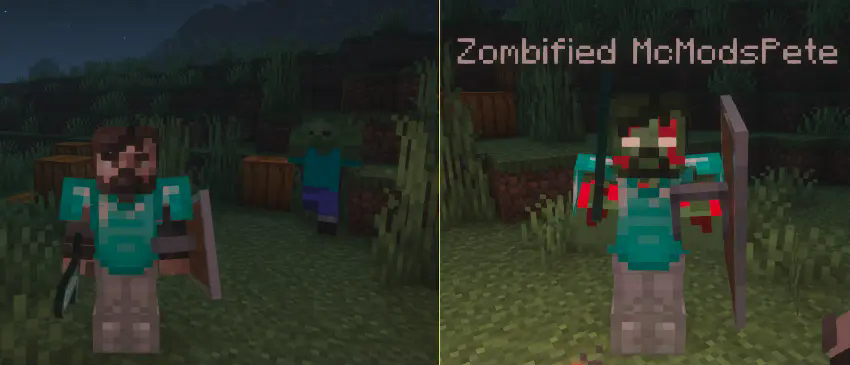
- Your skin, zombified: the zombified player uses your real skin with a zombie overlay and glowing eyes. Full player model with the second skin layer (jacket, sleeves, pants) and slim arms for Alex-style skins. Without a skin (offline servers, unknown names) it gets Steve or Alex.
- Your items: main hand, off hand, armor, inventory and Curios / Trinkets / Accessories items go to the zombified player (each can be turned off). Kill it and everything drops, nothing is lost or damaged.
- keepInventory is respected: with keepInventory you keep your items and the zombified player spawns empty (option
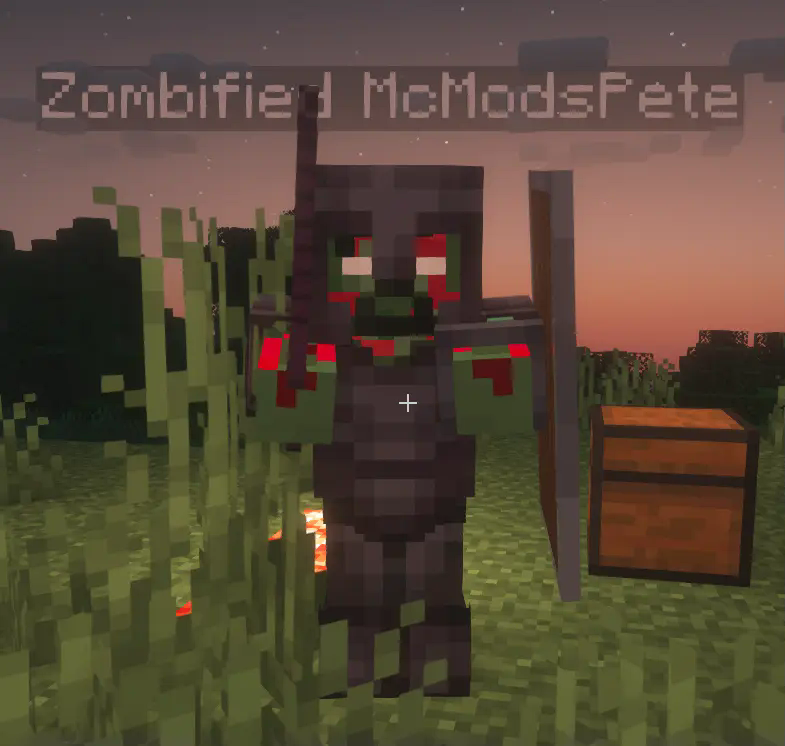
ignoreKeepInventoryto change that). Curios, Trinkets and Accessories items follow the drop rules of these mods (e.g. Curse of Vanishing). - Shambling animation: with Entity Model Features installed, zombified players shamble, reach for you and swipe with both arms. The built-in resource pack "Zombified Player: Shambling Animation" is turned on at the first start and can be turned off under Options > Resource Packs.
- Behaves like a zombie, but tougher to get rid of: it does not burn in sunlight, does not turn into a drowned and does not despawn, not even in peaceful, so your items are safe.
- Optional extras: spawn on every death (not only zombie deaths), stronger zombified players, immunity to fire and lava, breaking doors on every difficulty, chat message with the spawn location.
- Natural spawning (optional, off by default): zombified players also spawn in the dark wherever zombies spawn, with random player skins. These behave like normal zombies: they drop their gear only by chance, despawn and sometimes have something useful in their pockets.
- Spawn egg and /summon: zombified players without a player get a random skin from the list
randomSkinPlayerNames(by default jeb_, Dinnerbone, XxRexRaptorxX and McModsPete).
What counts as a zombie death: zombies, husks, drowned, zombie villagers, zombified piglins, zoglins and other zombified players. Skeletons, phantoms and other undead don't count. More can be added with the entity tag zombifiedplayer:zombie_undead.
Compatibility
All optional, nothing to set up unless noted.
- Contagion: dying from the infection spawns a zombified player. Optionally also when an infected player dies from anything else (
spawnWhenDiedWhileInfected). - Undead Nights: horde and elite zombies count as zombies.
- Mutants and Zombies: Blister Zombie, Zombie Brute, Split Head Zombie and Mutant Zombie count as zombies.
- Infectious: infectious zombies count as zombies (option
infectiousModCompatibility). - Hardcore Revival: if you are knocked out by a zombie and not rescued in time, you come back as a zombified player.
- Curios, Trinkets, Accessories: equipped items go to the zombified player. A Totem of Undying in a slot (or the Charged Totem Charm from Charged Charms) means no zombified player, just like a totem in your hand.
- Graves: Corpse and Gravestone Mod (Forge/NeoForge), Universal Graves and Gravestones (Fabric): no grave or corpse when a zombified player spawns. Turn on with
corpseCompatibility/gravestoneCompatibility. - Resource packs for zombies (Fresh Animations, Bray's Zombie Overhaul, …) don't change zombified players, so the player skin always fits. Pack makers can support them with
assets/zombifiedplayer/optifine/cem/zombified_player.jemandzombified_player_slim.jem.
Versions
The full feature set (2.0) is available for:
- Forge 1.19.2 and 1.20.1
- Fabric 1.20.1, 1.21.1 and 26.1 to 26.3
- NeoForge 1.21.1 and 26.1 to 26.3
The files for 1.19.2 (Fabric) and 1.21.3 to 1.21.11 are older versions with fewer features. Accessories is supported in 1.20.1 and 1.21.1.
Requirements
- Fabric: Fabric API. Cloth Config is included. Mod Menu is optional for the config screen.
- Forge / NeoForge: nothing else.
- Optional on all loaders: Entity Model Features for the shambling animation.
The mod is needed on the server and on the client.
Config
- Fabric:
config/zombifiedplayer.json5or in game via Mod Menu. - Forge / NeoForge: server config
zombifiedplayer-server.toml(NeoForge 26.3:zombifiedplayer-synced.toml). On NeoForge also in game under Mods > Zombified Player > Config.
Problems or ideas?
The Zombified Player - Kill Your Inner Zombie Team