Pal Insight - Inspect & Search Pals and More
pal-insight-steam-workshop-cover.png
pi-01-inspection-at-a-glance.png
pi-02-skills-movement-and-drops.png
pi-03-progressive-reveal.png
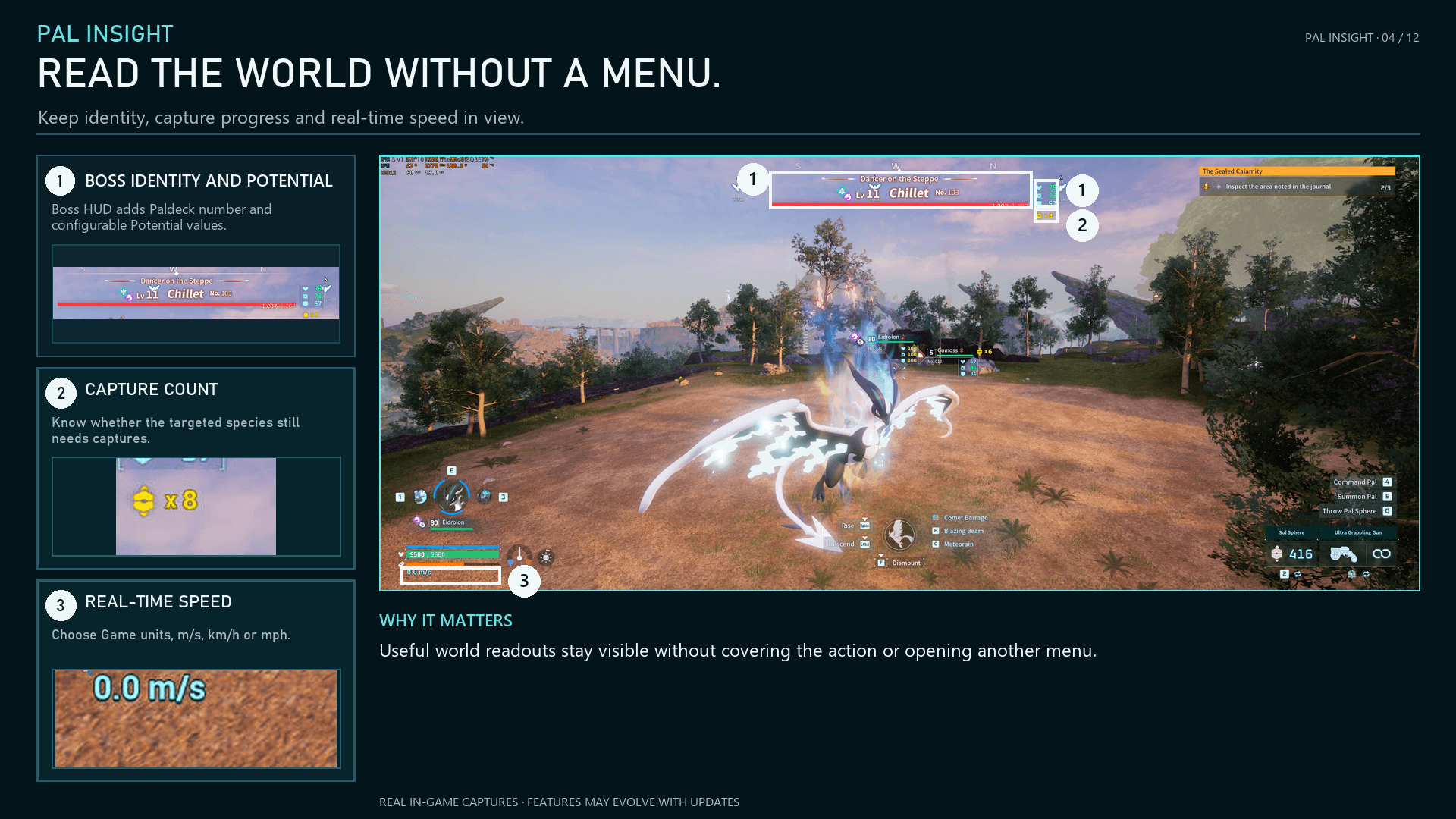
pi-04-world-hud.png
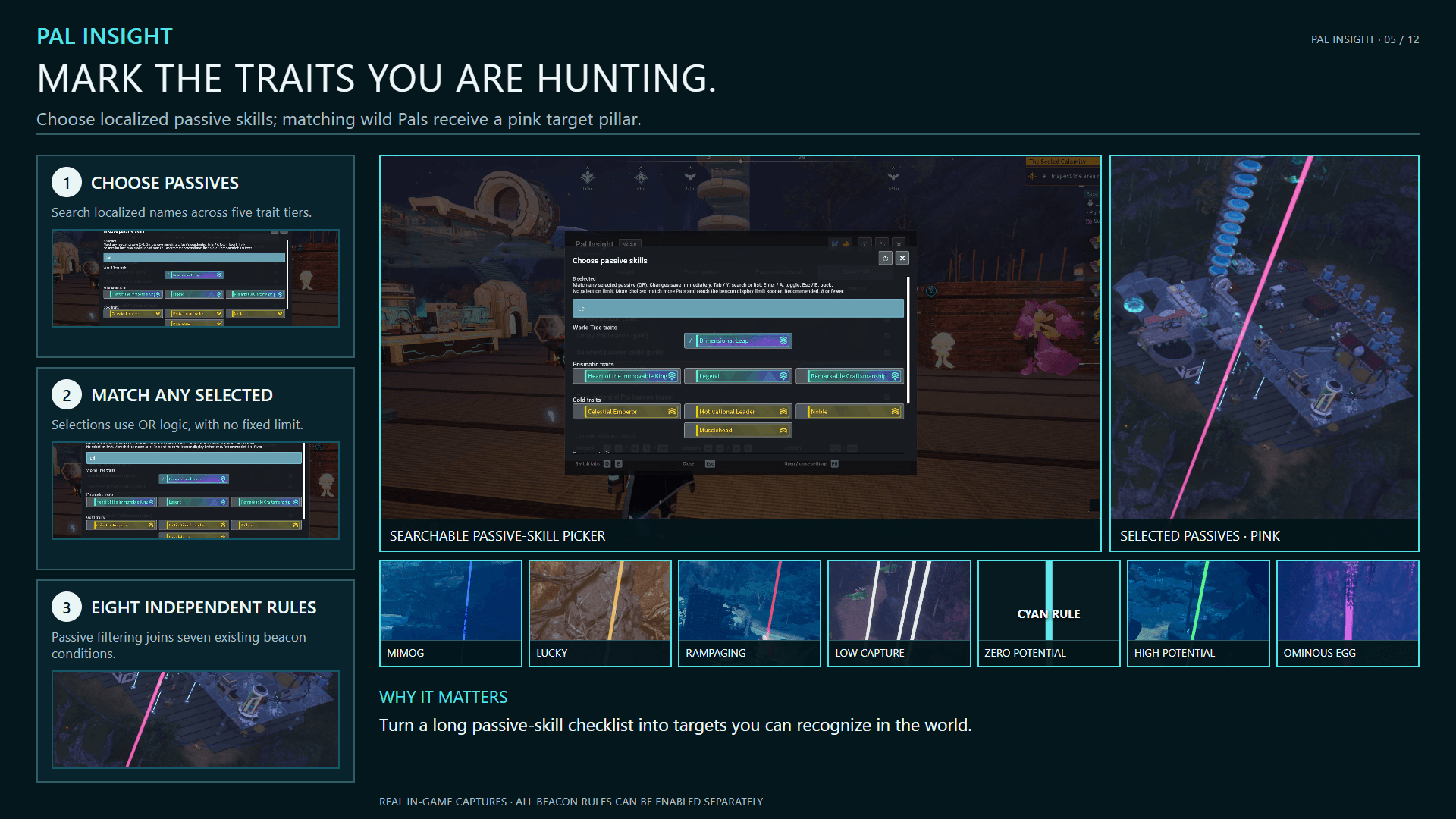
pi-05-target-beacons.png
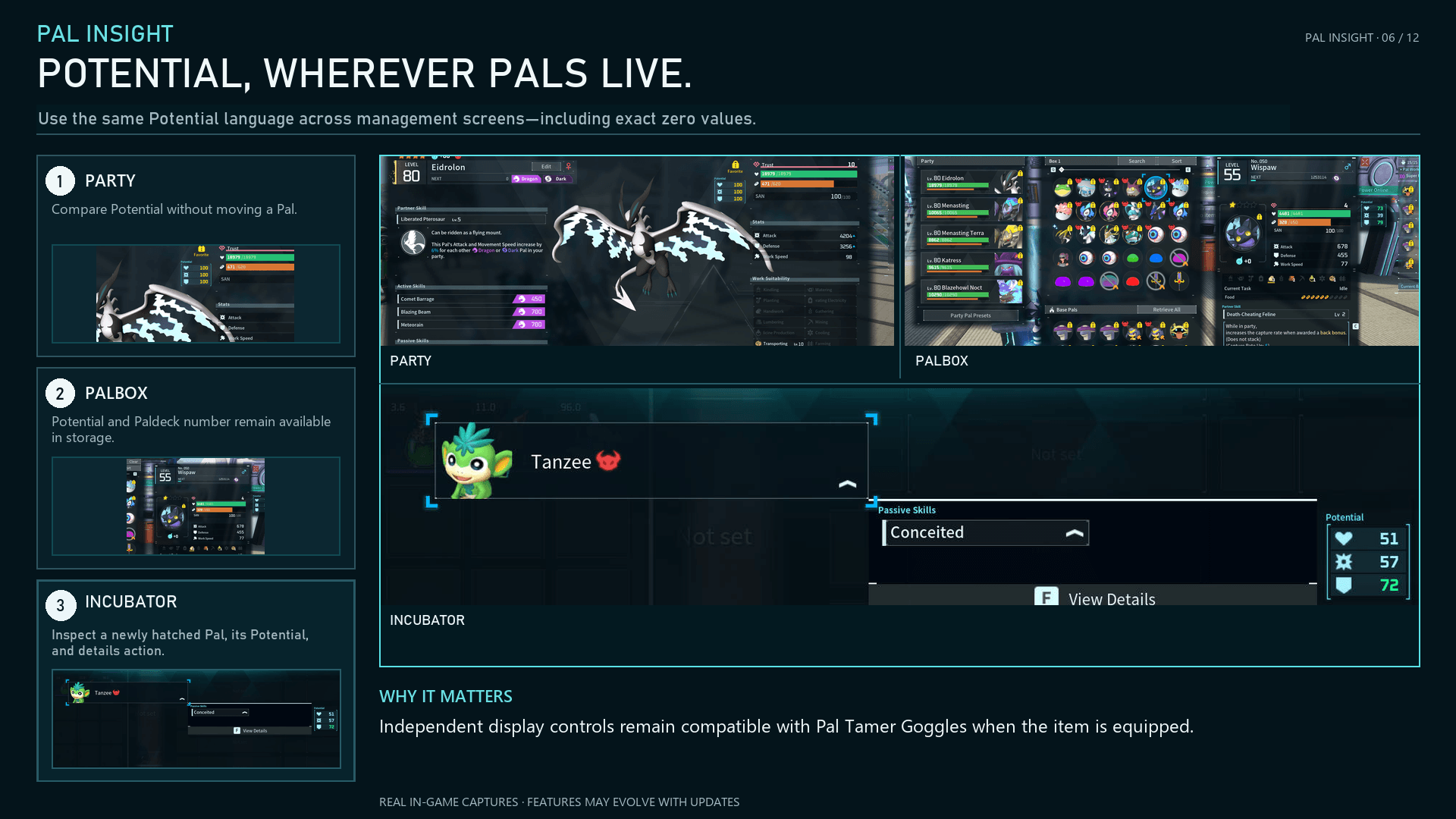
pi-06-potential-interfaces.png
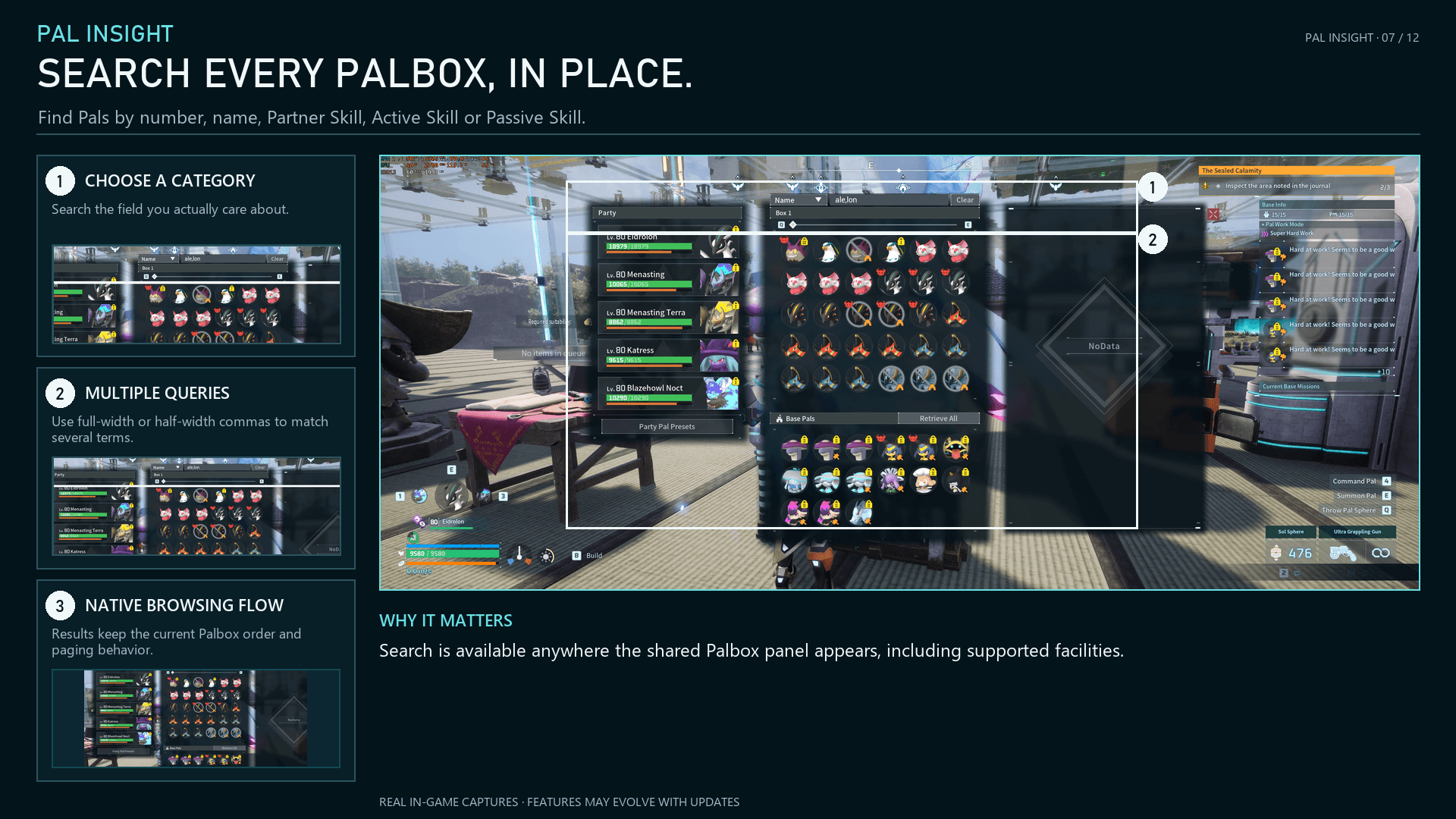
pi-07-palbox-search.png
pi-08-facility-details.png
pi-09-human-inspection.png
pi-10-expedition-power.png
pi-11-settings.png
pi-12-extensions.png
Description
Pal Insight
Understand your Pals without leaving Palworld's interface.
Inspect Pals, search supported storage screens, explain Expedition Power, reveal Potential, locate valuable targets, and add optional native-style HUD information.

What's New in 2.5.0
- Added searchable passive-skill filtering for pink target beacons. Skills use their localized in-game names and are grouped into World Tree, Prismatic, Gold, Common, and Negative traits. A Pal matches when it has any selected skill (OR); with no skills selected, the rule remains inactive.
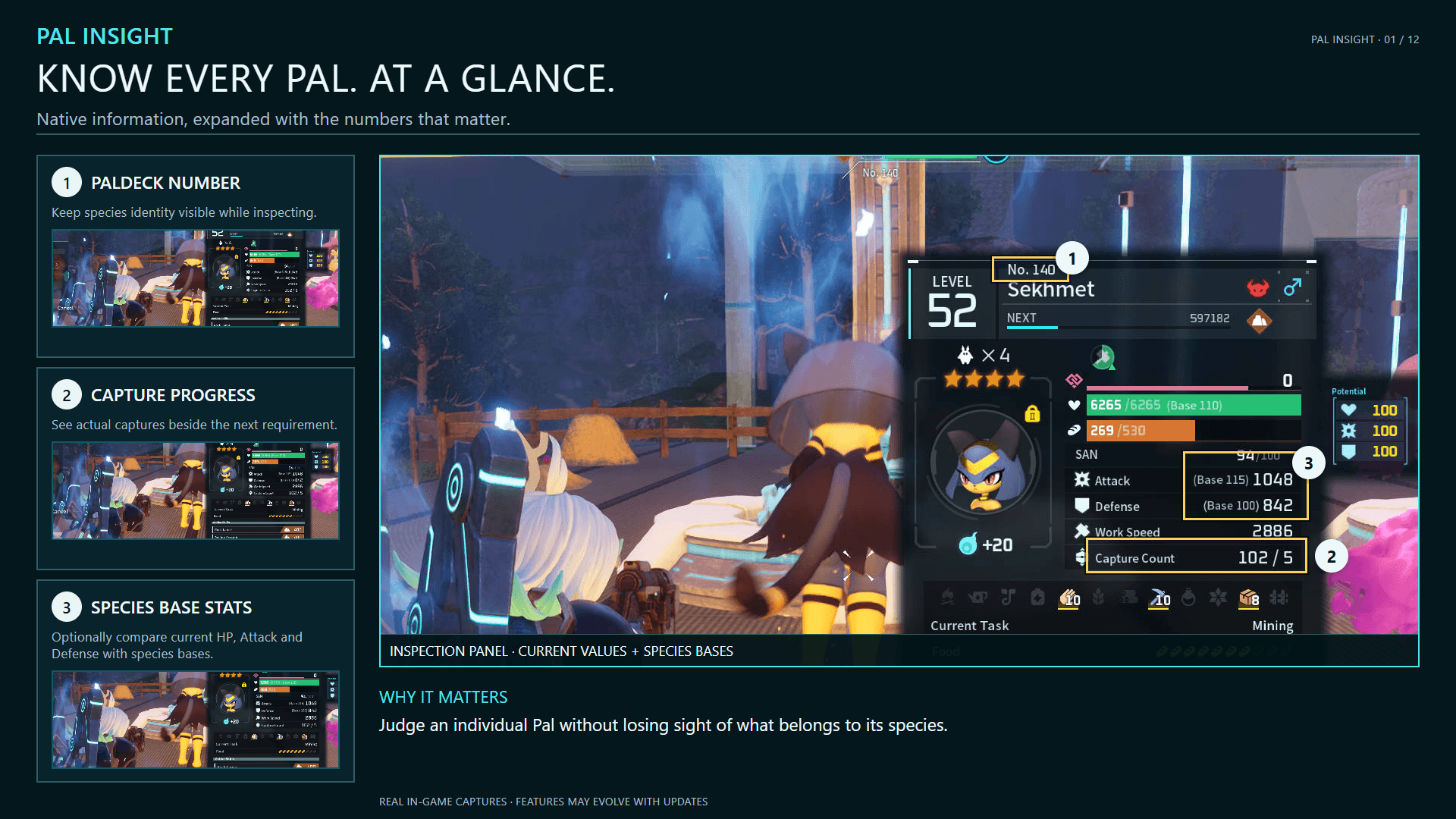
- Added an optional setting to show species base HP, Attack, and Defense beside the corresponding values in the LAlt inspection panel.
- Added single-key F13-F24 bindings for Settings, inspection, Palbox Search, and Potential Vision.
- Visible LAlt inspection stats now refresh automatically when buffs or Boost Gun Attack/Defense enhancement rates change.
- Reopening the passive-skill picker now reuses prepared controls and cached skill data.
Passive-skill selection has no fixed limit. Selecting more skills matches more Pals and can reach the shared target-beacon display limit sooner. Eight or fewer is recommended.
What Pal Insight Adds
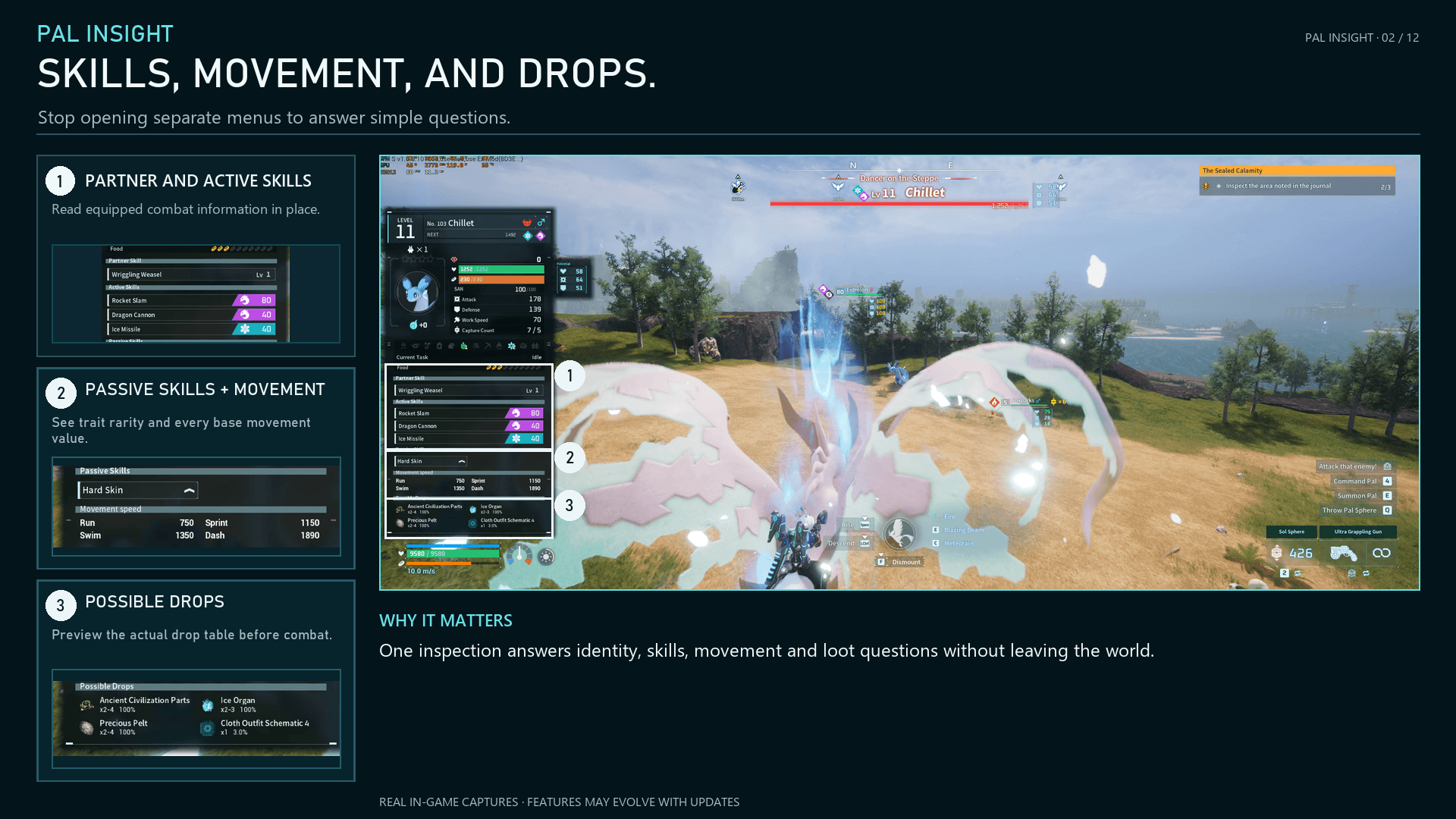
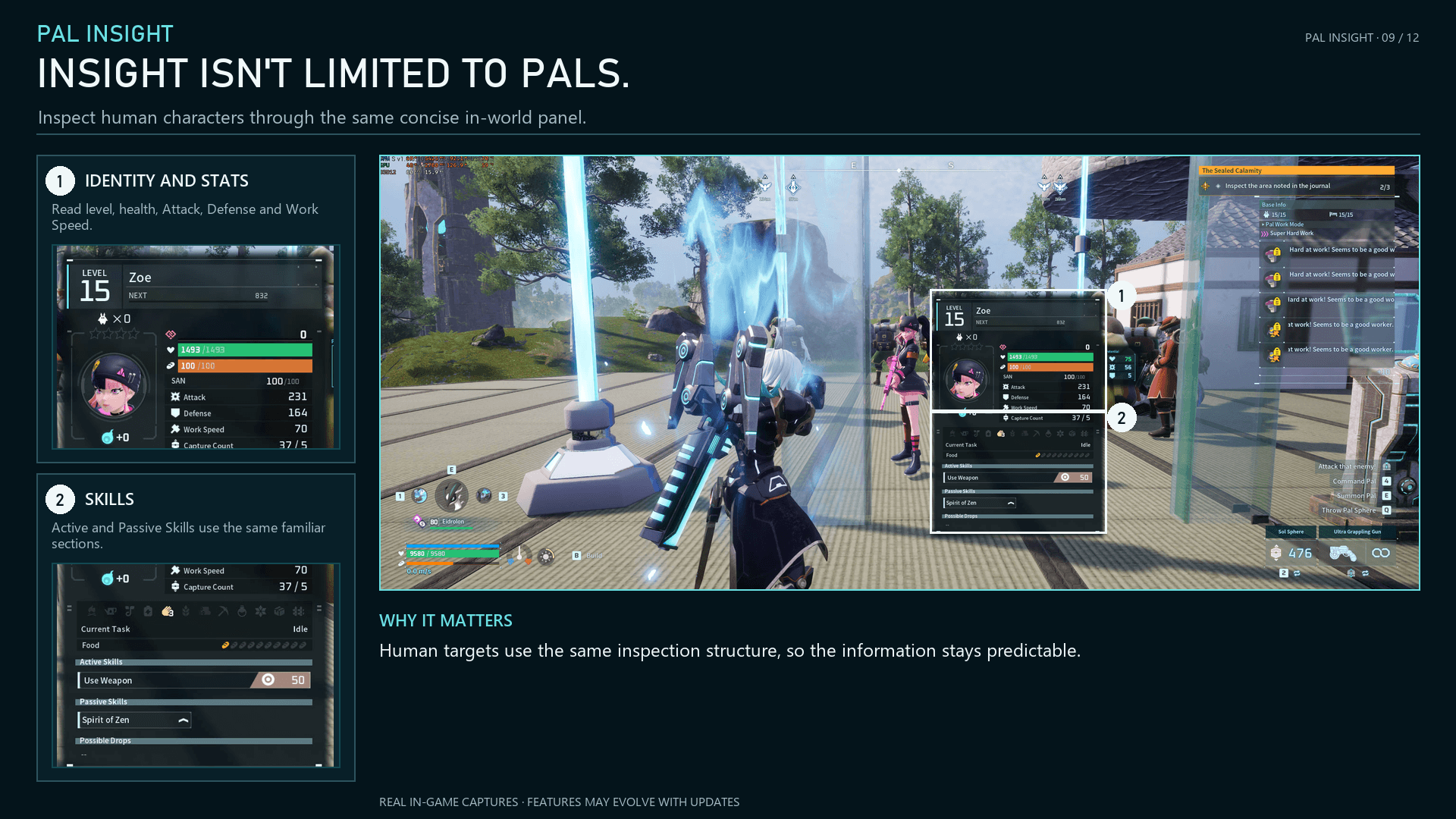
- Inspection: Aim at a Pal and hold Left Alt by default for identity, stats, Potential, skills, work, movement, drops, capture progress, and special status.
- Palbox Search: Search the Palbox, Expedition Station, Essence Condenser, and Disassembly Conveyor by number, name, nickname, Partner Skill, Active Skill, or Passive Skill.
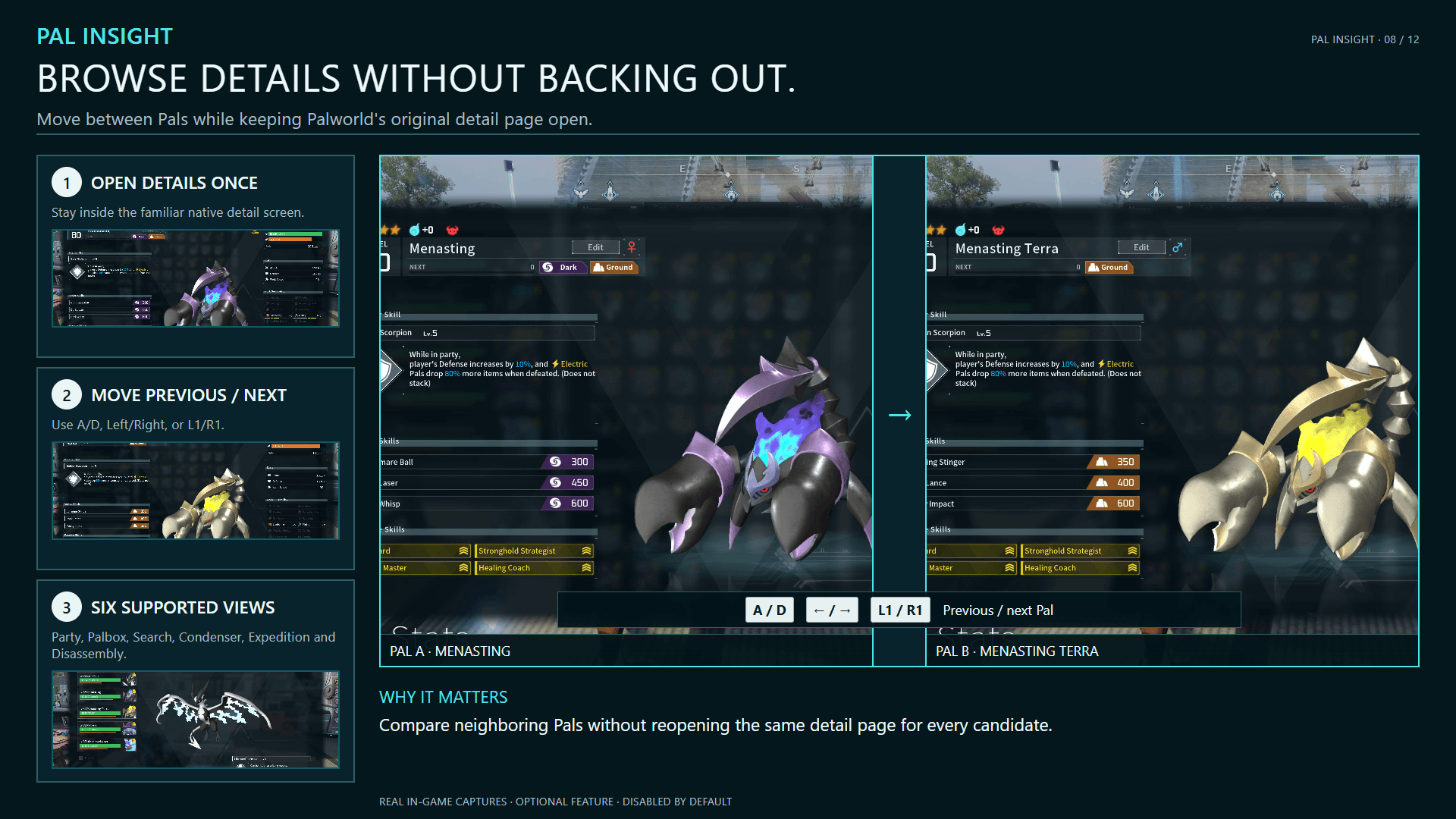
- Detail browsing: Optionally move through the current supported Pal list without closing the native detail page.
- Party details: Show a compact information panel while a Party member is hovered or focused.
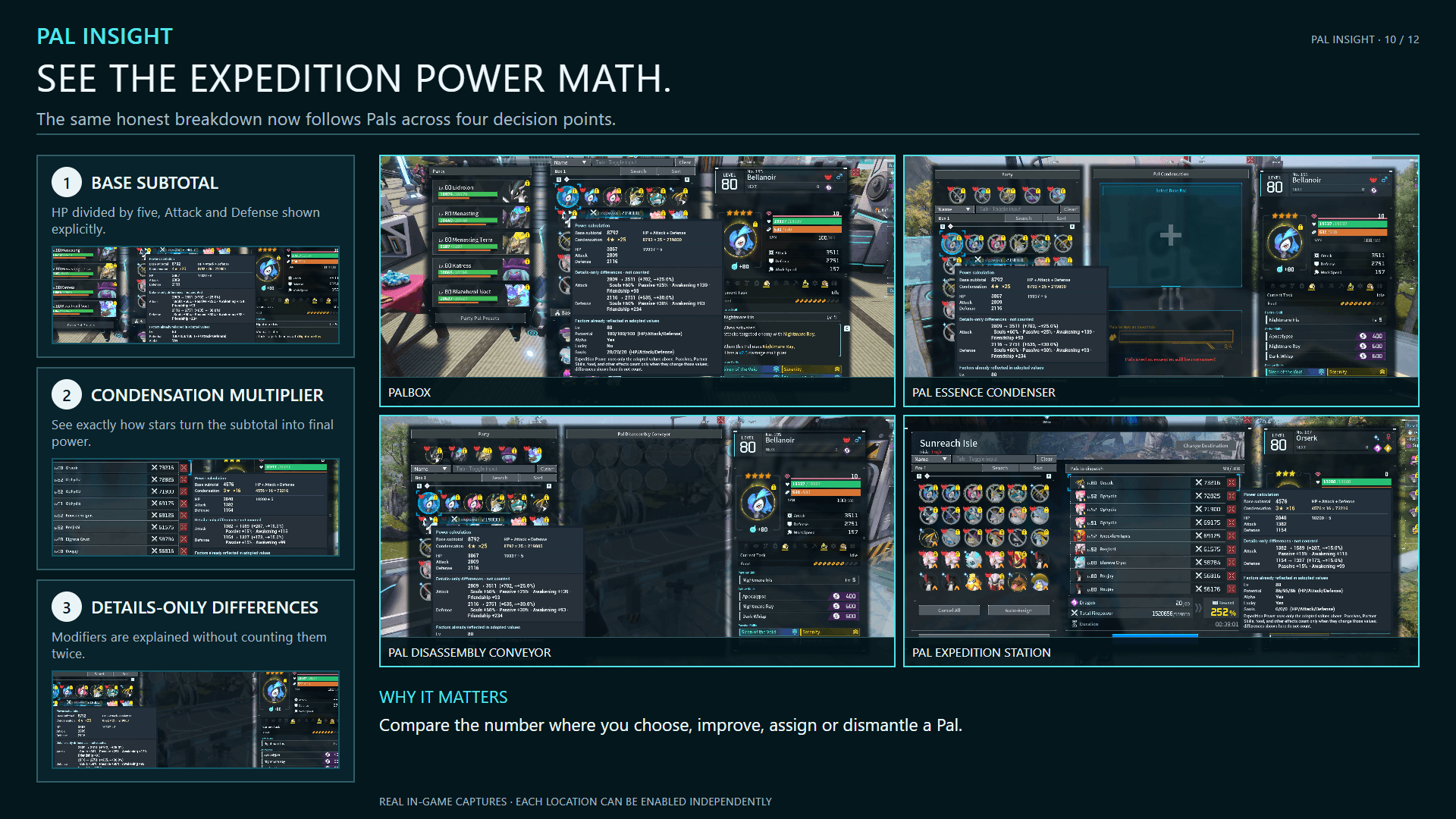
- Expedition Power: Explain the adopted HP, Attack, Defense, base subtotal, Condensation multiplier, and Details-only differences across supported facilities.
- Potential: Display Health, Attack, and Defense Potential across supported inspection, Party, Palbox, world, and incubator surfaces.
- Target beacons: Mark Lucky, Mimog, Rampaging, low-capture, zero-Potential, high-Potential, or selected-passive-skill Pals, plus Ominous Pal Eggs, with optional coloured pillars.
- HUD additions: Add movement speed, world capture count, and Paldeck numbers independently.
Pal Insight uses Palworld UI resources and localized game text, supports all 17 current interface languages, runs entirely on the client, and requires no server installation.
Quick Start
- Install one package matching your game and installation channel.
- Press F6 to review Settings. Changes apply immediately and are saved locally.
- Aim at a Pal and hold Left Alt to inspect it.
- Open a supported Pal storage screen and click Search or press its shortcut—Tab by default.
- Optionally enable previous/next Pal browsing under F6 > Palbox.
- Hover an Expedition Power value in an enabled location to open its breakdown.
Controller / TV / handheld: Open Settings with L3 + R3 by default, then apply the matching Quick Preset. Text entry requires keyboard and mouse; controllers can browse filtered results and use L1/R1 for enabled detail-page browsing.
Download the Correct Package
- Steam — CurseForge: Install the Main File with the CurseForge App or download it manually from this project's Files tab.
- Xbox App / PC Game Pass / Microsoft Store: Use the additional file named Game Pass (WinGDK) - Pal Insight. It is a manual package; the CurseForge App's Palworld support targets Steam.
- Steam Workshop: Subscribe to Pal Insight and its listed UE4SS dependency.
- Nexus manual: Use the Pal Insight Nexus Mods page.
Use one installation channel only. Do not combine copies or mix Win64 and WinGDK packages.
Inspection, Search, and Detail Browsing
Choose Hold, Toggle, or Always On inspection. Let the panel follow the Pal or anchor it to one of six screen positions. Every information section can be hidden independently.
Palbox Search preserves Palworld's original cards, filters, paging, selection, details, and arrangement. Separate multiple queries with half-width or full-width commas. Search can be disabled globally or per facility.
For non-host multiplayer clients, Pal Insight synchronizes storage pages that have not replicated locally before publishing the search index, then returns to the original page unless the player moves elsewhere.
The learned Active Skill index is built only when that search category is selected. Other searches do not pay that cost.
When detail-page browsing is enabled, previous/next movement follows the current Party or facility order. Filtered Search details follow the filtered result order across result pages. The feature is opt-in because each move performs a full native detail refresh.
Expedition Power
Hover the displayed Expedition Power in an enabled location to see the values used by the expedition formula: HP ÷ 5, Attack, Defense, base subtotal, and Condensation multiplier.
The explanation distinguishes adopted values from Details-only differences such as Passive Skills, Partner Skills, food, Souls, Enhancement, Awakening, Friendship, and rounding. These differences count only when they change a value actually adopted by the expedition calculation.
The Expedition Station remains supported, including its assigned-Pal list. Palbox, Essence Condenser, and Disassembly Conveyor support can be enabled independently.
Targets, Potential, and HUD
- Lucky — gold pillar
- Mimog — blue pillar
- Rampaging — red pillar
- Captured fewer than five times — white pillar
- Exactly 0/0/0 Potential — cyan pillar
- Meets all three configured Potential thresholds — green pillar
- Selected passive skills — pink pillar; any selected skill matches, while an empty selection keeps this rule inactive
- Ominous Pal Egg — purple pillar

Each beacon category is independent. Configure distance, thresholds, visibility, and update frequency in game.
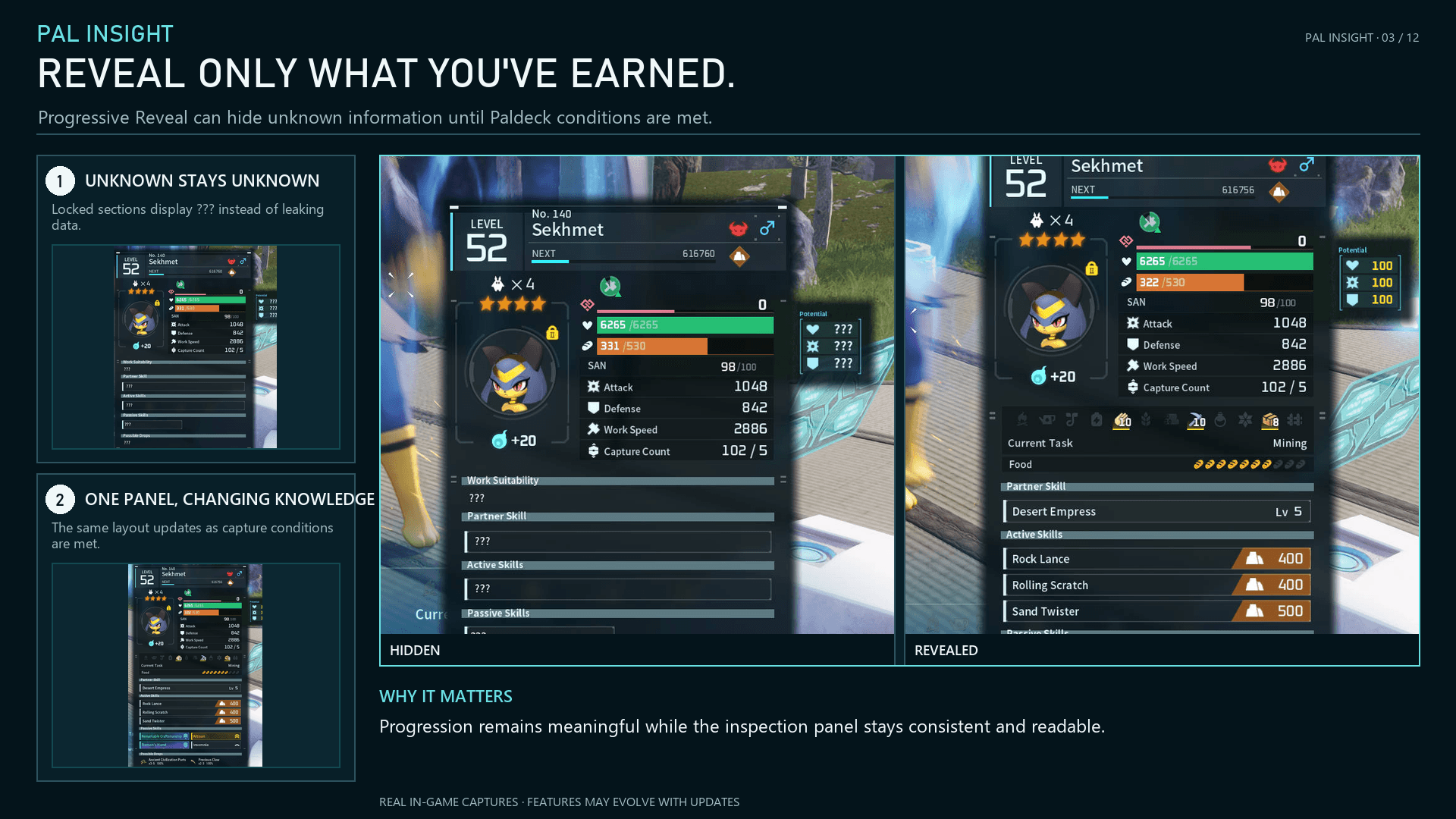
Progressive Reveal can hide selected information until a species reaches a configured capture count. When Pal Tamer Goggles are equipped, Palworld controls its native Party, Palbox, and world Potential displays; Pal Insight's inspection panel, incubator output, and colours retain their own settings.
Customize in Game
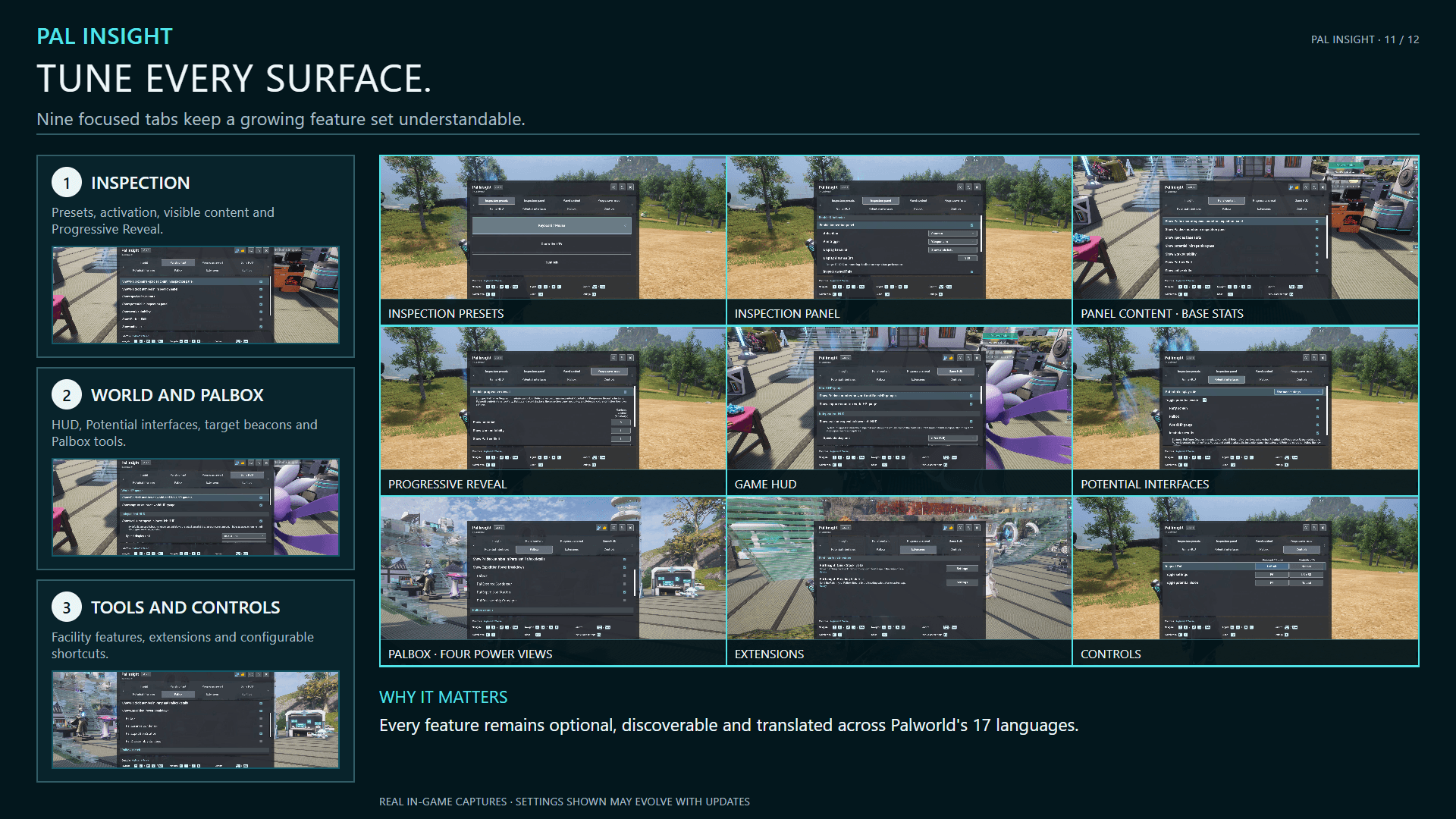
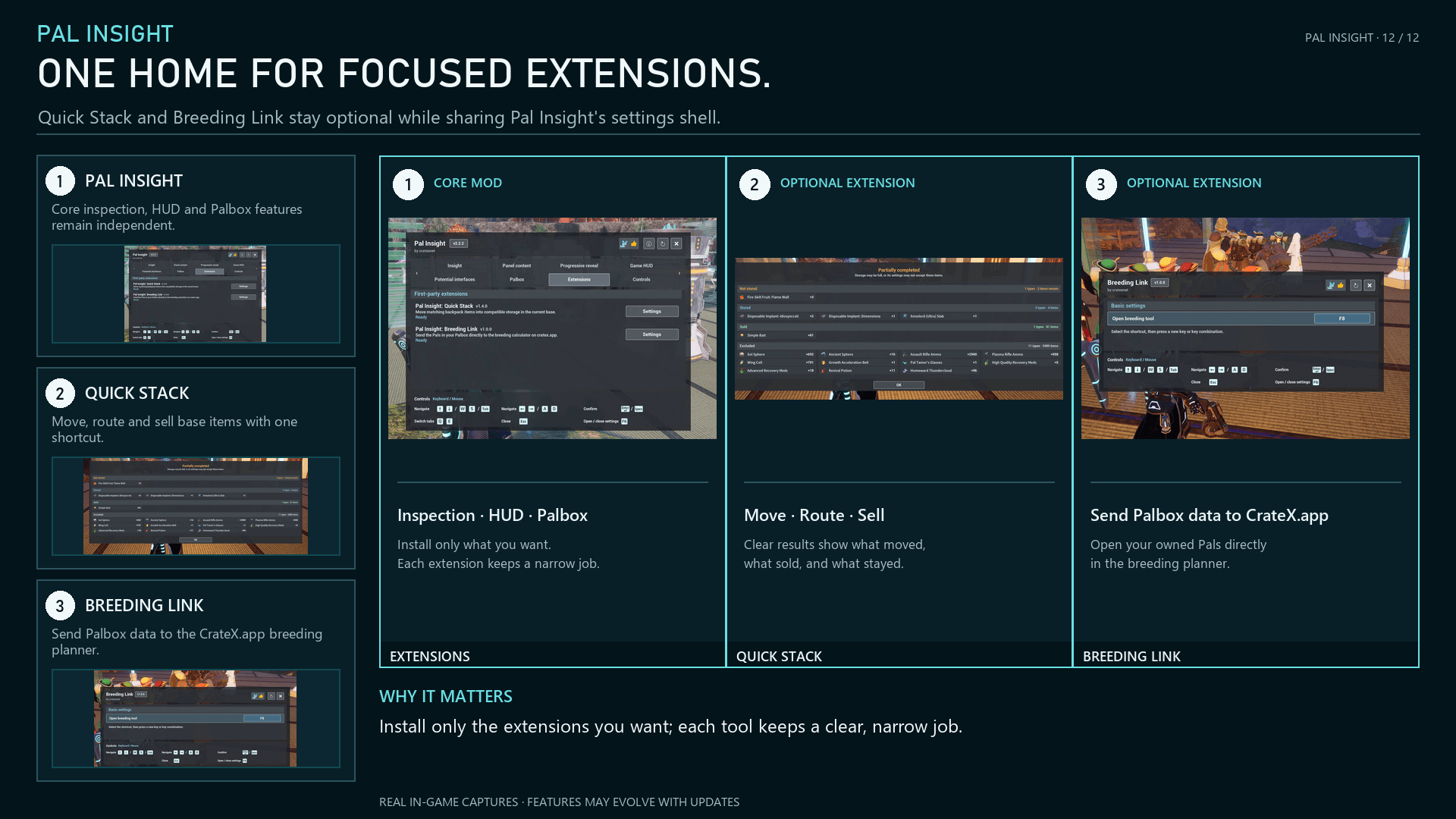
Press F6 for eight focused pages: Insight, Content, Progression, HUD, Potential, Palbox, Extensions, and Controls. The Palbox page contains per-facility Search controls, optional detail browsing, and Expedition Power switches.
Keyboard / Mouse, Controller / TV, and Handheld Quick Presets provide sensible starting points without overwriting unrelated personal choices. Settings, inspection, Palbox Search, and Potential Vision also support single-key F13-F24 bindings. Select the version number in the Settings header for localized release history. Open About from the Settings header for product links, community links, Special Thanks, and Supporters.
Optional Companion: Breeding Link
Pal Insight: Breeding Link opens the cratex.app Palworld Breeding Calculator from inside a base with the current player's Palbox already loaded. It transfers species, gender, passive skills, and Palbox position through a browser URL fragment processed locally.
Downloads: CurseForge | Nexus Mods | Steam Workshop
With both mods active, configure its shortcut through F6 > Extensions > Pal Insight: Breeding Link. Without Pal Insight, Breeding Link still works with its default F8 shortcut.
Optional Companion: Quick Stack
Pal Insight: Quick Stack is a separate optional mod. Press F5 inside your current base to sell configured items and move eligible backpack items into compatible storage.
It respects Inventory exclusions, supports keep lists, and can route food, medical supplies, Pal Eggs, and Ancient Civilization Relics to appropriate facilities. Quick Stack works independently with saved or default settings; current Pal Insight adds in-game settings and detailed result cards.
Downloads: CurseForge | Nexus Mods | Steam Workshop

With both mods active, configure it through F6 > Extensions > Pal Insight: Quick Stack.
Installation and Updates
Steam / Win64: Install the Palworld-specific experimental build of RE-UE4SS, then install the CurseForge Main File. Confirm BPModLoaderMod : 1 in Pal/Binaries/Win64/ue4ss/Mods/mods.txt.
Game Pass / WinGDK: Use only the additional WinGDK file and matching UE4SS build. Confirm the loader under Pal/Binaries/WinGDK/ue4ss/Mods/mods.txt. Game Pass package validation is static; release-specific runtime acceptance remains unverified.
Updating: Close Palworld and replace the existing Pal Insight files with the correct package. Settings and custom bindings are preserved. Do not leave duplicate Pal Insight PAK files active.
Troubleshooting
Before reporting a problem, confirm that Settings shows 2.4.1, the package matches Win64 or WinGDK, the Palworld-specific UE4SS build and Blueprint loader are enabled, only one Pal Insight copy is active, and Palworld was fully restarted.
Include your platform, installation channel, versions, exact UE4SS build, reproduction steps, input device, mod list, changed settings, complete UE4SS.log, and original crash files when available. Please provide original logs rather than only an AI-generated interpretation.
Plan What Comes Next
Use the cratex.app Palworld Breeding Calculator to plan routes from an imported save, import your current Palbox with Breeding Link, or search general parent combinations. Save processing stays in your browser.


Acknowledgements
Open About from the F6 Settings header, then select Special Thanks for the complete acknowledgements. Thank you to everyone who tests, reports problems, and helps improve Pal Insight.
The Pal Insight - Inspect & Search Pals and More Team