Stuck Pal Scanner - Server & Singleplayer - UE4SS Experimental
exec-af4bbbab-b6b2-478e-87f7-00b4b8cd8136.png
Untit1.png
Untled-1.png
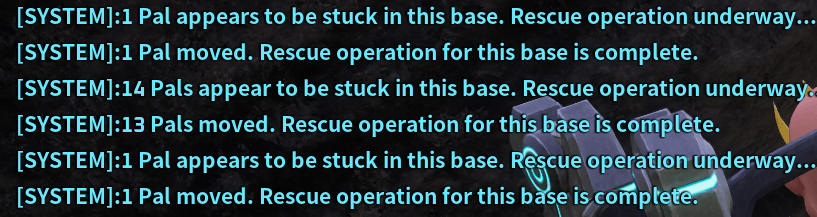
image.png
Description

Stuck Pal Scanner
Description
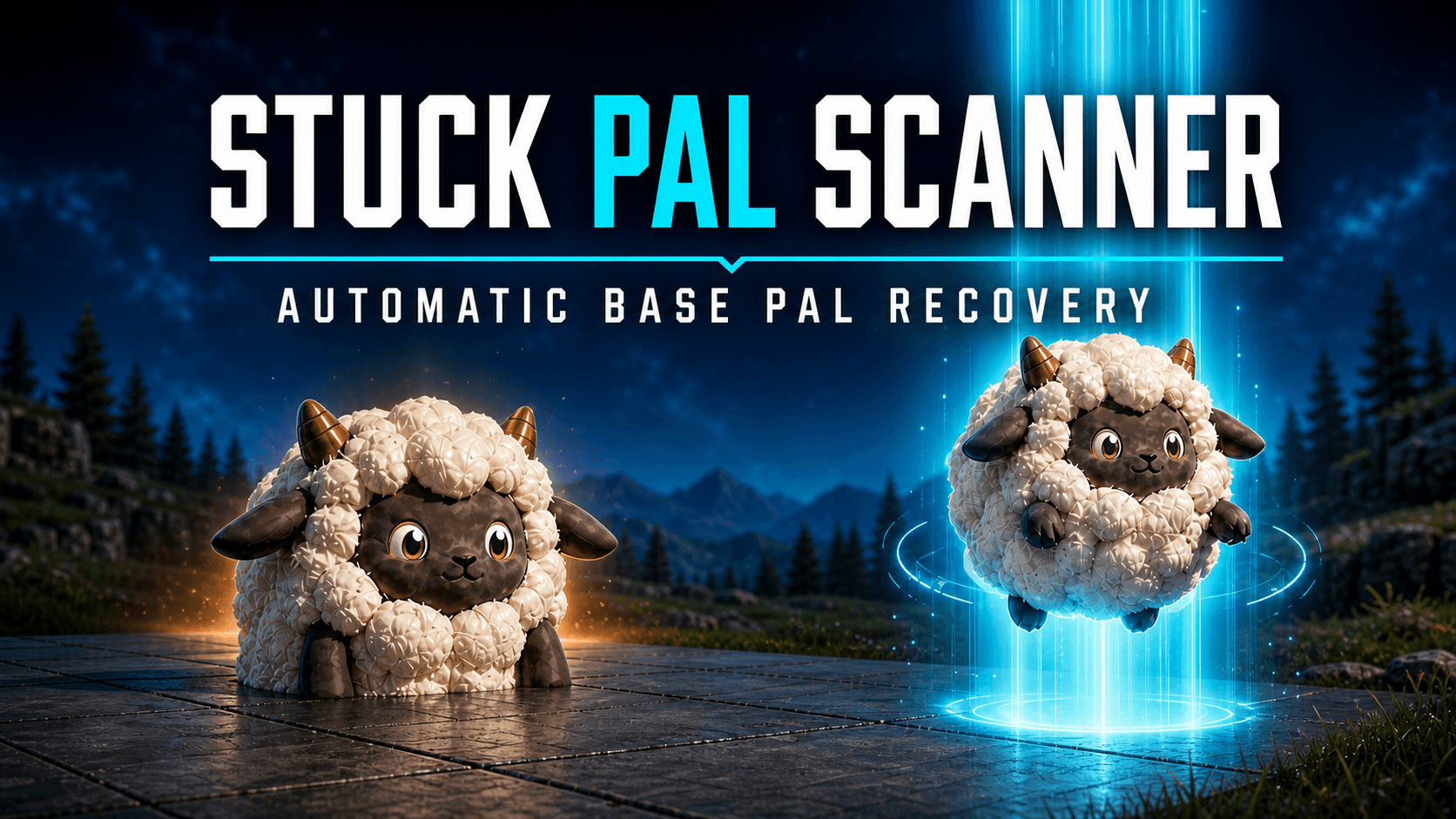
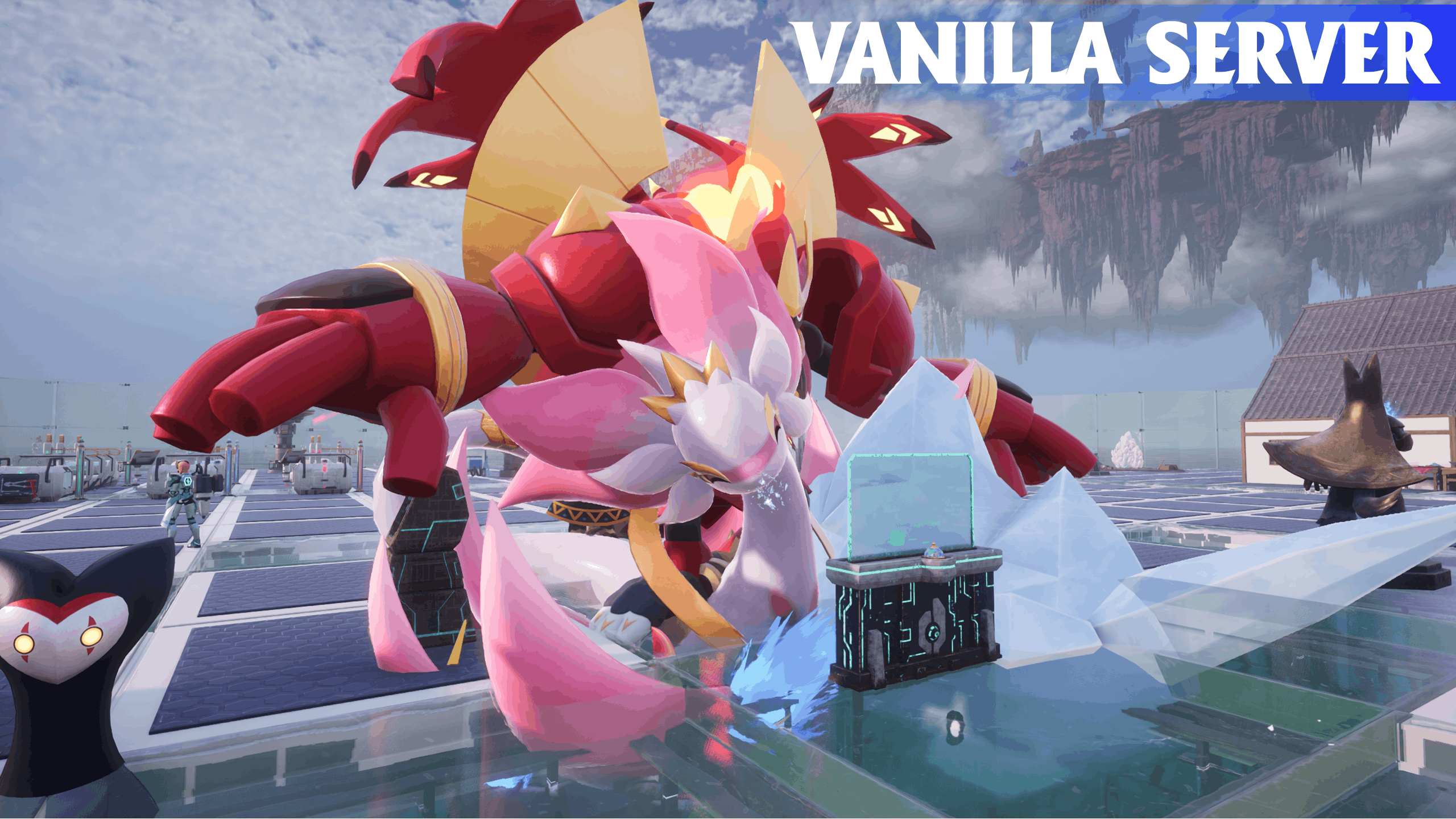
Stuck Pal Scanner fixes the long-standing vanilla Palworld bug that causes base Pals to deploy beneath terrain, foundations and other surfaces on dedicated servers.
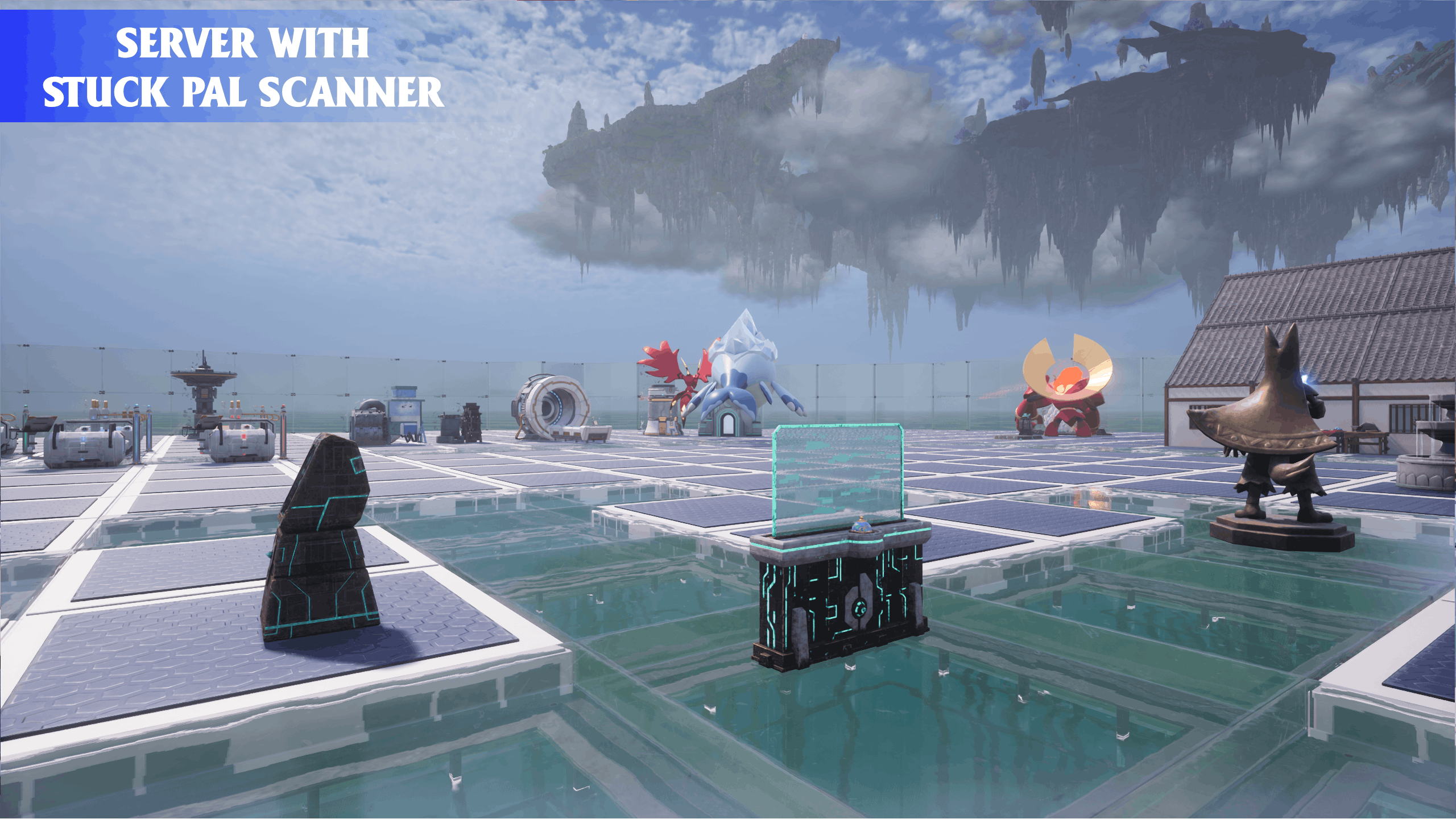
SPS catches the broken deployment while it is happening and immediately returns the affected Pal to the correct side of the surface, before it begins normal base work. Pals that deploy correctly are left completely alone.
SPS also keeps its original rescue systems for Pals that become stuck later, trapped near a Palbox or unable to reach food.
Vanilla Dedicated-Server Deployment Fix
On dedicated servers, Palworld can initially find a valid surface for a base Pal and then place that Pal beneath it during deployment. SPS now detects that failed placement and corrects it immediately.
The deployment fix:
- Runs while Palworld is deploying each base worker.
- Checks whether a valid above-surface placement became an invalid below-surface placement.
- Returns affected Pals to a safe position above the detected surface.
- Works with natural terrain, player-built foundations and other detected surfaces.
- Supports bases built on land, hills and water.
- Leaves correctly deployed Pals untouched.
- Acts before the Pal begins ordinary base work.
This fixes the vanilla deployment bug and replaces the old first-visit rescue scan. SPS now prevents the main server-start problem instead of waiting to find and teleport affected Pals afterwards.
Recurring Ground/Geometry Rescue
Recurring scans remain available on dedicated servers as a safety net for Pals that become stuck later during a long session.
Only bases with a player inside are considered. By default, the same base must wait at least 10 minutes before another recurring scan can begin.
SPS checks Palworld's actual base boundaries, so bases enlarged by base-radius mods should be recognised automatically when the game reports the enlarged boundary correctly.
Recurring scans can detect:
- Pals partially embedded in the floor.
- Pals moving around underneath a base.
- Pals that have fallen far below the base.
- Large and Alpha Pals whose visible body does not match their reported position.
- Pals trapped around the Palbox without making meaningful progress.
Movement-Aware Detection
SPS checks horizontal and vertical movement separately.
A Pal running underneath the floor can still be rescued, while a Pal walking normally around the base is left alone.
Pals that are sleeping, fighting, eating, resting or otherwise in a protected state are not teleported unnecessarily.
SPS also recognises Pals working at valid assigned locations. Being marked as “working” will not, however, hide a Pal that is genuinely trapped underground.
Hunger Recovery & Rescue
SPS watches Pals that begin trying to reach food.
If a hungry Pal cannot reach food and remains unable to move for the configured amount of time, SPS can relocate it near the Palbox.
If the Pal reaches food normally, hunger tracking stops immediately and the Pal is protected from an unnecessary rescue.
Hunger rescue works on dedicated servers and singleplayer.
Rescue Messages
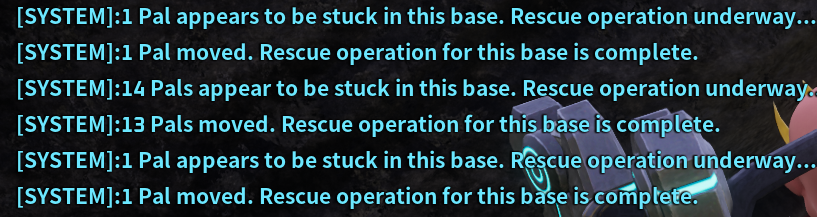
SPS can tell players when a rescue operation begins and when it finishes.
Dedicated servers use Palworld's system chat for players inside the affected base. Singleplayer uses Palworld's on-screen Pal notification display.
Ground rescues use messages such as:
6 Pals appear to be stuck in this base. Rescue operation underway...
6 Pals moved. Rescue operation for this base is complete.
Hunger rescues use their own messages:
2 Pals appear to be hungry & cannot reach food. Rescue operation underway...
2 Pals moved. Rescue operation complete.
Messages are grouped together to prevent spam. They can be disabled in config.lua with:
show_rescue_notifications = false
Safe Recovery and Verification
Pals rescued by a recurring or hunger scan are spread around an elevated recovery ring instead of being placed directly on top of the Palbox.
After moving a Pal, SPS checks whether it reached a safe height and returned to ordinary movement or base activity.
If the first landing does not work, SPS can try another position. If the Pal recovers naturally, any unnecessary retry is cancelled.
Monitoring Stand settings and work assignments are preserved throughout the rescue process.
Singleplayer
SPS automatically detects singleplayer. You do not need to change a dedicated-server setting in config.lua.
Palworld's own save-load deployment remains responsible for placing base Pals in these modes, allowing Pals to deploy normally, all at once.
The dedicated-server deployment fix and recurring ground scans are not used in singleplayer because Palworld's native deployment is the better option there.
Hunger tracking and hunger rescue remain active.
Panthalus
Panthalus is deliberately ignored by every SPS rescue and deployment system.
Its size makes it unsuitable for the normal recovery ring, and it generally deploys correctly without SPS assistance.
The single KingWhale entry in config.lua handles this exclusion.
Server-Friendly Design
SPS is designed to avoid unnecessary work on busy servers.
- The deployment fix reacts to Palworld's own worker-deployment process instead of repeatedly scanning every Pal.
- Only bases with a player inside are considered for recurring scans.
- No more than two bases share a recurring scan window.
- A global rest period separates recurring scan windows.
- Rescues are processed in small groups instead of all at once.
- SPS checks the existing rescue workload before opening another scan.
- Missed scan times are not saved up and triggered together.
- Unattended and unloaded bases are not repeatedly scanned.
- Completed scans and old deployment records are cleaned up.
- Detailed logging is disabled by default.
Windows and Linux Support
The same SPS files can be used on supported Windows and Linux setups.
Windows servers require UE4SS Okaetsu Experimental.
Native Linux servers require a compatible Linux version of UE4SS. Linux UE4SS is a separate third-party project and is not included with SPS.
For dedicated servers, SPS only needs to be installed on the server. Connecting players do not need to install it.
Requirements
- Palworld 1.0.3.
- UE4SS Okaetsu Experimental, or a compatible Linux UE4SS port.
PalSchema is not required.
Installation Instructions
Windows or Windows Dedicated Server
- Install UE4SS Okaetsu Experimental.
- Extract the downloaded SPS archive into:
Pal\Binaries\Win64\ue4ss\Mods\
- Confirm that the final folder looks like:
Pal\Binaries\Win64\ue4ss\Mods\StuckPalScanner\Scripts\main.lua
- Start Palworld or restart the dedicated server.
SPS automatically detects whether it is running on a dedicated server or in singleplayer.
Native Linux Dedicated Server
- Install and confirm that your compatible Linux UE4SS port is working.
- Place the
StuckPalScannerfolder inside that installation'sue4ss/Modsdirectory. - Start or restart the server.
Follow the instructions supplied with your Linux UE4SS port, as folder locations and startup commands can vary.
Updating from an Older Version
Replace the complete old StuckPalScanner folder with the new one.
Do not update only main.lua. Version 2.0.0 includes the new hunger_scan_module.lua file, which is required for recurring ground scans and hunger rescue.
The previous is_dedicated_server setting is no longer needed. SPS detects the correct mode automatically and ignores this setting if it remains in an older config.
Using the new config.lua is recommended because it includes the latest settings and descriptions.
Configuration
Most users can leave the default settings unchanged.
The main options allow you to control:
- Whether recurring ground scans are enabled.
- How long a base must wait before another recurring scan.
- Whether rescue messages appear.
- How long a hungry Pal must remain stuck.
- How long a Pal must remain trapped near a Palbox.
- How quickly rescues are processed.
- Where rescued Pals are placed.
- Which Pal types SPS must ignore.
SPS checks the config when it starts. Missing or invalid settings use safe defaults, and unsafe values are adjusted to safe limits.
Restart Palworld or the server after changing config.lua.
Troubleshooting
If SPS does not behave as expected:
- Confirm that UE4SS and SPS are installed in the correct folders.
- Confirm that
StuckPalScannerappears in the UE4SS log. - Look for one of these messages:
SPS v2.0.0: dedicated server detected
SPS v2.0.0: singleplayer/listen server detected
- Set the following option in
config.lua:verbose_logging = true
- Restart the game or server.
- Reproduce the problem and provide the relevant UE4SS log.
Return verbose_logging to false afterwards to keep normal logs quiet.
If rescue messages do not appear, confirm that:
show_rescue_notifications = true
Dedicated-server messages are sent only to players currently inside the affected base.
Compatibility
SPS should work alongside most mods because it only acts on failed deployments or Pals that meet its rescue conditions.
Base-radius expansion mods are supported automatically when Palworld reports the enlarged base boundary correctly.
Mods that completely replace base deployment, Pal AI, hunger behaviour or base-worker handling may interfere with SPS.
SPS has no PalSchema dependency and requires no client installation when used on a dedicated server.
The Stuck Pal Scanner - Server & Singleplayer - UE4SS Experimental Team