


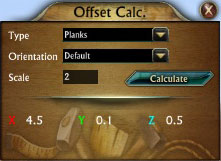
This Tool is to aid you in calculating needed offsets.
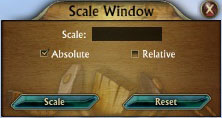
Scale window of Dimension Tools
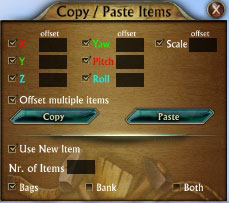
Copy & Paste window of Dimension Tools
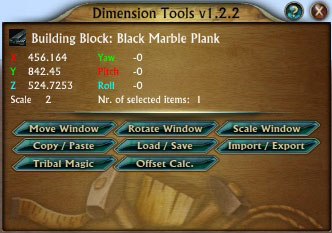
Main Window
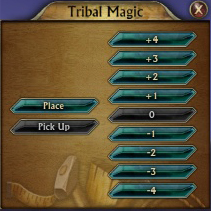
A way to fly thru your Dimension
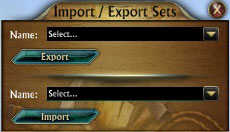
Import & Export window of Dimension Tools
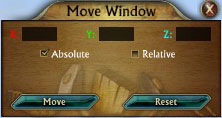
Move window of Dimension Tools
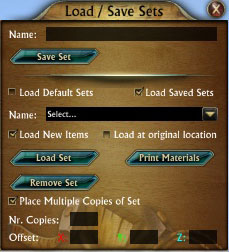
Load & Save window of Dimension Tools
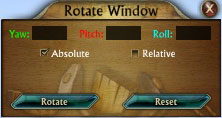
Rotate window of Dimension Tools
Description
Dimension Tools
This is an addon to provide you with extra tools to aid you in the building of your dimensions.
Features:
- Move, Rotate and Scale Tools.
- Move items by typing in numbers for the X, Y and Z axis, either relative or absolute.
- Rotate items by typing in numbers for the Yaw, Pitch and Roll, either relative or absolute.
- Scale items by typing in numbers for the Scale, either relative or absolute.
- Copy & Paste Tool.
- Copy an item and paste those stats to any other item in your dimension.
- Copy an item in your dimension and paste multiple copies of that item in your dimension from your bags or bank.
- Use the offset multiple items to align the items you paste.
- Save & Load item sets.
- Save your selected items as a set to load another copy in your dimension or place the same thing in other dimensions.
- Load a set using item(s) from your bags.
- Load multiple copies of your set at once using an offset on the X, Y, or Z axis using items from your bags.
- Choose between default sets or own saved sets to load. Default sets are extra tools created to make it easier to build specific shapes.
- Import & Export Tool.
- Export sets you made to a file for easy sharing with your friends.
- Import sets from a file given to you by friends and place them in your saved sets for use in your dimensions.
- Tribal Magic.
- Tribal Magic is a tool that allows you to fly around in your dimensions
Instructions:
- Type "/DT" in the chat window to open/close Dimension Tools
- Type "/DT Reset" in the chat window to reset all Dimension Tools windows to their default locations
- An Help menu on how to use the addon is provided by pressing the "?" button on the main addon window
Special Thanks:
- Arkzy programmer of Dimension Toolbox for making such a great add on that this add on has been inspired by.
- AladdinRift, for letting me use his code from Magic Carpet to integrate it into Dimension Tools.
- Rift Dream Dimensions team, for testing and evolving this addon.
Basic Guides For Dimension Tools:
- Official PDF Guide & Video's: http://riftdreamdimensions.com/?p=6974
Advanced Guides For Dimension Tools:
- Alfiebet Edition - Dimension Word Processor: http://riftdreamdimensions.com/?p=7386
- Offset Calculator: http://riftdreamdimensions.com/?p=7257
- Default Sets - Creating Domes: http://riftdreamdimensions.com/?p=7104
Affiliated Dimension Tools Websites:
- http://riftdreamdimensions.com – For all your Dimension Tools information.
- http://inhousegaming.com/ - For all your Trion game fun.
The Dimension Tools Team
