


Dev Menu Revived - Jagex's Own Debug Menu
0-thumb.jpg
1-menu.jpg
2-pause.jpg
3-dimmed.jpg
4-teleport.jpg
Description
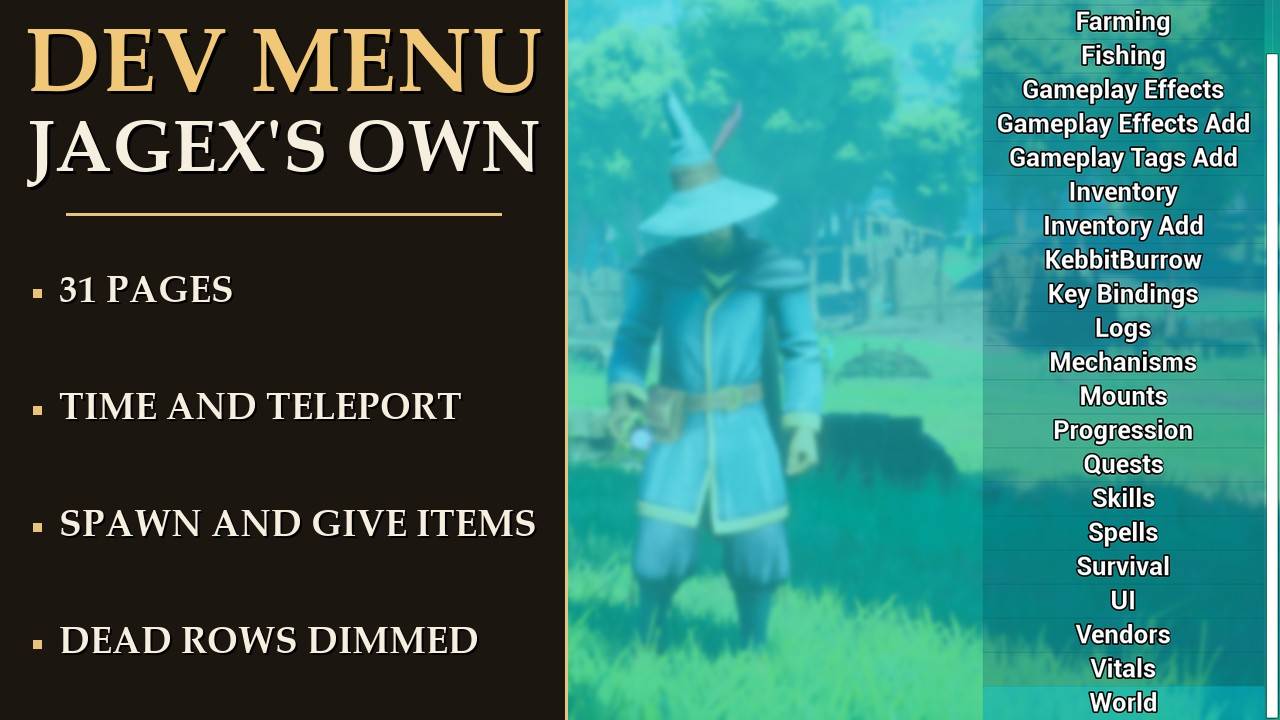
Jagex's own developer menu, opened up and working
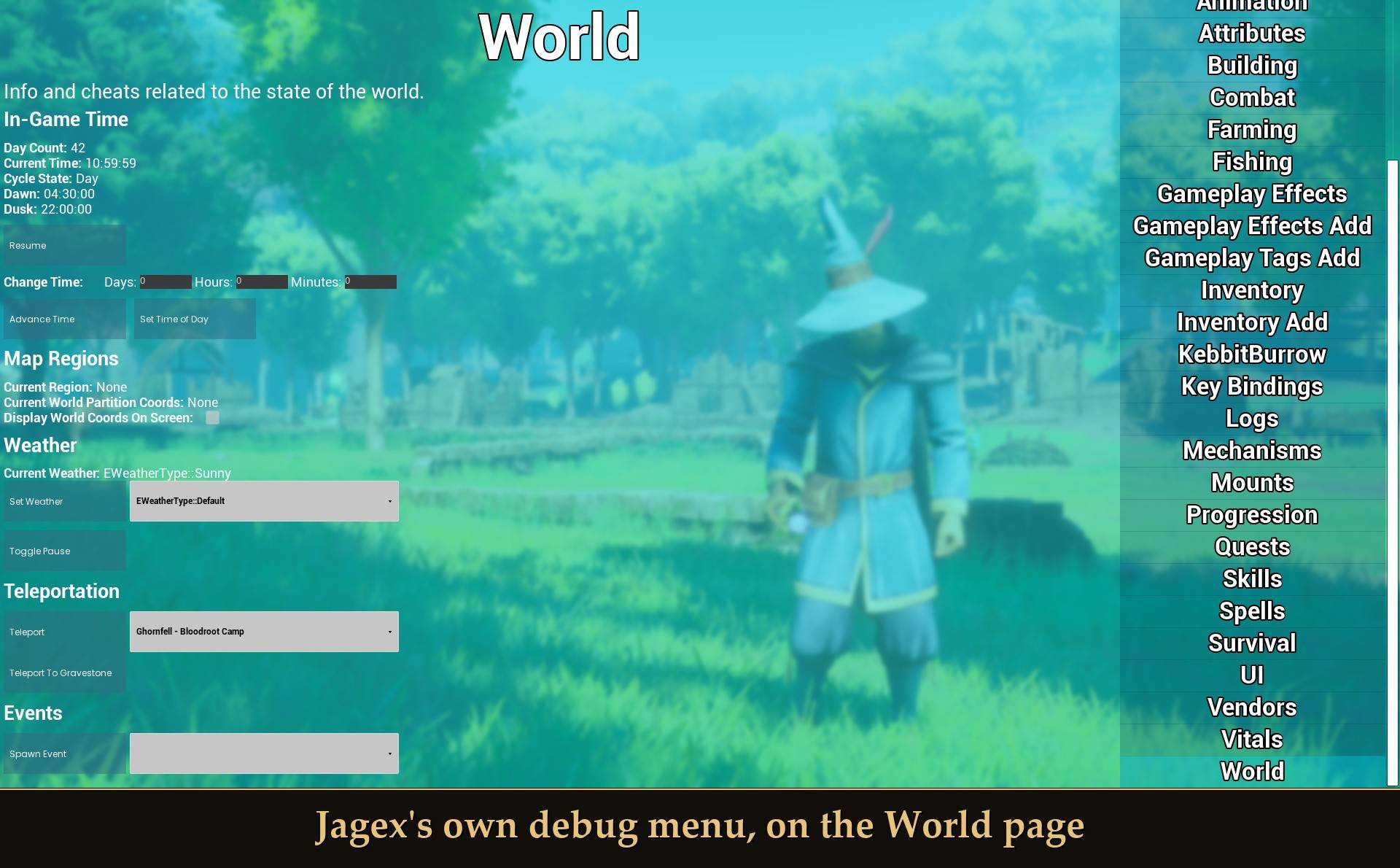
Jagex's own debug menu, on the World page
The game still has Jagex's 31-page debug menu inside it. It draws, it takes your clicks, and every button does nothing. This mod opens it from the pause menu and puts real code behind the buttons it can.
Needs UE4SS. Mod Menu is optional. Solo or host only.
Recommended: Save Bank, so you can roll your world back after trying the unlock rows.
Back up your world before you use the unlock rows.
Some rows change your save for good: items you give yourself, recipe, building, journal and spell unlocks, mounts, vendor reputation, skill levels, quests and Max Out Character. The game keeps them like anything you earned, and there is no undo. Before you try them on a world you care about, make a restore point first. My Save Bank mod makes one every time you press F5, so you can roll back if you don't like the result. The first time you use one of these rows in a session, a message pops up to remind you. Immortality, movement and health changes only last until you quit. Details under "What writes to your save".
This isn't a menu I built. It's the one the devs used, left in the shipping game. Its key does nothing in the normal game, and even when you get it open, the code behind the buttons was stripped out of the release build. The clicks still go through though, so I catch each one and do the work myself. Where the game's own systems still exist (mount unlocks, skill XP, recipes, quests, the map), the mod goes through those.
Nothing is faked. On the generated pages a row either has real code behind it, or it's dimmed and says "(no effect yet)". Right now that's more than half of the rows, plus most of the hand-built pages. The exact list is below, including the ones I haven't seen work yet.
What it does
- Opens the menu: a DEV MENU entry in the pause menu, or a key if you set one.
- Brings rows back: time of day, teleport to 216 places, spawn creatures, give yourself items and gear sets, heal, immortality, survival bars, movement values, unlocks, skills, quests, mounts, HUD toggles. The full list is below.
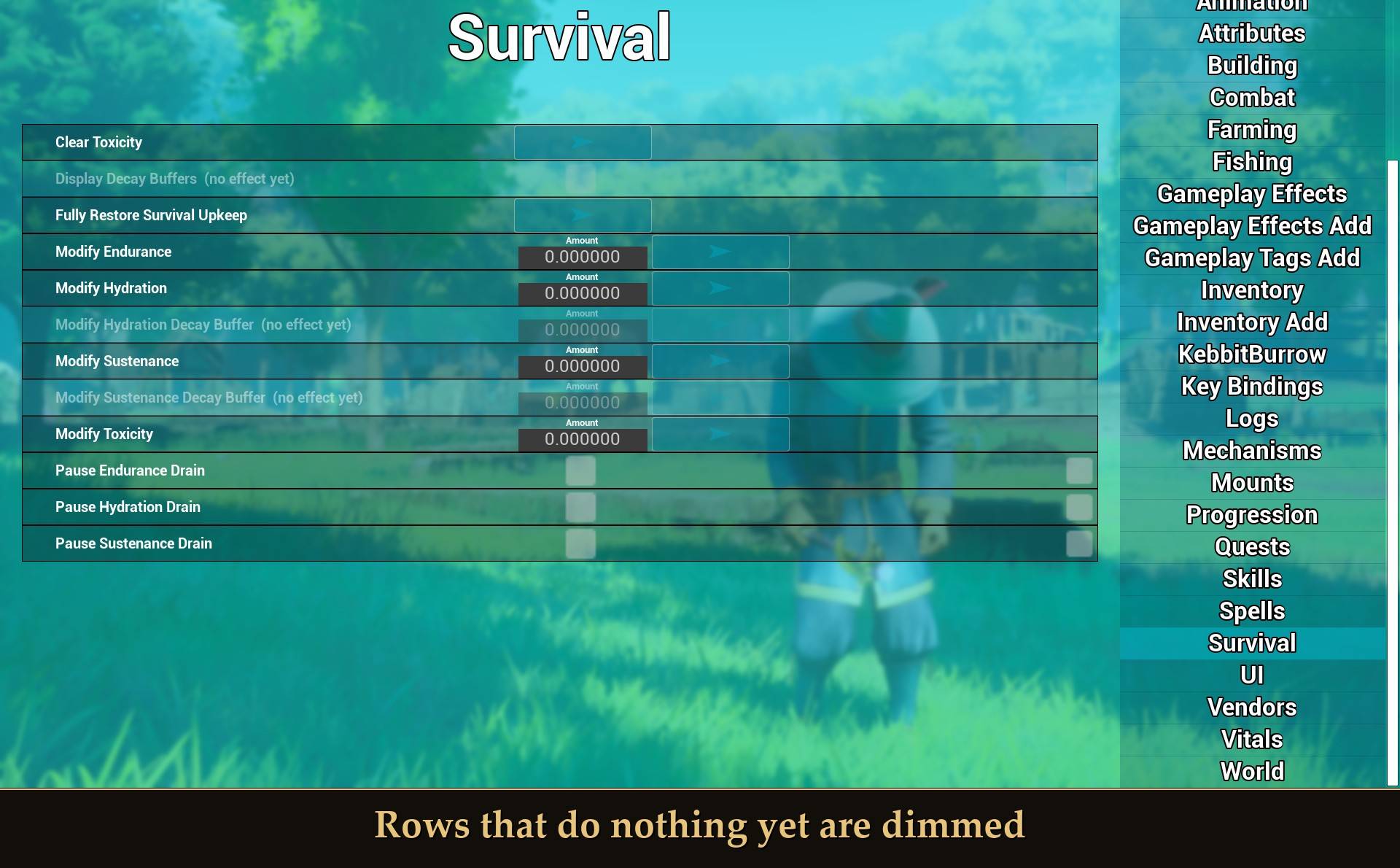
- Tells you what's dead: rows it hasn't brought back yet are dimmed and get "(no effect yet)" on the end, so you don't sit there clicking a button that does nothing.
- Refuses the dangerous ones: the menu has a live-looking Crash button, Crash Server, and a pile of resets that would wreck a save. Those are blocked whatever you do.
- Tidies the teleport list: the 216 places are grouped by area, so you can find them.
How to open it
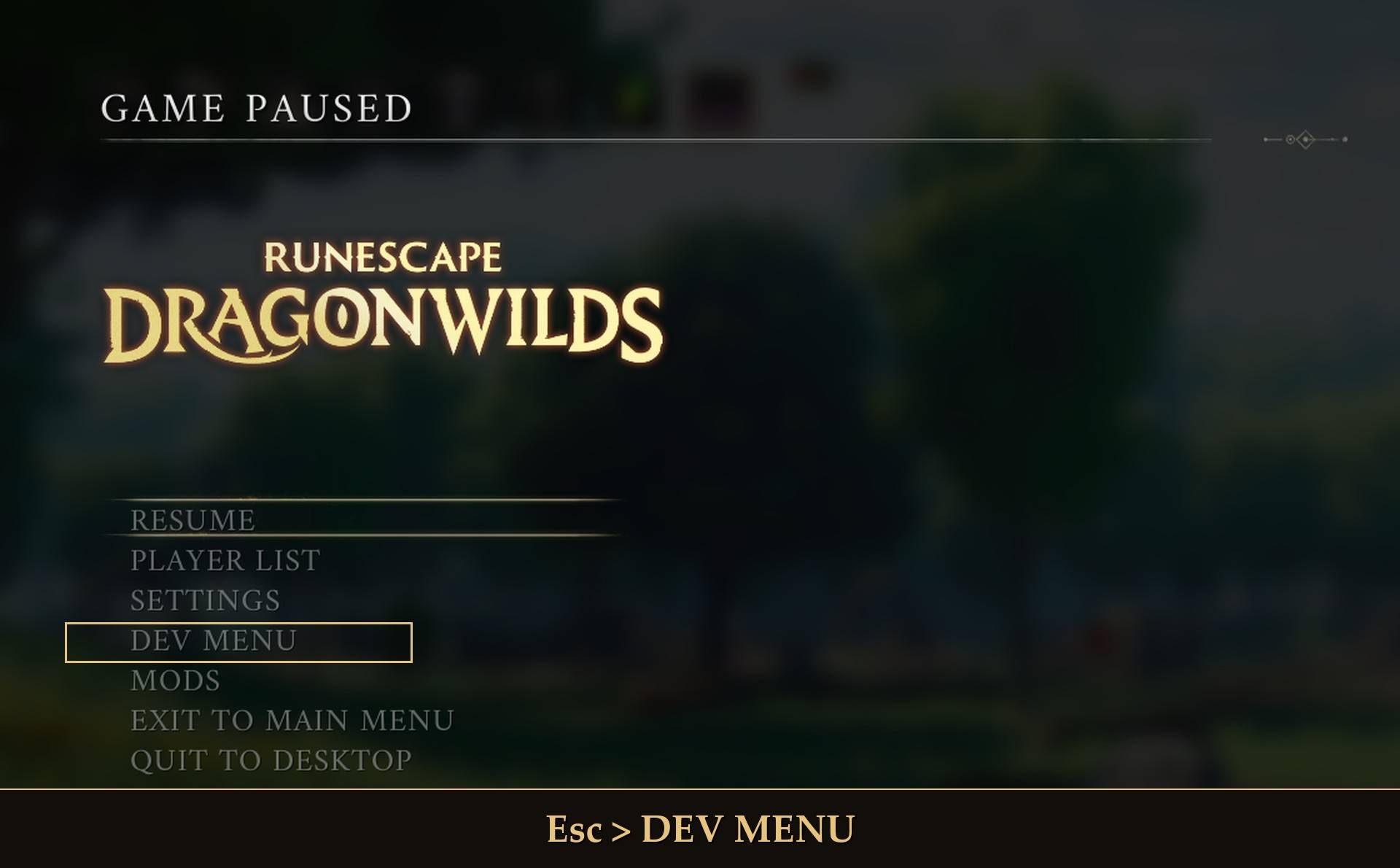
Esc > DEV MENU
Press Esc and pick DEV MENU. It sits under SETTINGS, with any other mod entries, above the exit buttons. If you'd rather have a key, set Open key in Mod Menu (HOME or NUM_ZERO are free; F6 to F9 are used by other mods of mine, F10 is the UE4SS console and F11 is fullscreen). Pages are in the list on the right. Rows on the generated pages have an arrow button to run them, a checkbox for on/off rows, and boxes for any numbers they take.
Apart from the save warning, the mod doesn't pop anything up on screen. Every click writes a line to UE4SS.log saying what it did, or why it didn't.
What works, page by page
Rows that do nothing yet are dimmed
Everything in this list I checked by what it did in game: a health number, a jump height, an XP total, a quest state. Not just the button firing.
- World: Set Time of Day, Pause (the day clock), and Teleport (see below). Weather, Events and Teleport To Gravestone do nothing yet.
- Vitals: Full Heal, Set Immortal (500 damage left me at 0.1 HP). Set Invulnerable is the same switch.
- Survival: change hydration, endurance and toxicity by an amount, Clear Toxicity, pause the hydration, food and endurance drain (a 2 hour skip left my bars where they were), and Fully Restore Survival Upkeep.
- Agility: gravity, jump height, jump hold time, ledge forgiveness, rotation rate during a jump, and the fall damage multiplier. At gravity 0.5 my jump went from 1.8 m to 6.7 m. Reset puts the originals back.
- Inventory: the gear set rows (Gear Tier, and Get Gear Preset: 0 generic, 1 Knight, 2 Ranger, 3 Mage), set your equipment durability, repair an item, and switch durability loss off.
- Inventory Add: give yourself any item, with a count and durability.
- Progression: Unlock All Recipes, Unlock All Journal Entries, Unlock Mount, vendor reputation, and Max Out Character (every skill to exactly 1,000,000 XP).
- Building: Unlock All Building Pieces. The rest of this page (saving and loading builds and so on) is dead.
- Spells: Unlock Spell. Vendors: Add Vendor Reputation.
- Skills: Level Up, Set Level and Set XP, exact to the point. Levels can only go up.
- Quests: Start and Complete (I took Doric's Quest from not started to completed). Reset All is refused.
- Mounts: Unlock All and Lock All, or go down the list: flip a mount's switch to unlock or lock it, and hit its Equip button to make it your mount. Both go through the game's own mount code and are saved. You still ride with your own mount key; the mod never puts you on one. The Misc. page can also unlock one mount and equip it.
- AI Spawner: the creature buttons spawn the creature (I did Blue Sheep, a Kalphite Friend, TokXil and KotHaar). Kill, Kill All, Destroy and Destroy All work within the range you set. Anything killed from the menu drops no loot and gives no XP. Two creature types are always refused, because spawning them crashes UE4SS.
- AI Debug: Damage Ai.
- Fishing: Deplete and Replenish Nearest Fishing Spot.
- Gameplay Effects: Wither Add and Remove, and Tracked Status Effect Add. Cold and Wither take; Poison, Bleed, Burn and Slow don't, through any route I found.
- Gameplay Effects Add: add an effect. Remove takes off every copy of it.
- Gameplay Tags Add: add and remove tags.
- UI: Hide Hud, Toggle Reticle, Toggle Enemy Health, and Hide Map Fog (draws the whole map; turning it back on hides nothing you'd already found). The notification test rows show the game's real banners.
- Misc.: Quick Save (saves your world and your character), Reveal All Map Regions, Save Player State, and Toggle Player Visibility (hides your body and whatever you're holding; creatures still see you and still attack).
- Nothing yet: Combat, Farming, Mechanisms, Attributes, Animation, AnimNativ, Key Bindings, Logs, AI Actions.
In numbers: the 21 generated pages have 236 rows. 77 have code from this mod and 14 are blocked. 5 still run the game's own code, which survived the strip: the four notification test banners on the UI page, and Do Dash on Misc. (that one didn't move me when I tried it standing still). The other 140 are dimmed. Most of the dimmed ones are AI, combat and building debug tools; AI Debug alone has 27. The 10 hand-built pages (World, Skills, Quests and so on) are never dimmed, so check the list above for those.
Teleport
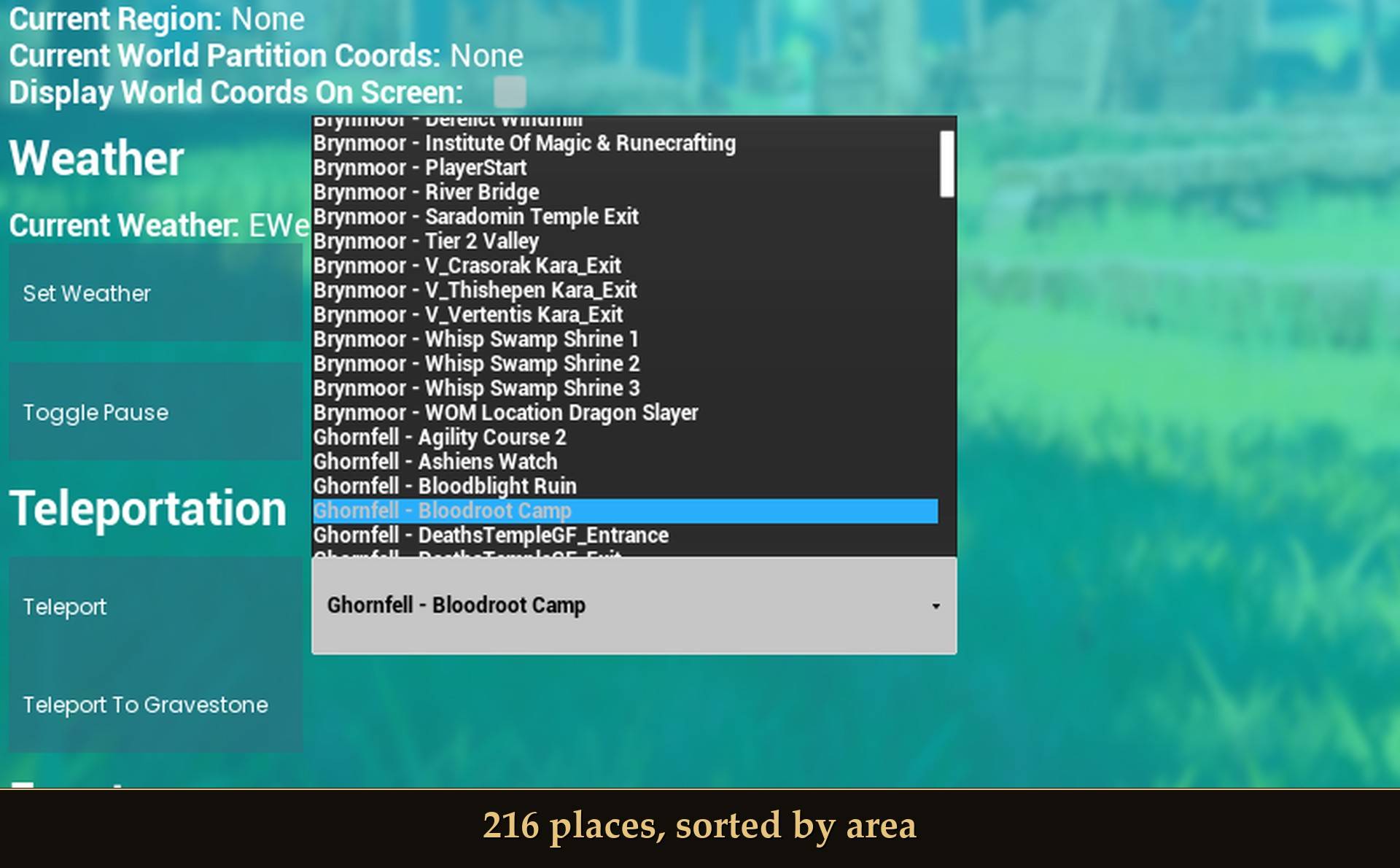
216 places, sorted by area
World > Teleport is Jagex's own list of 216 named places. On its own it's one long A to Z list. With the mod each one reads "Area - Place" and they're in area order: Brynmoor, Ghornfell, Fellhollow, Dowdun Reach, Umbral Sands, Scorned Wilderness, then Other. Pick one and hit Teleport.
- Falling through the world: if the ground hasn't loaded yet and you drop more than 20 m below the spot, the mod puts you back where you started. It watches for 10 seconds after each jump. When I tested it, I was back in 2 seconds.
- Other: 46 places that sit under or above the map (vaults, rooms, arenas), still in the game's dev names. I've only teleported to places on the surface, so treat those as a gamble.
- Want the game's own A to Z list back? Turn off Teleport list by area. It changes the next time you open the menu.
Not confirmed yet
These have code behind them, but I haven't watched them work, or they only half work. Try them if you like, just don't count on them.
- Hurt Me, Revive, Fill and Modify Vital Shield, Soul Rift immunity, Kebbit burrows: never seen working. Revive can't be tested solo (you respawn straight away), and the burrow rows need a burrow loaded near you.
- Infinite Stamina and Infinite Special Charge: they put the game's own cheat effect on you and take it off cleanly. I haven't seen the refill itself.
- Air control, rotation rate during a dash or double jump, Modify Sustenance, Tracked Status Effect Remove, the other Gear Tier rows, Hawker and Hunter reputation, player nameplates: same code as rows that work, but not clicked one by one.
- Movement values: they take and they work, but I haven't checked if they hold through a long session, a death or a reload.
- Photo Mode and Toggle Free Cam: the camera detaches and stays where it is (Photo Mode also hides the HUD). You can't fly it around yet.
- Set Can Fly (experimental): you hover where you are. Space and Ctrl don't move you up or down yet, and the log says so when you turn it on.
What writes to your save
Two switches cover everything that sticks. Both are on by default, so read this before you click around on your main character.
- Give items: Inventory Add, the gear sets and the durability rows. Items you give yourself are kept like items you picked up. It checks you have room first, so nothing gets made and dropped on the floor.
- Unlocks and reputation: recipes, building pieces, journal entries, spells, mounts, vendor reputation, Max Out Character, the Skills page, the Quests page and Reveal All Map Regions. These are permanent, the same as earning them in play. There's no undo.
- Immortality, movement and health changes last only until you quit.
- Quick Save runs the game's own save, same as any other save.
The first time one of these runs in a session, a message comes up for about 8 seconds: "Dev Menu: this writes to your save. There is no undo." and "Tip: Save Bank (F5) makes a restore point first." It shows once per session, and rows that don't touch the save (Full Heal, say) never trigger it. Turn it off with Warn before save changes.
If you want to mess around without touching your character, turn those two off, or use a spare character.
What it refuses
Crash, Crash Server, Kill All Player Characters, Remove All Items, Remove All Quest Items, and every Reset row (progress, world progress, player, quests, skill XP, dungeons, gameplay effects, food, key bindings, map customization, startup screens). They still look clickable, but clicking one does nothing except write "REFUSED" to the log.
Settings
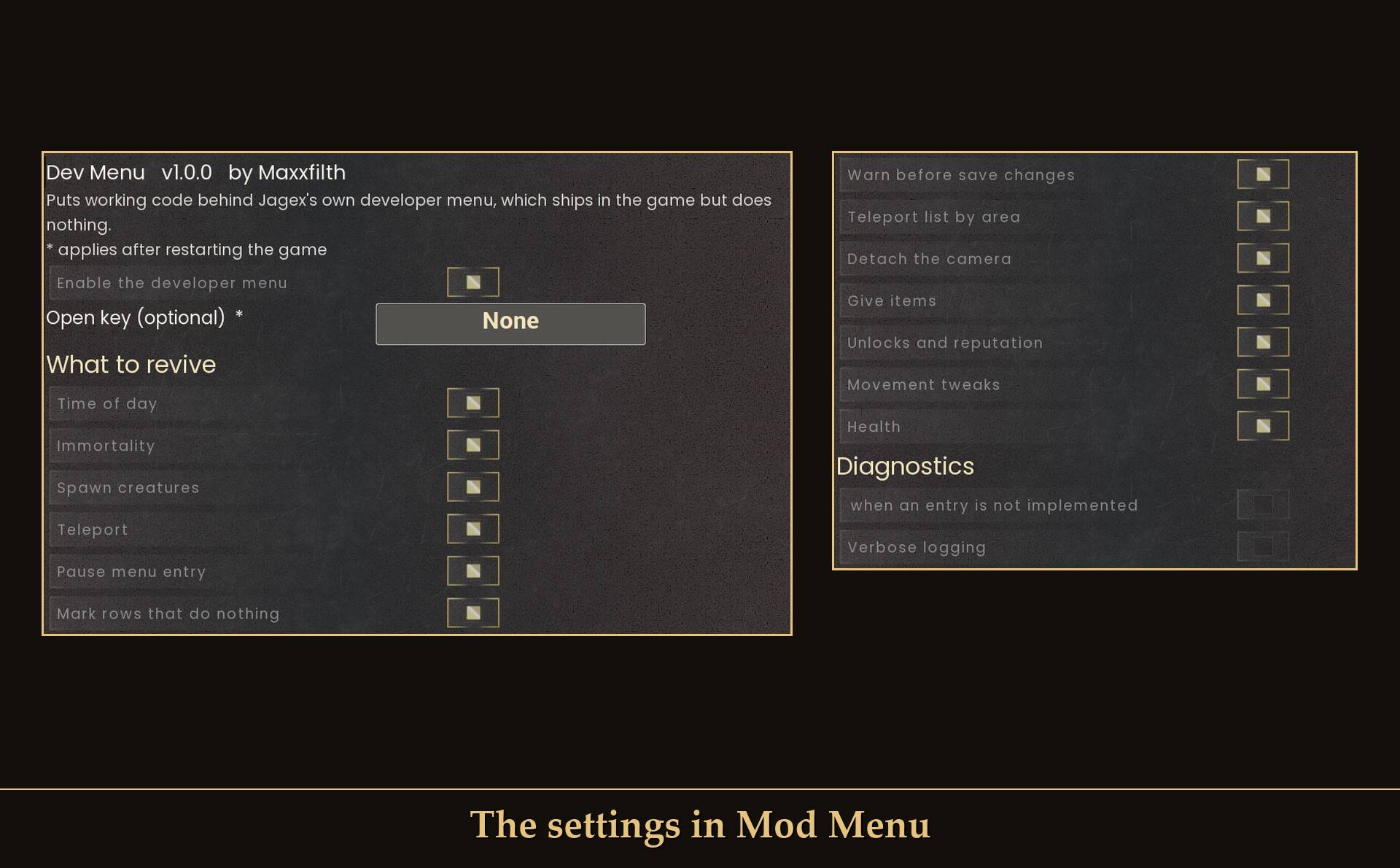
The settings in Mod Menu
All live in Mod Menu (Esc > MODS > Dev Menu), or in config.txt in the mod folder. All are on/off switches.
- Enable the developer menu: on. Off puts every row back to doing nothing, exactly as the game ships.
- Open key (optional): none. A new key needs a game restart.
- Time of day: on. Set Time of Day and Pause on the World page.
- Immortality: on.
- Spawn creatures: on.
- Teleport: on. The World > Teleport place list.
- Pause menu entry: on. The DEV MENU entry in the pause menu, under SETTINGS.
- Mark rows that do nothing: on. Dims the dead rows and adds "(no effect yet)".
- Warn before save changes: on. The once-a-session message the first time a row writes to your save.
- Teleport list by area: on. Off shows the game's own A to Z list, from the next time the menu opens.
- Detach the camera: on. Photo Mode and Toggle Free Cam.
- Give items: on. Writes to your save, see above.
- Unlocks and reputation: on. Writes to your save and can't be undone, see above.
- Movement tweaks: on. Gravity, jump height, air control and flight.
- Health: on. Full Heal and Hurt Me.
- Log unbuilt entries: off. Clicking a dead row writes a line to the log instead of doing nothing silently. Needs a restart.
- Verbose logging: off.
Install
- Install UE4SS for RSDragonwilds.
- Drop the
DevMenufolder intoRSDragonwilds/Binaries/Win64/ue4ss/Mods/ - Optional: install Mod Menu to change the settings in game.
On Game Pass: use the BE version of UE4SS with the SCO signature, the normal build does not load there. Game Pass also installs the game under Binaries/WinGDK/ instead of Binaries/Win64/, so the DevMenu folder goes in RSDragonwilds/Binaries/WinGDK/ue4ss/Mods/. If you install with Vortex, check that is where it ended up. I haven't tested Game Pass.
To uninstall, delete the DevMenu folder. Anything you gave yourself or unlocked stays, it's part of your save now.
Good to know
- Solo or host only. On a co-op guest every row does nothing, so a guest can't change the host's world. I haven't tested co-op at all.
- It's a cheat menu. Use it on a test character, or on a world you don't mind bending.
- Spawned creatures that the game never uses fight and die like normal ones and give XP, but the ones I tried dropped no loot.
- Not sure it's running? UE4SS.log shows
[DevMenu] Dev Menu 1.0.0 readyonce you're in a world.
What I tested
Tested on RuneScape: Dragonwilds 1.0 (Steam, latest runs on build CL-245400) with UE4SS 3.0.1 stable, solo, on a test character and world: every row in "What works" by its effect in game, a real mouse click on a generated row, the blocked list, the DEV MENU pause menu entry (open, close, open again), the dimmed rows on every page (also after scrolling long pages up and down), the Mounts list, the save warning, the teleport list by area (every open, on and off from Mod Menu), the fall-through guard, and an unknown place name. Two long runs of switching pages and scrolling (13 and 18 minutes) with no crashes. Not tested yet: co-op (as host or as guest), a controller, Game Pass, Hardcore worlds, and the rows under "Not confirmed yet".
The Dev Menu Revived - Jagex's Own Debug Menu Team
