


Fast Eating Drinking and Sleeping
0-thumb.jpg
0-hero-cf.gif
1-well-rested.jpg
2-mod-menu.jpg
3-eating.jpg
Description
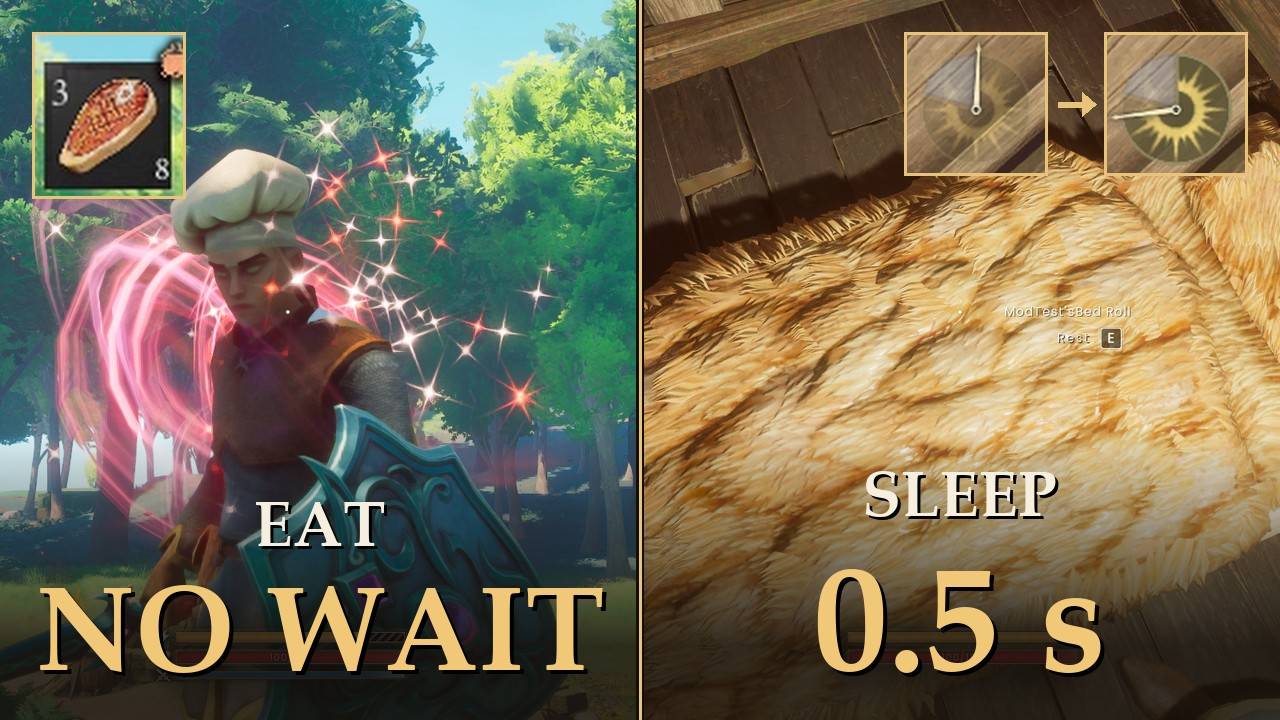
Eat and drink back to back, and sleep through the night in half a second.
No 2 second wait between one food and the next, or one drink and the next. Potions too. Sleeping takes about half a second instead of about 5, and you still get the Well Rested buff.
In the normal game, after you eat something you have to wait 2 seconds before the next food goes down. Press the slot again in that time and nothing happens. Drinks work the same way, and potions share the drink wait (the stamina potion has its own). It is not an animation, just a cooldown. When you are low on food and water and want to eat three things, that adds up. Sleeping is the same story on a smaller scale: from lying down to standing up at dawn takes about 5 seconds.
What it does
- No wait between foods: eat one after another as fast as you press the key.
- No wait between drinks: same for drinks.
- Potions included: potions lose their wait too (you can turn this part off).
- All of them: 217 foods, drinks and potions. Stacks you pick up later are covered too.
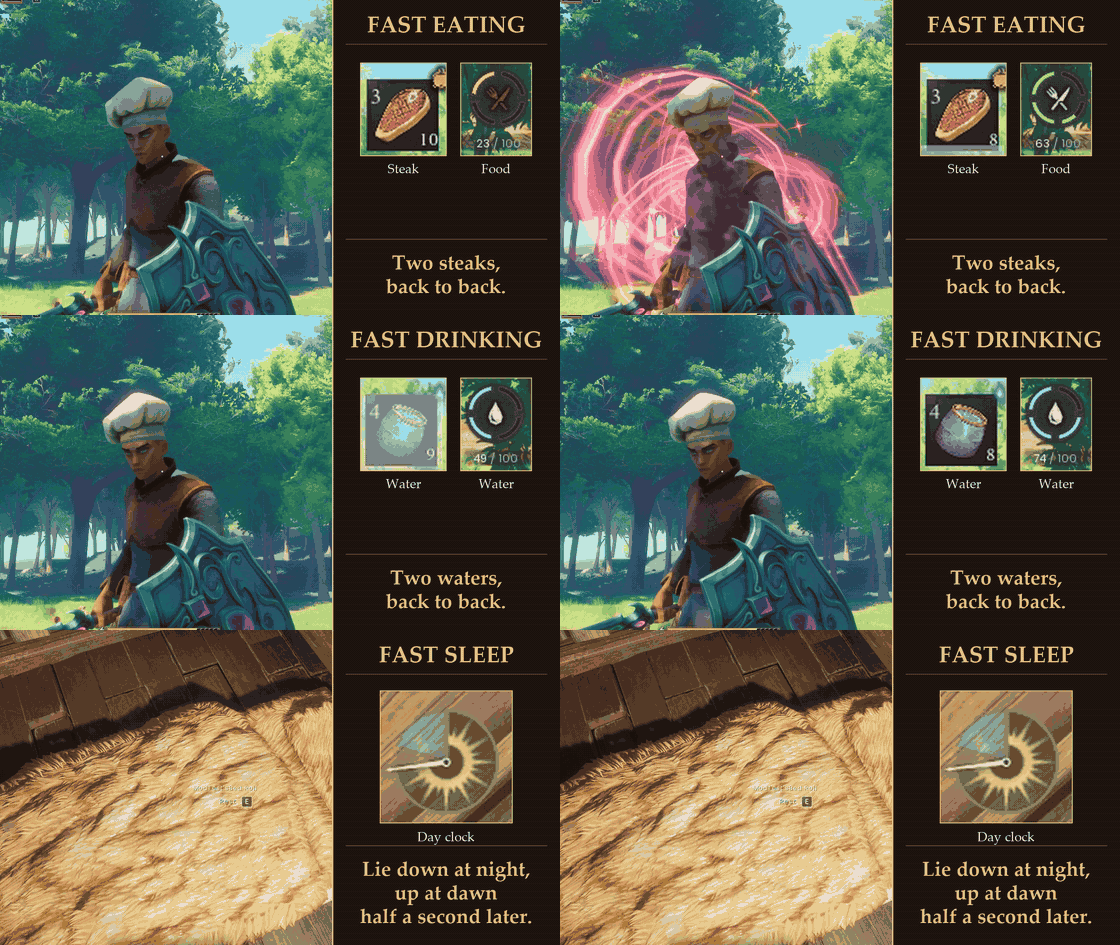
- Fast sleep: lie down in your bed and you are up at dawn about half a second later, instead of about 5 seconds.
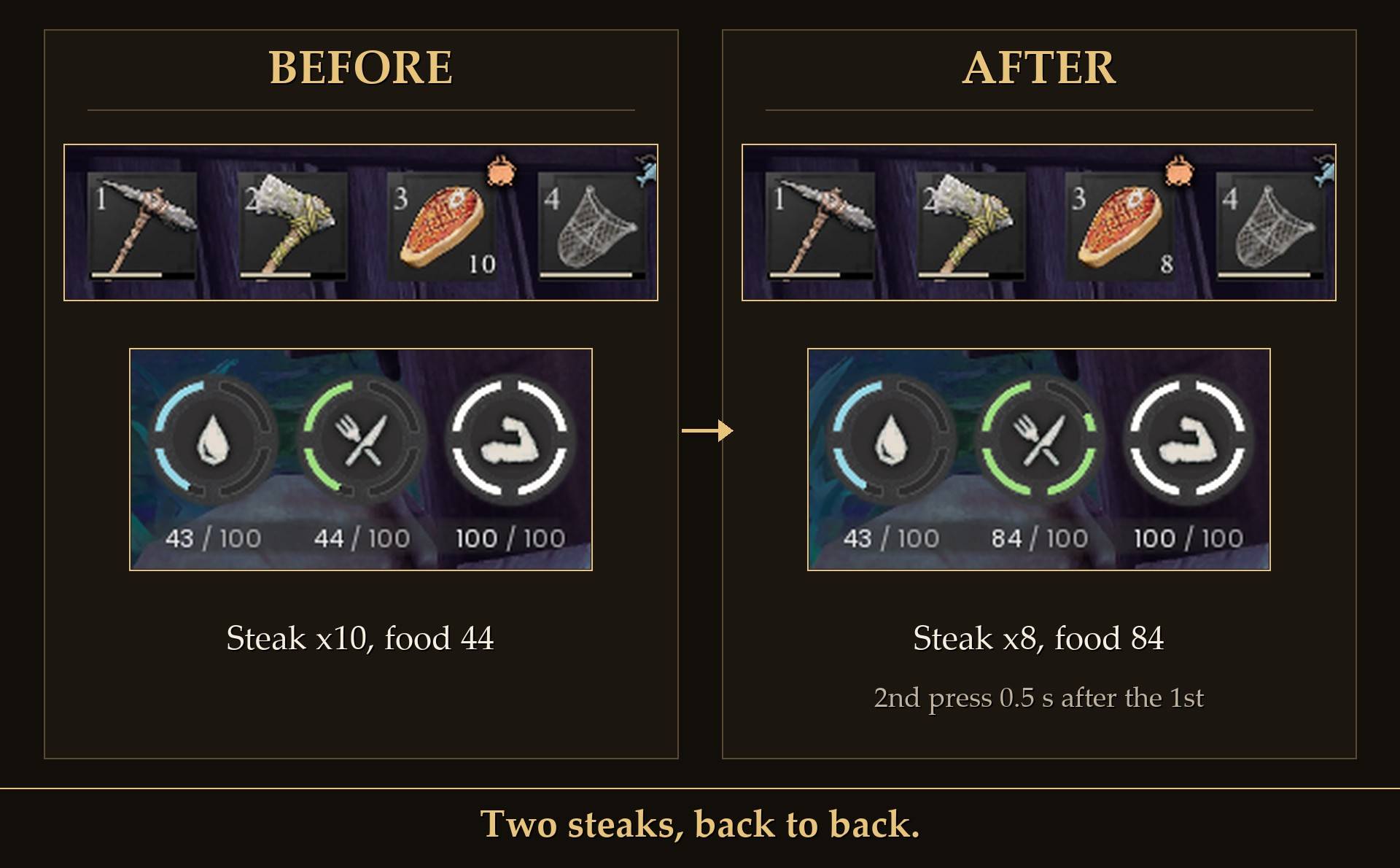
Two steaks, back to back: the second press came about half a second after the first, and both went down (10 steaks to 8, food 44 to 84).
What stays the same
- Food still fills you up and drinks still quench your thirst, the same amount as before.
- Potion effects still apply.
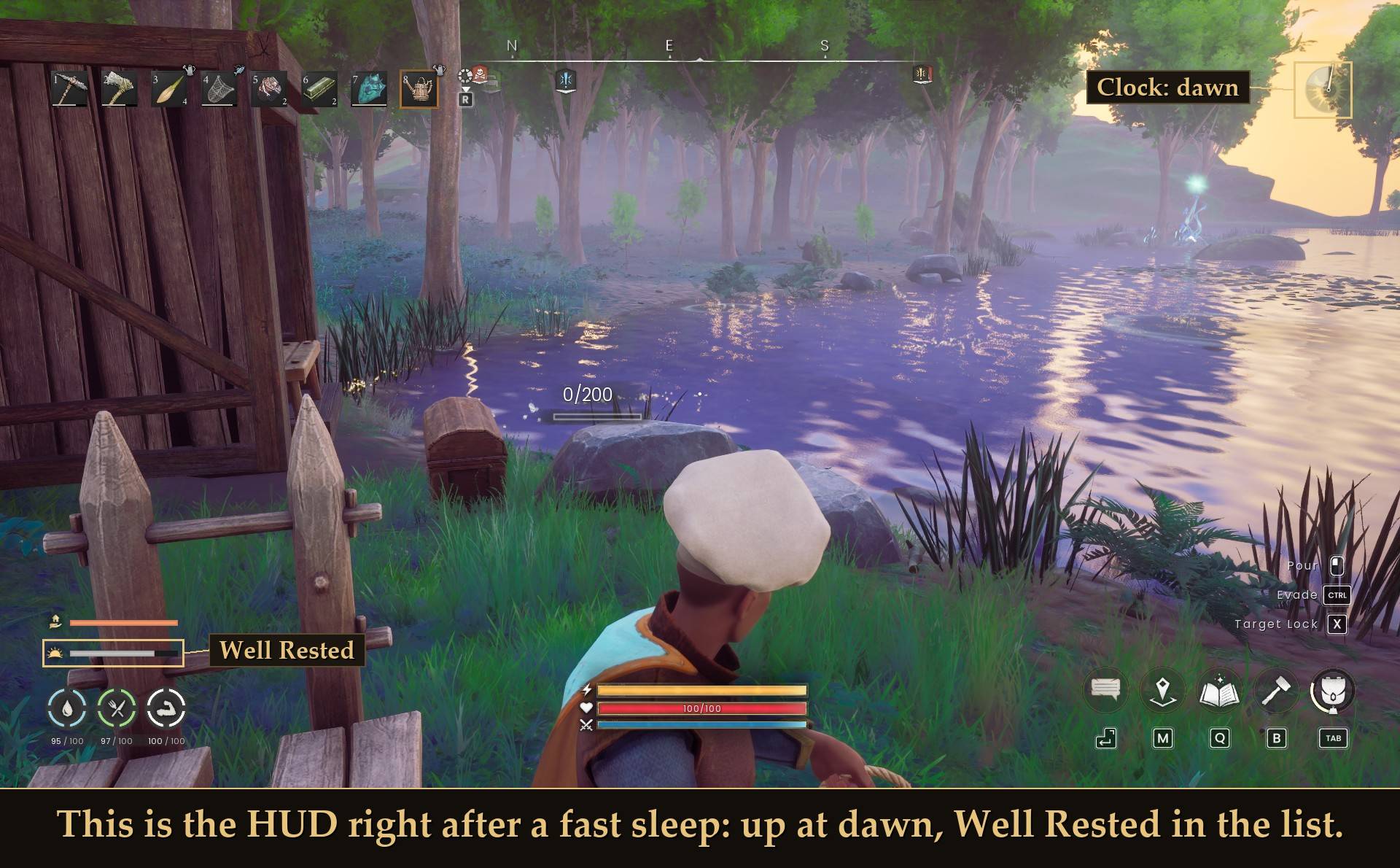
- Sleeping still takes you to dawn, and the Well Rested buff still comes on after the fast sleep, the same as in the normal game.
Sleeping
This is the HUD shortly after a fast sleep, at dawn. The game shows Well Rested as a sunrise icon with a timer bar in your status list; the gold labels on the picture are mine.
Settings
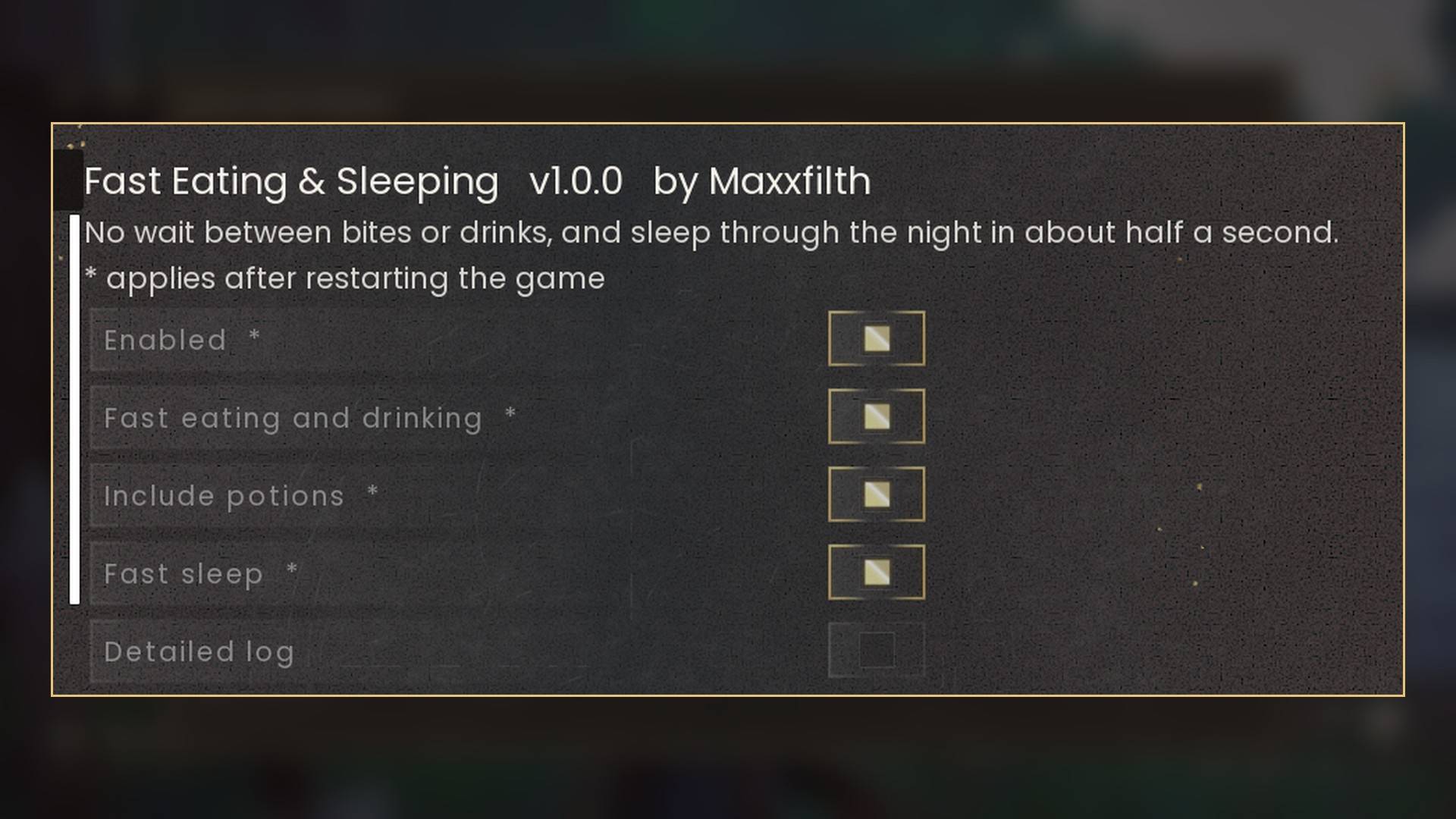
All in Mod Menu (Esc > MODS > Fast Eating & Sleeping), or in config.txt in the mod folder. Mod Menu is optional. All five are on/off switches, and changes need a game restart:
- Enabled: on by default. Off leaves the game exactly as it shipped.
- Fast eating and drinking: on by default. Removes the 2 second wait between foods and between drinks.
- Include potions: on by default. Potions lose their wait too.
- Fast sleep: on by default. About half a second instead of about 5.
- Detailed log: off by default. Writes a line to UE4SS.log for every item it changed.
Install
- Install UE4SS for RSDragonwilds (free, from the UE4SS for RSDragonwilds page on Nexus Mods).
- Drop the
FastEatSleepfolder intoRSDragonwilds/Binaries/Win64/ue4ss/Mods/ - Optional: install Mod Menu to flip the switches in game (Esc > MODS > Fast Eating & Sleeping). Without it, edit
config.txt.
On Game Pass: use the BE version of UE4SS with the SCO signature, the normal build does not load there. Game Pass also installs the game under Binaries/WinGDK/ instead of Binaries/Win64/, so the FastEatSleep folder goes in RSDragonwilds/Binaries/WinGDK/ue4ss/Mods/. If you install with Vortex, check that is where it ended up.
To uninstall, delete the FastEatSleep folder. The game is back to normal on the next start.
Good to know
- Your saves are not touched. The mod changes the game's settings in memory each time you play, nothing is written to your world or character. Remove it and everything is vanilla again.
- Fast eating kicks in about 40 seconds after you load into a world. Food and drinks keep the normal wait until then. It checks once more at 2 minutes to catch anything that loaded late. Fast sleep is set as soon as the game starts.
- Light on performance. Nothing runs every frame. After those two passes it has nothing left to do.
- Co-op is not tested. I have only tried it solo.
- With "Include potions" off, potions keep their normal wait. Potions share the drink wait in the normal game, so a potion may still make you wait before your next drink. I have not tested that combination.
- Not sure it is running? UE4SS.log shows
[FastEatSleep] loaded v1.0.0, then a line likeworld pass: 217 item cooldown(s) removedabout 40 seconds after you first load into a world.
Tested on RuneScape: Dragonwilds 1.0 (Steam, 29 September 2026) solo with UE4SS: a steak, water, a Quarrymaster Super potion and a stamina potion, each used twice about half a second apart (the steak and water filled food and thirst both times); with the normal 2 second wait put back, the second press did nothing; sleep timed at about 5 s normally and about half a second with the mod, the Well Rested buff after both; still working after leaving to the main menu and loading the world again; on a fresh launch, nothing changed at the main menu or character select, and the item pass ran about 40 seconds after reaching the world. Not tested yet: co-op, controller, Game Pass.
The Fast Eating Drinking and Sleeping Team
