


Station Feeder
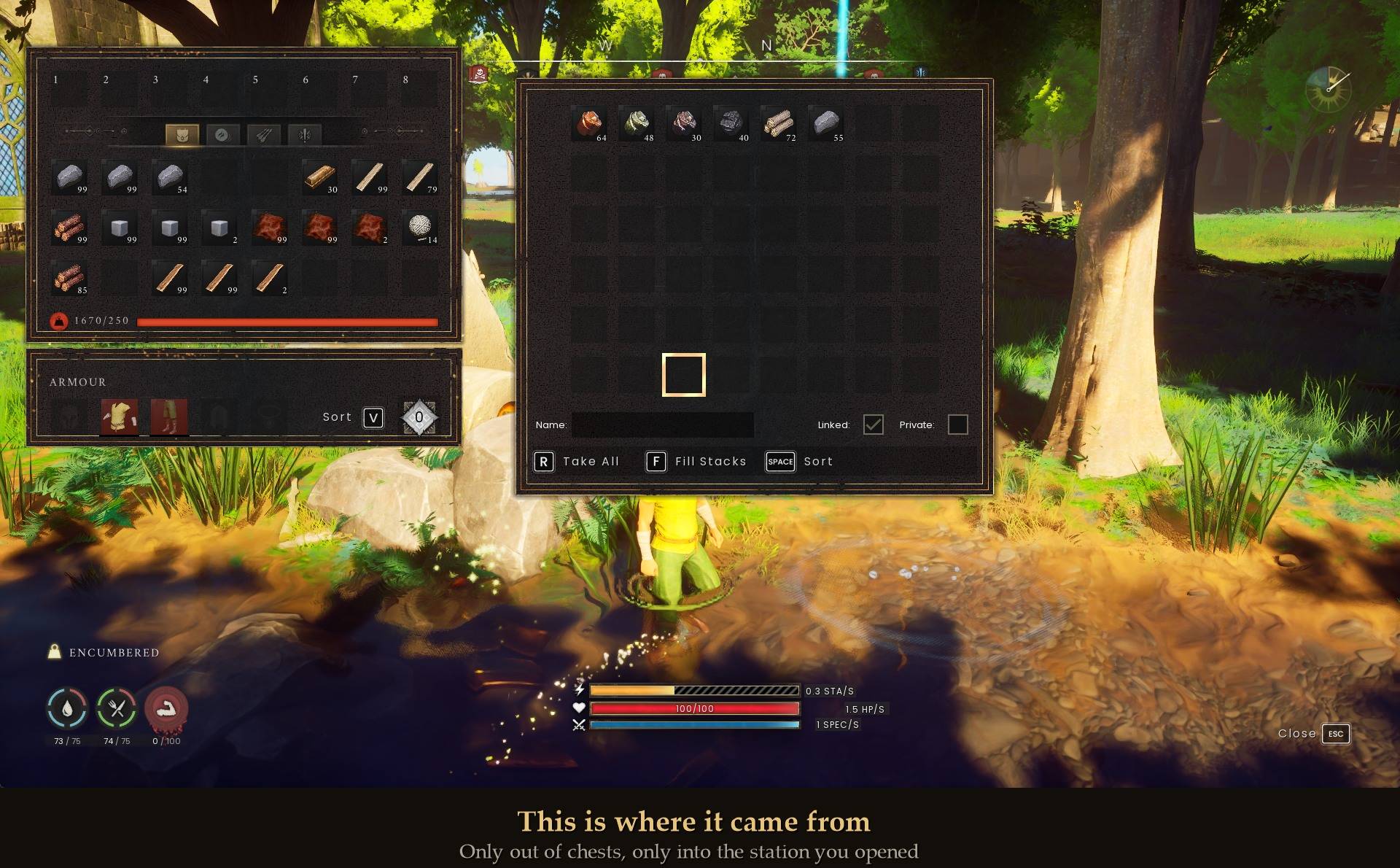
3-chest.jpg
0-thumb.jpg
Description
Your furnace, loom and sawmill restock from your chests
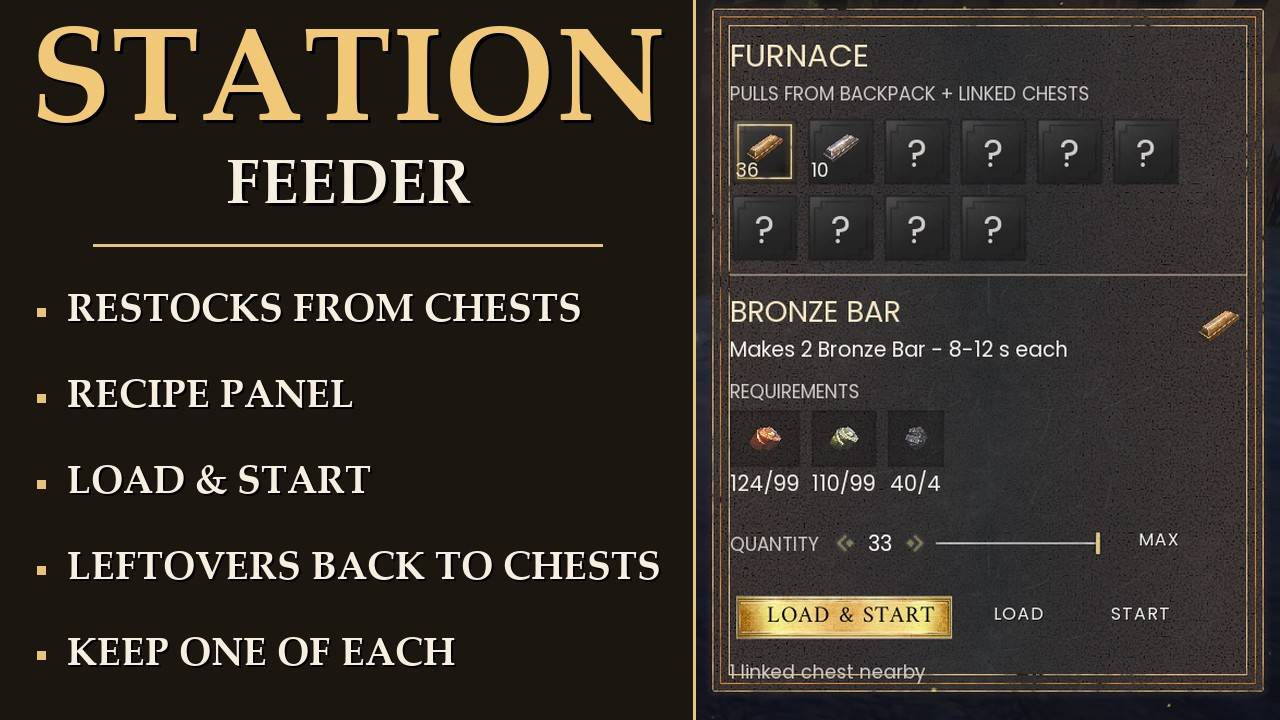
Open a processing station and it tops itself up from the chests around it. New in 1.6: a recipe panel next to the station window, so you pick what to make and how many, and load it in one click.
Your crafting bench can already reach into your linked chests. Your furnace cannot, and neither can the sawmill, the loom, the spinning wheel or any of the other machines that process raw materials over time. Each of those owns its own little input tray and will only ever use what you personally walked over and dropped in.
This makes them restock themselves from the chests standing around them, at the moment you open one.
What it does
- Tops up when you open it: open a station you have already loaded once and it tops itself up from your nearby chests.
- Remembers: a station that has run completely dry is refilled with whatever you last put in it.
- Every processing station: it reads each machine's own accepted-items list, so it covers every processing station, including ones a future update adds.
- Fuel too: it fills the fuel slot.
- Recipe panel (new in 1.6): every recipe the station has, how many you can make, and LOAD & START in one click.
- Keep one of each item (new in 1.6, off by default): never takes the last one of anything out of your chests.
- Your backpack: the automatic top-up never touches it. Only the panel's LOAD buttons use it, and only when you click them.
- Settings in Mod Menu, if you use it.
The machines this is for
Furnace, Blast Furnace, Sawmill, Stonecutter, Charcoal Kiln, Grill, Fermentation Barrel, Tanner, Advanced Tannery, Loom, Spinning Wheel, Grindstone and Cauldron, plus the Advanced Spinning Wheel from the Scorned Wilderness.
You will see five of these named around the forums as "the ones that cannot use linked chests". That list is not wrong, it is just short. The game has two kinds of workstation and the split is clean: crafting benches have no inventory of their own and the crafting screen already reaches into your chests, while every processing station owns its input and has to be hand fed. All thirteen in the base game, not five, plus the one the Scorned Wilderness adds.
The recipe panel
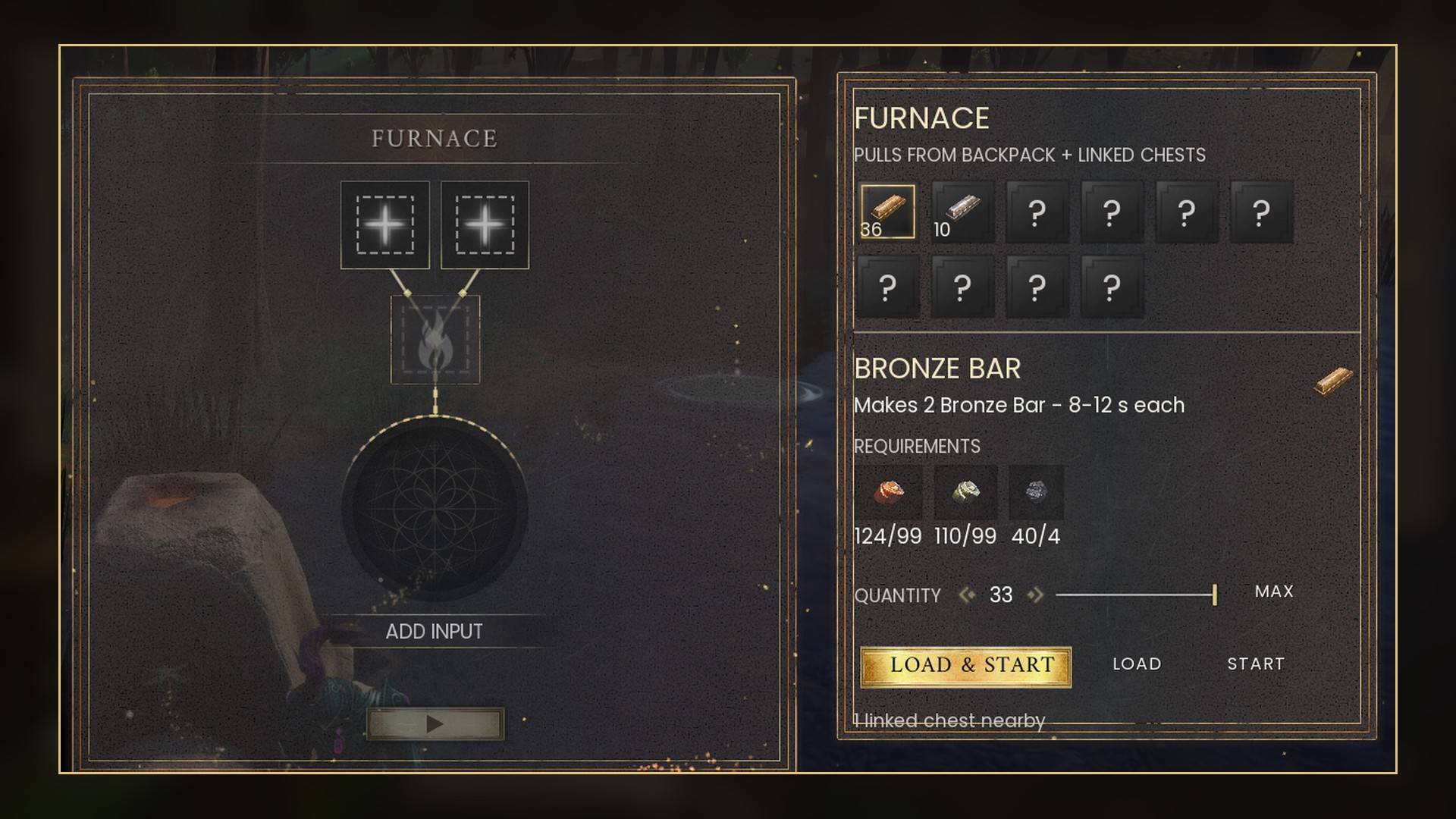
Open any processing station and a panel sits to the right of the station window, in the same frame the station uses. The line under the station name says where it takes items from: "Pulls from backpack + linked chests", or "Pulls from linked chests" if you turn the backpack off.
- Recipe grid: every recipe the station has, six to a row, in the order you unlocked them, oldest first. Each tile shows how many you can make right now from your backpack and your linked chests.
- Locked recipes show as "?" with no name and no icon, so nothing is spoiled. Clicking one says "Not unlocked yet" and moves nothing.
- Details: pick a recipe to see what it makes and how long each craft takes ("Makes 2 Bronze Bar - 8-12 s each"), then what it needs as have/need numbers, in red when you are short.
- Fuel line: how much fuel the whole batch burns. It is worked out from the longest craft time, so a loaded batch never runs out of fuel partway, and fuel already in the station counts toward it. 33 Bronze Bars need 4 charcoal.
- Quantity: the arrows, the slider or MAX. MAX is as many as you can make and the station can hold at once. A Furnace holds 33 Bronze Bars' worth.
- LOAD & START loads the ingredients and fuel and starts the station. LOAD only loads it. START / STOP starts or stops it.
- Keys: while the panel is open, Left and Right arrow change the quantity and Enter is LOAD & START. The station window has no Enter key of its own, so nothing clashes. You can turn the keys off.
- It remembers your pick: the recipe and quantity you last loaded into each station. With Remember last load on, a station that runs dry is refilled to that recipe the next time you open it.
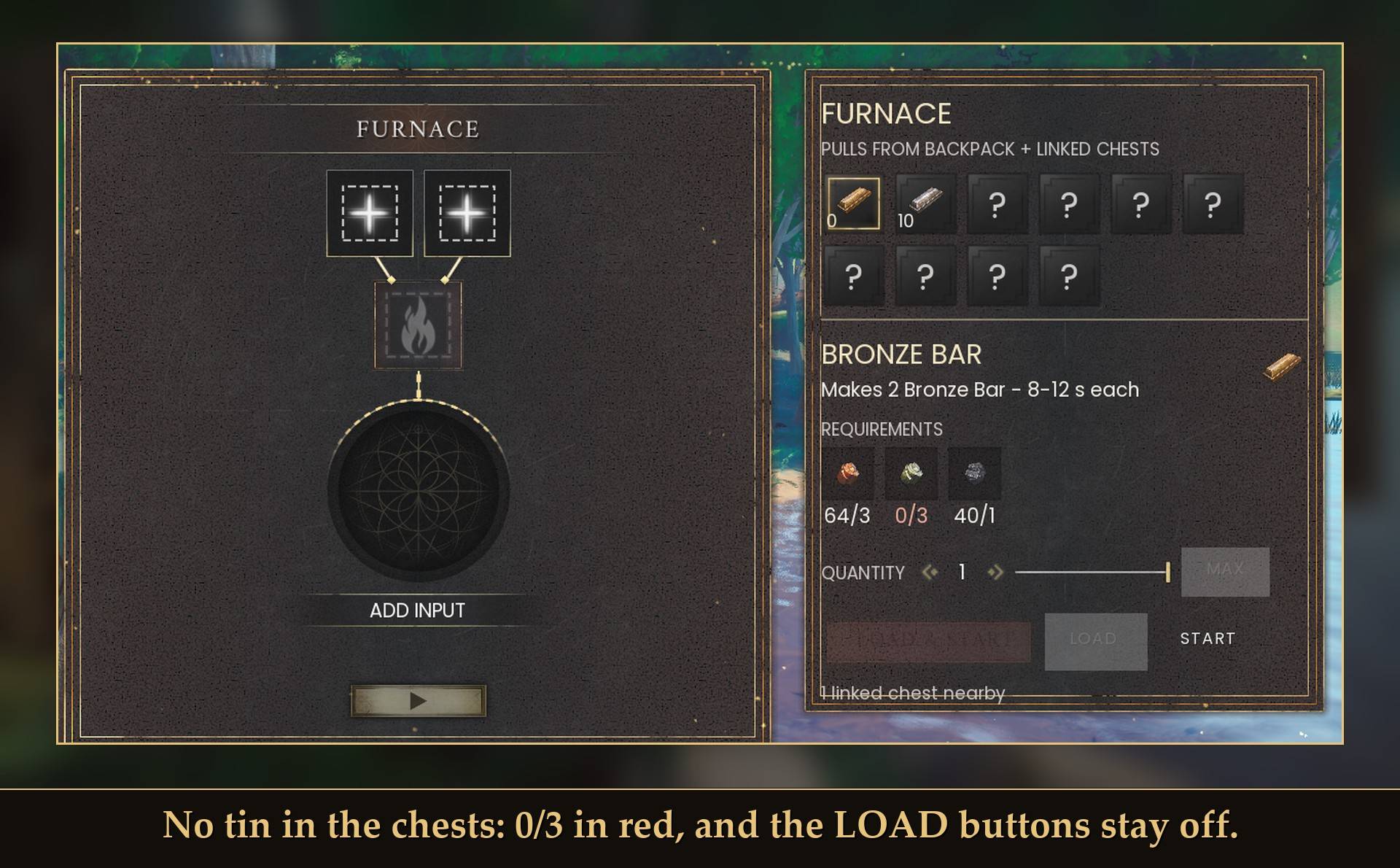 No tin in the chests: 0/3 in red, and the LOAD buttons stay off.
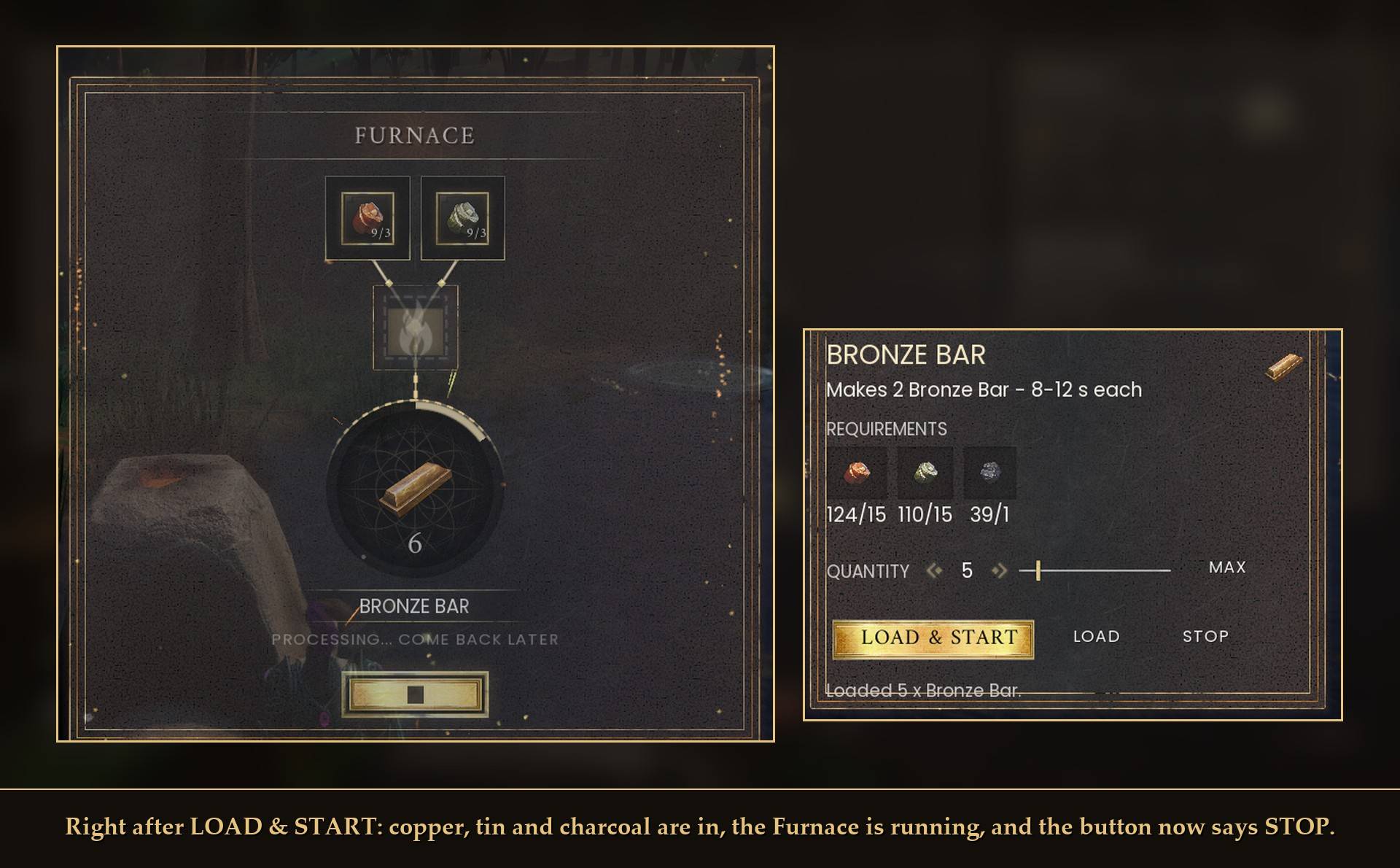 Right after LOAD & START: copper, tin and charcoal are in, the Furnace is running, and the button now says STOP.
Stopping a station costs fuel. This is the game's rule, not the mod's. One fuel unit starts burning the moment a station starts, and stopping it throws away whatever was left of that unit, the same as the game's own stop button. The panel tells you when it happens. A station that sits idle never burns fuel.
Switching to a different recipe
Load a different recipe and the old ingredients go back into your chests first: into a chest that already holds that item, otherwise the nearest empty slot. They never go into your backpack. If there is no room, they stay in the station and the panel tells you. A running station is stopped before it is switched (see above about the fuel).
In my test, switching a Furnace from Bronze Bar to Iron Bar put 30 copper ore and 30 tin ore back into the chest stacks they came from. You can turn this off with Return leftovers.
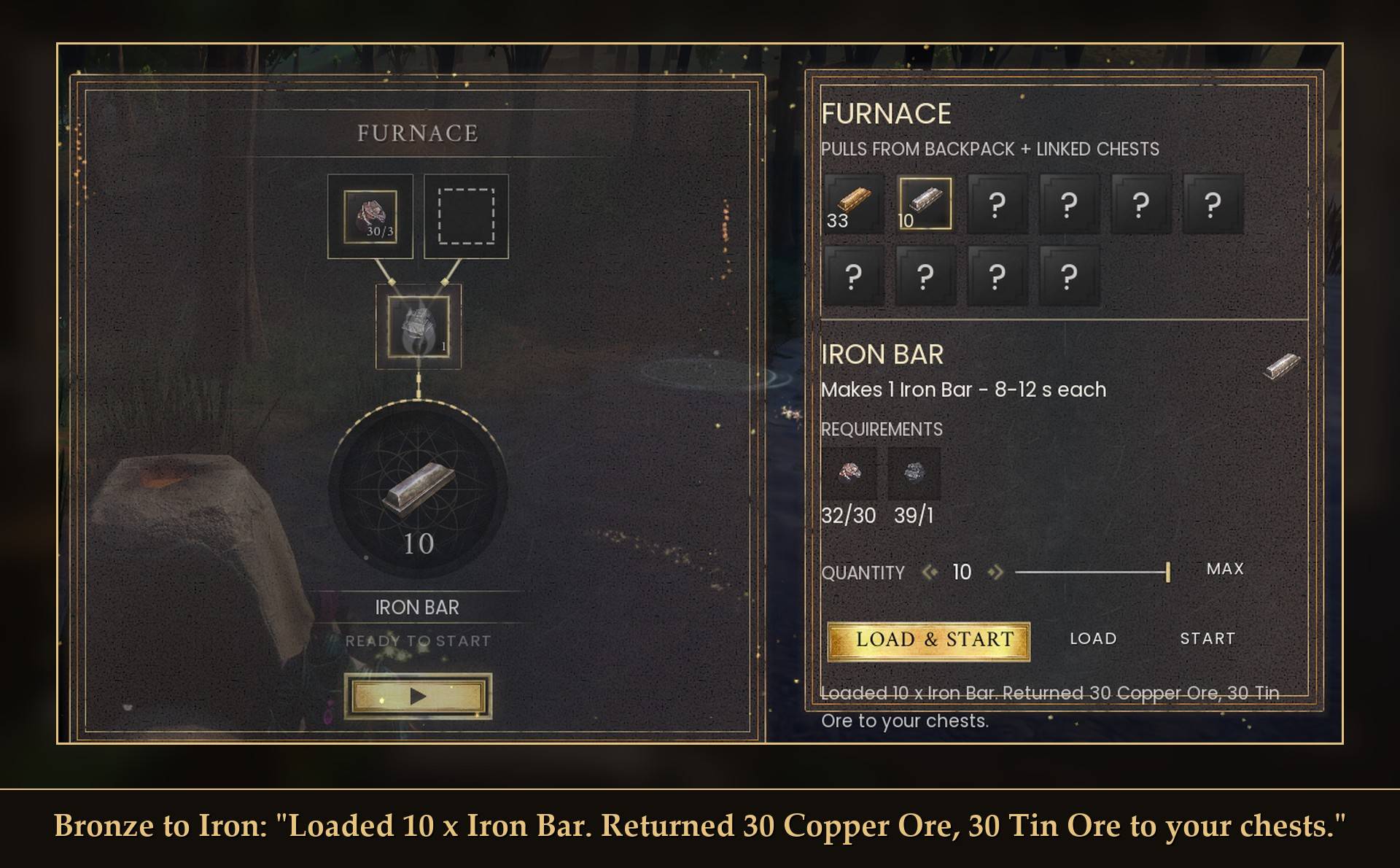 Bronze to Iron: "Loaded 10 x Iron Bar. Returned 30 Copper Ore, 30 Tin Ore to your chests."
Your backpack
The automatic top-up when you open a station never touches your backpack, in either direction. Items only move out of a chest and into the station you opened.
The panel's LOAD and LOAD & START buttons are the one exception: they take from your linked chests first and then from your backpack, like the crafting bench does, but only when you click them. Turn Panel uses backpack off to keep the panel to chests only (its counts then leave the backpack out too). Leftovers from a recipe switch never go into your backpack.
Keep one of each item
New in 1.6, off by default. With it on, Station Feeder never takes the last one of anything out of your chests: 5 copper ore in your chests means it takes at most 4, and a single one is left alone. It covers both the automatic top-up and the panel. Your backpack is not affected, so with Panel uses backpack on, the panel can still make up the difference from your backpack.
How the automatic top-up knows what you want
You load the station by hand, once. That is the whole interface.
From then on, every time you open that station, the mod tops up whatever is sitting in its slots. It also remembers what you last put in each station, so when one has run completely dry, or burned its fuel down to nothing, opening it refills it with those same items. It only ever repeats what you put in yourself, so it cannot decide what your furnace is for, and it will not load a machine you have never loaded. If your chest holds copper, tin, iron, silver and gold, and your furnace has copper and tin in it, you get copper and tin. The iron stays in the chest.
Each ingredient is remembered on its own. If the tin runs out before the copper, both are still remembered. Take an item out by hand and it forgets that item. Take the old items out and put something new in and it switches over. Empty a station completely by hand and it forgets that station. There is also a "Forget remembered stations" button in Mod Menu, and a "Remember last load" switch if you want the old behavior.
There is a second mode if you would rather it worked things out for you. recipe (under "What goes in") reads the station's own recipe list, finds one your chests can supply completely, and moves in exactly those ingredients. It is off by default, because it makes a choice on your behalf.
That mode exists for a real reason: a Furnace has two input slots and Bronze Bar needs copper and tin. Something that just grabbed the first usable thing it found could leave you with iron in one slot, silver in the other, and no valid recipe at all.
What it will not touch
- Your backpack, on the automatic top-up. Items only ever move out of a chest and into the station you just opened. The panel's LOAD buttons are the only thing that takes from it, when you click them.
- Anything the station does not accept, checked against the machine's own list rather than one I wrote.
- Locked chests, and chests marked private.
- Crafting benches, which already work.
A note on private chests The game keys privacy to a character, and gives a mod no way to ask "is this one mine". So this skips every private chest rather than guessing, which is the safe way round. If you play with chests private by default, either untick that setting or leave the chests you want it to use unmarked. When it skips chests for this reason it says so in the log, rather than sitting there looking broken.
Settings
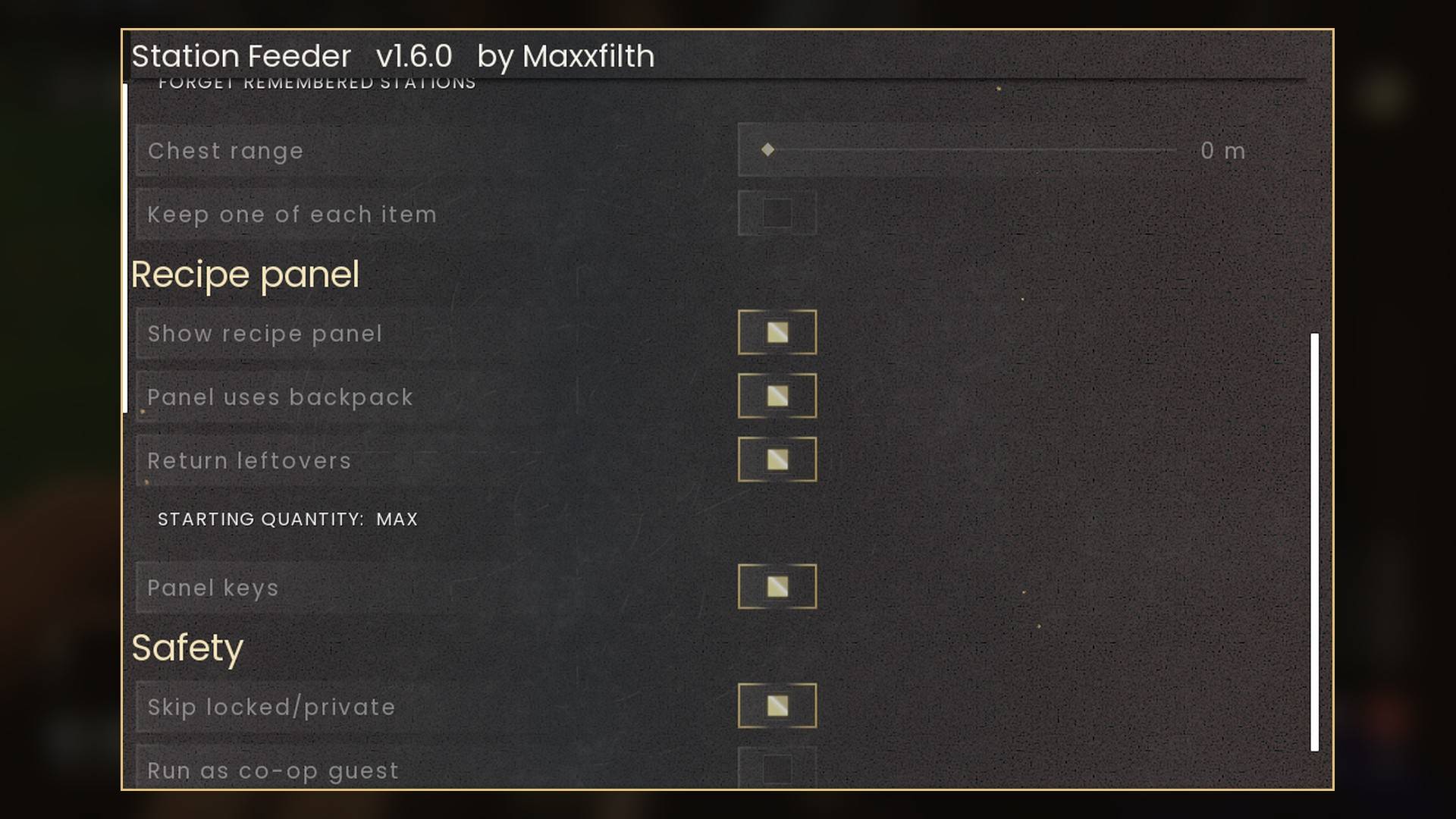
All live in Mod Menu (Esc > MODS > Station Feeder), or in config.txt in the mod folder. Changes apply straight away.
- Enabled: on. Off means stations behave exactly as in the base game and nothing is moved.
- What goes in: topup (default) or recipe, as explained above.
- Fill ingredient slots: on.
- Fill fuel slots: on.
- Remember last load: on. Plus a Forget remembered stations button.
- Chest range: 0 m, up to 200 m in steps of 5. 0 means the game's own linked-storage range, 30 m.
- Keep one of each item: off. New in 1.6.
- Show recipe panel: on. New in 1.6.
- Panel uses backpack: on. New in 1.6.
- Return leftovers: on. New in 1.6.
- Starting quantity: last (default since 1.7), the amount you last loaded into that station if it was the same recipe, or max. New in 1.6.
- Panel keys: on. New in 1.6.
- Skip locked/private: on.
- Run as co-op guest: off.
- Detailed log: off. Writes every transfer to UE4SS.log, only useful when reporting a bug.
Only in config.txt: PanelColumns = 6 (tiles per row, 4 to 8), and PanelX = 1380 / PanelY = 57, where the panel sits, in 1920x1080 units that scale with your resolution. Move it if it covers something on your screen.
Install
- Install UE4SS for RSDragonwilds (free, from the UE4SS for RSDragonwilds page on Nexus Mods).
- Drop the
StationFeederfolder intoRSDragonwilds/Binaries/Win64/ue4ss/Mods/ - Optional: install Mod Menu to change the settings in game.
- Load into a world and open a processing station.
On Game Pass: use the BE version of UE4SS with the SCO signature, the normal build does not load there. Game Pass also installs the game under Binaries/WinGDK/ instead of Binaries/Win64/, so the StationFeeder folder goes in RSDragonwilds/Binaries/WinGDK/ue4ss/Mods/. If you use a mod manager, check that is where it ended up.
Updating from 1.4.0: your station memory keeps working as it is.
To remove it, delete the folder. It changes nothing in your save.
Good to know
- Processing stations have very few input slots. A Loom has one, a Furnace has two. So a feed fills one or two item types and politely refuses the rest. It is not going to empty a chest into a machine.
- The memory is a small text file, %LOCALAPPDATA%\RSDragonwilds\Saved\StationFeeder-memory.txt. It survives restarts and mod updates and is safe to delete.
- Range defaults to the game's own linked-storage distance, 30 meters, read from the game rather than picked by me. You can raise it to 200.
- It reads the 40 nearest chests in range. If you have more than that packed together it says so in the log, and it is always the same 40, never a different set each time. The panel uses the same chests, range and locked/private rules.
- Co-op: the host moves items the same way as in single player. As a guest the chests and the transfer belong to the host, which I have not been able to test, so the top-up does nothing unless you turn it on, and the recipe panel stays hidden for a guest either way.
- Not sure it is running? UE4SS.log shows a line starting with
[StationFeeder] loaded v1.6.0.
Tested on RuneScape: Dragonwilds 1.0 (hotfix build CL-244954) with UE4SS 3.0.1 stable, single player. For 1.6.0: the panel on a Furnace, Sawmill and Loom; recipe order and "?" tiles checked against the game's own unlock list; MAX 33 and the fuel numbers; real mouse clicks, a slider drag, the arrow keys and Enter; LOAD, LOAD & START, START and STOP; a Bronze to Iron switch with the leftovers landing in the right chest stacks; the backpack used only on a panel click, with the top-up leaving it alone; keep one on and off; remember last load; 20 open-and-close cycles with no errors and flat widget counts; and a world reload. Earlier versions were tested on a Furnace and a properly built Sawmill, with setups arranged so that a broken build would visibly fail rather than quietly pass: a station with room for five against a chest stack of ninety-nine, a chest marked private, and a recipe blocked by a stray ore in one of the two slots. Item totals were conserved exactly across every transfer, and my backpack read zero before and after every run. Soak tested alongside twelve other mods over fifteen open-and-close cycles with no errors, no crashes and flat memory. The memory was tested the same way: a furnace that ran out of tin mid-smelt, one ingredient taken out by hand, a furnace switched from bronze to iron, a station left to finish while watched, and a full game restart, with the iron in the same chest never touched. Not tested yet: co-op (host or guest), controller, Game Pass.
The Station Feeder Team
