
XP Tracker
3-hero.jpg
1-three-skills.jpg
2-fishing.jpg
4-pause-menu.jpg
0-thumb.jpg
Description
XP Tracker
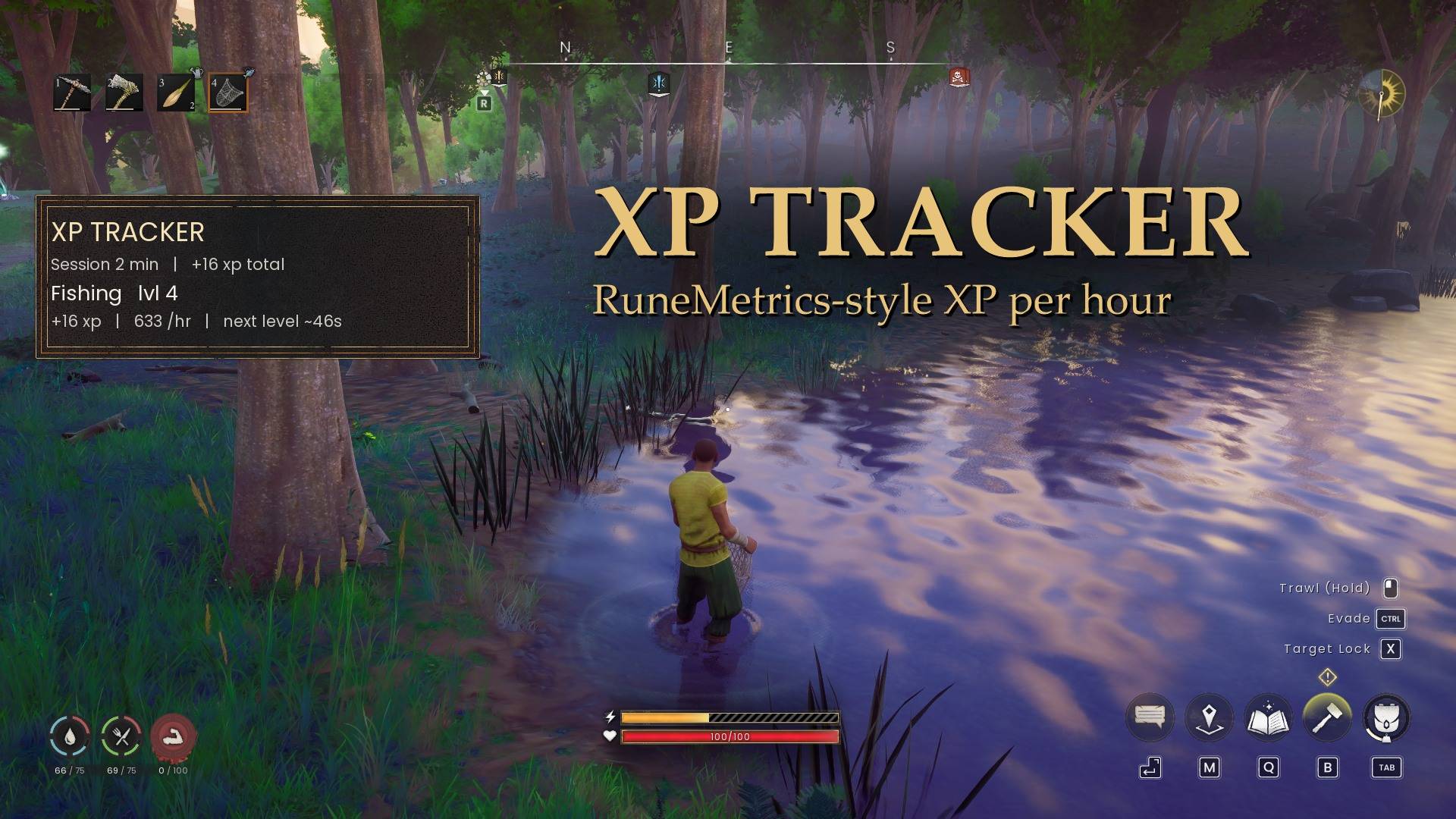
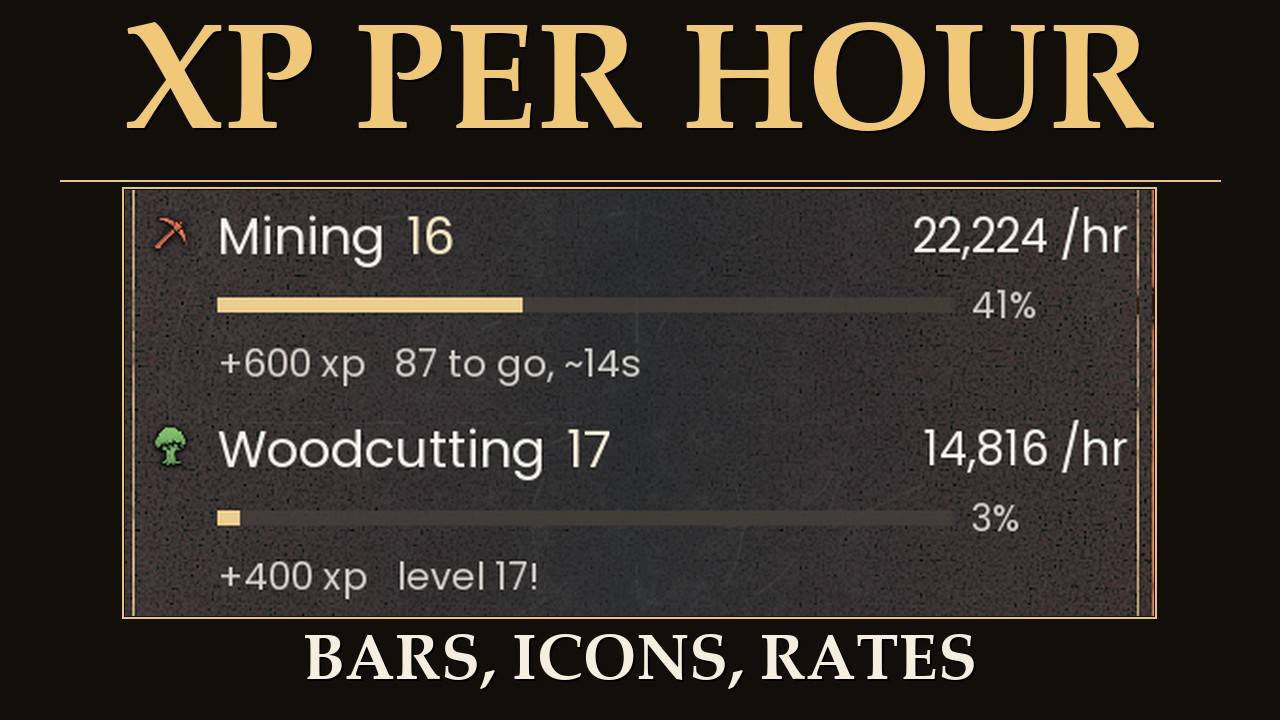
I kept wondering how fast I was actually leveling, so I made this. It's a small panel that shows, for whatever you're training right now, how far you are to the next level, your XP per hour, and roughly how long until you level. Basically RuneMetrics from RS3, but in Dragonwilds.
What's new in 2.1
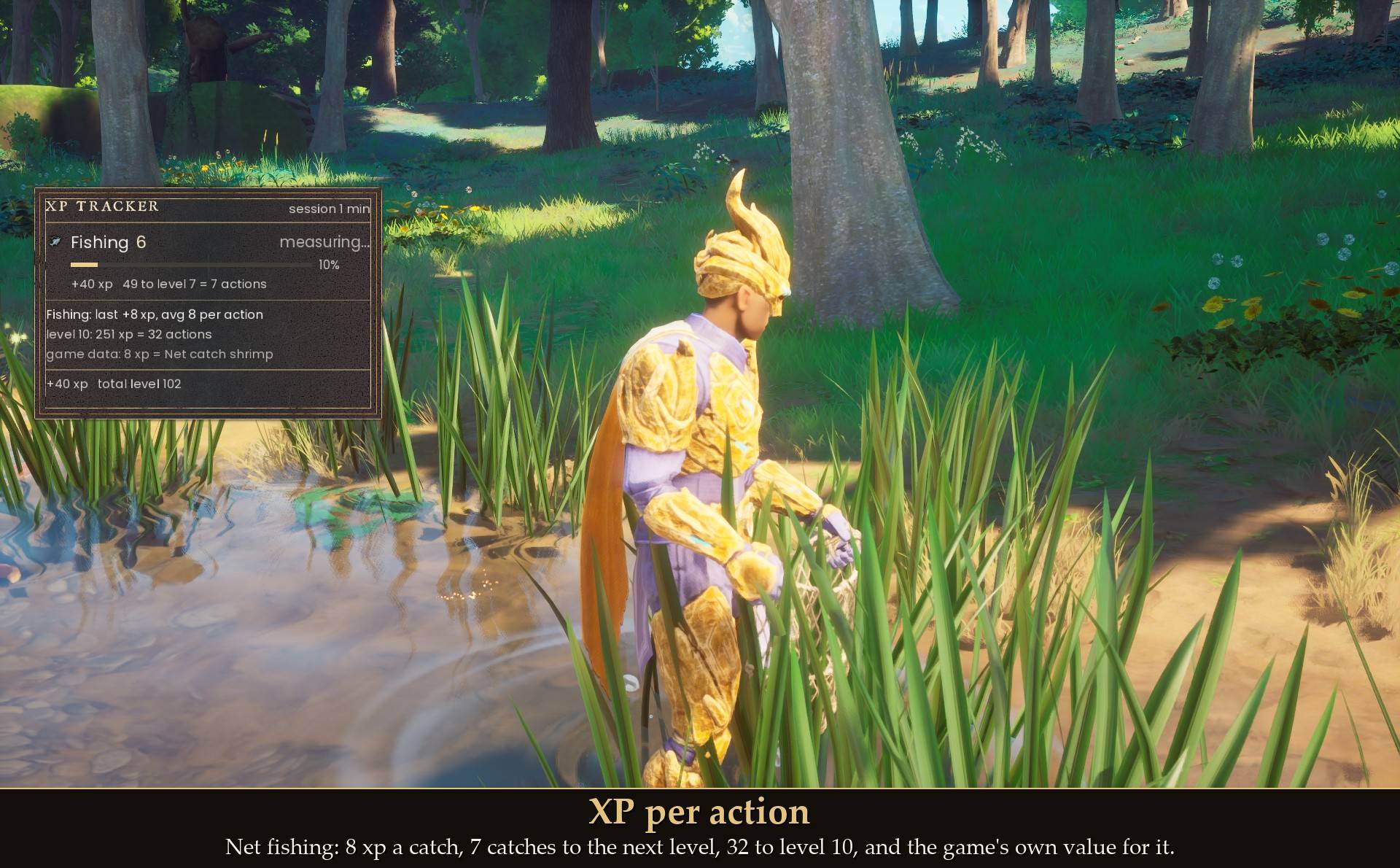
- XP per action. Every XP drop (a swing, a catch, a hit, a craft) is one action, and each row now says how many actions the next level is: "3,400 to go = 199 actions, ~12 min".
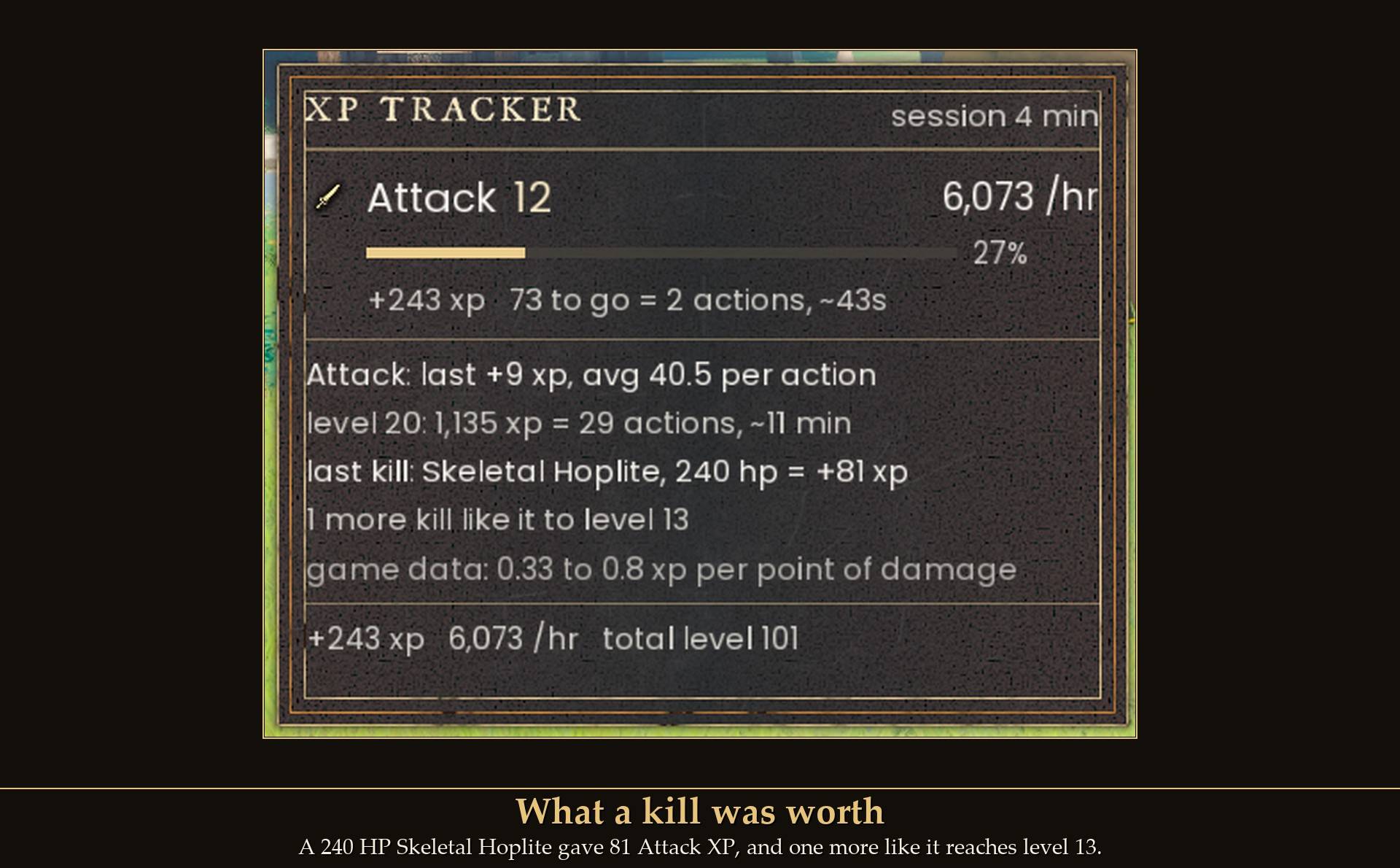
- A details block for the skill you trained last: your last action, your average XP per action, and the XP, actions and time to a goal level (the next multiple of 10, or any level up to 99).
- A "game data" line with the game's own XP values, read from the game files. For example 8 xp = Net catch shrimp. It matches on the number, so it lists every kind of action worth that much XP. These are base values: with XP Sliders, potions or a world XP setting your actions are bigger, so the line can name something else or disappear.
- In combat it measures your kills: what the last kill gave next to the enemy's max HP, and how many more kills like it you need. If a fight started before the tracker spotted the enemy, the line says "joined mid-fight" and leaves the HP out.
- Something I found testing it with a Dragon Scimitar: each hit gives about a third of the damage as Attack XP, but only up to the HP the enemy had left. The damage past the killing blow earns nothing: a 20 HP chicken killed in one hit gave 7 XP, while the same sword's hits gave 23 or more on a bigger enemy, and a 240 HP Skeletal Hoplite gave 81 in total.
- Also found: Rocksplosion gives Mining XP for each rock it breaks, 155 per stone boulder, and no Magic XP. A cast that broke three boulders gave 465.
- Quest rewards and tomes are shown but kept out of your average.
- All of it can be turned off in Mod Menu (Per action), and your old config.txt keeps working.
What's new in 2.0
- New look: each skill has the game's own skill icon, a progress bar to the next level with the percent, and a line with XP gained and XP to go.
- XP per hour now counts your last 5 minutes of play. A skill you stop training shows "paused" after 2 minutes, and the break no longer drags its rate down.
- Level-ups: the level glows and the row says "level 35!" for a few seconds.
- A footer with your session XP, combined rate and total level.
- Your session carries on after Exit to Main Menu and coming back with the same character.
- New settings in Mod Menu: Panel opacity, rate window, pause time, compact rows, skill icons on or off, and a "Start a new session" button.
- New defaults: 4 skills at 85% size, so the panel stays clear of your health and food icons. The new-session key is now none (F6 clashed with another popular mod). Use the Mod Menu button or set a key in config.txt.
What it shows
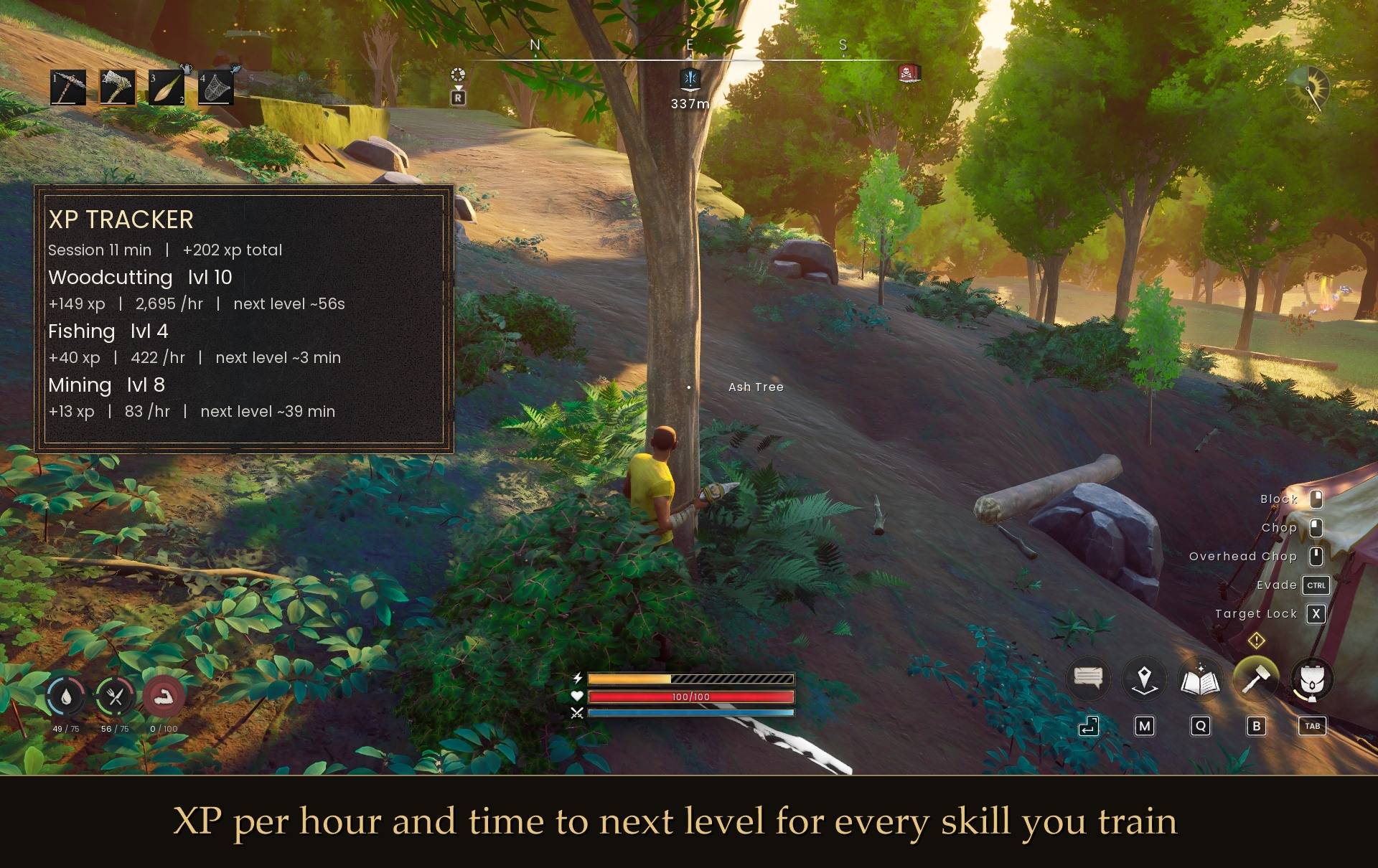
- The skills you're training, most recent on top (4 by default, up to 12)
- Your level and a bar showing how far you are to the next one
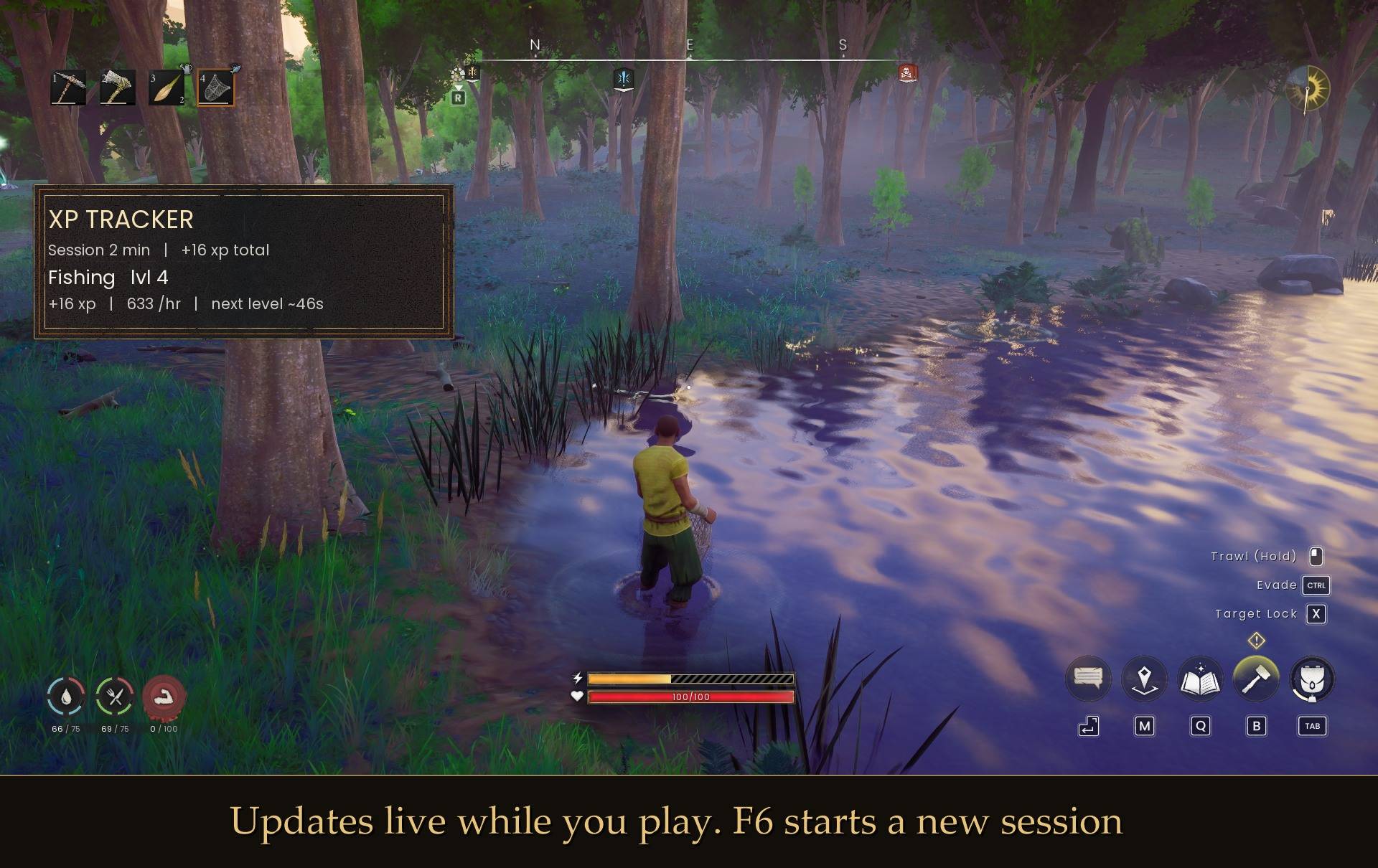
- XP per hour over your last few minutes of play. It waits a minute before showing a rate, so one lucky catch doesn't claim 2,000 xp/hr
- XP gained this session, XP to go, how many actions that is, and about how long until you level at your current pace
- For the skill you trained last: XP per action, a goal level, your last kill and the game's own XP values
It uses the game's own panel style, fonts and skill icons so it doesn't look out of place. It fades out after a minute with no XP, comes back when you gain some, and hides while your inventory or map is open. It only reads your XP (and enemy health while you fight) and never changes anything.
How to use it
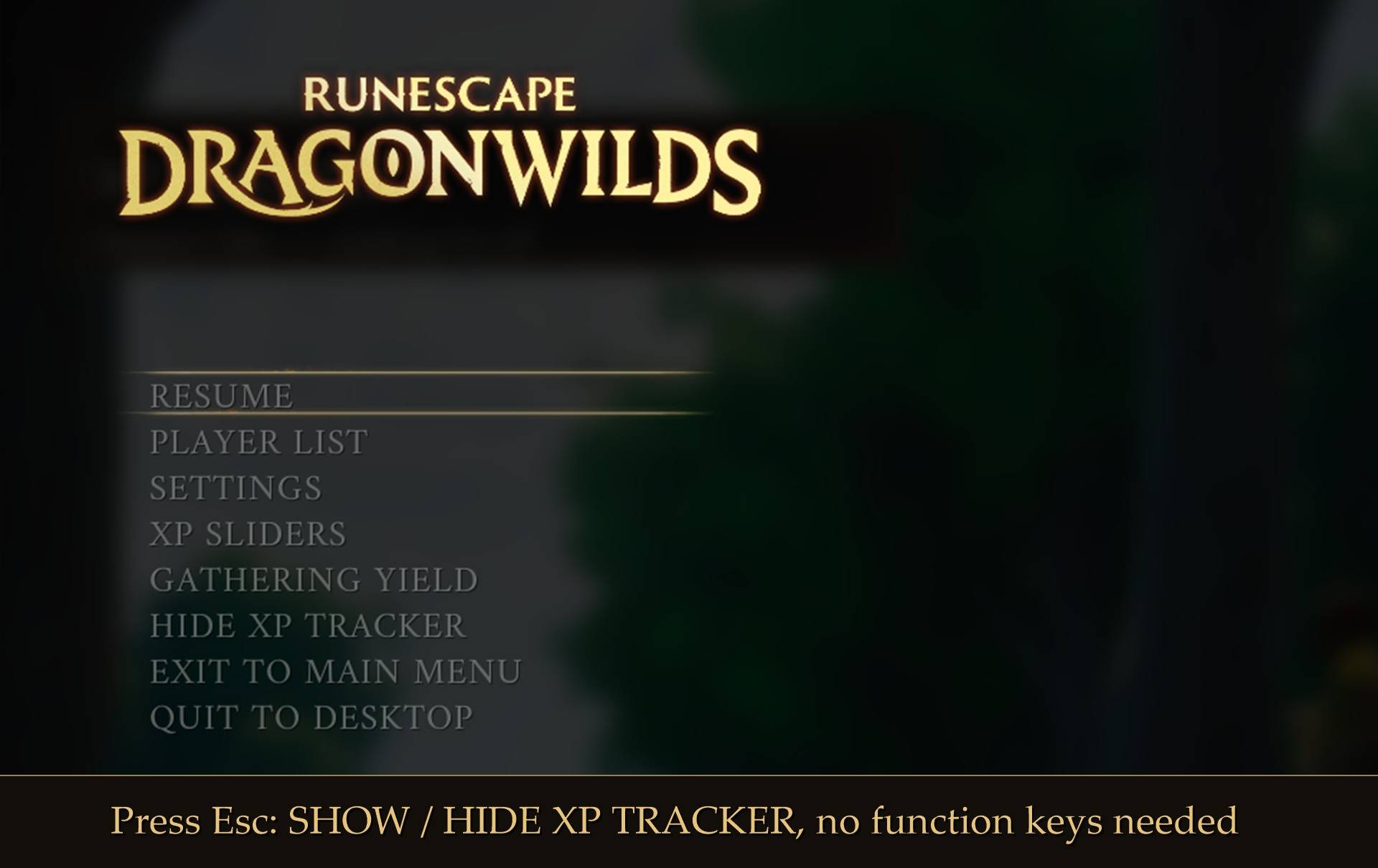
Press Esc and click SHOW XP TRACKER (or HIDE XP TRACKER). F7 does the same thing.
Controller: the SHOW / HIDE XP TRACKER button in the pause menu works with A.
Install
- Install UE4SS for RSDragonwilds (free, from the UE4SS for RSDragonwilds page on Nexus Mods)
- Drop the XPTracker folder into
RSDragonwilds/Binaries/Win64/ue4ss/Mods/
On Game Pass: use the BE version of UE4SS with the SCO signature, the normal build does not load there (thanks JourneyOver for testing). Game Pass also installs the game under Binaries/WinGDK/ instead of Binaries/Win64/, so the XPTracker folder goes in RSDragonwilds/Binaries/WinGDK/ue4ss/Mods/. If you use a mod manager, check that is where it ended up.
To remove it, just delete the folder.
Settings
There's a config.txt in the folder. You can change or turn off the keys, move and resize the panel, make it see-through, show more or fewer skills, switch to compact rows, change how many minutes the rate counts, pick a goal level, turn the per-action lines off, or stop it fading. Every option has a note next to it. Edit it with the game closed.
If you also have my Mod Menu installed, all of it is in Esc > MODS instead and applies straight away, no restart (only the keys need one). Panel size runs from 50% to 250% and scales the frame and the text together. The panel grows from its top left corner, so resizing it never moves it.
Notes
- Plays fine with my XP Sliders and Yield Sliders mods. Extra XP from XP Sliders counts toward your rate.
- Works on Steam and Game Pass. On Game Pass, use the BE version of UE4SS with the SCO signature (thanks JourneyOver for testing).
- I haven't tried it in co-op yet. If you do, let me know how it goes.
- If nothing shows up, check UE4SS.log for a line with "XPTracker". No line means UE4SS isn't loading the mod.
Found a bug or have an idea? Leave a comment.
The XP Tracker Team
