


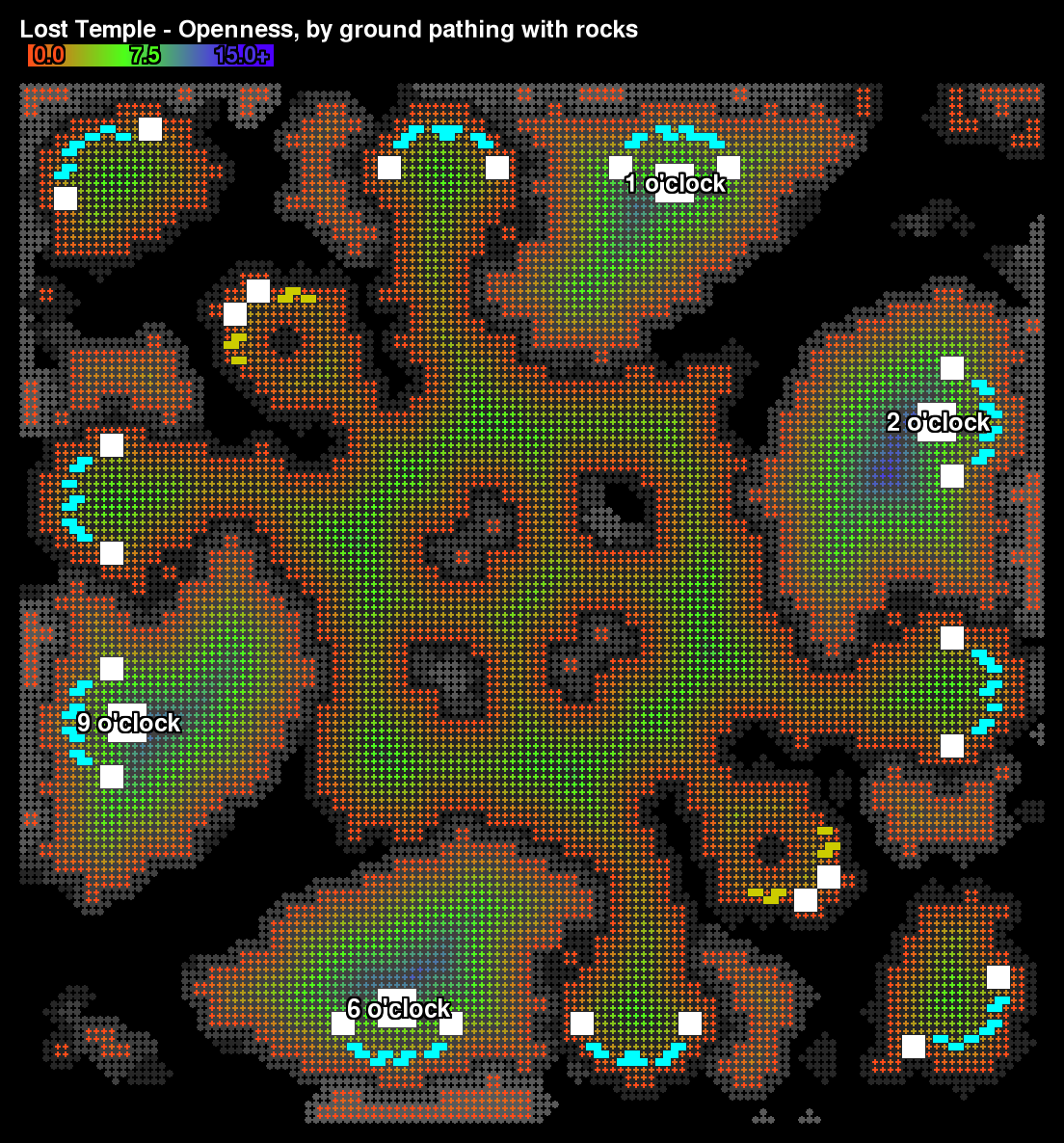
An example of computing the "openness" of map cells. The openness value is the distance in cells from a cell to the nearest unpathable cell. The rendered openness image gives a good sense of whether slightly asymmetric areas of the map are still bala...
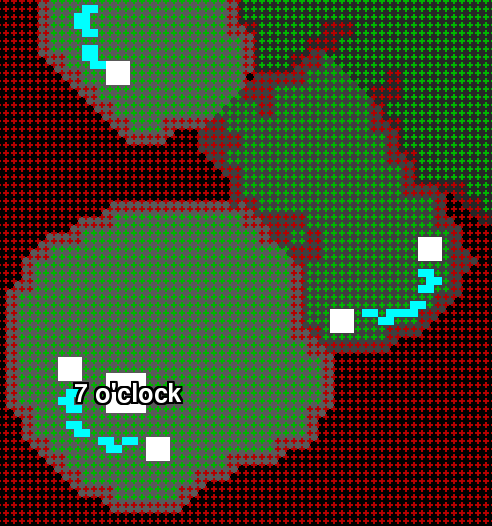
This image shows the approximation SC2 Map Analyzer must make of the ground pathing by relying on the t3CellFlag file rather than the t3SyncPathingInfo file.
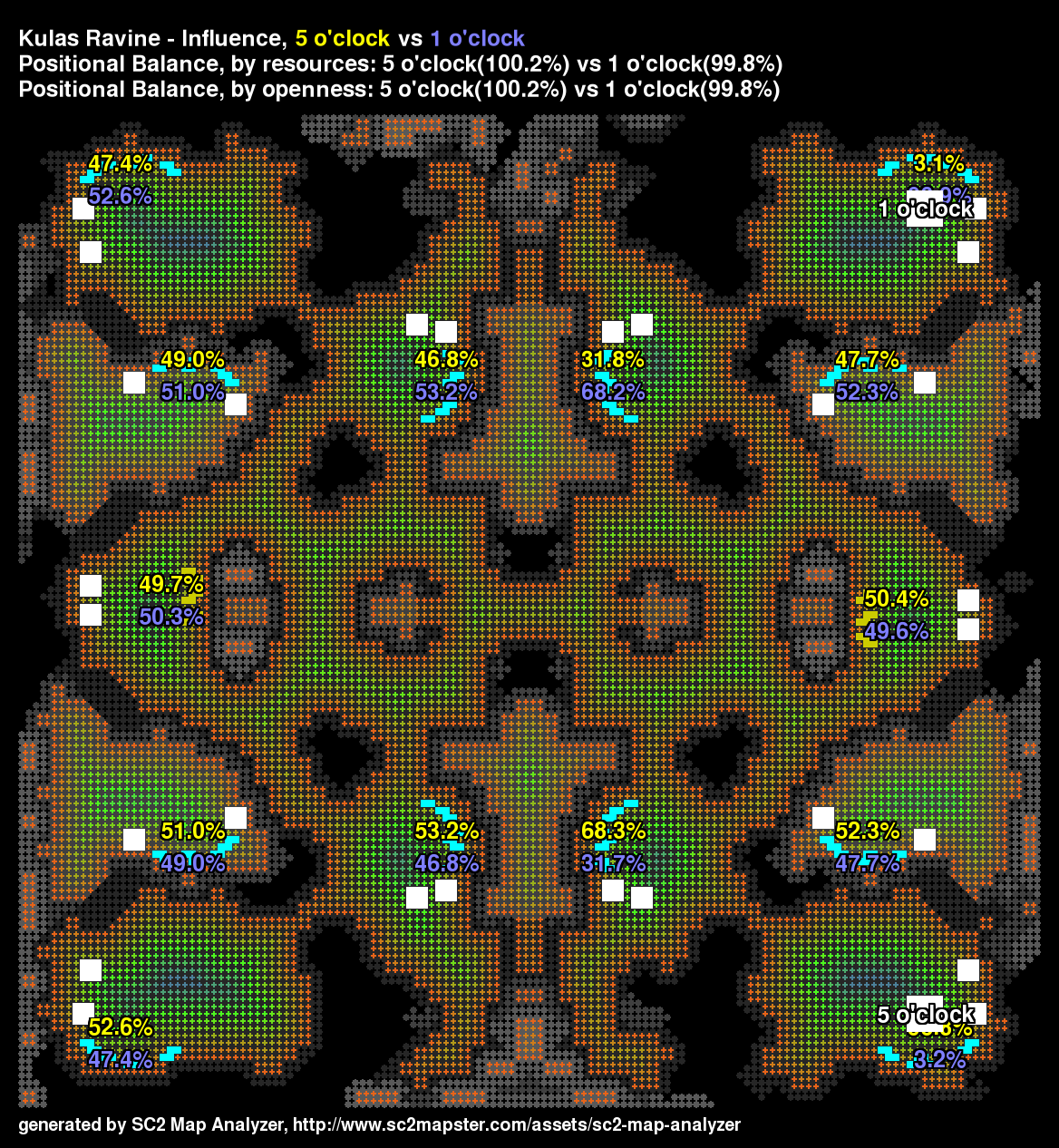
Positional balance of Kulas Ravine is good due to being highly symmetrical.

See how the pathing footprint rotates but not the nobuild footprint?
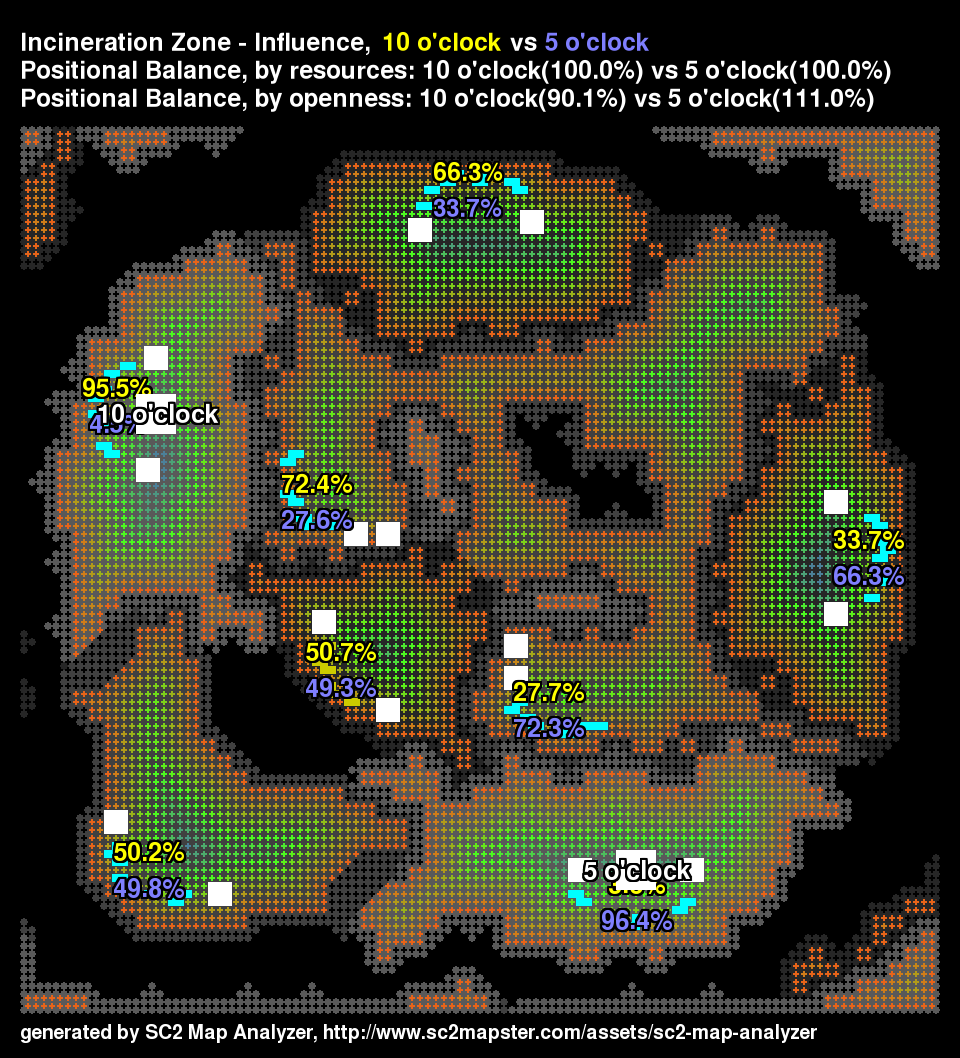
The shape of bases on Incineration Zone are slightly different.

The 8 o'clock versus 2 o'clock spawns have the biggest positional imbalance.
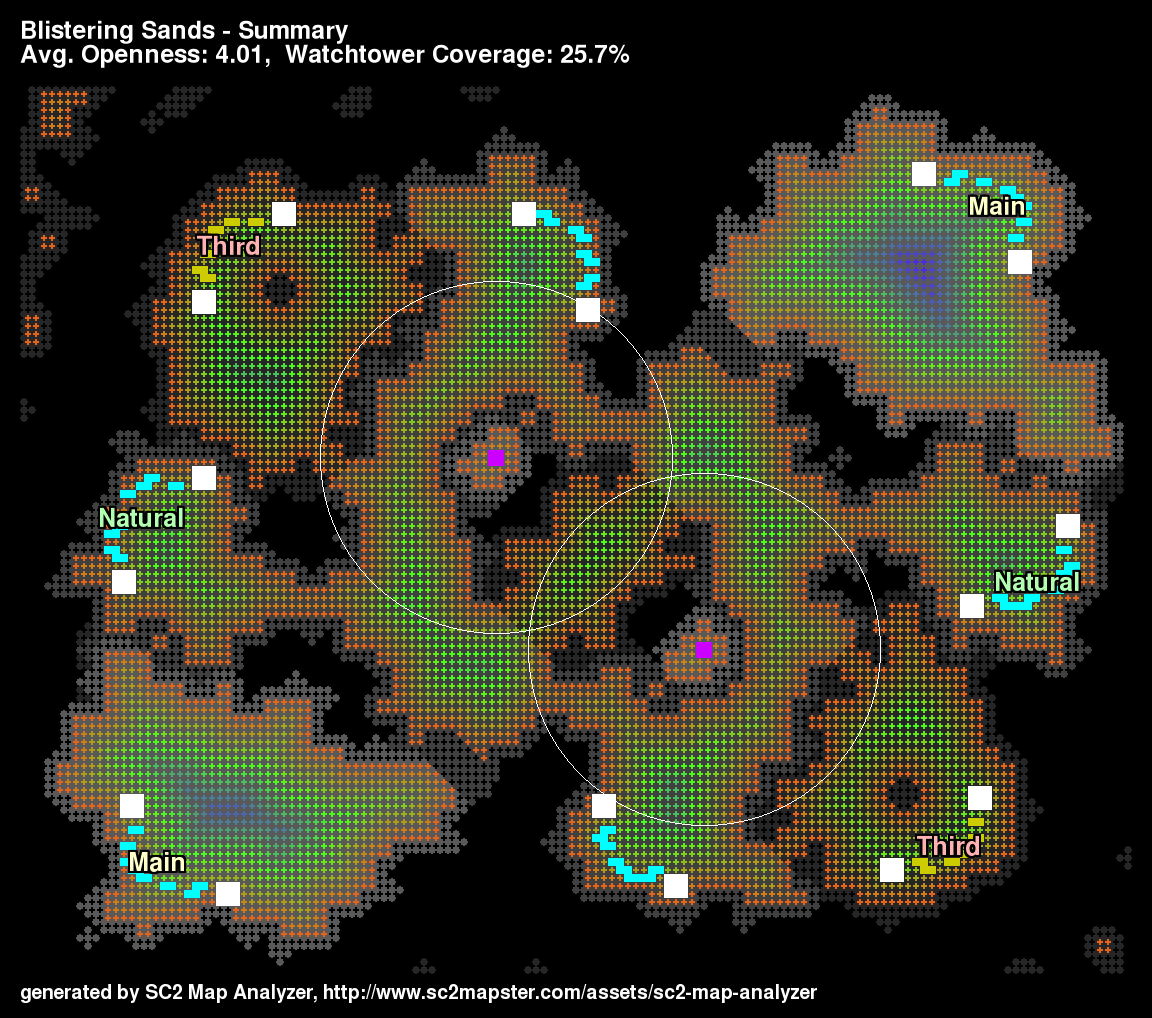
A new summary image shows a nice overview of the map.
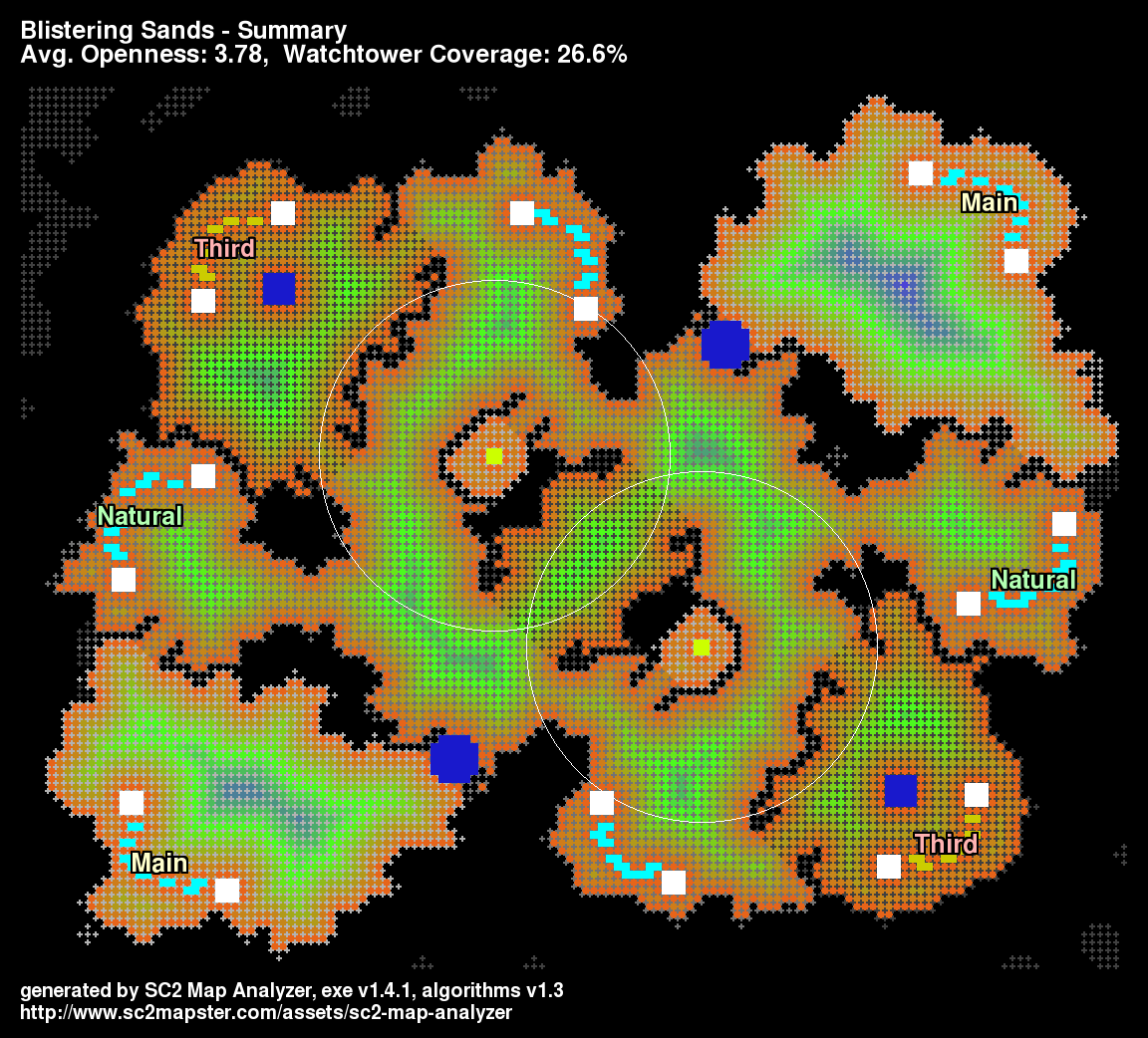
Summary image shows destructible rocks.
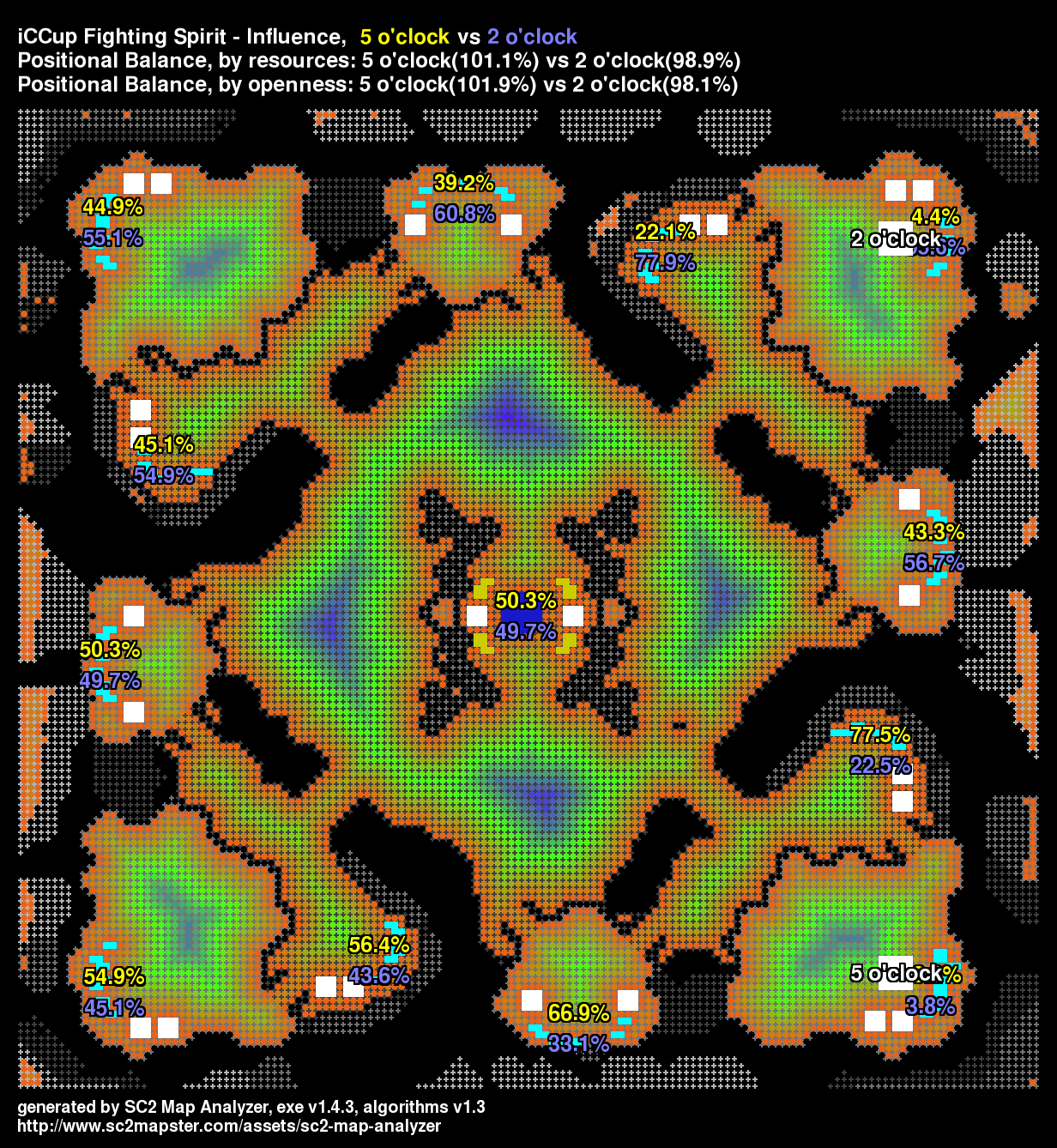
This is an example of a map with rotational symmetry that has good positional balance for adjacent spawns.
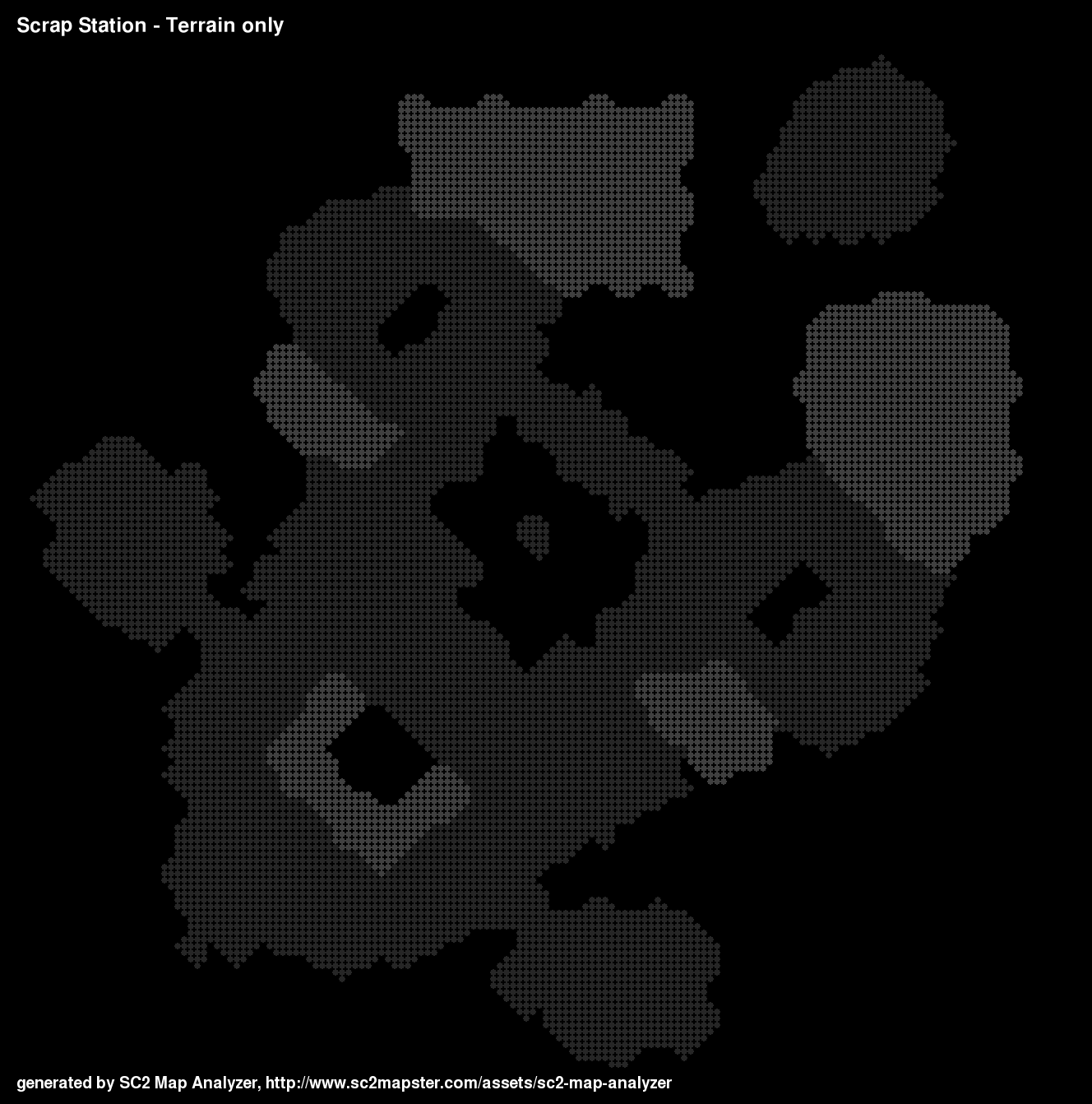
Only shows the cliff-levels read from the map file.
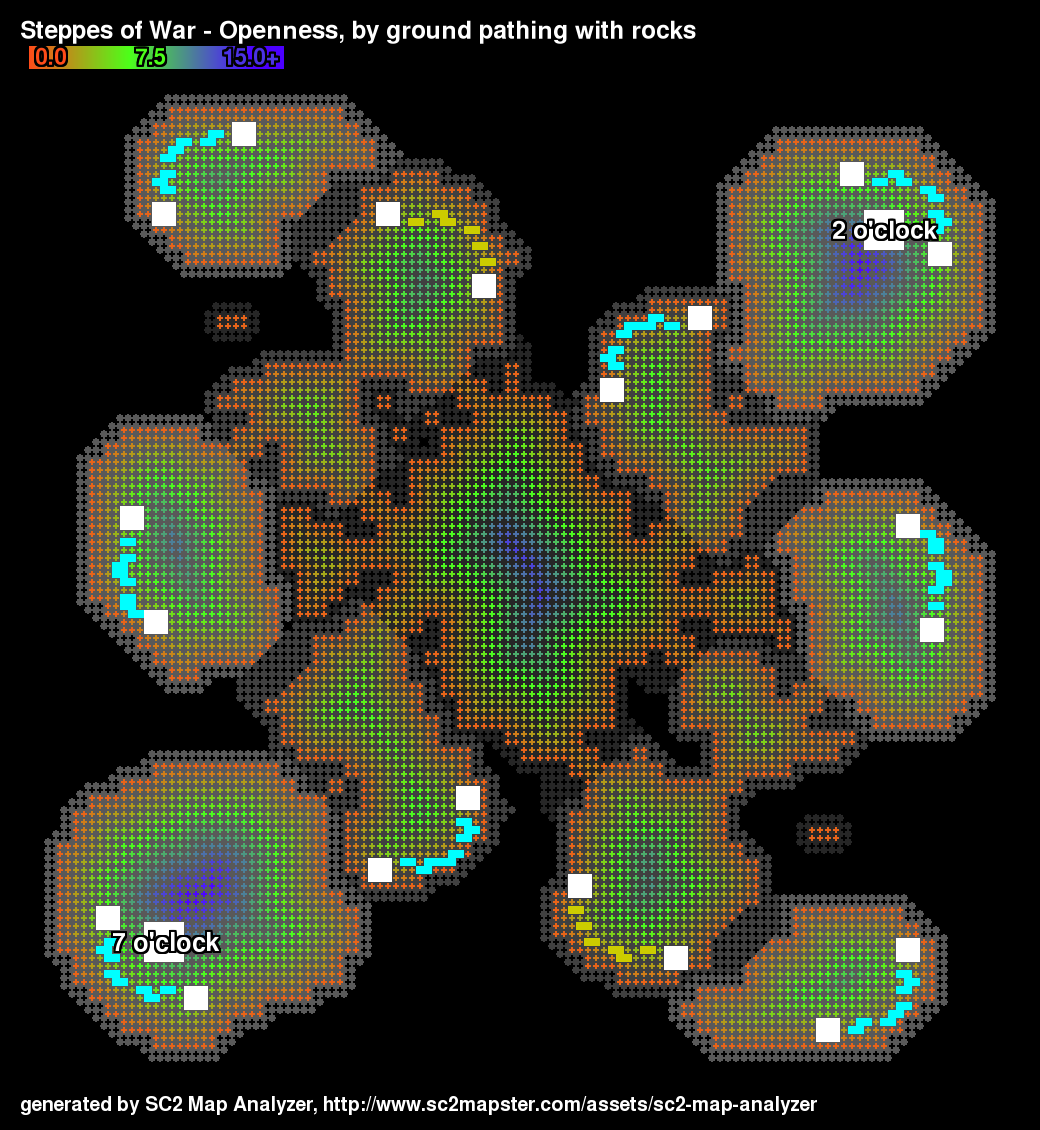
Openness is the distance from a cell to the nearest unpathable cell.
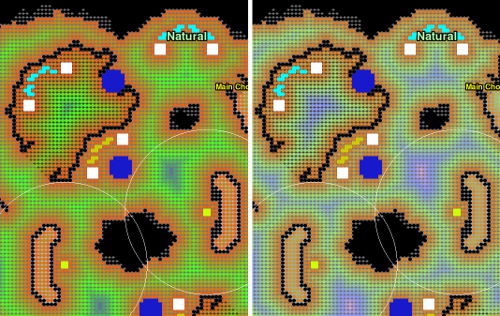
The image on the left shows openness as of 1.4.3, on the right is 1.4.4. The extra gradient provides more visual distinction for the openness in a map.
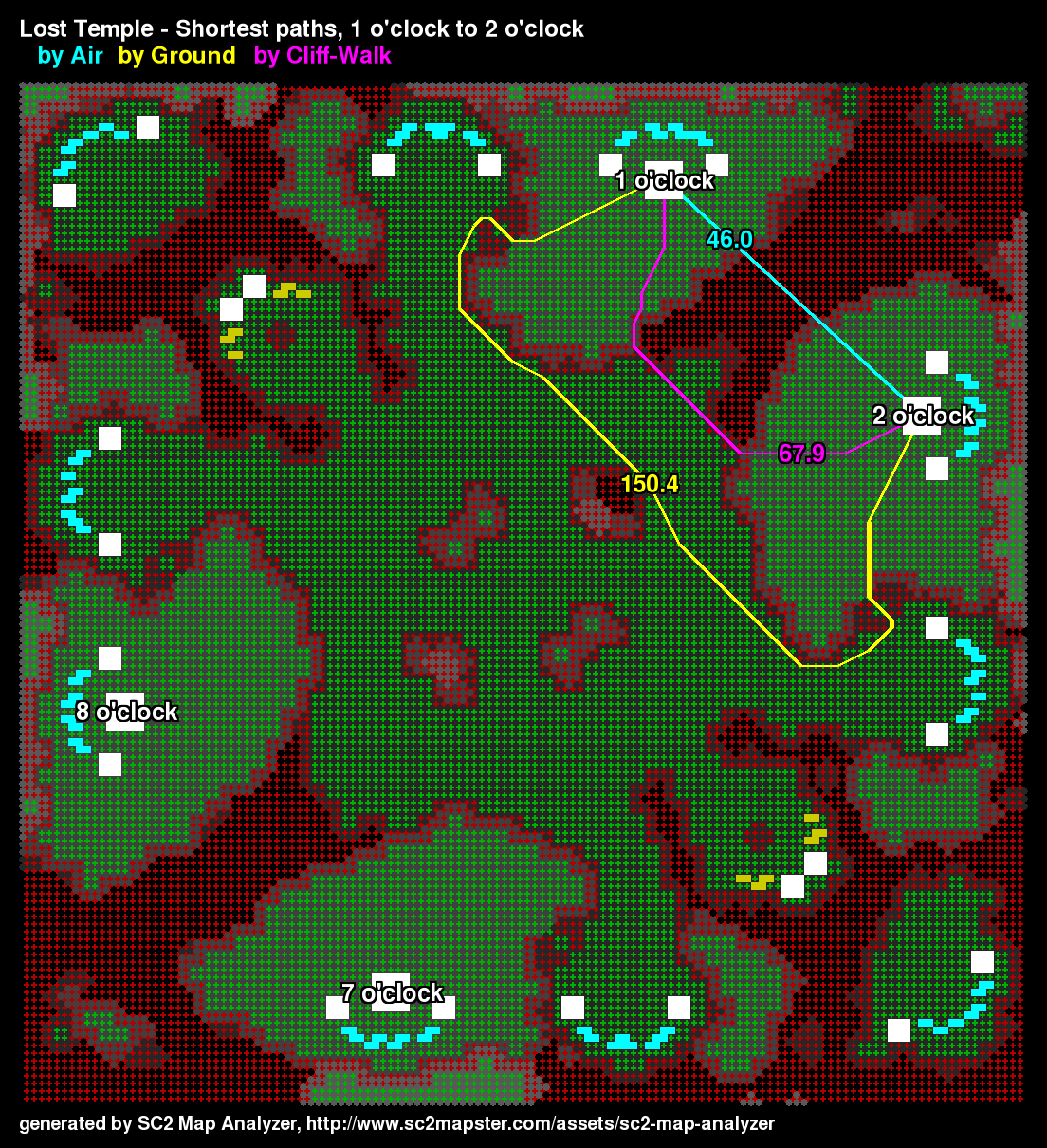
Like the original but with an SC2Mapster footer!
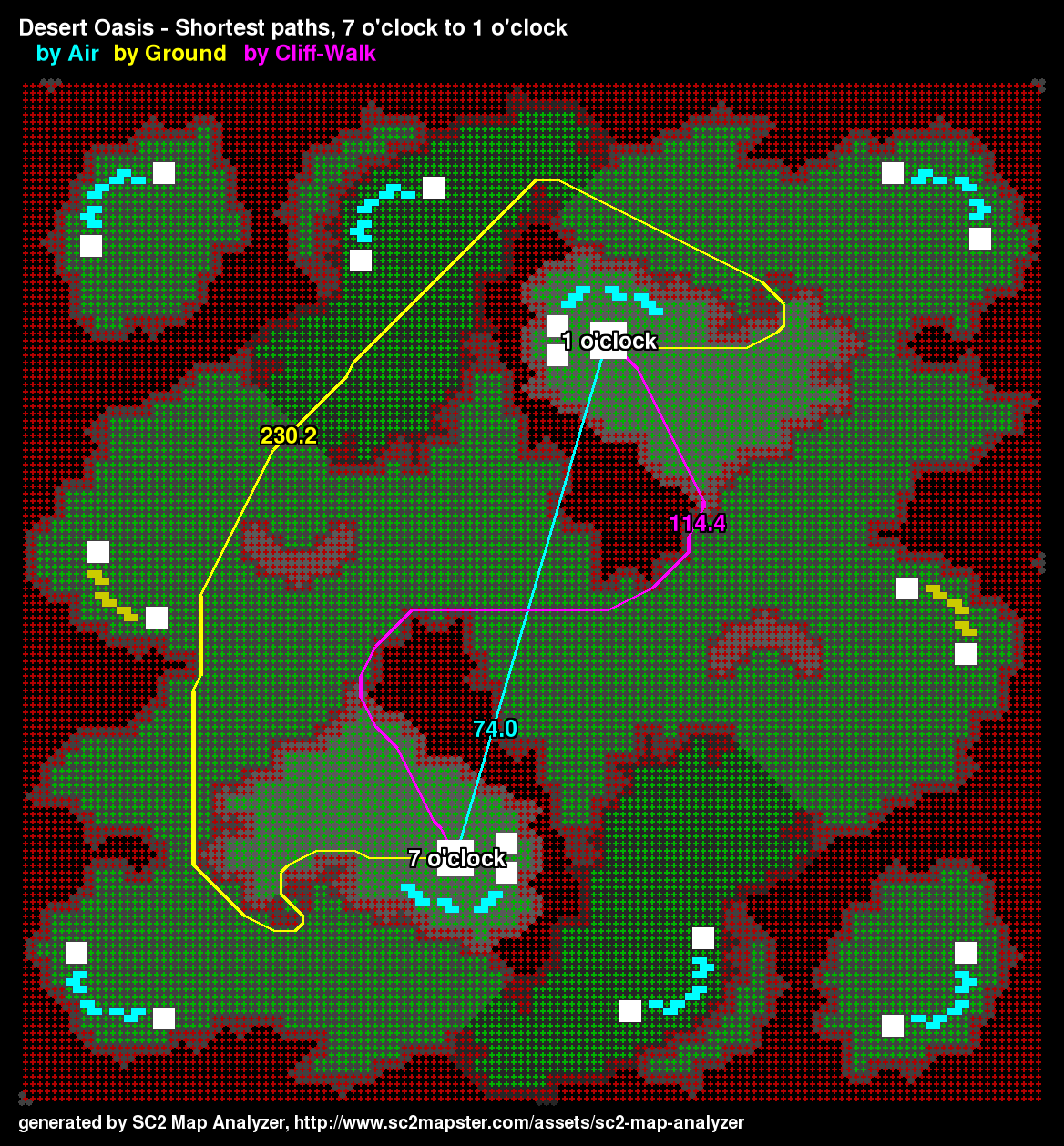
The main-to-main shortest paths on Desert Oasis are very different by ground, cliff-walk and air.
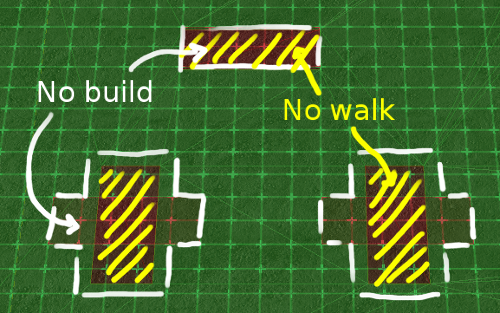
A clear delineation of the footprints.

For an explanation of how to set up footprints in the map analyzer.
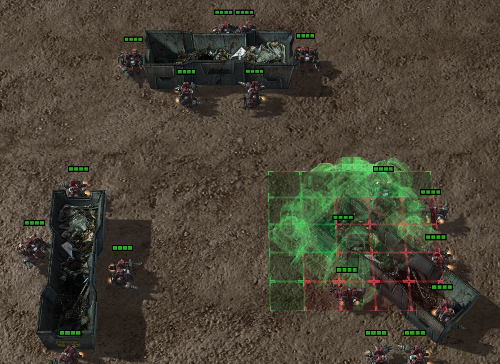
And an in-game screen shot showing unit pathing and building placement to verify.
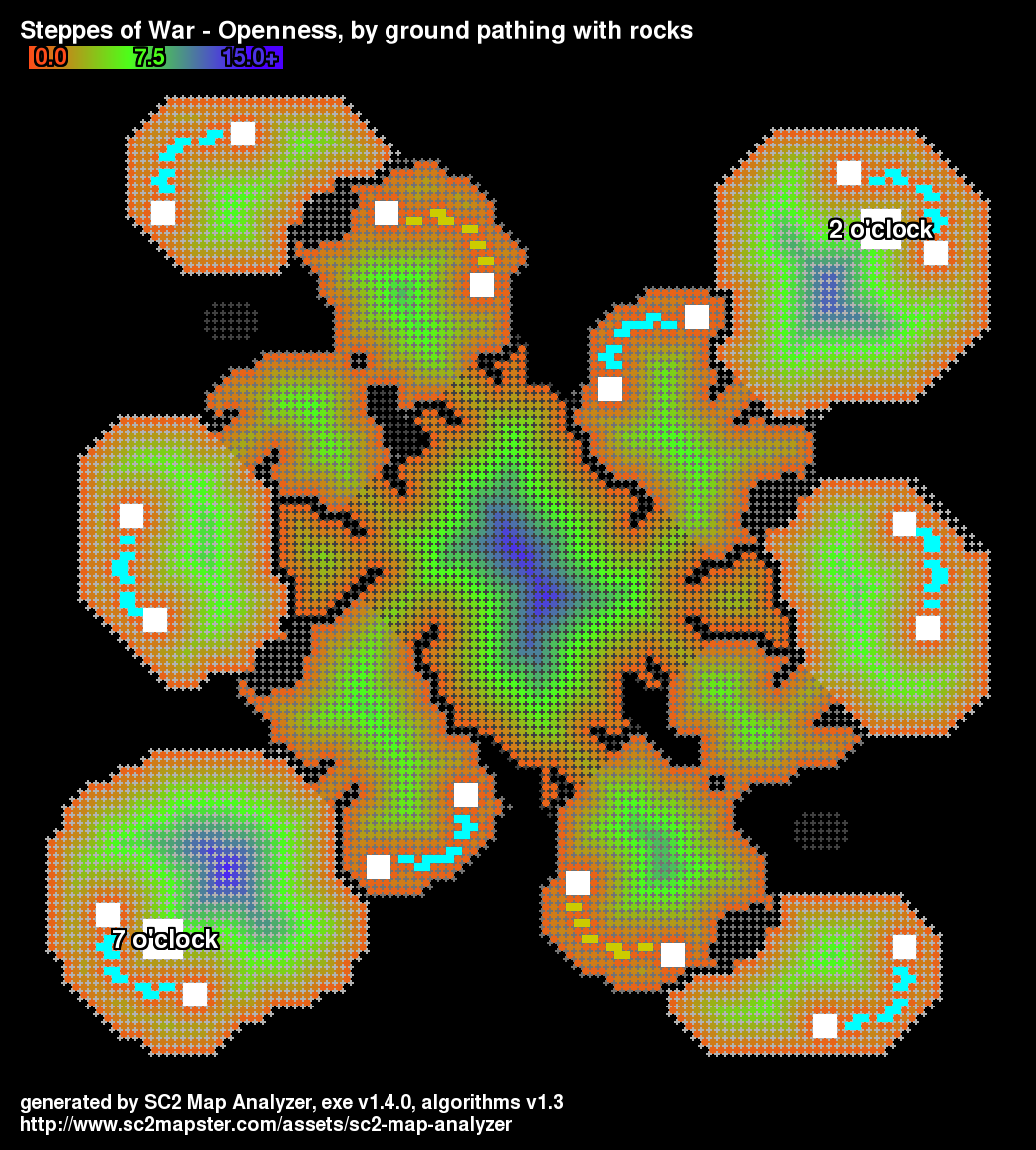
The 1.4.0 release generates much more precise pathing than the previous releases.
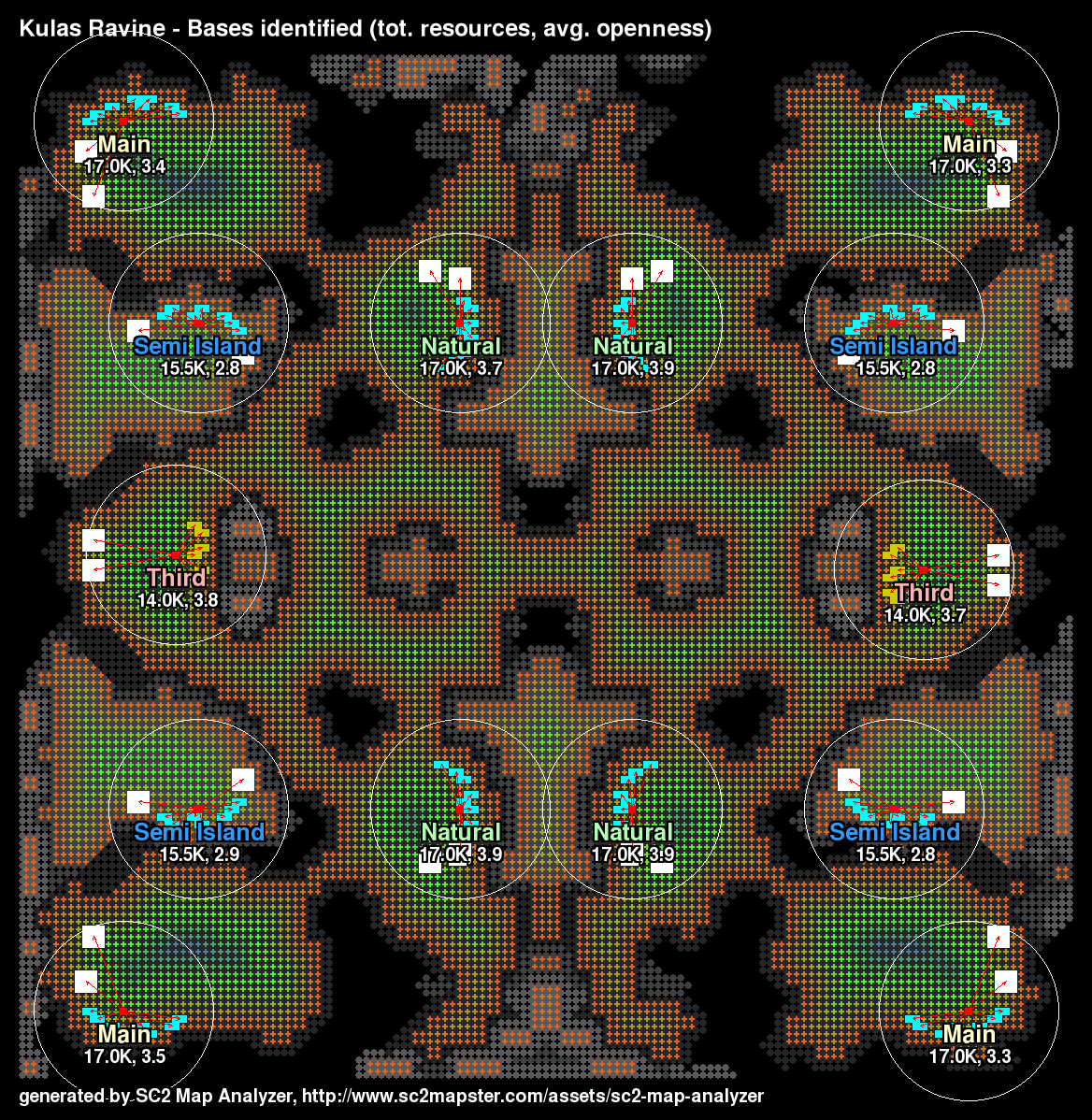
The bases image for Kulas Ravine.
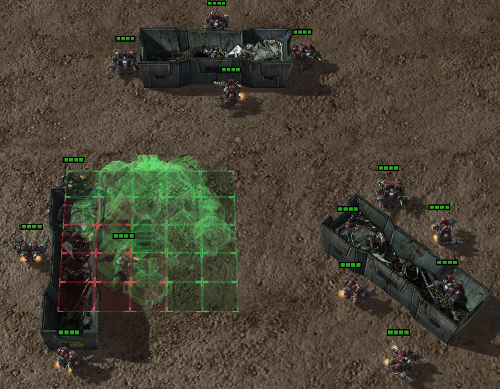
Better image of in-game effects
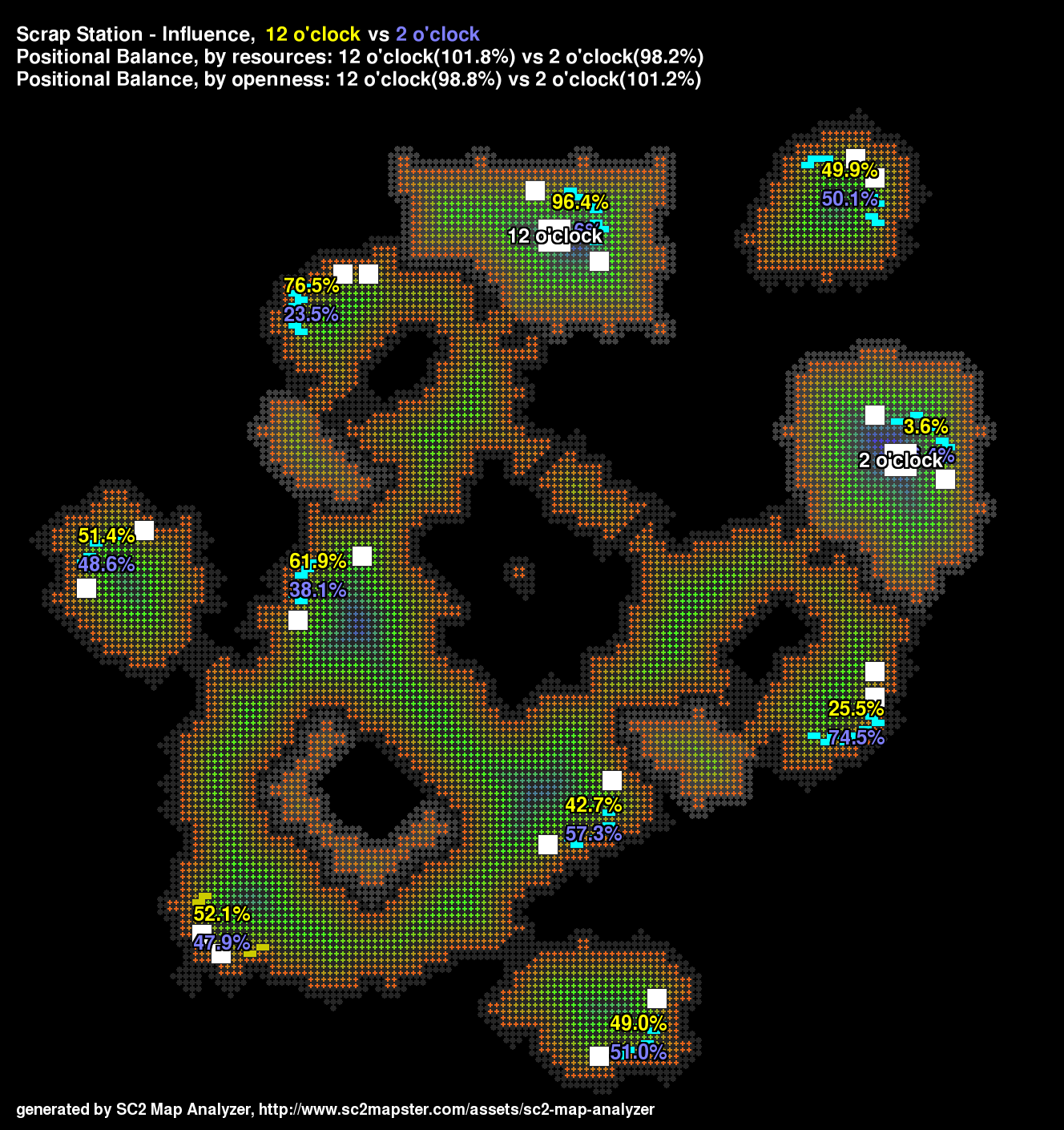
Influence is the potential, expressed as a percentage, that one start location has to control a base versus another start location.
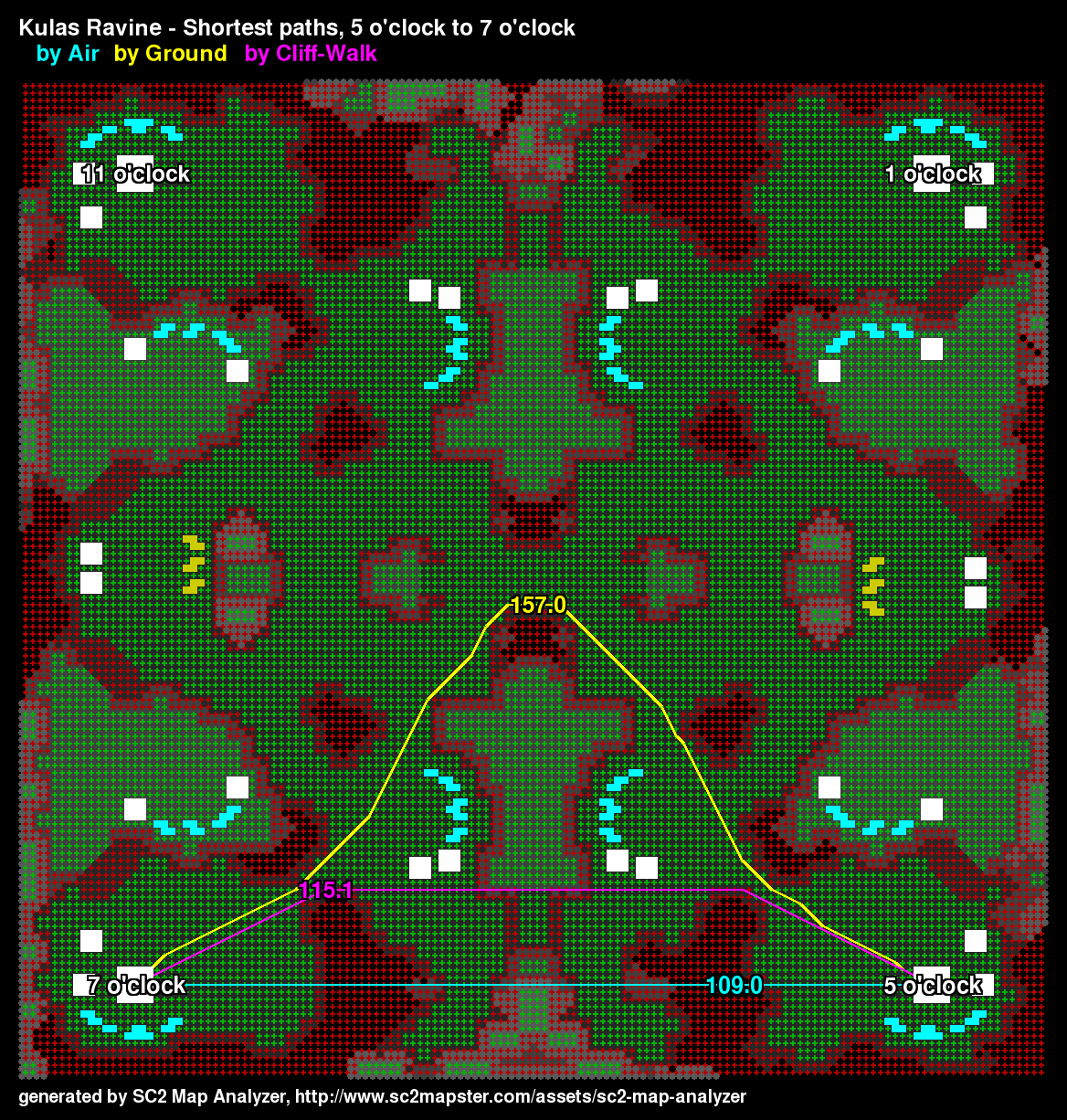
There are a lot of cliffs on Kulas making ground paths converge on the center area.
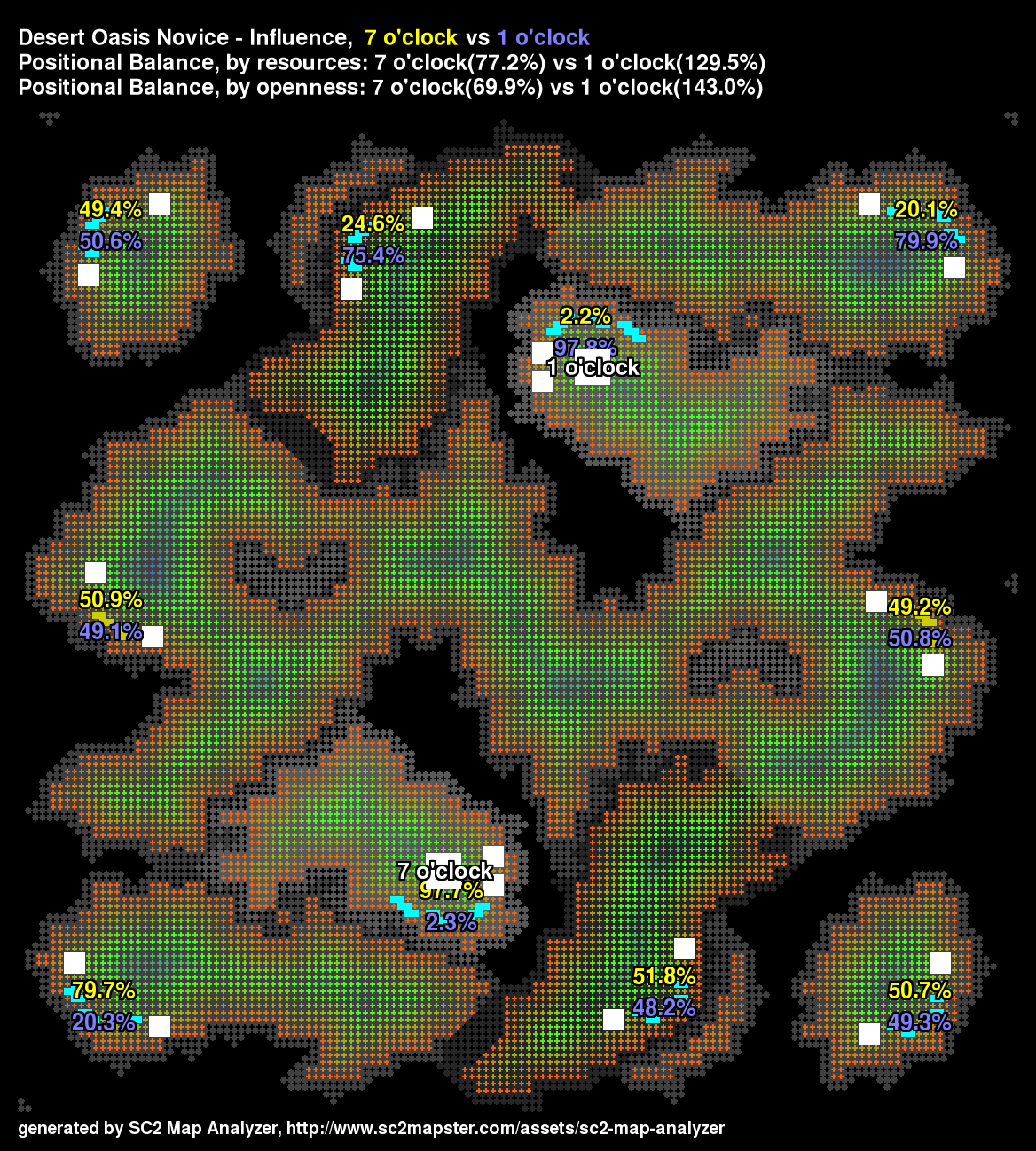
This map has imbalance because of very different destructible rocks!
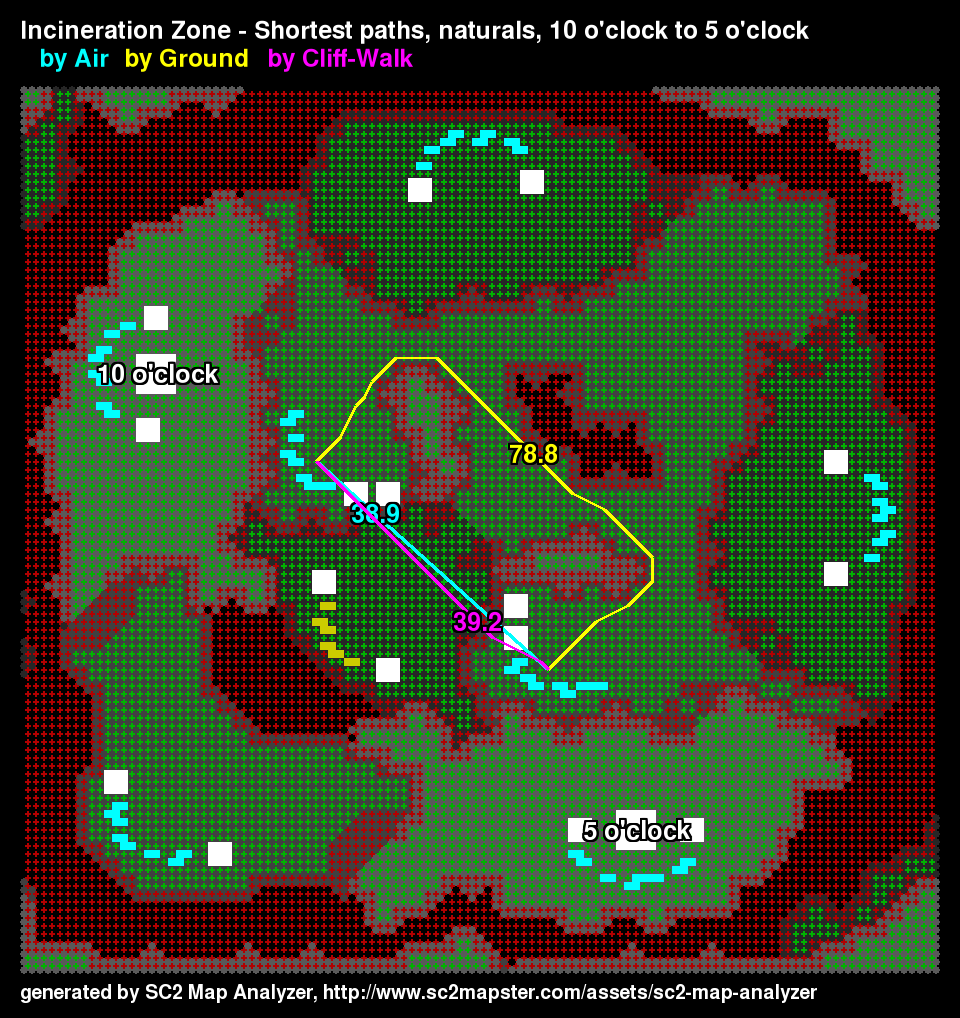
SC2 Map Analyzer finds the natural expansion for start locations and can compute the natural-to-natural shortest paths.
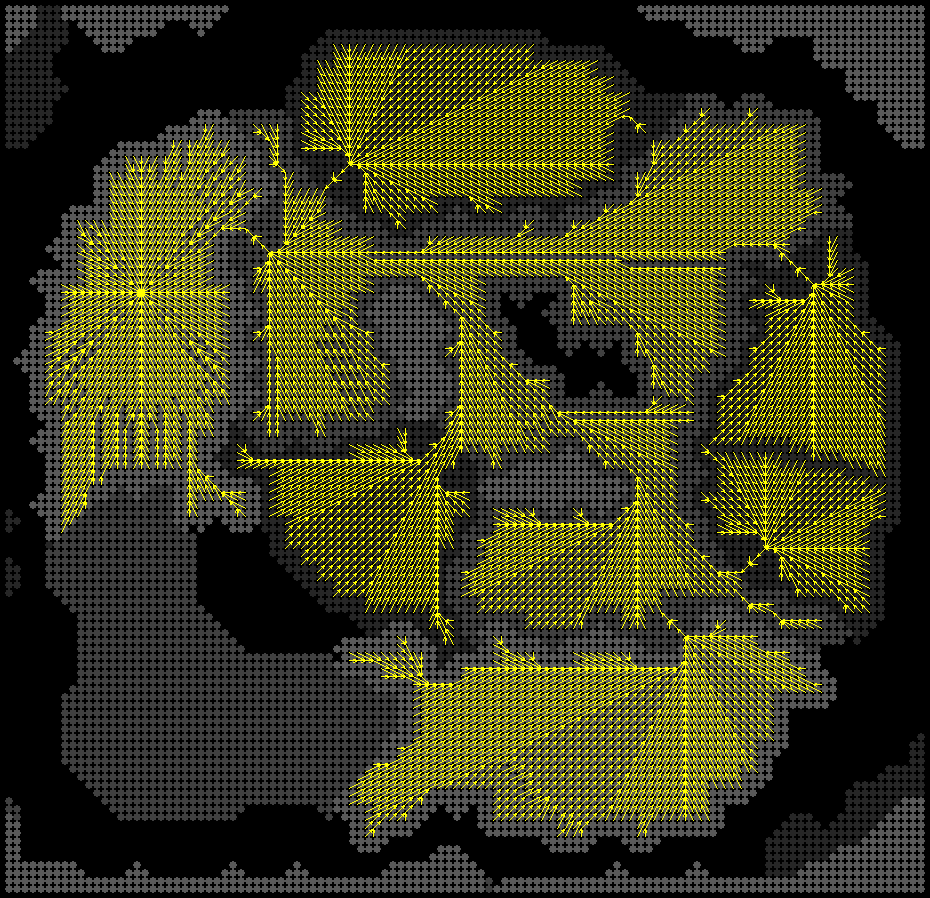
This image shows all the shortest paths to the upper start location from every cell, except cells that have no path.

This shows the influence on Scrap Station as a heat map.

This image depicts a map that the analyzer says is balanced by resources and by openness, though it has other imbalances. For instance, the bases need a different number of creep tumors to connect main to natural. Issues like this may some day be a...
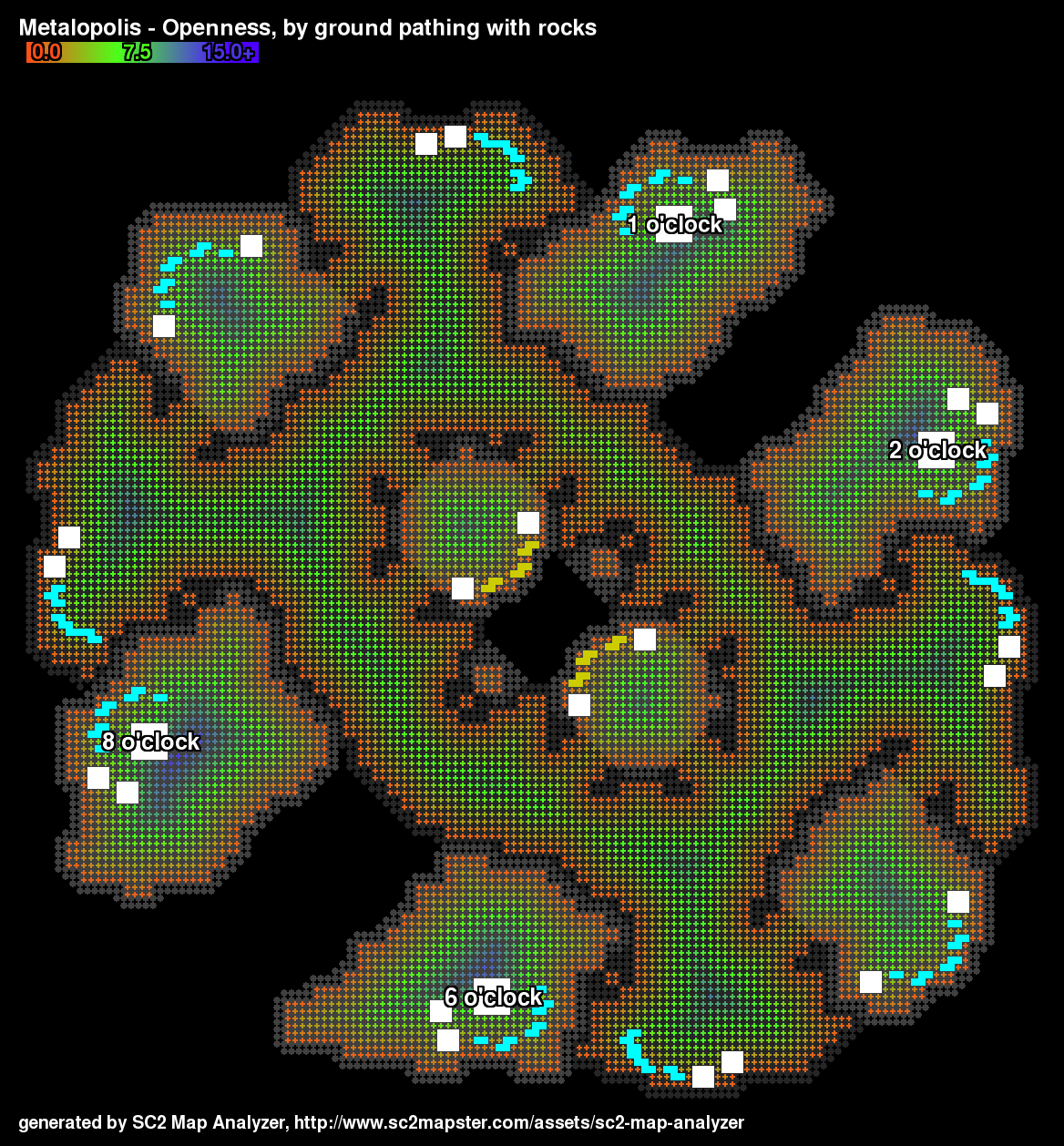
Openness for Metalopolis.

The axes of symmetry added by hand to show differences on Metalopolis.
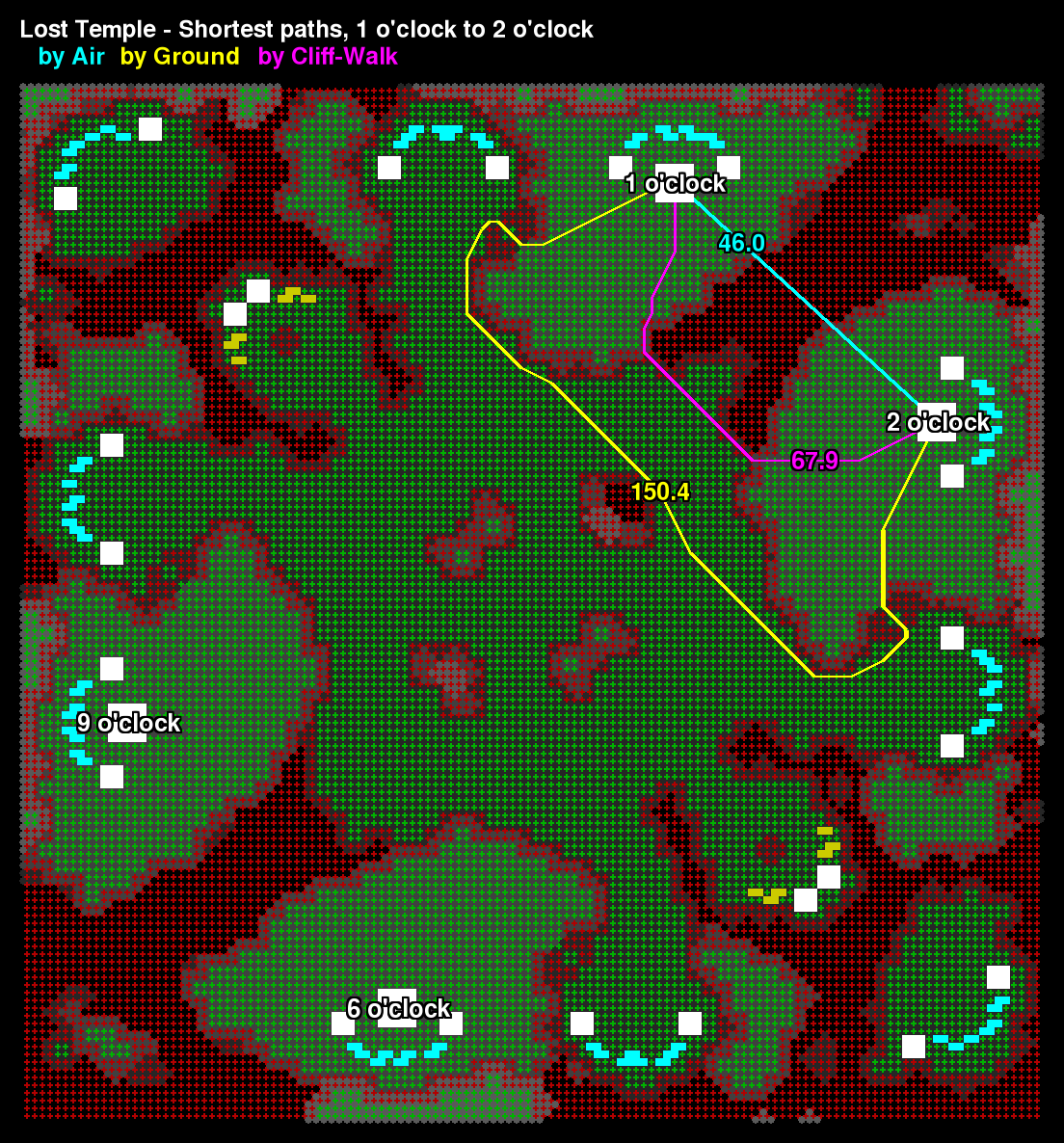
SC2 Map Analyzer computes shortest paths between locations for ground units, cliff-walking units or air units. This information is particularly helpful in getting a sense for the balance of map positions.
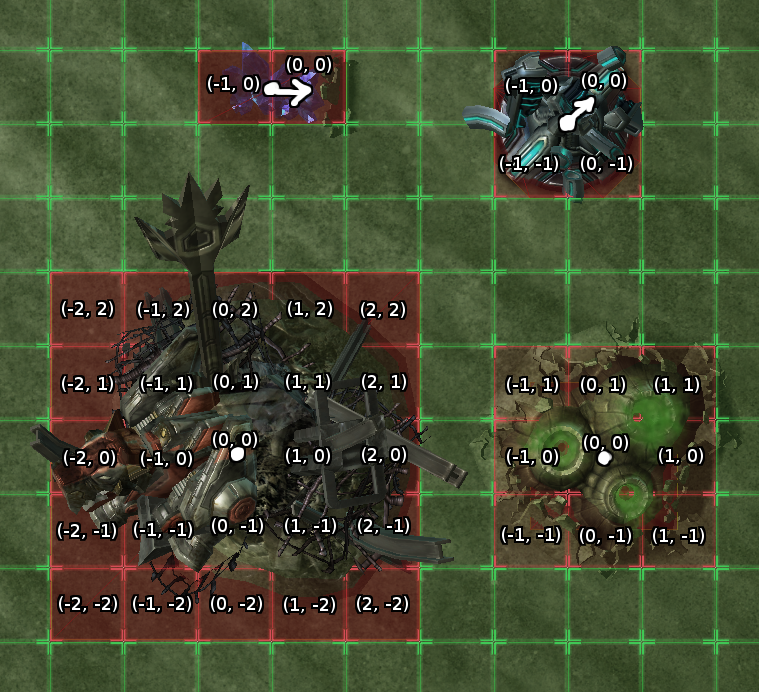
Show the footprint coordinates!
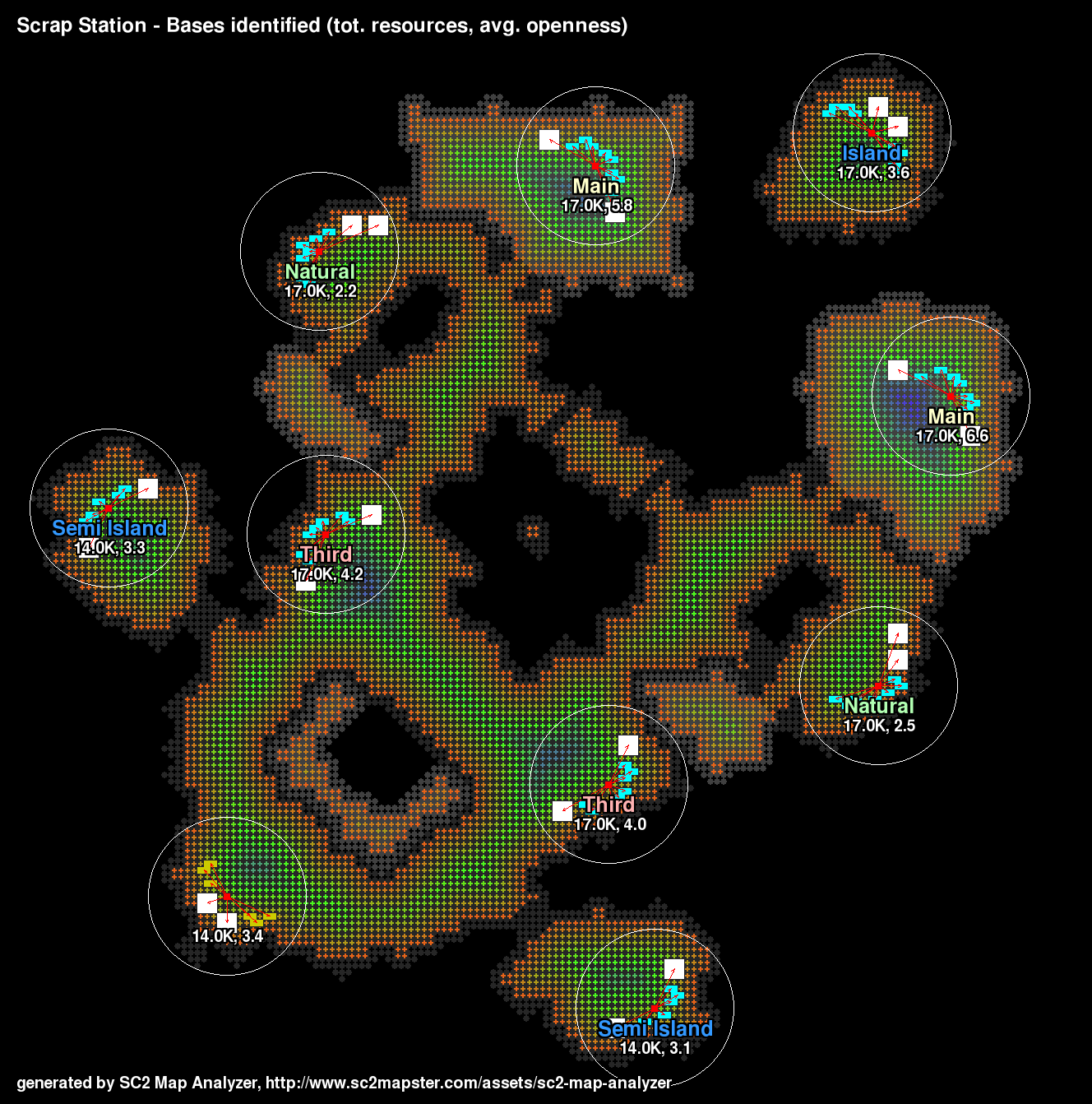
This updated version of the bases output shows the radius of the average openness/base calculation.

The tool's icon.

The radius around a base shows which cells are sampled to compute the average openness of a base. This value is displayed next to the total resources for the base, and it is one way to decide how different one base is from another.
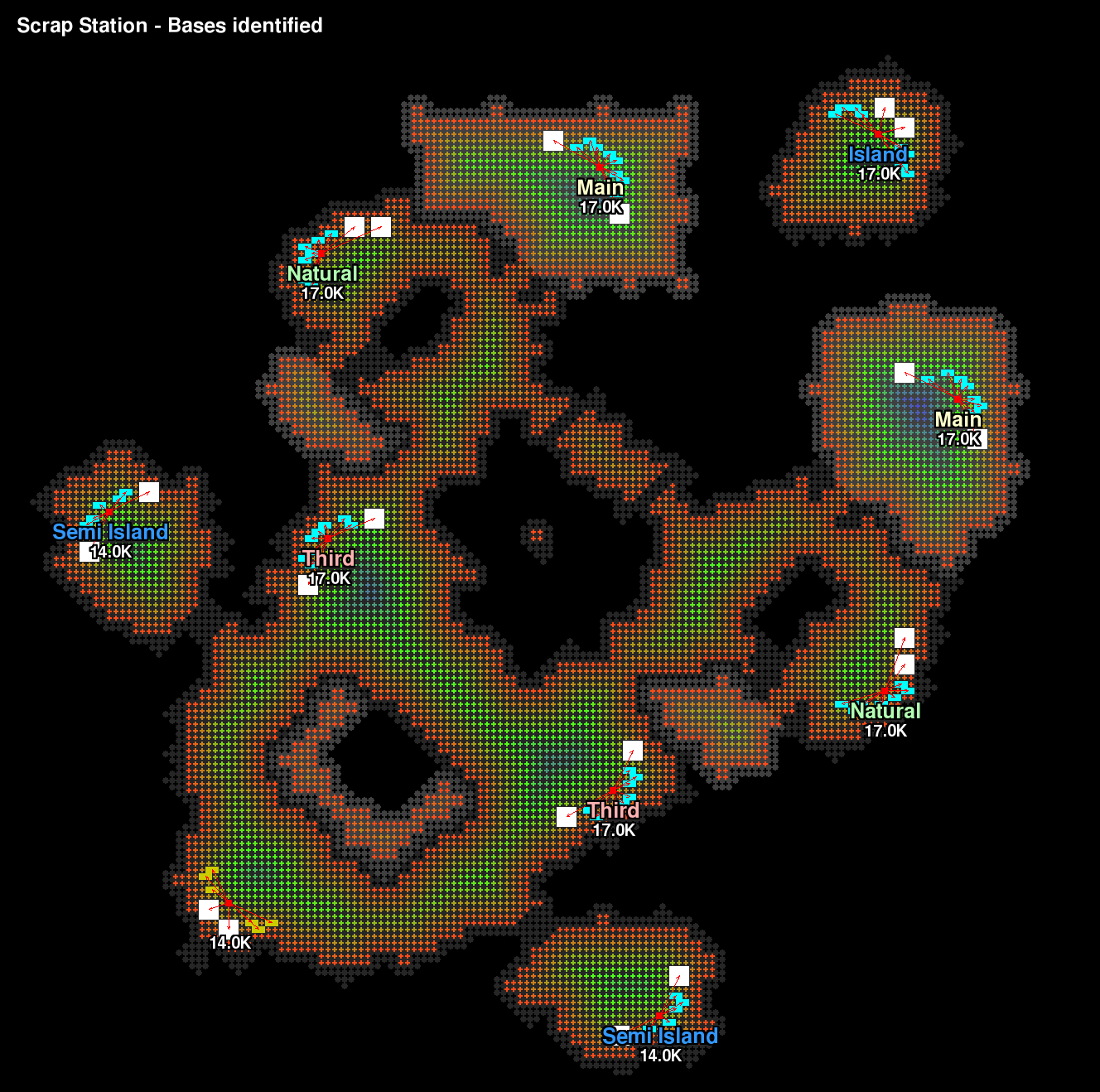
SC2 Map Analyzer finds resources on the map and deduces where the bases are, how many resources are located there, and classifies them as players often do: mains, naturals, thirds, islands, and semi islands.
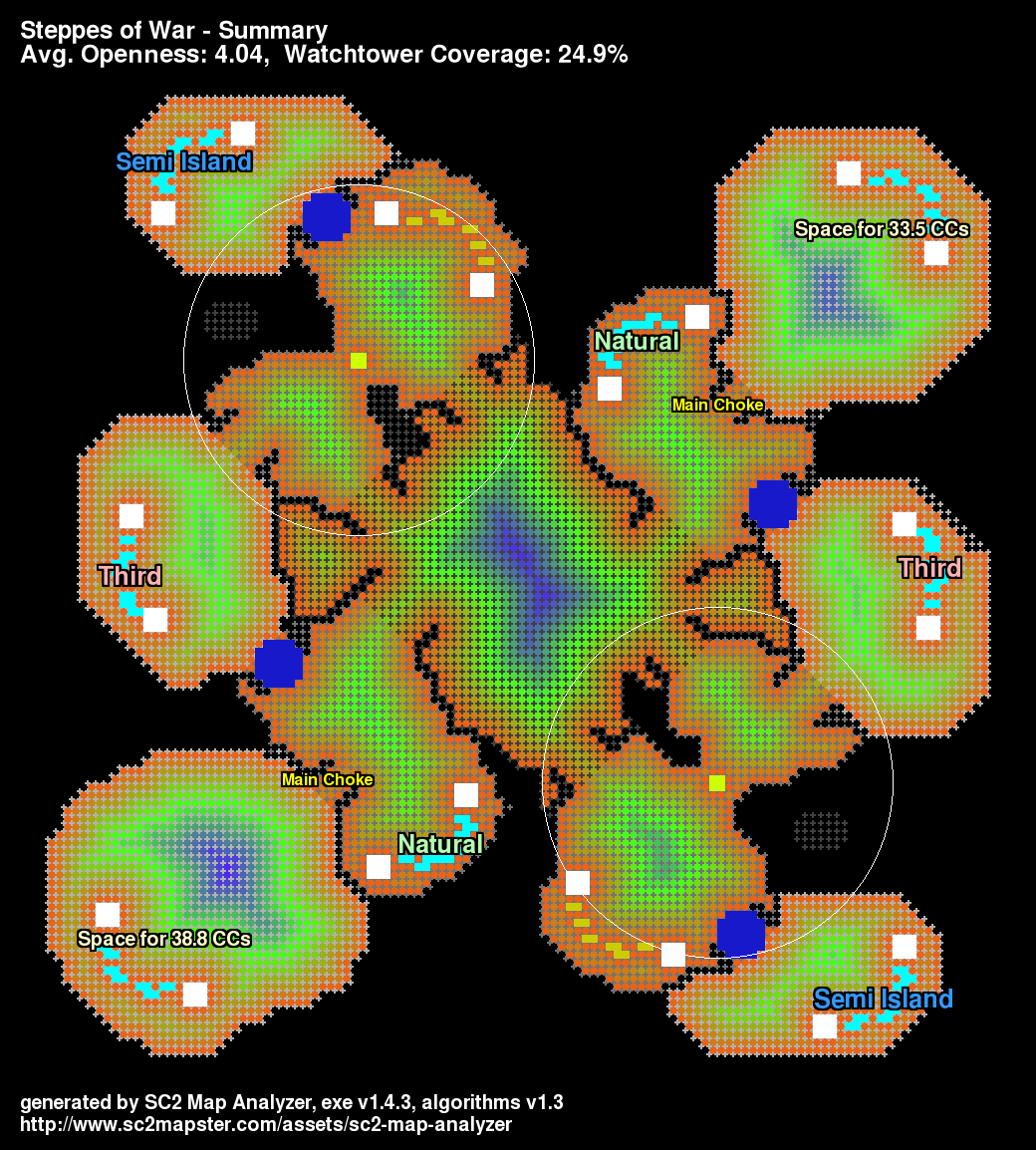
Notice the main choke is identified and the available space in main is calculated. The bases actually have a difference in available space on this map.
Description
SC2 Map Analyzer analyzes melee maps and creates PNG images and CSV spreadsheets with the results. It measures shortest paths between key locations, computes "openness" around the map and measures positional balance! Use it to gather data on the official maps or help develop your own.
What's new?
- The whole usage model has changed; the analyzer is no longer intended to ever be run as a command line tool. Instead config files control the analyzer and you double-click the executable (or a shortcut to it) to start it up.
- Map formats from beta phase 1, beta phase 2 and post-release are supported now.
- The analyzer's model for pathing is much more precise; just compare the ramps in the before and after above. The analyzer also recognizes pathing fills and the painted pathing layer.
- The footprints.txt config file allows pathing footprints to be defined for any unit or doodad. With some help from the community we can fill this file out until the analyzer is aware of every bitty doodad that can affect pathing. For now it has the resources, watchtowers and destructibles.
Read the manual here and check out details about what the analysis calculates and the FAQ.


If you have any feature requests or do something cool with SC2 Map Analyzer, let me know!
-dimfish
The SC2 Map Analyzer Team
