
screenshot-1.png
screenshot-2.png
screenshot-3.png
screenshot-4.png
screenshot-5.png
Description
Seed Planner
Which seeds should I buy today? This mod answers that question in one keypress – using your actual save: today's date, farming level, professions, gold and shop prices.
Languages: English · Deutsch · 한국어 (Korean by slpOff) · 中文 · Português · Español · Русский · Français · 日本語 · Italiano · Türkçe – switches automatically with your game language.
Features
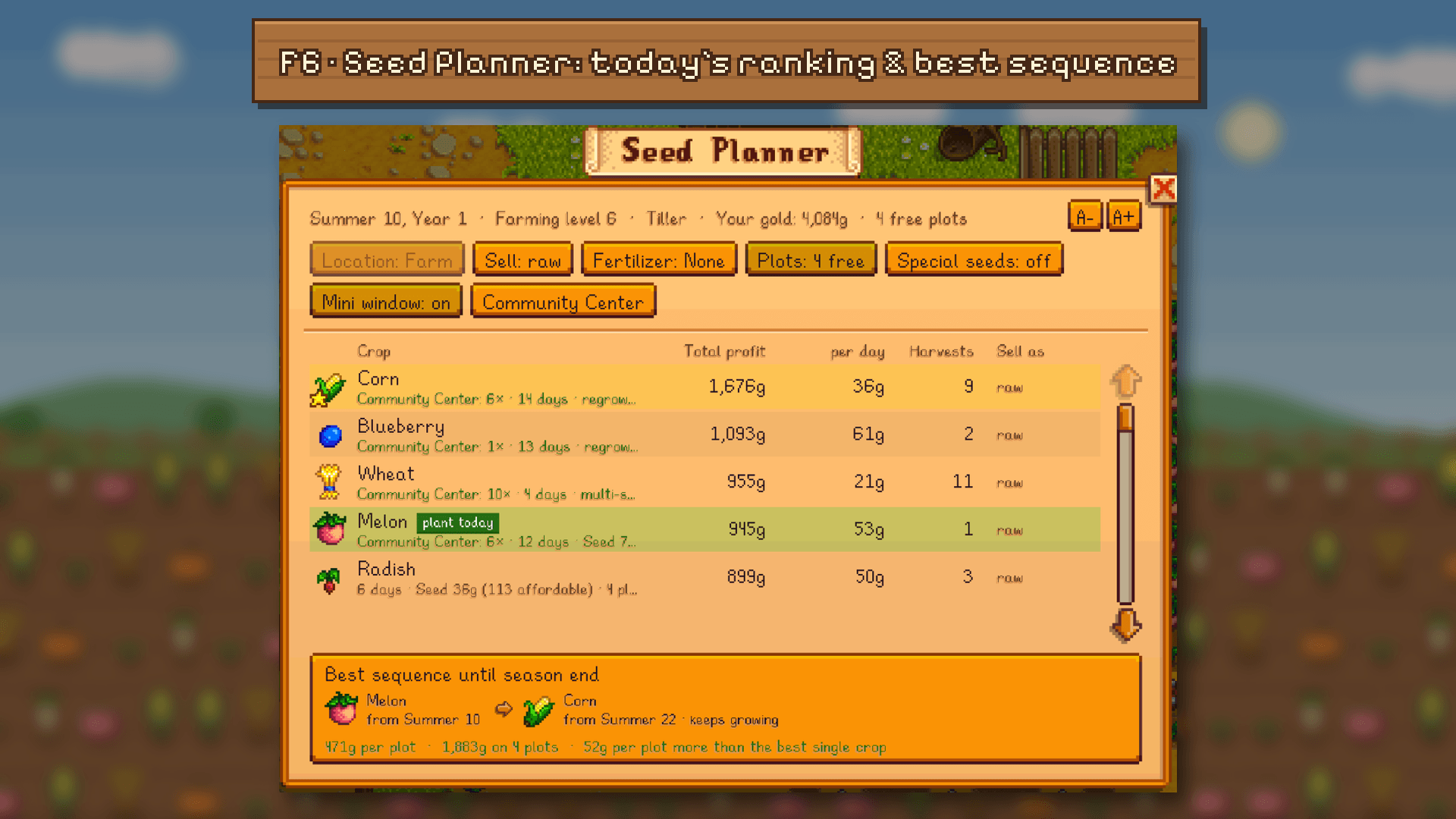
- Seed ranking for today (F6) – every crop you can plant outside right now, sorted by total profit until the season ends. Shows harvests, profit per day, seed price and how many seeds you can afford.
- Best sequence until season end – combines crops to use the whole season (e.g. Parsnip on day 17, then Potato on day 21). The crop to plant today is marked with a green plant today badge.
- Options in the window – sell raw or as keg/jar products (Artisan profession included), fertilizer (including speed-gro), special seeds (Strawberry, Ancient Fruit, …).
- Greenhouse and Ginger Island – switch the location between farm, greenhouse and the island farm (once unlocked). There every crop grows all year, so you plan for the next 28 days or a whole year. Cactus fruit and other indoor-only crops only show up where they can be planted.
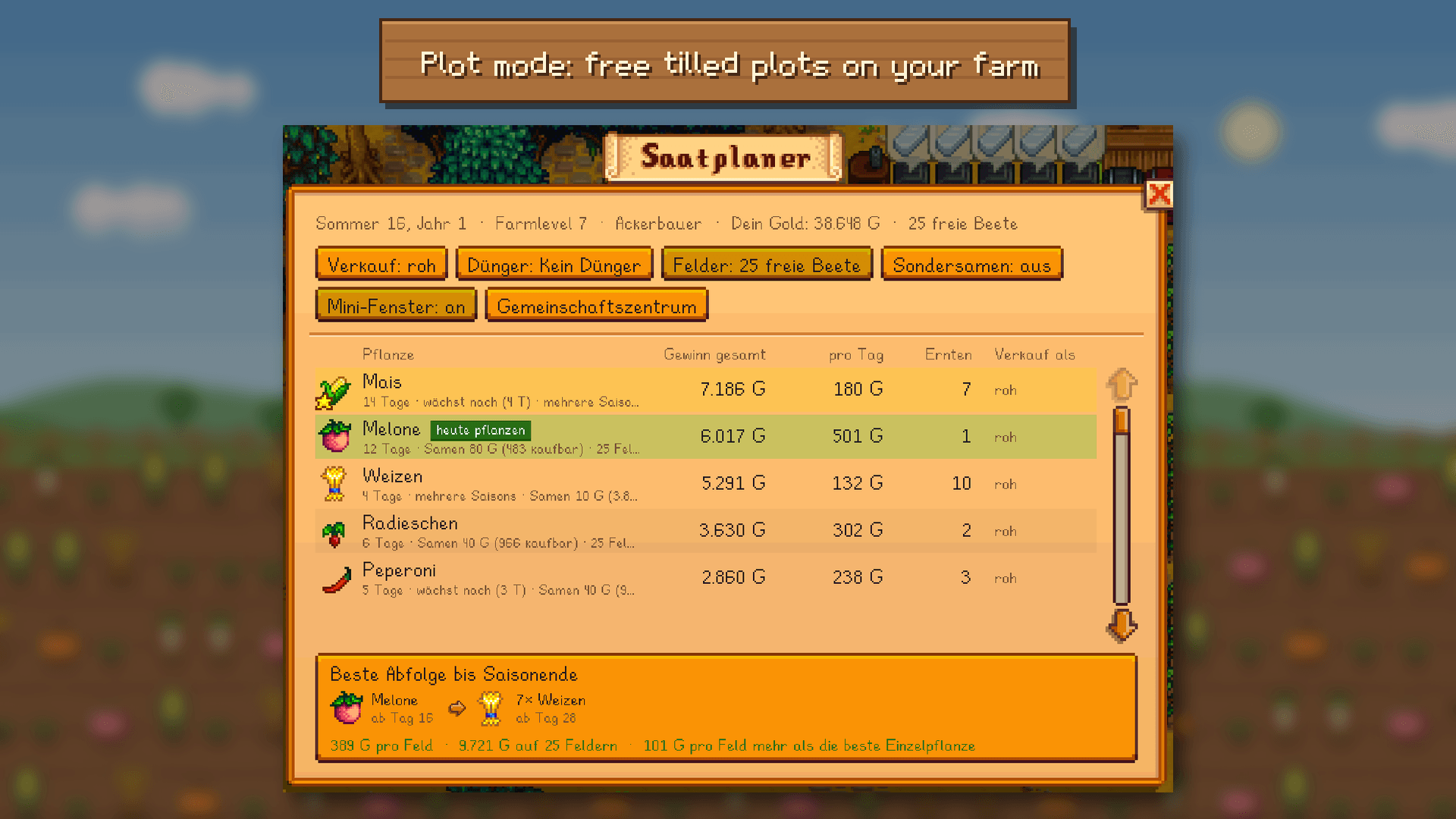
- Three plot modes – a fixed number of plots, as many as your gold can buy, or the free tilled plots at the chosen location (limited by your gold too).
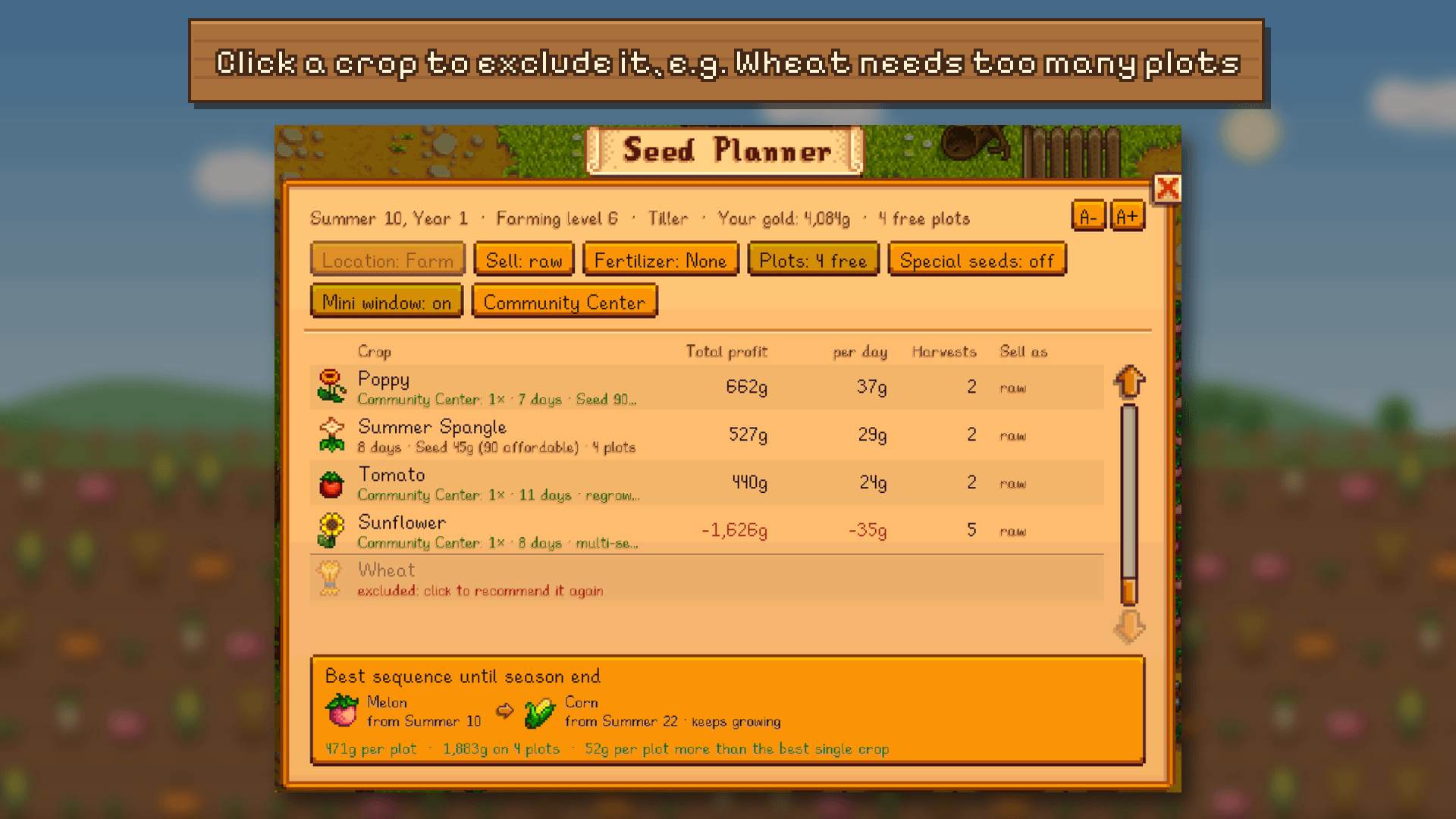
- Exclude crops – click a crop in the planner to stop recommending it (e.g. Wheat, because it needs too many plots). It moves to the bottom of the list and is left out of the best sequence and the mini window. Click again to bring it back.
- Adjustable size – the A- / A+ buttons at the top right of the planner make all planner windows and the mini window smaller or bigger, without changing the game's UI scale.
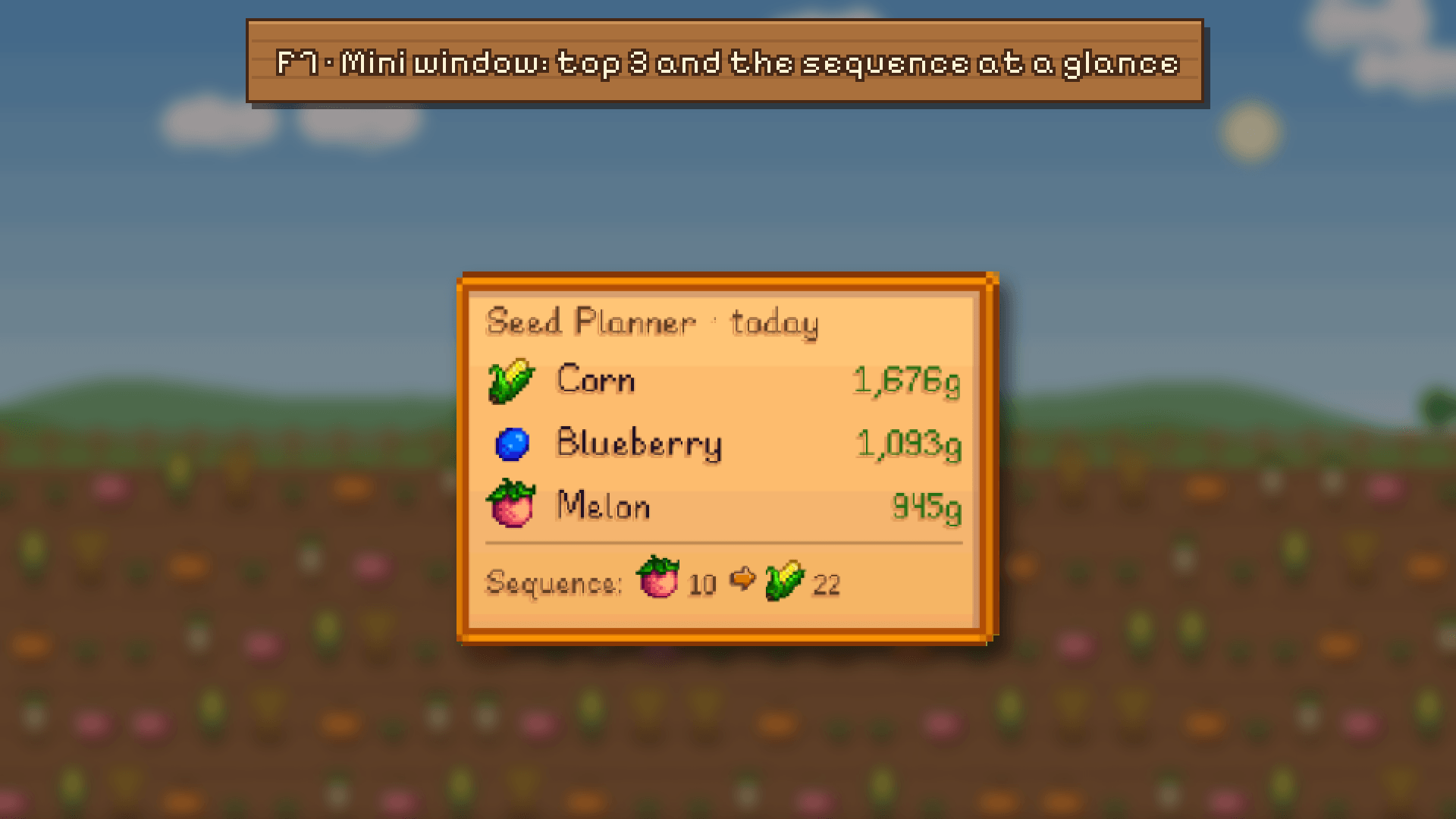
- Mini window (F7) – small, draggable overlay with today's top 3 and the sequence. Click it to open the full planner.
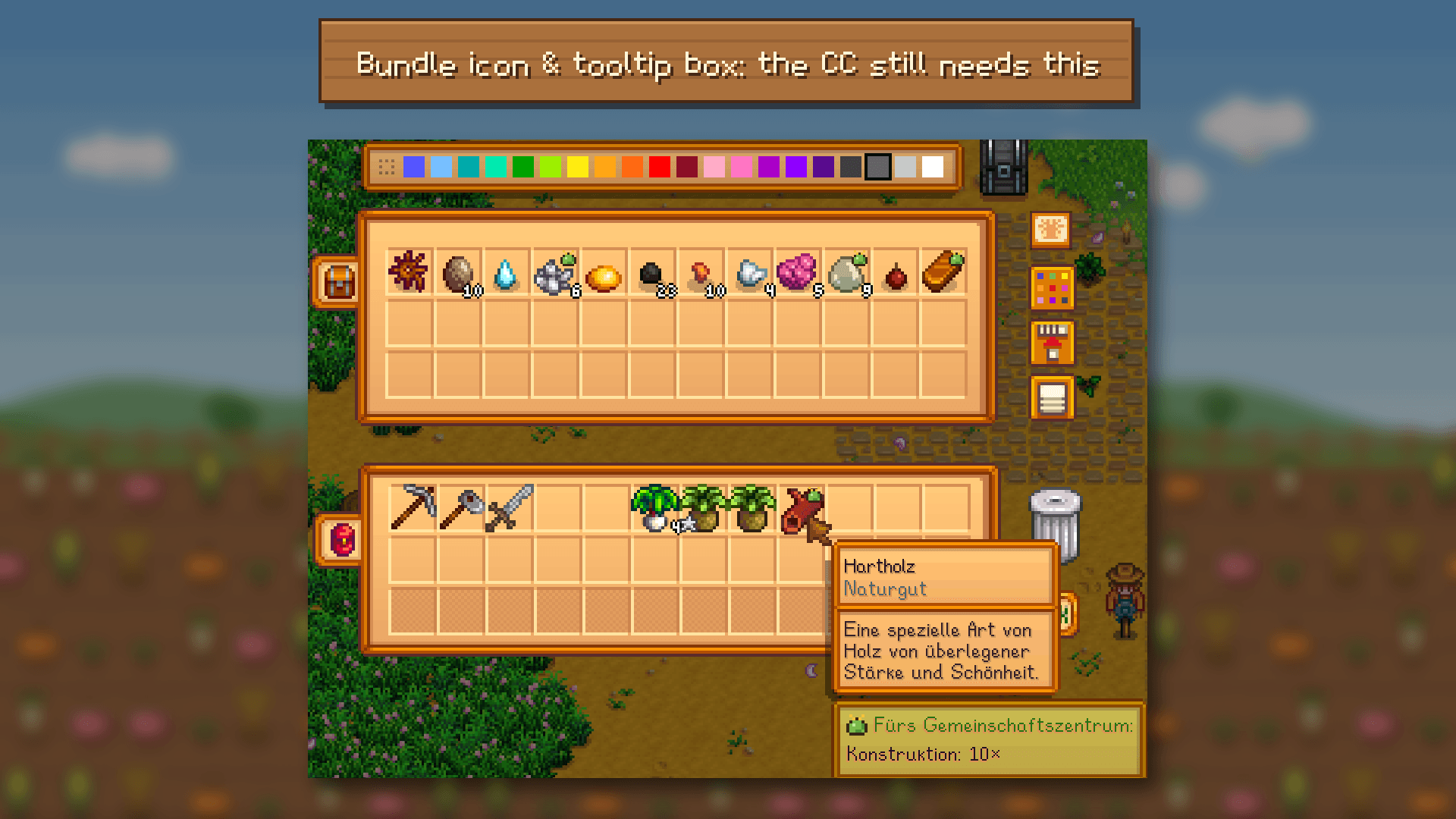
- Community Center hints – items a bundle still needs get a small bundle icon in your inventory, chests, toolbar and shops (grey if the quality isn't good enough yet). Hover them for a green box with the bundles.
- Community Center overview (F8) – every open bundle grouped by room, with the missing items. Green = you have it in your inventory, blue = it's in a chest somewhere.
The math includes crop quality by farming level and fertilizer, Tiller/Agriculturist/Artisan, regrowing and multi-season crops, extra harvest chances and giant crops.
Install
- Install the latest SMAPI.
- Unzip this mod into your Stardew Valley/Mods folder.
- Run the game using SMAPI.
Controls & config
- F6 – open/close the Seed Planner
- F7 – toggle the mini window
- F8 – Community Center overview
- No F keys? Click the little seed packet icon left of your gold display – it opens a menu with all three.
Settings: with Generic Mod Config Menu installed, change everything in-game. Otherwise edit config.json (created after the first launch):
- ToggleKey, HudKey, BundleKey – hotkeys (controller buttons work too)
- WindowScale – size of the planner windows and the mini window, e.g. 1.25 (0.75–2) – easier with the A- / A+ buttons in the planner
- ShowButton – false hides the icon next to the gold display
- BundleHints – false hides the Community Center tooltip hints
Window options (location, fertilizer, …) are saved per save file.
Compatibility
- Stardew Valley 1.6+, SMAPI 4.0+
- Generic Mod Config Menu is optional
- Made for single-player; multiplayer should work (each player uses their own gold and skills) but isn't tested yet
- Reads crops, prices and bundles from the game data, so crops added by other mods and remixed bundles should show up as well.
- Translations: English, German, Korean (thanks to slpOff!), Chinese, Portuguese, Spanish, Russian, French, Japanese, Italian, Turkish. These eight are new – corrections from native speakers are very welcome! Other languages fall back to English (i18n folder).
The Seed Planner Team
