


Capture1(1).png
Description
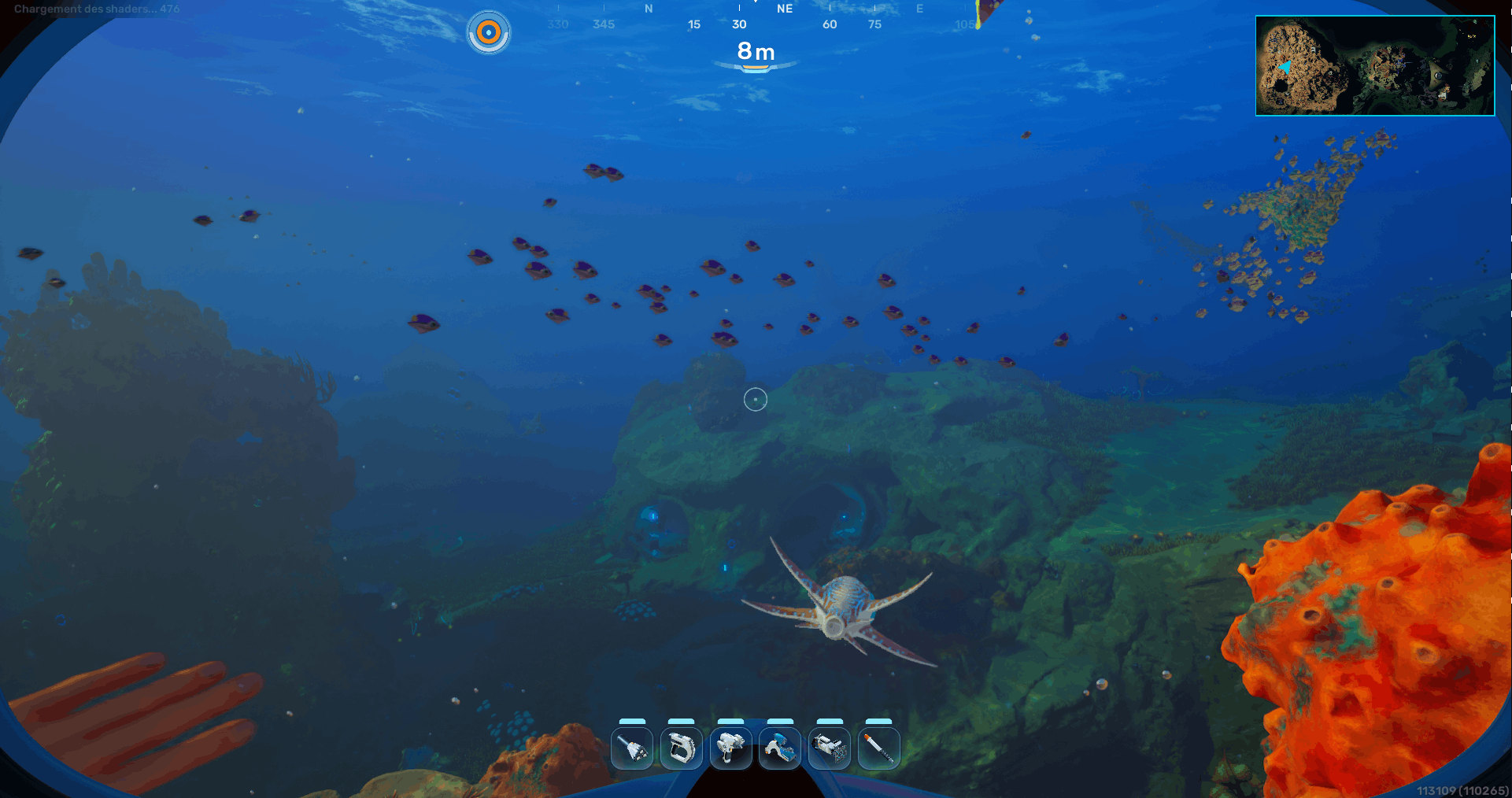
Simple Minimap adds a lightweight in-game minimap to Subnautica 2, with a player marker, heading indicator, and an optional large map view.
The minimap is rendered directly on the HUD using UE4SS Lua scripting. By default, it appears in the top-right corner of the screen and can be toggled on or off at any time. A larger centered map view is also available for quick navigation.
This mod uses UE4SS, so you need to install UE4SS - Subnautica 2 first:
Features
- Adds a simple minimap overlay to the HUD
- Shows the player position on the map
- Shows the player heading / direction
- Toggleable large map view
- Fully configurable size, position, opacity, keybinds, update interval, marker size and marker colors
- Supports MapGenie-based projection / calibration
- Lightweight Lua mod using UE4SS
Controls
Default keybinds:
- M — Open / close the large map
- H — Hide / show the minimap
These can be changed in config.lua.
The mod registers the configured keys from config.lua, where OpenMapKey is set to M and HideMapKey is set to H.
Installation
- Download and install UE4SS - Subnautica 2 from Nexus Mods:
https://www.nexusmods.com/subnautica2/mods/36 - Go to your Subnautica 2 install folder.
- Open the UE4SS mods folder:
Subnautica2/Binaries/Win64/ue4ss/Mods/
For Game Pass / WinGDK versions, the folder may be:
Subnautica2/Binaries/WinGDK/ue4ss/Mods/
- Create a folder named:
SubnauticaMapMod
- Place the mod files inside:
SubnauticaMapMod/
└── all lua
Configuration
see config.lua
Vortex bug
For reasons I don't know, Vortex ignores anything that isn't a .lua file, so .png files will be called .png.lua.
Troubleshooting
The minimap does not appear
- Make sure UE4SS is installed correctly.
- Make sure main.lua and config.lua are directly inside the SubnauticaMapMod folder.
- If you are experiencing FPS issues, you can increase the UpdateIntervalMs value in the config file.
The Simple Minimap Team
