


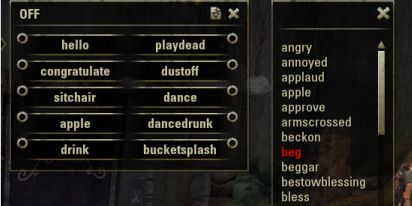
Both windows open
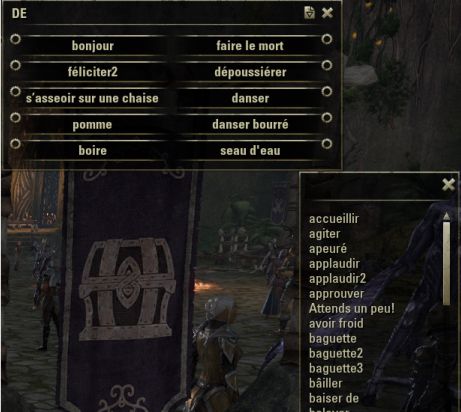
In French
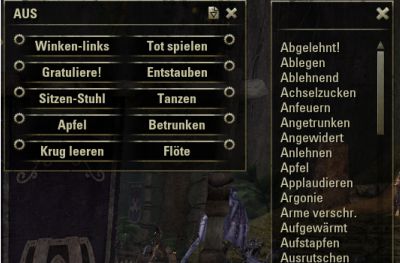
In German
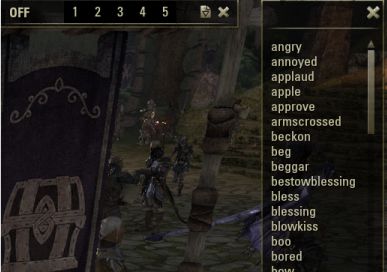
Showing window with speed buttons visible
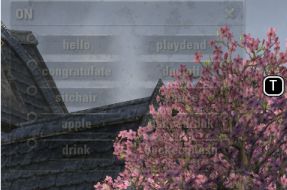
Transparent
Description
This is a simple add-on for playing your favorite character emotes. The game at the release had over 170 emote animation commands to choose from. There was no build-in GUI to display them for game launch. They are access via slash commands .i.e. /torch, /drink, and etc. This add-on allows you to configure a few favorites. It display them in a windows which you can click a button for the emote. If you use a gamepad, ESO did create quick wheel for emotes starting with the Orsinium DCL late 2015.
I hope you find the add-on useful. Feedback and suggestions are welcome.
--Halja
Key Features:
• Language localization for French and German
• Configure 10 emotes buttons on moveable window
• Thirteen bind key options
• One for toggling the favorites window
• Two for toggling a condensed list of all the available emotes to blast through to entertain yourself and friends
• Up to ten for quick keyboard access to favorites (new)
• One quick keyboard access to play random emote (new)
• Both windows can be moved separately and last position is saved
• Transparency option to fade the add-on to less intrusive while displayed
• Favorites window collapses out of the way and speed buttons appear to access your first five favorites emotes
• Use the add-on's emote name when playing in French, German, and/or you customized the ESOTheater emote name.
/et cœur brisé
/et Hände reiben
• Lots of command options for access emotes without the add-on windows visible
• Filtering options on the full emote list window (new)
• Option to save favorites at the account level or by character
Features Planed:
• Bring back emote chat feature while animations are playing
A big thanks to:
Valerius for the German localization
LeorFinacre for the French localization
@Errc & SinusPi of Zgoo <-- hands-down best way tool for spelunking in the game's Globals
ZOS for the Survey Add-on to get a peek at their code
EOSUI.com for the add-on Wiki, forums, and the great community developers.
Slash Commands and optional parameters:
/esotheater Displays emote window
/et Alias to display emote window
/et –help Prints the slash commands to the main chat window
/et –reload Reloads Add-on defaults from (EmotesImportData.lua) to SavedVariables file
/et –enumsys Pulls system emotes and copies to SavedVariables file
/et –v Verbose mode which sends extra messages to the chat window
/et -repin Reset main window position to top left corner
/et #### Plays the games emote id **** ID can be different while playing in French and/or German ****
/et <emote name> Plays the emote based on the name. This is useful when playing in French, German, and/or you customized the ESOTheater emote names.
/et -f## Plays the emote based on the favorite's button number i.e. /et -f9 plays the emote you assigned to button 9.
Files in add-on:
• ESOTheater.txt
• ESOTheater.lua
• ESOTheaterSettings.lua
• forms/ESOStage.lua
• forms/ESOStage.xml
• forms/ESOPlaybill.xml
• forms/ESOPlaybill.lua
• localization/EmoteDataDE.lua
• localization/EmoteDataEN.lua
• localization/EmoteDataFR.lua
• Bindings.xml
• read.me
The ESOTheater Team
