


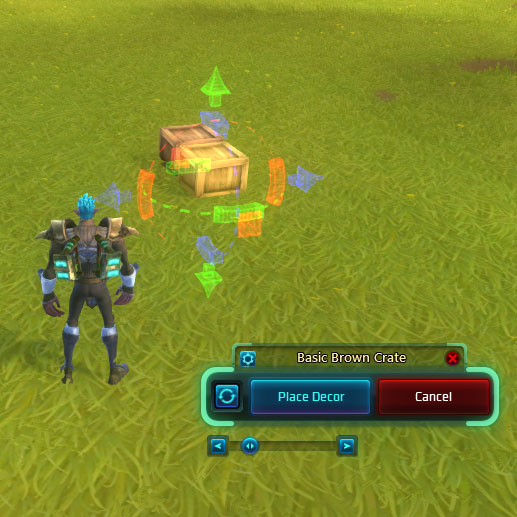
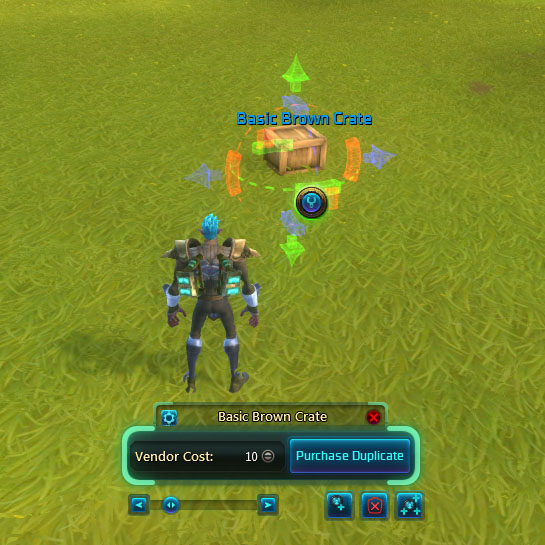
Easily duplicate and modify decor.
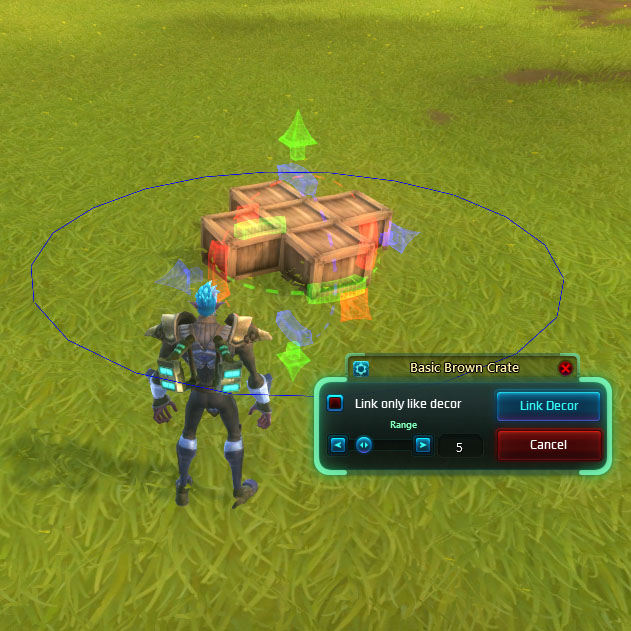
Easily link decor within a specified range.
Description
Features:
- Automatically place a duplicate of the selected décor with an identical transform with a single click. No more placing a bunch of décor, then painstakingly copy/pasting transforms between them.
- Duplicates are placed from your crate first, and then purchased from the vendor if available.
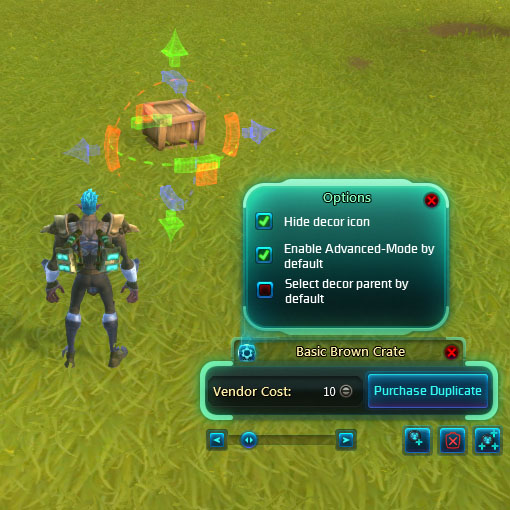
- Options:
- Automatically enable ‘Advanced Mode’ decorating by default.
- Hide the décor icon (all the action shortcuts normally accessed from the icon are in the toolbox).
- Automatically select the parent décor if you select a child décor.
- Actions:
- Duplicate selected décor
- Scale décor
- Link/Unlink décor
- Crate décor
- Auto-group nearby décor
- Automatically link all décor within a specified radius to the selected décor
- Optionally you can link only décor of the same type.
- Keyboard shortcuts:
- Ctrl+D : Duplicate
- Ctrl+G : Group/Link décor
- Shift+G : Ungroup/Unlink décor
- Backspace : Crate décor
- Ctrl+C : Copy transform (uses the same settings as the Advanced Pane)
- Ctrl+V : Pasta transform
- +/- : Scale decor
The Housing Toolbox Pro Team
