


GodMacro
- By
- Addons
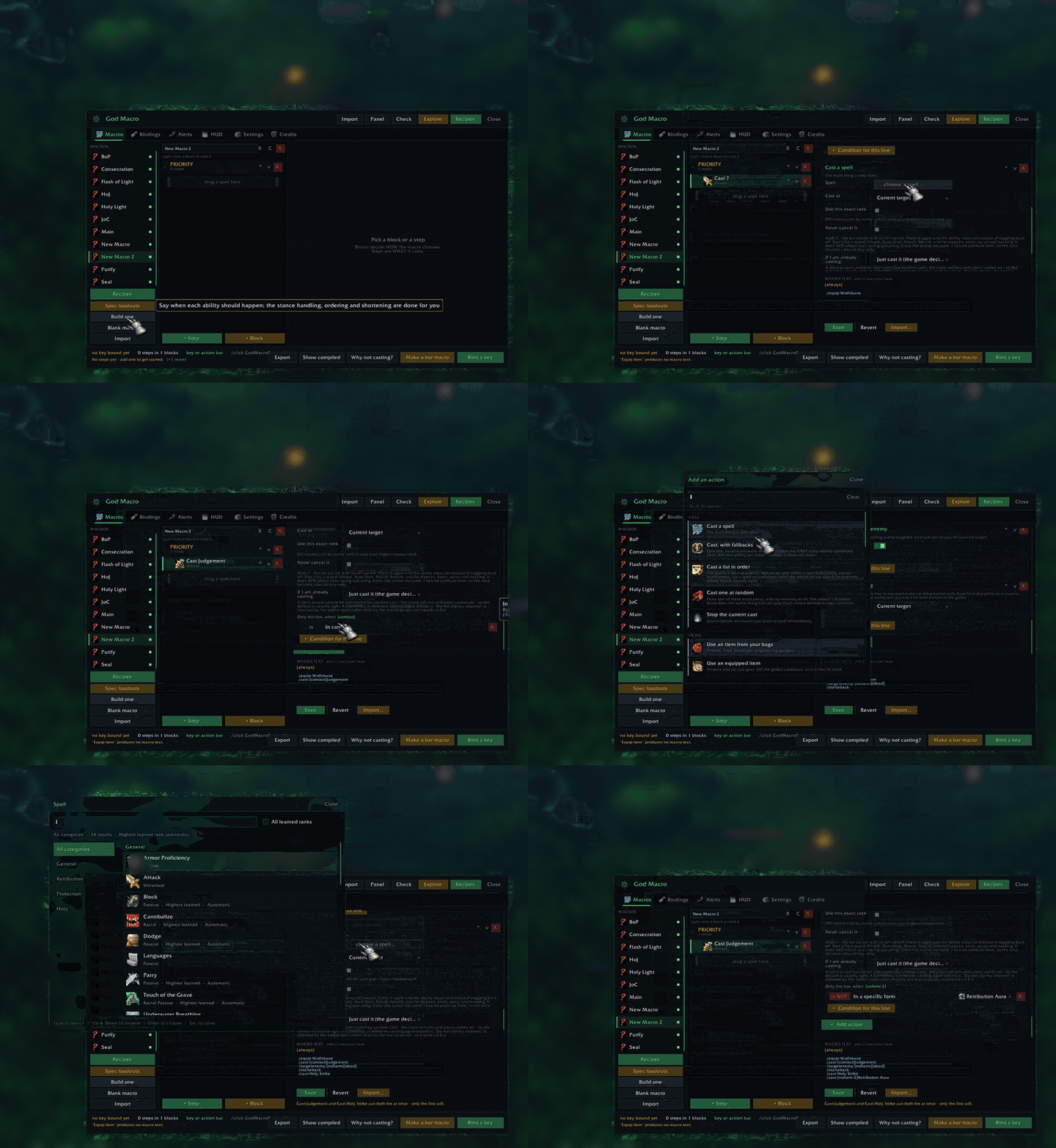
Picking an action, a spell and a condition in the editor, at 4x speed. The game world behind the editor is blurred on purpose: other players walked past while this was recorded.
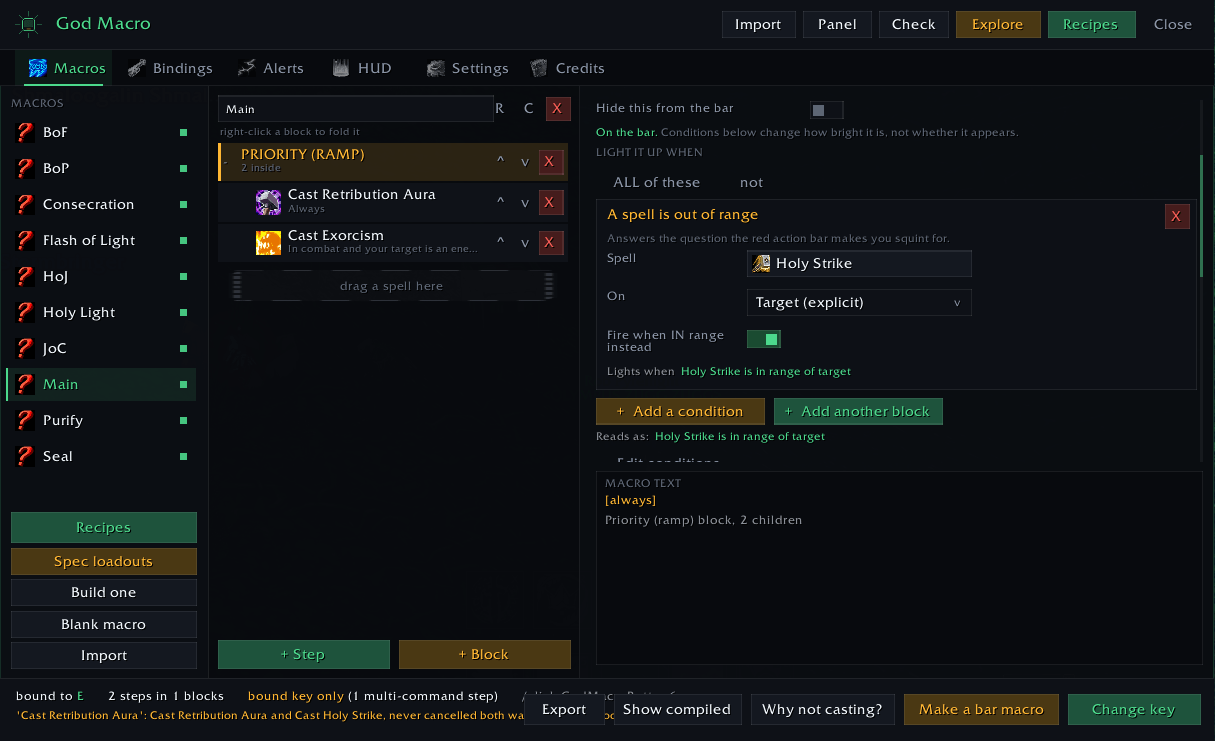
A paladin's macros in the editor: a priority block, a condition on each step, and the exact macro text the game will run. Buttons for recipes, spec loadouts, key binding and the bar.
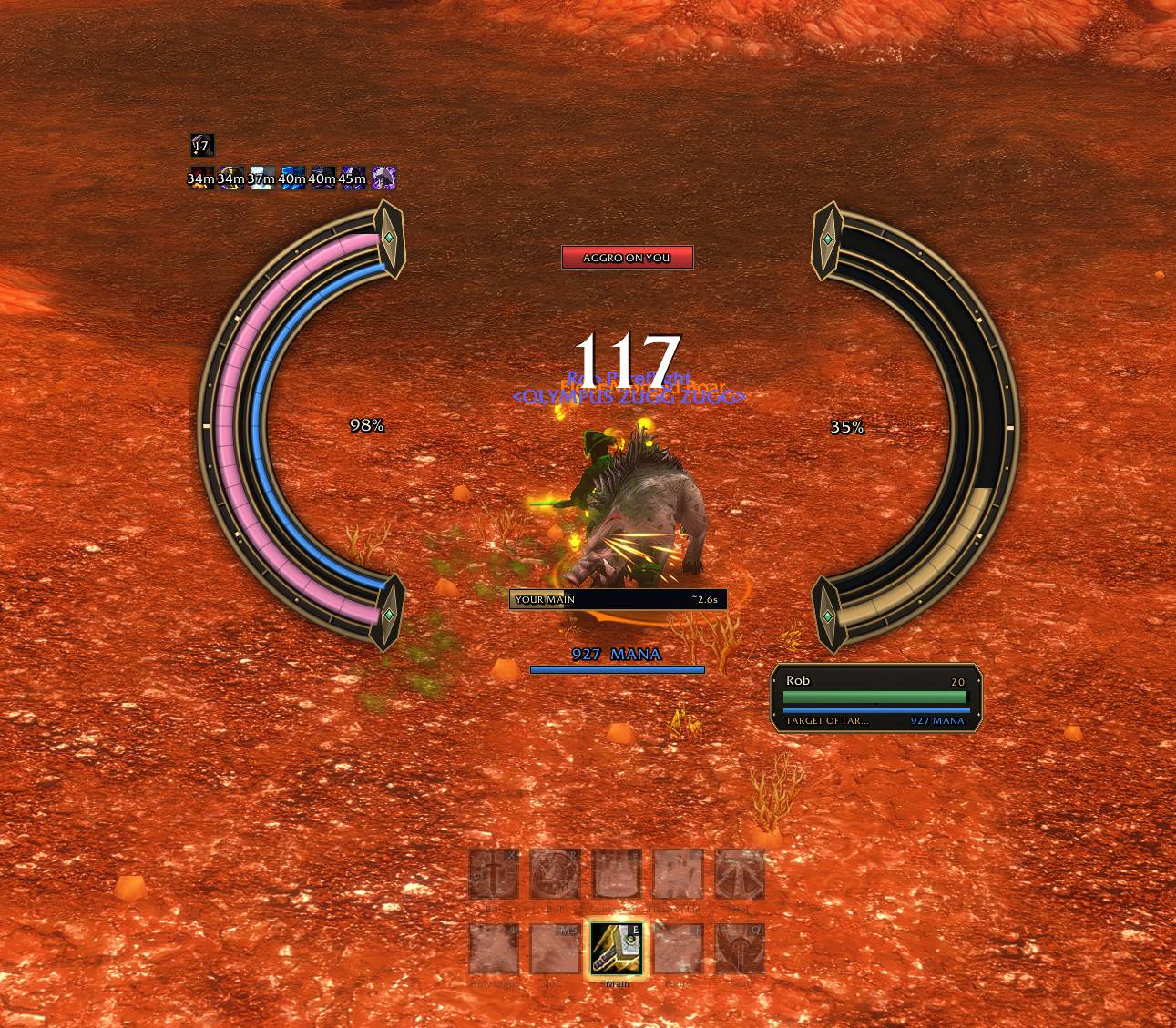
The Bulwark HUD mid-fight on WoW Forever: your health and mana arcs on the left, your target's health on the right, the aggro warning, your main-hand swing timer, your target's target, and the God Macro bar below.
Description
Build macros by clicking, see what every press will do. GodMacro is a visual macro builder for WoW Forever (1.60.1) and Classic Era (1.15.9). You drag spells in, pick the conditions, and it writes the macro, binds the key and shows the exact text the game will run. Standalone: it does not need GSE or WeakAuras.
New in 0.61.1: lights and alerts that work in combat on WoW Forever. Forever hides buffs, debuffs and health from addons in combat, so a light for "I have a disease" or "my Seal fell off" used to go dark mid-fight. Now the game itself decides and draws them: debuff types (Disease, Poison, Curse, Magic) on you, your party or your target, buffs and debuffs that are up or missing, and health or mana thresholds. Every condition is labelled with how it behaves in combat, and the picker can show only the ones that work there.
What it does
A macro editor you can read. Steps, conditions and actions are rows you click together: casts, items, pets, targeting, stances, auto-attack, raid marks and 38 action types in all. Conditions come from a picker (combat, target, forms, modifier keys, buffs and debuffs on the target, enemies in melee range and more), and every step shows the macro text it compiles to.
Priorities and rotations. A priority block fires the first step whose conditions pass. A rotation advances one step per press. /castsequence works too, and follows the game's own cursor.
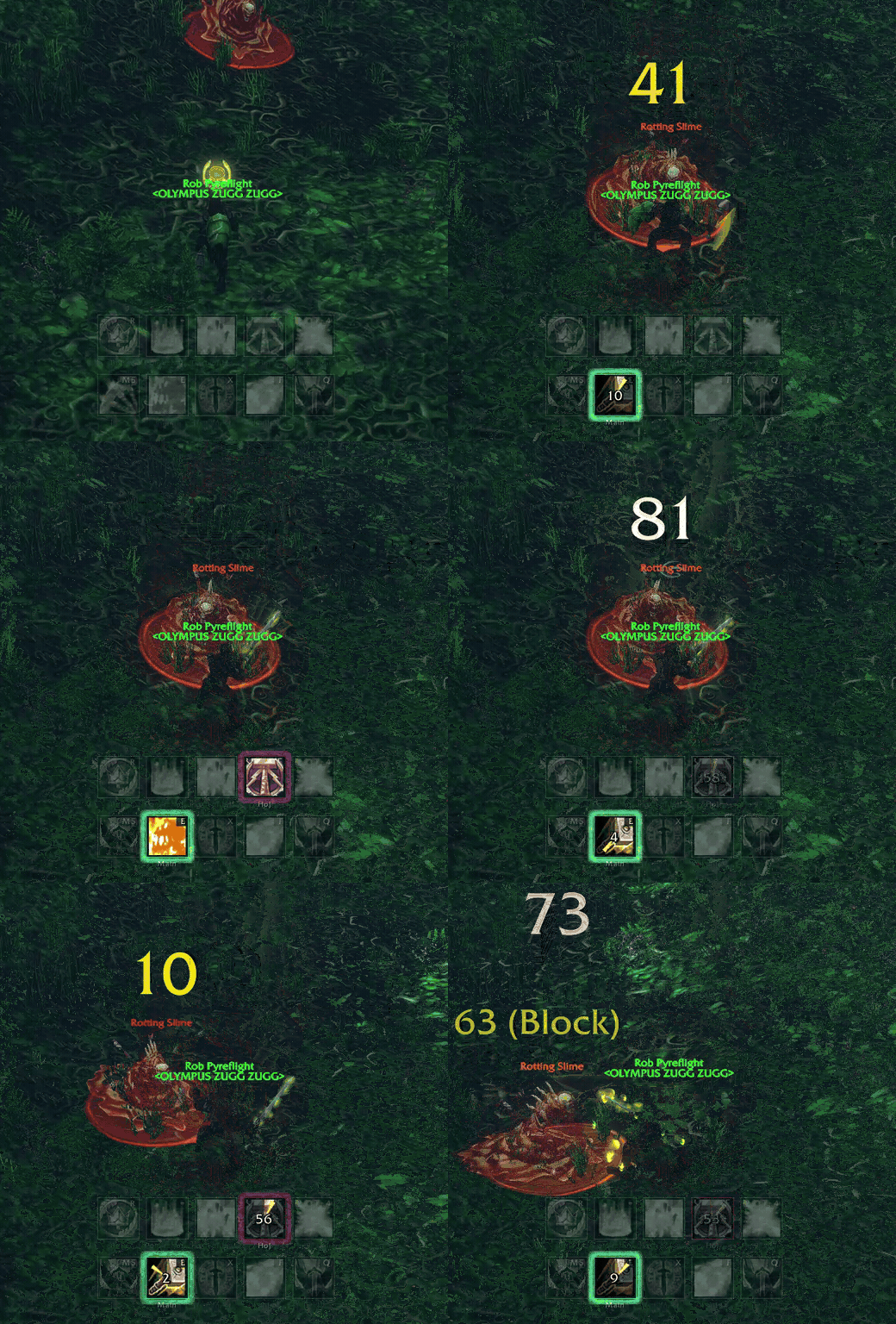
A bar that knows your next press. Each slot reads the line your key will run next, using the game's own condition parser. It skips anything the game would refuse (not usable, not enough rage or mana, on cooldown, out of range, no target) and shows the ability that will actually go off. A press that would do nothing is tinted like a Blizzard button: red when out of range, blue when you're short of mana or rage.
The Bulwark HUD. Iron-and-bronze health and power arcs for you and your target, with cast bars, a next-press tile and danger colours. Drawn for HD and 4K.
Alerts you can see and hear. Low health, low mana, aggro, interrupts, procs, crowd control, pets, trinkets, swing timers and more, with 56 alert and feedback sounds, 12 full-screen effects, and 2,196 of the game's own voice lines you can attach to steps and conditions. The voice lines are played from your client; none are bundled. On WoW Forever, an alert about one buff or debuff has the game play its sound, so it chimes in combat too.
Researched loadouts. 59 PvE and PvP spec profiles and ready-made recipes, built from the spells you've actually learned.
Keys that stay bound. Bindings are re-applied after zoning, battlegrounds and reloads. /gm keys lists every key and what it presses.
Safe sharing. Export a macro as text and anyone with GodMacro can import it. Importing never runs anything. If a shared macro carries lines that would run code when pressed (/run, /script, /console), GodMacro lists them exactly as the game will receive them, and you have to press Import anyway to keep it.
Getting started
1. Install, log in, and type /gm, or click the minimap button.
2. Press Blank macro (or Build one for a guided start) and drag spells from your spellbook into it. Add conditions to the steps that need them.
3. Press Bind a key to put it on a key, or Make a bar macro to put it on an action bar.
4. If a key doesn't do what you expect, /gm test explains why and /gm doctor checks what your client supports.
Commands
/gm hudsets up the HUD/gm alertsopens the alerts/gm recipesand/gm profilesfor ready-made loadouts/gm exploretests every condition live/gm layoutbacks up or restores your HUD layout/gm logmakes a report for bug reports/gm helplists them all
Honest limits
Every action needs a key press. GodMacro works inside Blizzard's rules. It can't cast by itself, choose targets for you mid-fight, or react without a key press. It shows you what the press will do; you do the pressing.
On WoW Forever, the game draws what addons can't see. When a light or alert depends on something Forever hides in combat, GodMacro hands it to the game, which shows it without telling GodMacro. So those can't flash, and most can't chime. Two ways around that: an alert about one buff or debuff has the game play its sound, and Let the game say it on an alert turns on Blizzard's own Combat Audio Alerts (a heartbeat at low health, a party member low, "interruptible" casts, the debuff type when one you can cleanse lands on you). Your own settings come back when you turn it off.
Some things only work out of combat on Forever. Timers, stack counts, an enemy's spell name and item cooldowns stay hidden in combat. Every condition says so on its card, and the condition picker has a Works in combat filter.
WoW Forever is still in beta, and its addon API is changing. When GodMacro can't know something, it says so rather than guessing, and a light it can't trust stays dark instead of lighting up.
Forever beta builds have lost saved settings for some players. GodMacro detects this and rebuilds what it can. For your HUD layout, /gm layout walks you through a backup addon: open Keep-My-HUD.html, which is in the GodMacro addon folder and works offline.
Bugs and ideas
Post a comment on this page. /gm log gives you a report you can copy and paste into it.
Credits
Built by Rob, for his brother. The in-game Credits page tells the rest.
GodMacro stands on the shoulders of LazyScript and GSE, which proved what a one-button macro can be.
Sounds: 16 cues synthesised for GodMacro, and 40 alert sounds made with ElevenLabs' sound-effects generator.
What works in combat on Forever was learned from the WeakAuras family, who mapped what the game lets an addon see: EverAuras by Hackblarvest, ForeverAuras by neroxrw and M33kAuras by m33shoq, all built on WeakAuras 2 by the WeakAuras team. Their ideas, GodMacro's own code. Thank you.
The GodMacro Team
