1.jpg
2.jpg

6.jpg
4.jpg
5.jpg
3.jpg
Description
GuildCrafts is no longer actively maintained. Version 2.0.2 is the final release from the original maintainer. The project remains available for community forks and adoption.
GuildCrafts — Guild Profession Tracker for WoW Classic
The fastest way to find a crafter in your guild.
Stop asking in guild chat "Can anyone craft this?" and waiting for replies.
GuildCrafts automatically builds a shared profession database for your entire guild — tracking every recipe, every crafter, every specialization across all WoW Classic versions.
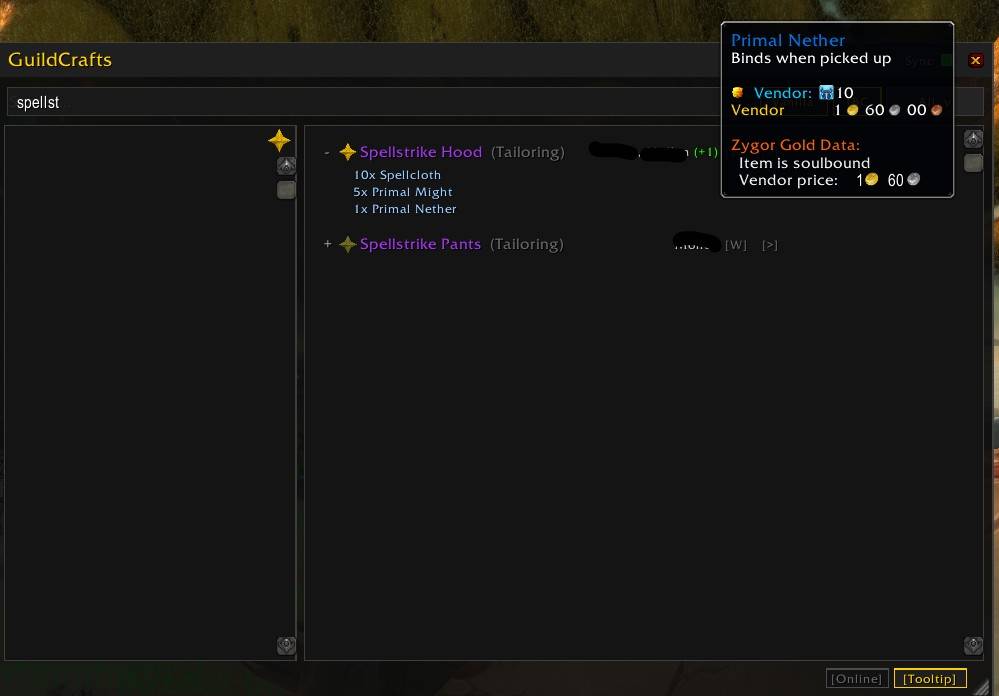
Search any item and instantly see who can craft it, what reagents it needs, and whether the crafter is online.
You can even search directly from guild chat — no addon needed for the person asking:
!gc shadowcloth
!gc spellstrike hood
!gc flask
Why Guilds Use GuildCrafts
Find Crafters Without Asking in Chat
Type !gc <item name> in guild chat.
GuildCrafts automatically replies with matching crafters.
The person asking does NOT need the addon installed — only crafters need it.
Perfect for raids, farming sessions, or when browsing the auction house.
Automatic Recipe Sync Between Guild Members
GuildCrafts combines the recipes of all addon users into a single searchable guild recipe book.
- Recipes sync automatically — no manual setup
- New recipes broadcast instantly when learned
- Works silently in the background with minimal chat traffic
- The more guild members who install it, the more complete the database
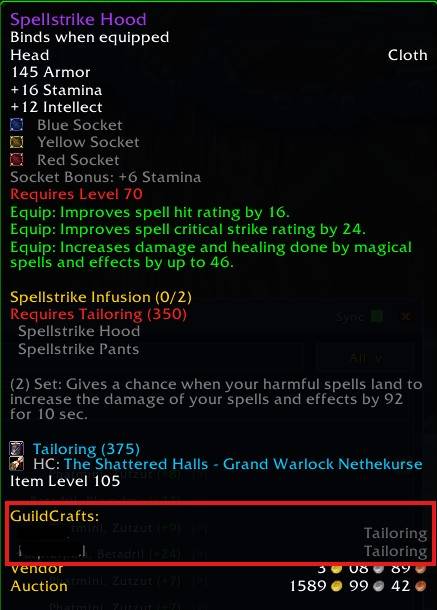
Item Tooltip Crafters
Hover any item anywhere in the game — bags, auction house, trade chat, mail — and see which guild members can craft it directly in the tooltip.
No chat, no alt-tabbing, no external websites.
Guild Recipe Browser
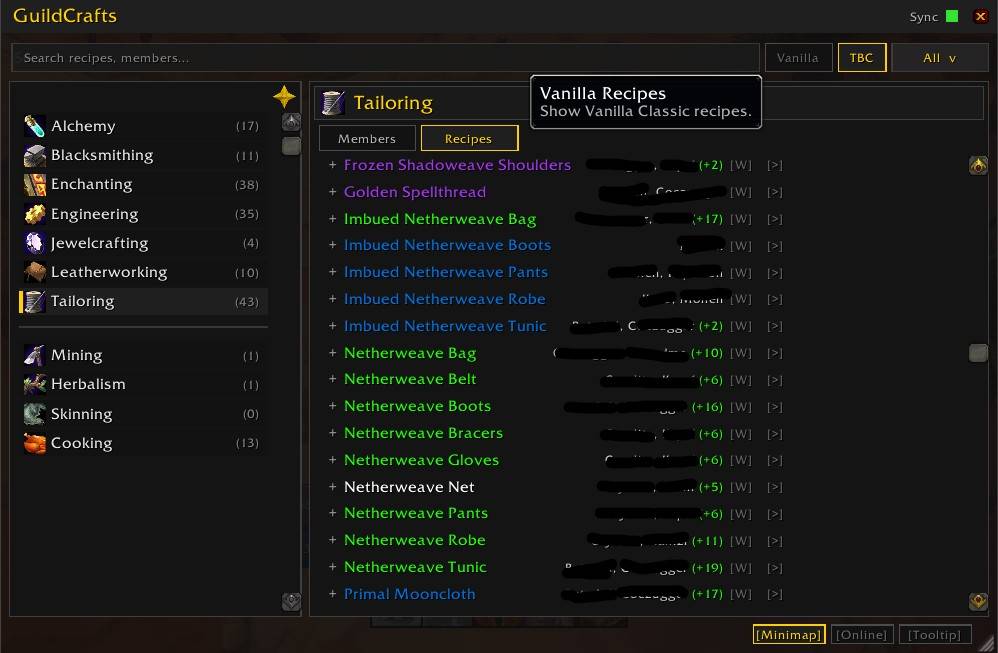
GuildCrafts includes a full profession recipe browser for your guild.
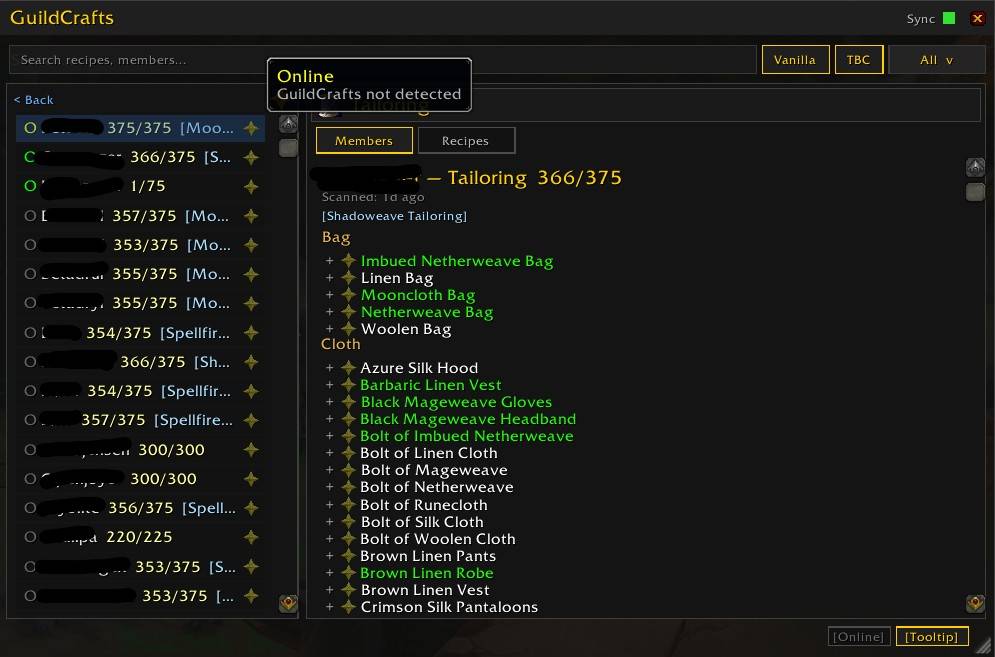
Members View — Browse Recipes by Crafter
See every recipe known by a specific guild member.
Useful when you already know who might craft something.
Recipes View — Browse Crafters by Recipe
See every guild member who can craft a recipe.
- Hover recipes to inspect the crafted item
- Expand recipes to view reagent materials
- Hover reagents to inspect them
- Hover the crafter preview to see the full crafter list
- Click
[W]to whisper a crafter directly — chat opens pre-filled - Click
[>]to post crafters directly to guild chat
Expansion Filters — Vanilla · TBC · WotLK · Cata · MoP
Five toggle buttons let you filter recipes by expansion. Toggle any combination to show only the recipes you care about. Your selection persists across sessions.
Online Filter & Tooltip Toggle
[Online] hides offline members across the member list, crafter lists, and profession counts. Glows gold when active.
[Tooltip] controls whether GuildCrafts injects crafter info into item tooltips. Disable it when popular items generate tooltips that are too long in large guilds. Persists across sessions.
[Minimap] shows or hides the minimap icon without needing a slash command. Glows gold when visible.
Online Status Indicator
Every member row shows a coloured status dot:
- Green — online, GuildCrafts active
- Yellow — online, addon not detected (may have uninstalled)
- Grey — offline
Quality of Life Features
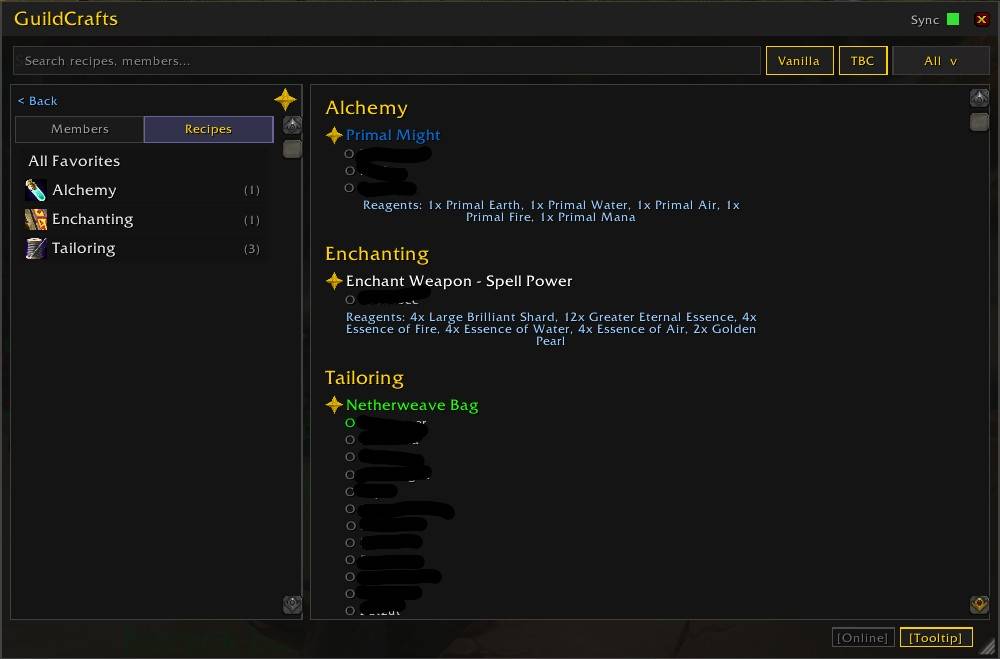
Favorites — Bookmark Recipes and Crafters
Star recipes or crafters you use often and access them instantly from the Favorites tab.
Perfect for raid consumables, enchant contacts, and crafting partners.
Cooldown Tracking
GuildCrafts tracks profession cooldowns across your guild:
- Mooncloth · Shadowcloth · Spellcloth
- Transmutes (Primal Might, etc.)
Quickly see which cooldowns are available without asking in chat.
Specialization Tracking
GuildCrafts tracks profession specializations:
- Transmutation / Elixir / Potion Master
- Mooncloth / Shadoweave / Spellfire Tailoring
- Goblin / Gnomish Engineering
- Dragonscale / Elemental / Tribal Leatherworking
Always know who can craft which variant. Hover specialization labels for plain-English descriptions.
Setup — Under One Minute
- Install the addon (CurseForge, WoWUp, or manual)
- Open each of your profession windows once
- Done
Your recipes automatically sync with other guild members who use the addon.
Supported WoW Classic Versions
GuildCrafts works on every WoW Classic game version via multi-TOC:
| Version | Interface |
|---|---|
| Classic Era | 1.15.x |
| TBC Anniversary | 2.5.x |
| WotLK Classic | 3.4.x |
| Cata Classic | 4.4.x |
| MoP Classic | 5.5.x |
Install a single addon folder — the game automatically loads the correct version.
Supported Professions
Crafting: Alchemy · Blacksmithing · Enchanting · Engineering · Inscription¹ · Jewelcrafting² · Leatherworking · Tailoring
Secondary: Mining (incl. Smelting) · Herbalism · Skinning · Cooking
¹ Inscription available on WotLK Classic and later
² Jewelcrafting available on TBC Anniversary and later
Gathering professions track skill levels and member counts. Mining additionally tracks Smelting recipes.
Slash Commands
| Command | What it does |
|---|---|
/gc |
Open the GuildCrafts window |
/gc minimap |
Toggle the minimap button |
/gc reset |
Clear your local database and re-scan |
!gc <query> |
Search for crafters from guild chat |
Example: !gc shadowcloth
How the Sync Works
GuildCrafts synchronizes recipe data automatically between addon users.
- No setup required
- Low chat traffic — only one reachable guild member responds to
!gcqueries - New recipes broadcast instantly when learned
- Instanced addon users stay silent so they cannot create duplicate responses
- Members who leave the guild are cleaned up after 7 days
- Inactive members (no data update in 45 days) are auto-pruned
- If your data is more than 30 days old, a one-time reminder appears on login
Works best when multiple guild members use the addon — the more players sync, the more complete the database.
GuildCrafts normalizes connected-realm names so the same character is not
counted as multiple addon users. Players inside raids, dungeons, battlegrounds,
or arenas do not answer !gc because GUILD addon messages cannot reliably cross
those boundaries; this prevents duplicate guild-chat responses. If every addon
user is instanced, the query may wait until someone is back in the open world.
Project Status
GuildCrafts is no longer actively maintained by the original developer. The final release is 2.0.2. The project remains available as-is for anyone who wants to fork it, adopt maintenance, or continue development with an active Classic test environment. If you are interested in maintaining GuildCrafts, please contact me through the CurseForge project page.
Support the Developer
If GuildCrafts has saved you time or helped your guild coordinate better, consider buying me a coffee — it's genuinely appreciated.
The GuildCrafts — Guild Recipe & Profession Tracker Team