


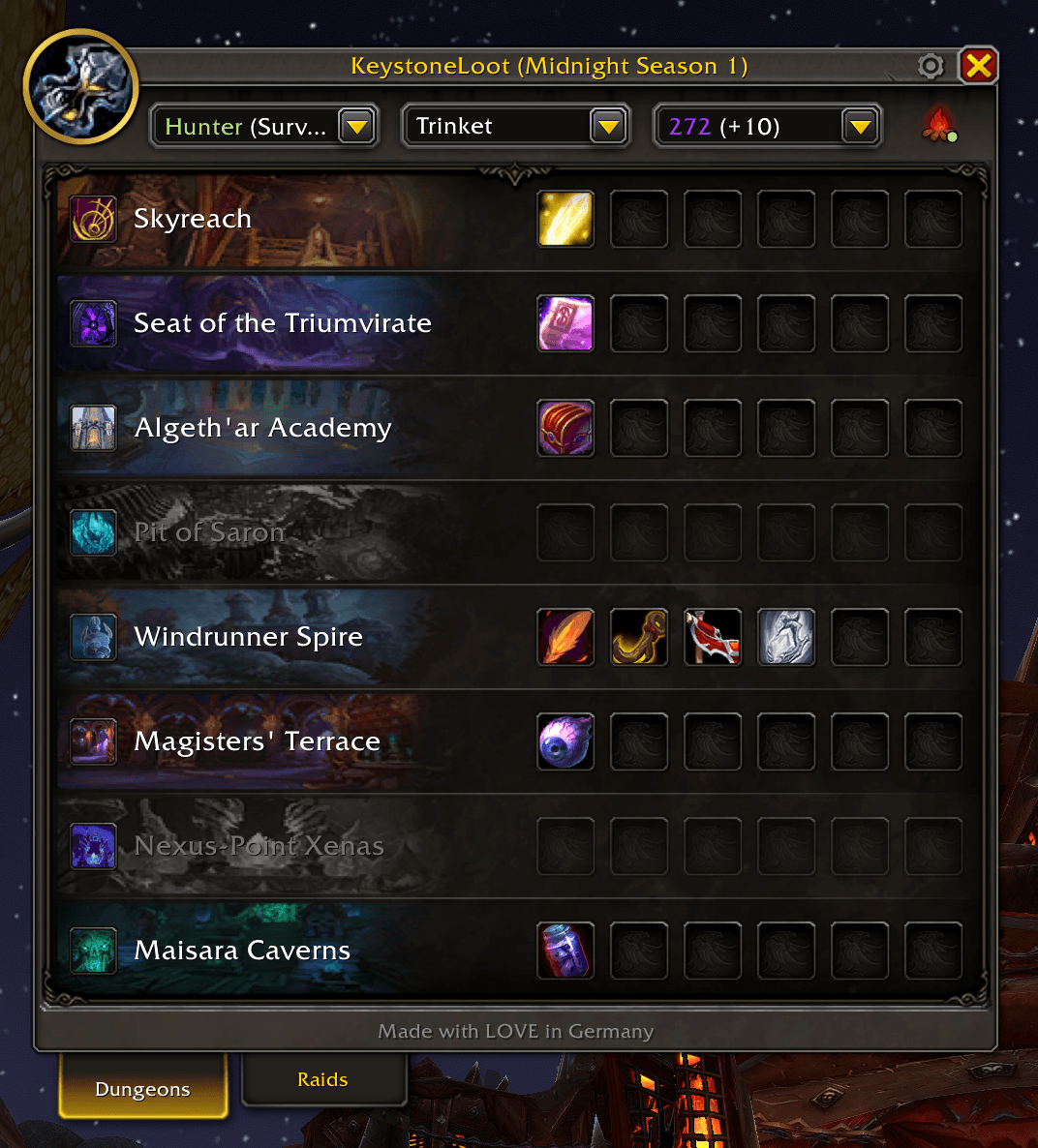
Dungeon Overview
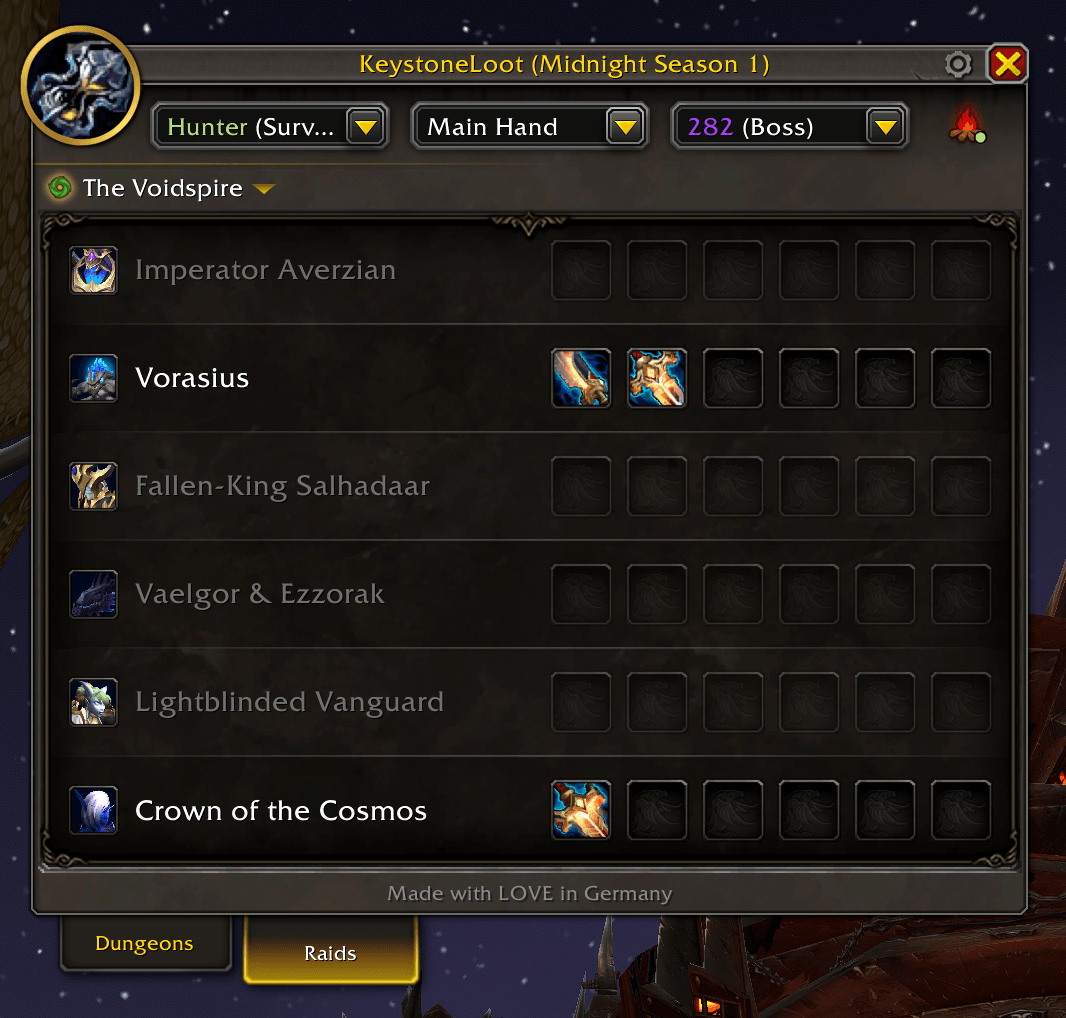
Raid Overview
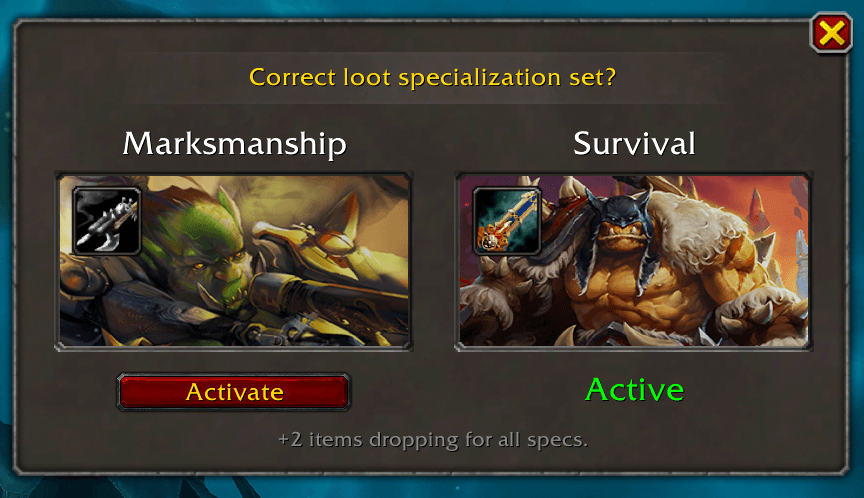
Loot Reminder
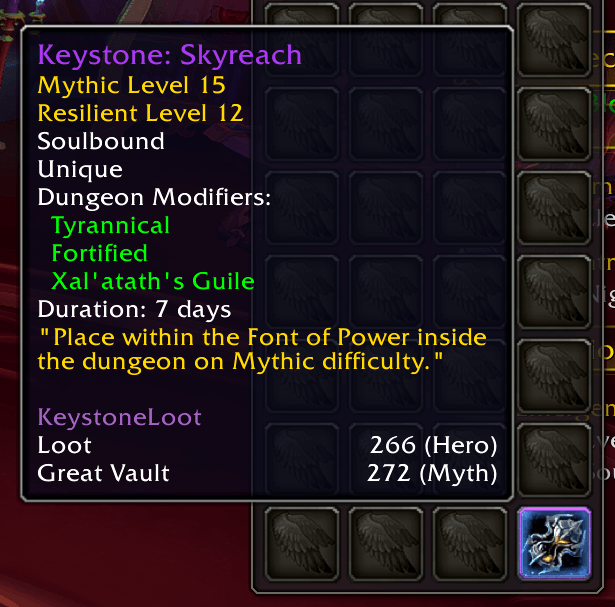
Keystone Tooltip
Description
KeystoneLoot
Never miss a piece of loot again. KeystoneLoot gives you a clean, compact overview of all drops from Mythic+ dungeons, raids, and the Catalyst, filtered exactly to your class and spec.
Want a head start? Grab import-ready BiS lists for every class and spec at keystoneloot.io.
What does it do?
Whether you're pushing keys, progging a raid, or converting gear at the Catalyst, KeystoneLoot keeps all the loot information you need in one tidy window. No more external sites, no more spreadsheets.
Features
Smart Filters
Filter by class, specialization, item slot, and item level. Switching characters in the dropdown automatically adjusts the filters, perfect for alt-heavy players.
Favorites
Found an item you need? Mark it as a favorite with one of five priority tiers: Nice to have, Must have, Best in Slot, Transmog, or Catalyst (for items the Catalyst can convert). Favorites are saved per character and per spec, so your Warrior wishlist won't interfere with your Druid's. Use the character dropdown to switch between your alts and manage each one's wishlist independently. You can also export and import favorites as a short string, handy for sharing with your guild or syncing between characters.
Void Core (Bonus Roll) Tracking
See exactly which items you've already secured with Void Cores and what's still left to collect from each dungeon and raid boss. It even works retroactively: anything you'd already obtained is filled in automatically when you install it, so you're never starting from scratch.
Drop Notification
When someone in your group picks up one of your favorites, a pop-up appears showing the item and who got it. You can whisper them directly from the notification, and the message is fully customizable in the settings.
Loot Spec Reminder
As soon as you zone into a Mythic+ dungeon, KeystoneLoot checks if your loot spec matches your favorited items. It also compares loot pool sizes across specs, so if another spec has fewer items overall but can still drop what you're after, it'll suggest switching for better odds.
Group Favorites Reminder
If you have no favorites in a Mythic+ dungeon, KeystoneLoot checks which items your groupmates have marked as favorites there. It shows you the loot spec that lets those items drop for you, so you can trade them afterwards. Only works if your groupmates also use KeystoneLoot.
Teleport Buttons
Teleport directly to a dungeon entrance with one click, no more digging through your spellbook.
Teleport Notification
When you join a Mythic+ group or the group fills up, a popup shows the dungeon and your role with a teleport button.
The Catalyst
See all Catalyst-eligible items for your class and spec right inside the addon.
Keystone Tooltip
Hover a keystone in your bags to get dungeon information right in the tooltip.
Minimap Button
A draggable minimap icon lets you open and close the window whenever you need it.
Getting started
Install via the CurseForge app or drop the folder into: World of Warcraft/_retail_/Interface/AddOns/
Then reload your UI with /reload and look for the KeystoneLoot button on your minimap.
Languages
Available in English, German, French, Spanish, Italian, Korean, Portuguese, Russian, Chinese (Simplified & Traditional).
The KeystoneLoot Team
