


Quality of life improvements for the default World of Warcraft interface.
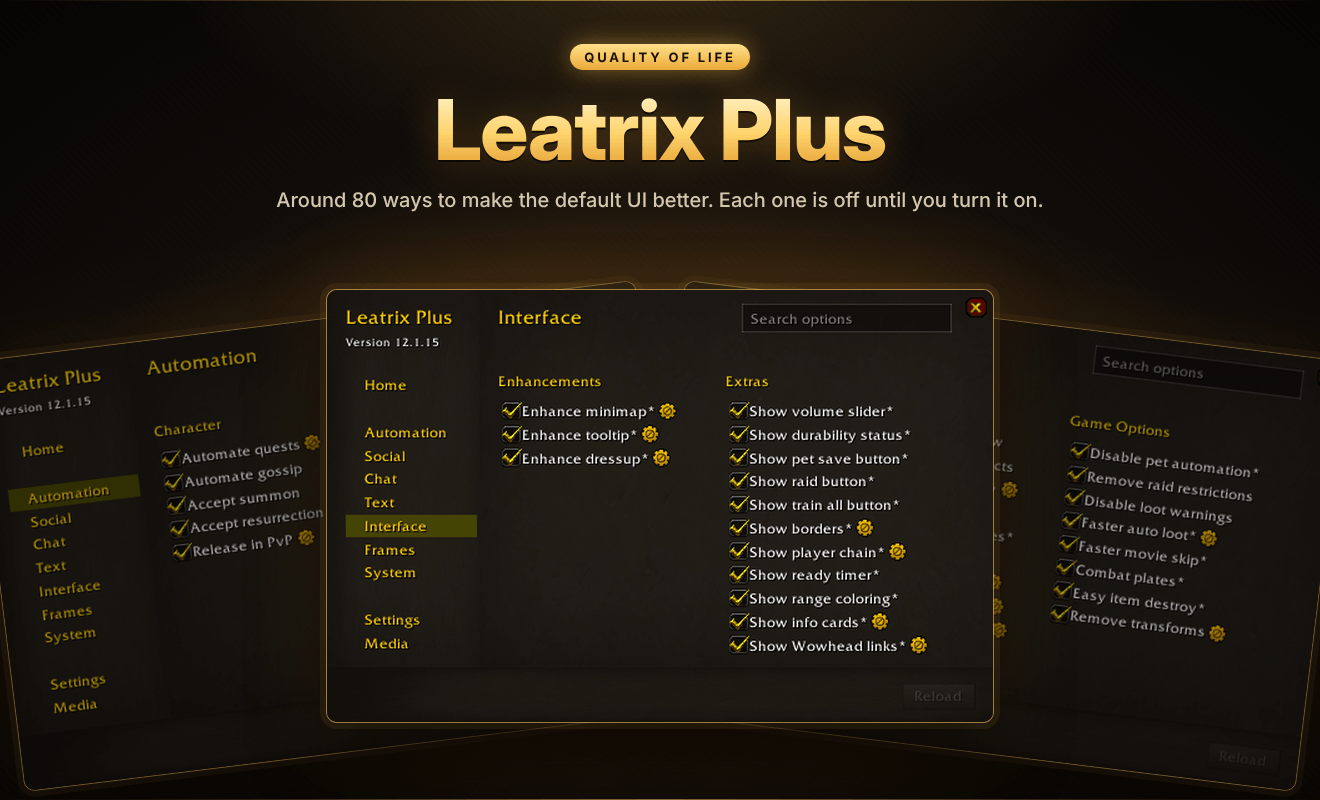
Leatrix Plus adds around 80 options that make everyday play smoother, quieter and tidier. It's modular, so nothing is turned on until you choose it. Tick only the options you want and leave the rest of the game exactly as it is.
Click the minimap button or type /ltp to open it. You can also set a key for it in the game's keybindings.
🌟 At a glance
- 🤖 Automation: quests, summons, junk selling and repairs handled for you
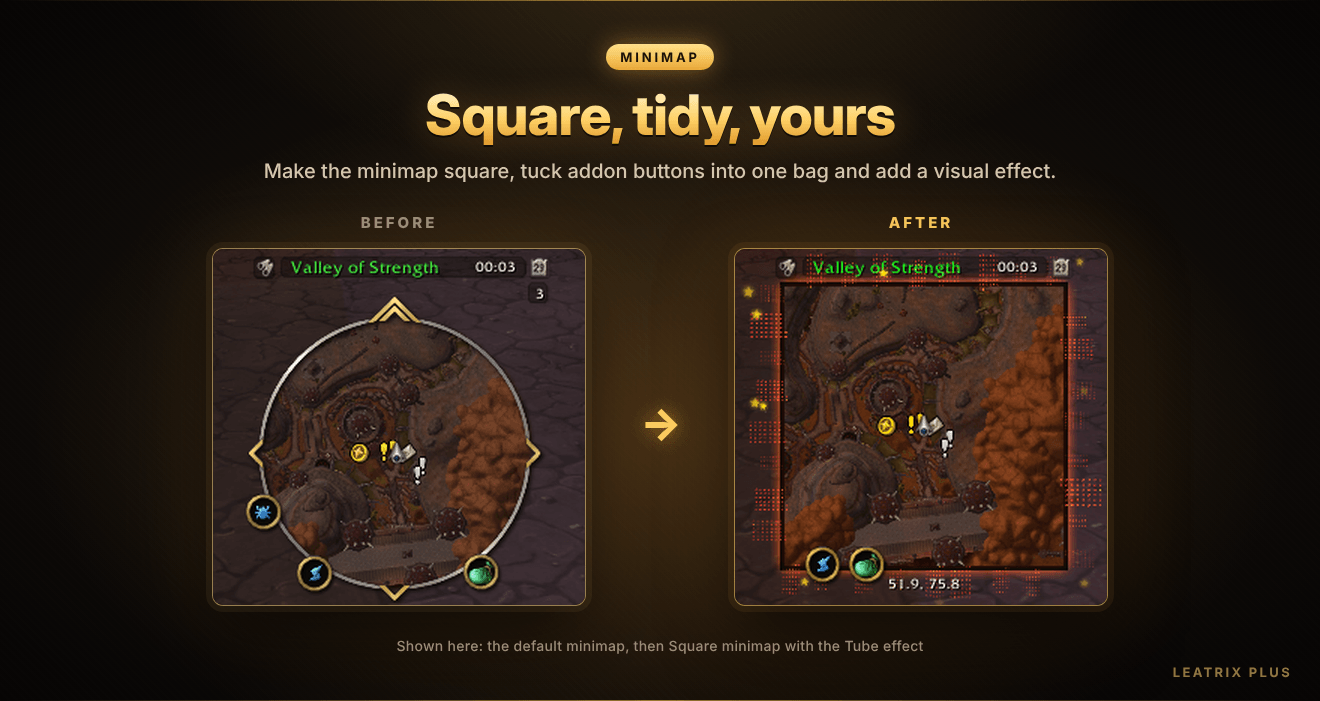
- 🗺️ Minimap: square, tidy and customisable, with addon buttons in one bag
- 🪪 Info cards: point at almost anything and press a key to see what it is
- 💬 Chat: copy recent chat, filter spam and keep chat after a reload
- 🔇 Sound: mute game sounds, mount sounds or your own choice of sounds
- 🎵 Media: a built-in library of the game's music and movies
- 🔎 Search: find any option in seconds
✨ Features
Leatrix Plus is available for every version of the game. Each version of the game is different, so a few options are only available in some versions.
🤖 Automation
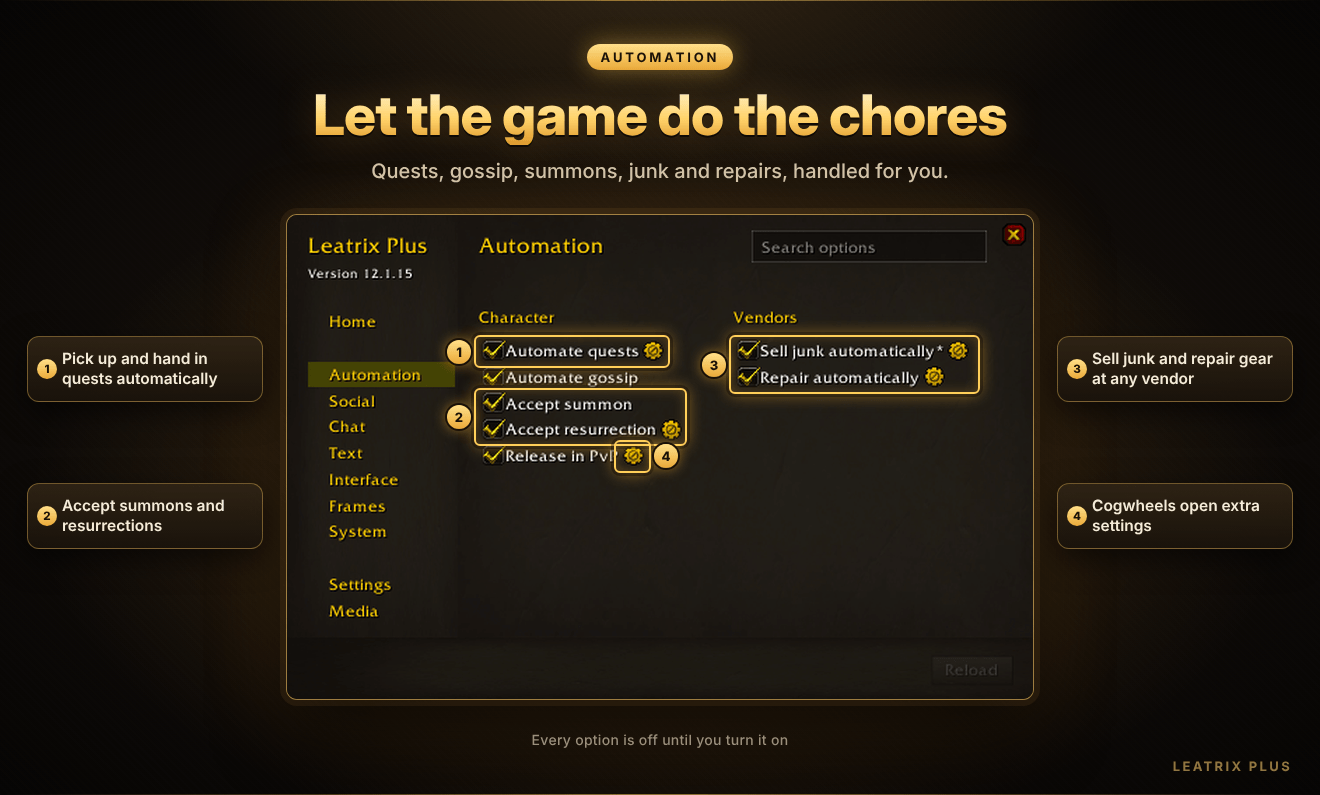
- Pick up and hand in quests automatically, and hold Alt to pick a gossip option automatically.
- Accept summons and resurrections, and release automatically in PvP.
- Sell junk and repair your gear automatically whenever you visit a vendor.
👥 Social
- Block duels, pet battle duels, party invites, requested invites, friend requests and shared quests.
- Automatically accept party invites, quest sync requests and queue requests from friends.
- Invite people who whisper you a keyword.
- Choose whether guild members and members of your communities count as friends.
💬 Chat
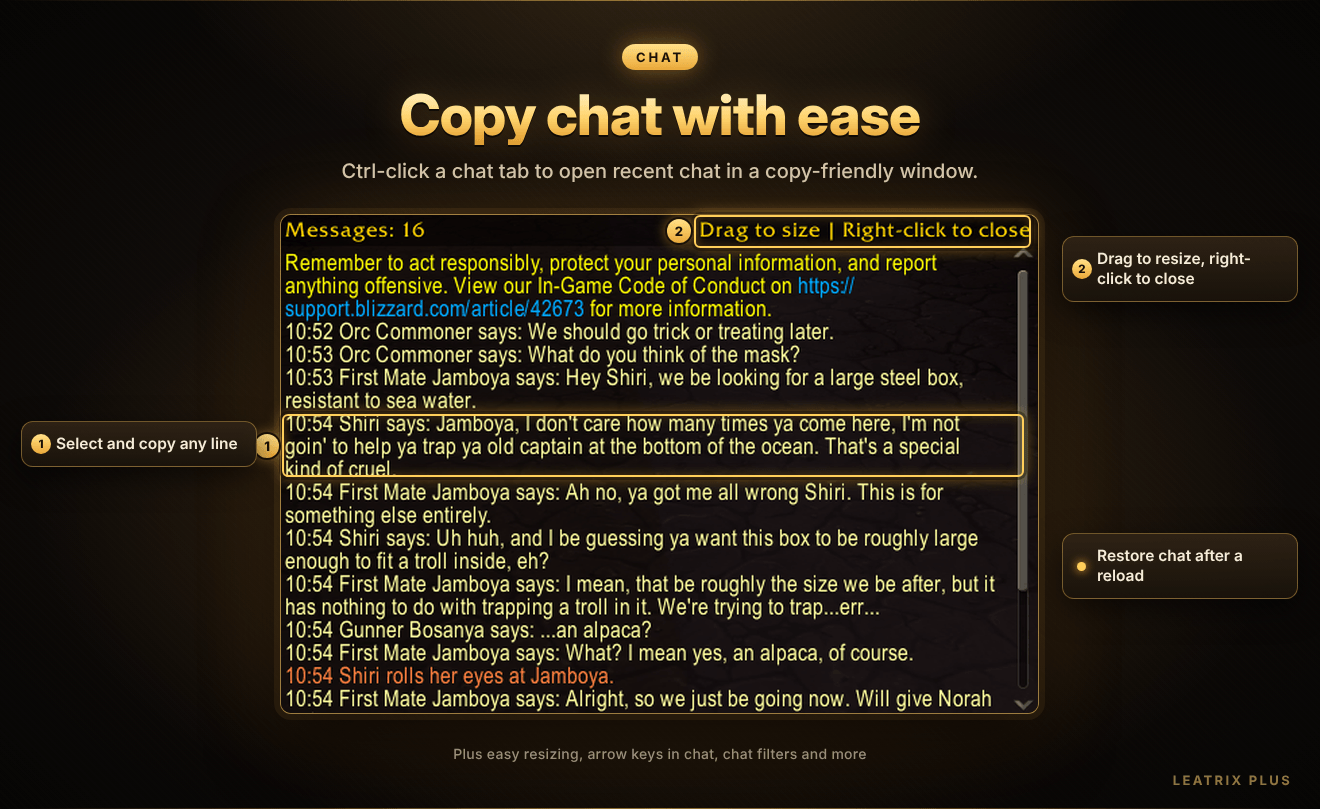
- Recent chat window: hold Ctrl and click a chat tab to see recent chat in a window you can copy from.
- Restore chat messages after you reload your interface, and increase chat history.
- Filter chat messages to block spell links, drunken spam and duel spam.
- Hide the combat log and chat buttons, unclamp the chat frame, move the editbox to the top and resize the chat frame easily.
- Use arrow keys in chat, disable sticky chat and chat fade, add more chat font sizes and use class colors in chat.
🔤 Text
- Hide error messages, portrait numbers, zone text, keybind text, macro text and raid group labels.
- Make quest text, mail text and book text bigger.
🖥️ Interface
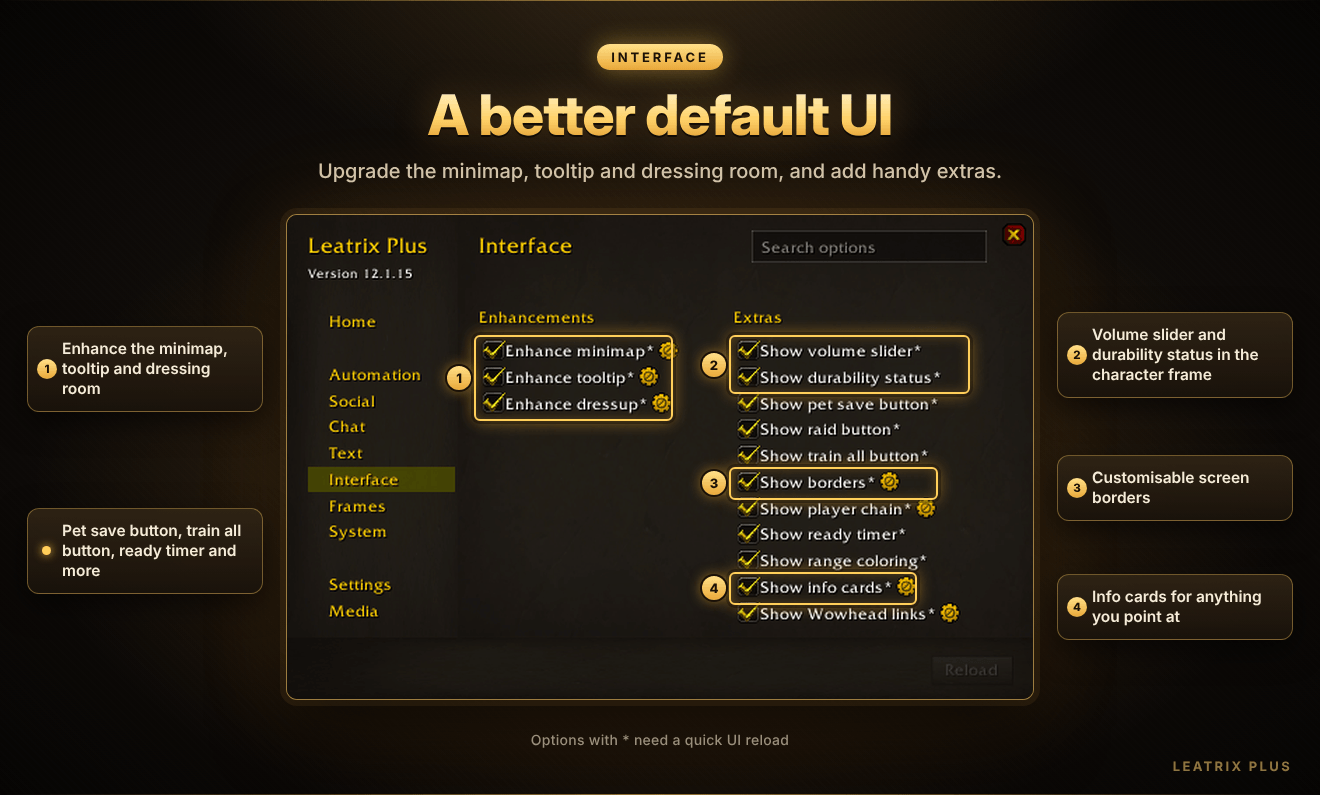
- Enhance minimap: make it square, put addon buttons in one bag, add a visual effect and adjust its size and border.
- Enhance tooltip: color-coded tooltips with a layout and scale you choose.
- Enhance dressup: gear toggle buttons, a nude button and an info card button in the dressing room.
- Enhance the quest log, professions, trainers and flight map.
- Add a volume slider and durability status to the character frame, plus a ready timer, range coloring, screen borders, a player frame chain, Wowhead links, flight times, vendor prices, free bag slots and more.
🪪 Info cards — new!
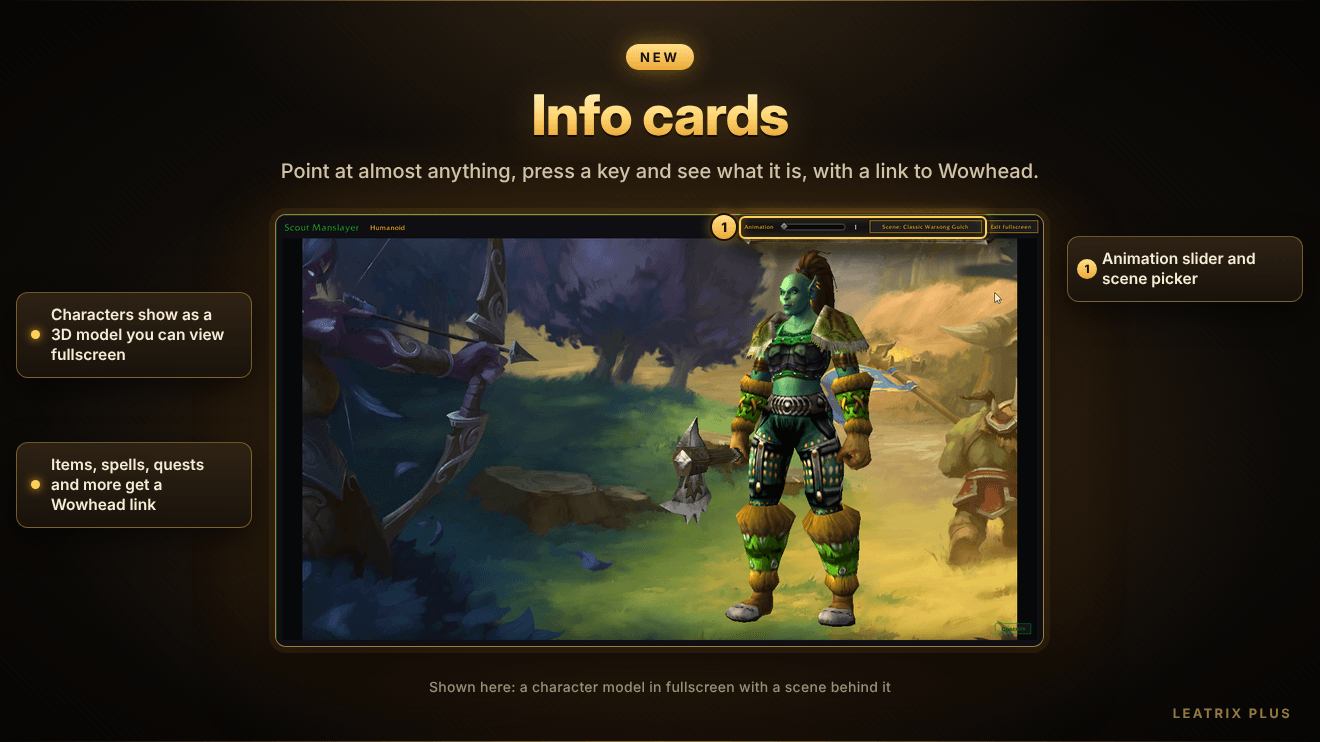
- Point at almost anything and press your info card key to see a color-coded card about it.
- Characters show their average item level, talents, buffs and a 3D model you can animate and view fullscreen with a scene behind it.
- Items, spells, quests and more get a Wowhead link you can copy with Ctrl+C.
🪟 Frames
- Move and scale the widget frame that shows PvP scores and objectives, and the timer bar used for breath underwater.
- Use class colors in the player, target and focus frames.
- Hide alerts, the talking head frame, event toasts, the boss banner, the stance bar, the gryphons, the bag clean-up buttons and the rested sleep animation.
⚙️ System
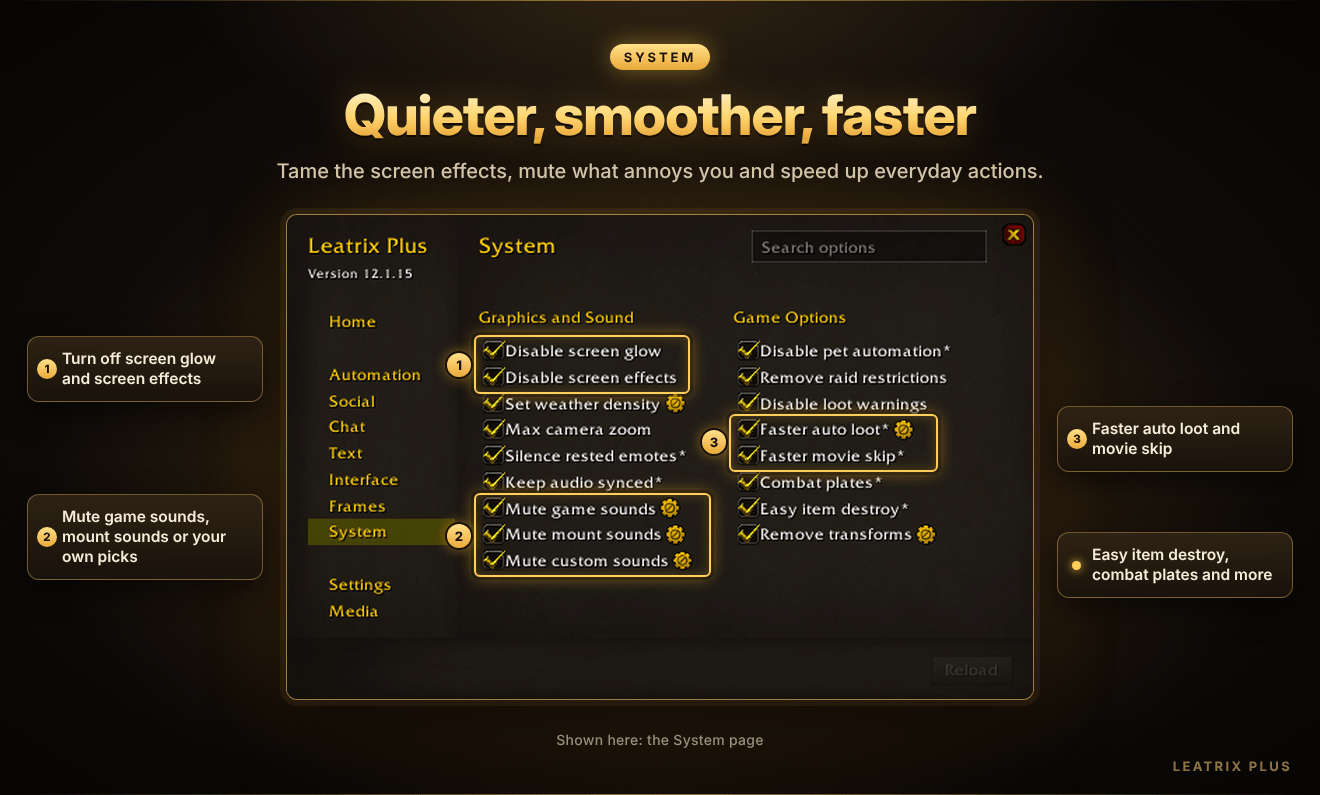
- Turn off screen glow and screen effects, set the weather density and zoom the camera out further.
- Mute a selection of game sounds and mount sounds, or your own choice of sounds. A built-in Sound Finder helps you find the ones you hear in the game.
- Silence emotes while resting, and have the game's audio follow your computer when you switch speakers or headphones.
- Faster auto loot, faster movie skip, combat nameplates, easy item destroy, no loot warnings and automatic removal of transforms you don't want.
🛠️ Fine-tune everything
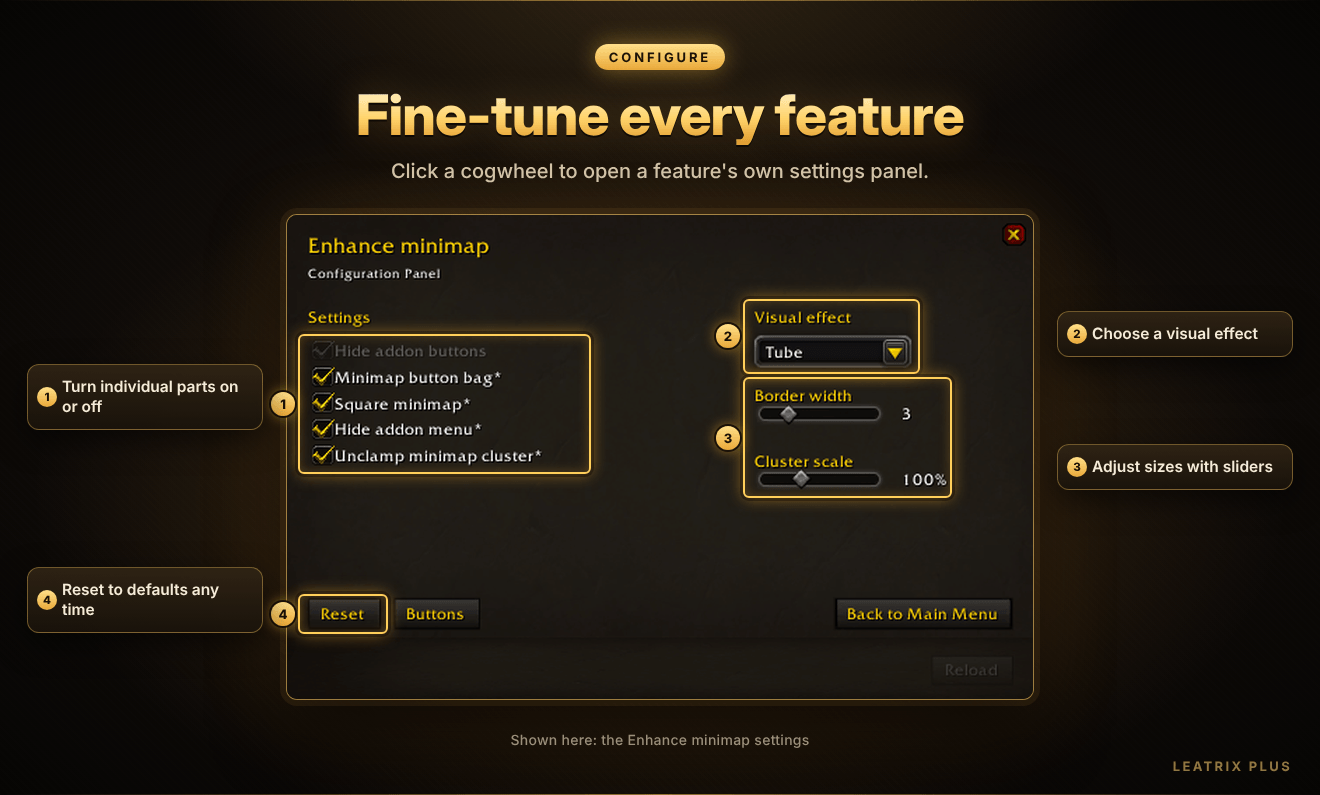
- Options with a cogwheel have their own settings panel, so you can adjust each feature the way you like.
- Options marked with * need a quick UI reload. Click the Reload button at the bottom of the panel when it lights up.
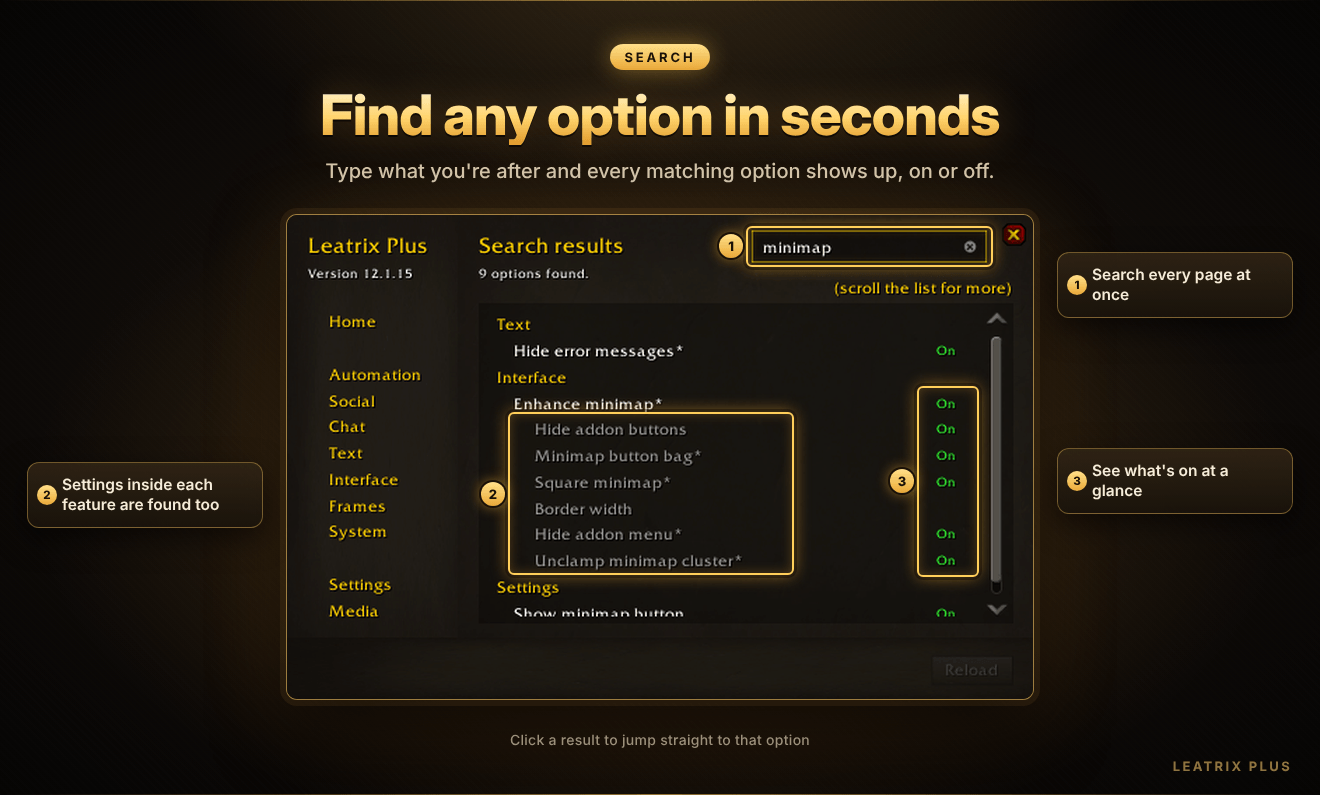
🔎 Search options
- Type into the search box to find any option on any page, including the settings inside each feature.
- See straight away which options are on, and click a result to go to it.
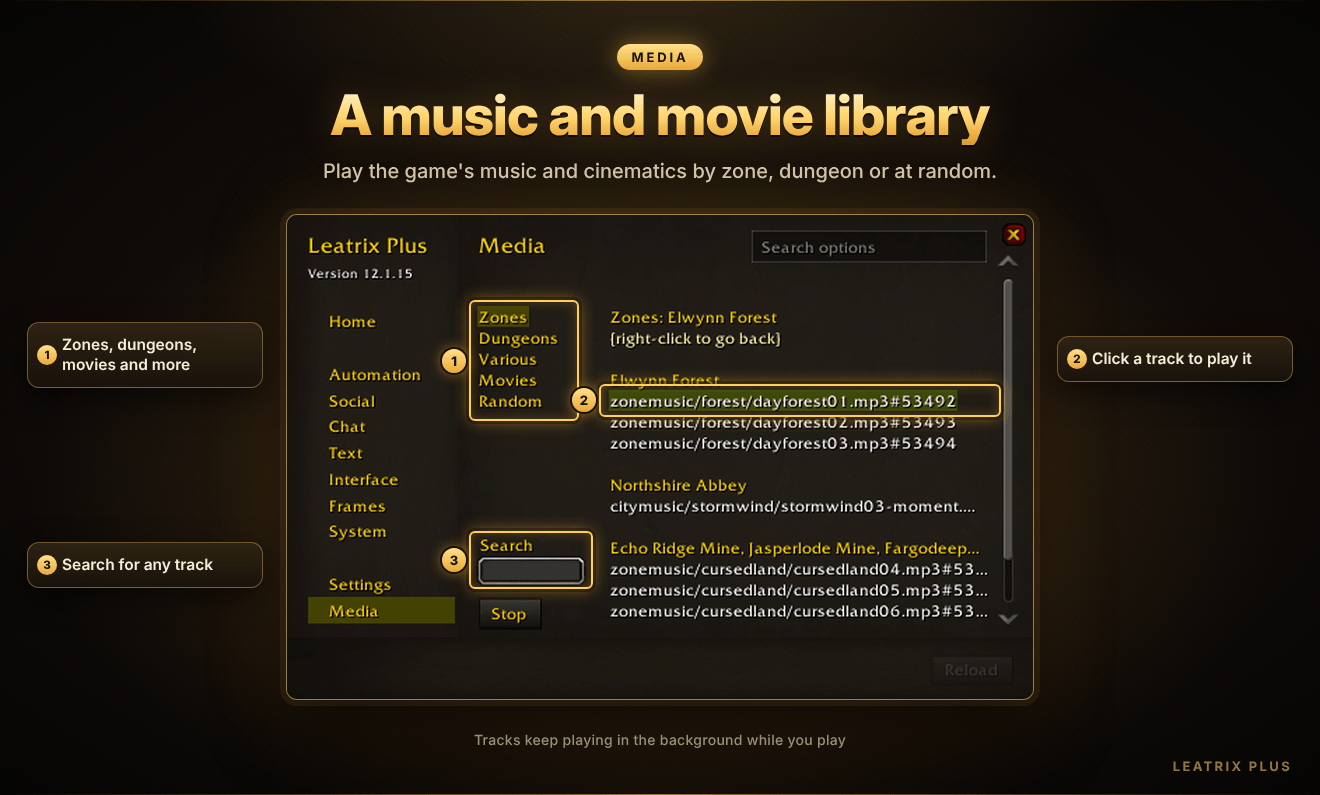
🎵 Media
- Play the game's music by zone or dungeon, browse other tracks and watch the game's movies.
- Search for a track, or let Leatrix Plus pick one at random.
- Music keeps playing in the background while you play.
🌍 Settings
- Choose the addon's language, show or hide the minimap button, and change the scale and transparency of the Leatrix Plus panel.
- Show the game's addon list in alphabetical order, and load the same edit mode layout on every character.
🎮 Supported game versions
| Game | Supported |
|---|---|
| Retail (Midnight) | ✅ |
| Forever | ✅ |
| Mists of Pandaria Classic | ✅ |
| Titan Reforged Classic | ✅ |
| Burning Crusade Classic Anniversary | ✅ |
| Classic Era | ✅ |
⌨️ Slash commands
| Command | What it does |
|---|---|
/ltp |
Open or close Leatrix Plus |
/ltp help |
Show the full list of slash commands |
/ltp reset |
Put the panel back in its normal position and scale |
/ltp wipe |
Reset all settings and reload |
/ltp help also lists handy extras, such as showing your connected realms, your rested XP and whether you've completed a quest.
💡 Good to know
- Leatrix Plus only does what you tell it to do. Nothing is turned on until you choose it.
- Addons, including Leatrix addons, are safe to use and can't break the World of Warcraft terms of use. They use the official game API provided by Blizzard, so they can only do what Blizzard allows.
🔄 Updates
The CurseForge App is the easiest way to keep Leatrix Plus up to date. In the app's settings, you can turn on Auto install updates for each game version you play.
If the addon stops updating, delete its folders by hand and install it again. Do this for each game version you play.
📺 Leatrix Plus in action
💬 Support
Questions, ideas or problems? Go to my profile page, consider clicking the Follow button as it tells me that you appreciate my addons, then click the 3 dots and click Message. Please say which game version you're messaging about otherwise I cannot action your message.
The Leatrix Plus Team
