Maromend
- By
- Addons
Icon
Description
Maromend is a compact, button-based healing addon for World of Warcraft (Retail and Forever)
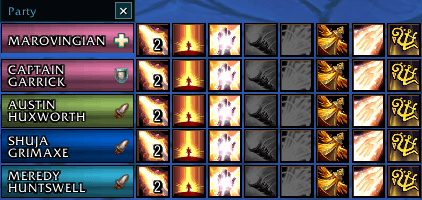
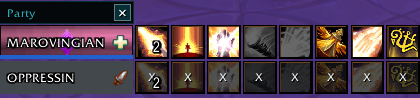
Maromend places configurable spell buttons beside party and raid members so healers can cast directly on a selected player without changing targets.
Maromend is designed to provide a clean, practical healing interface while improving visibility of health, range, buffs, dispellable effects, and other important healing information.
Key Features
- Direct healing buttons displayed beside each party or raid member
- Cast healing and utility spells on a player without manually targeting them
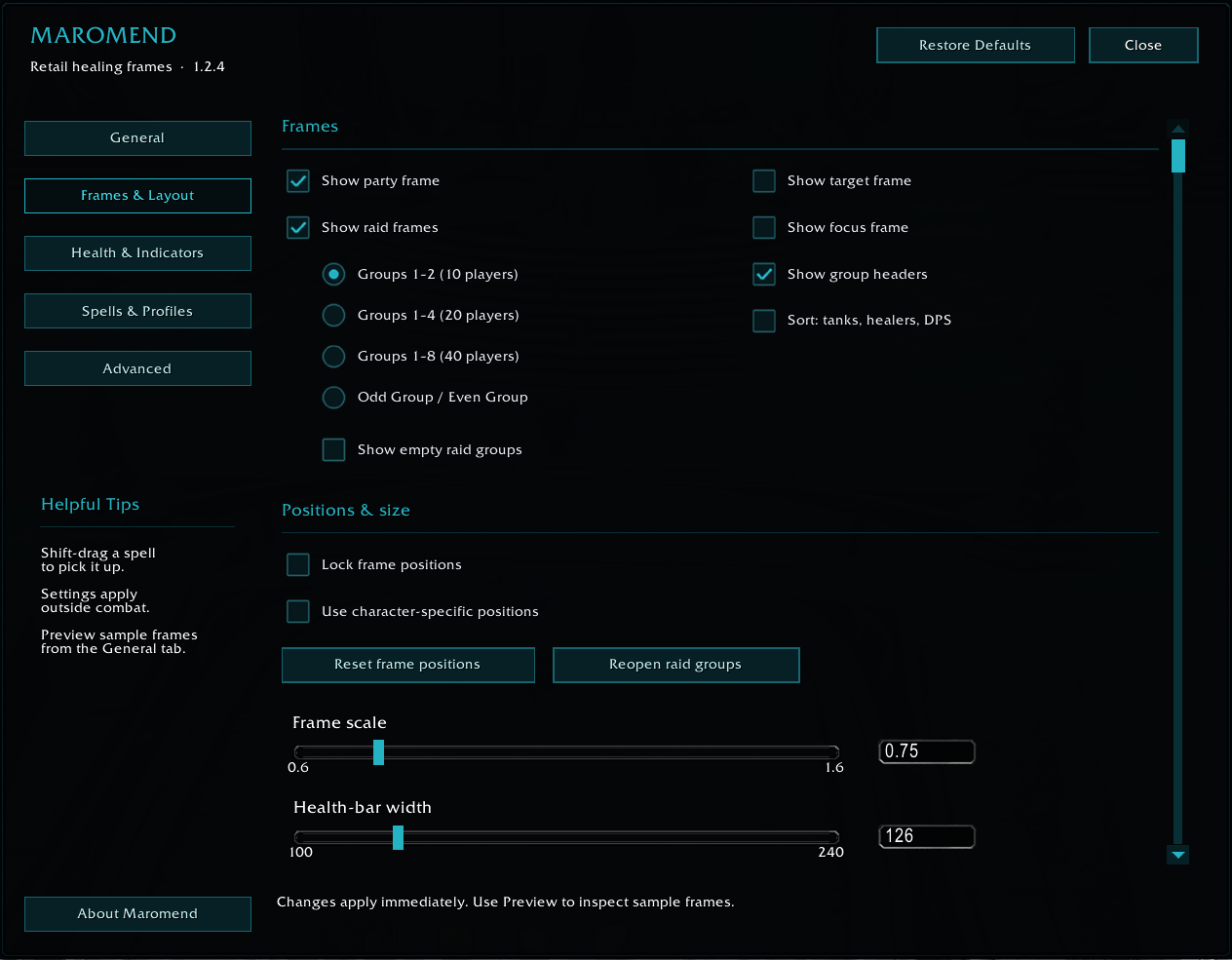
- Support for party and raid groups
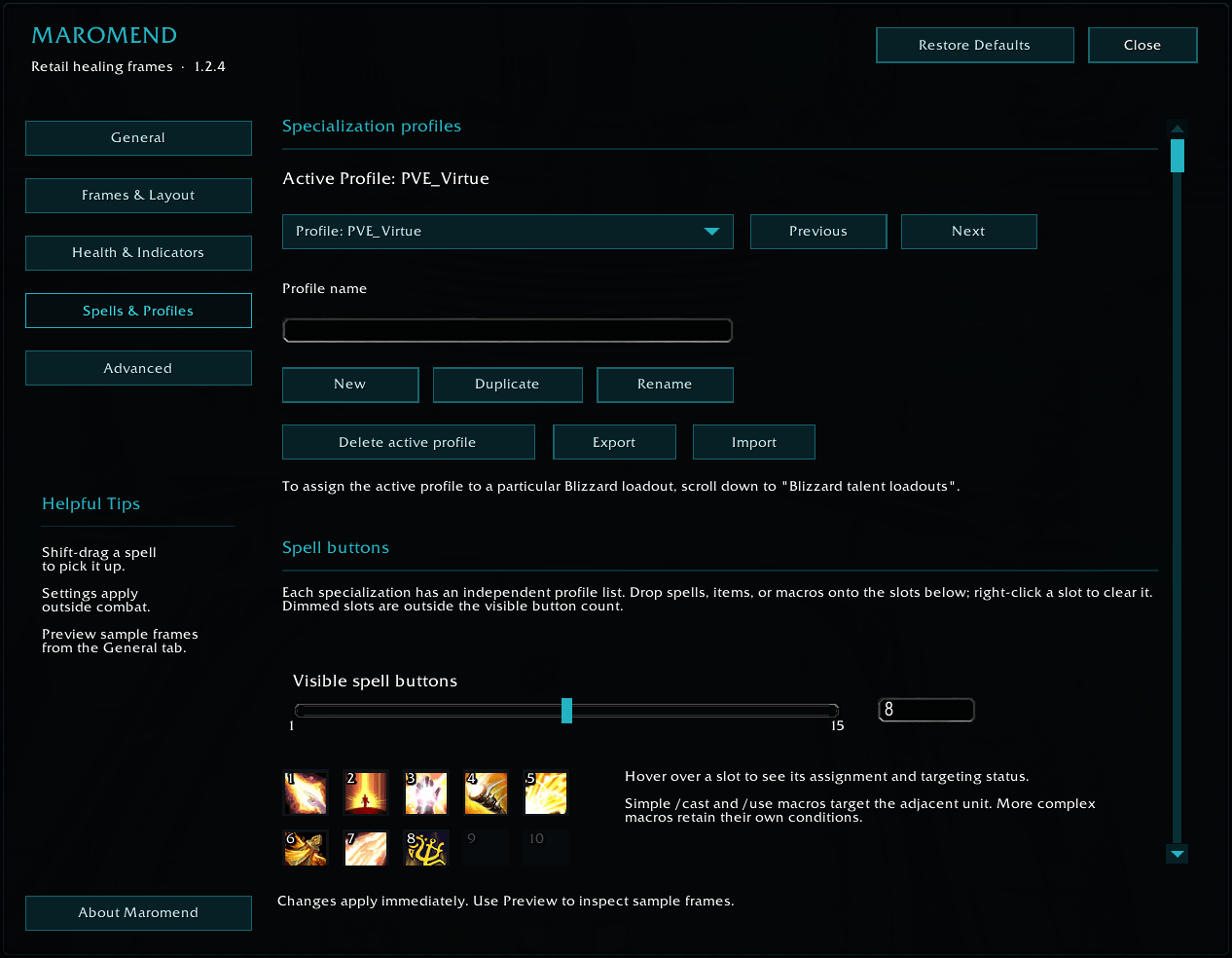
- Customizable profiles that can be manually toggled or tied to specific blizzard talent load outs
- Importable/Exportable profiles to share with others
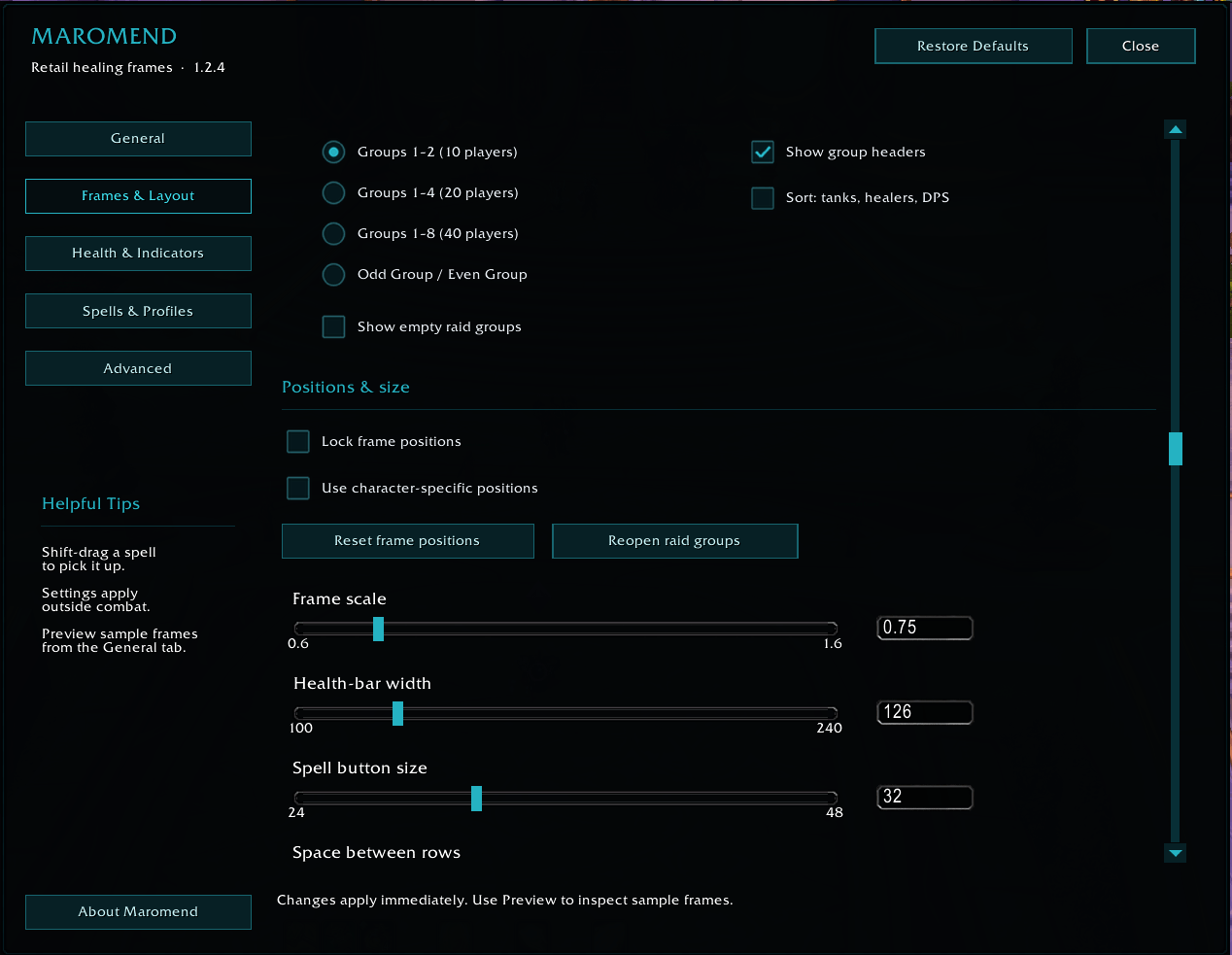
- Configurable number of visible spell buttons
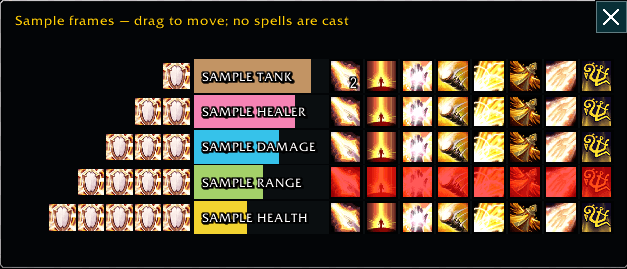
- Shows charge count of abilities on Maromend bars
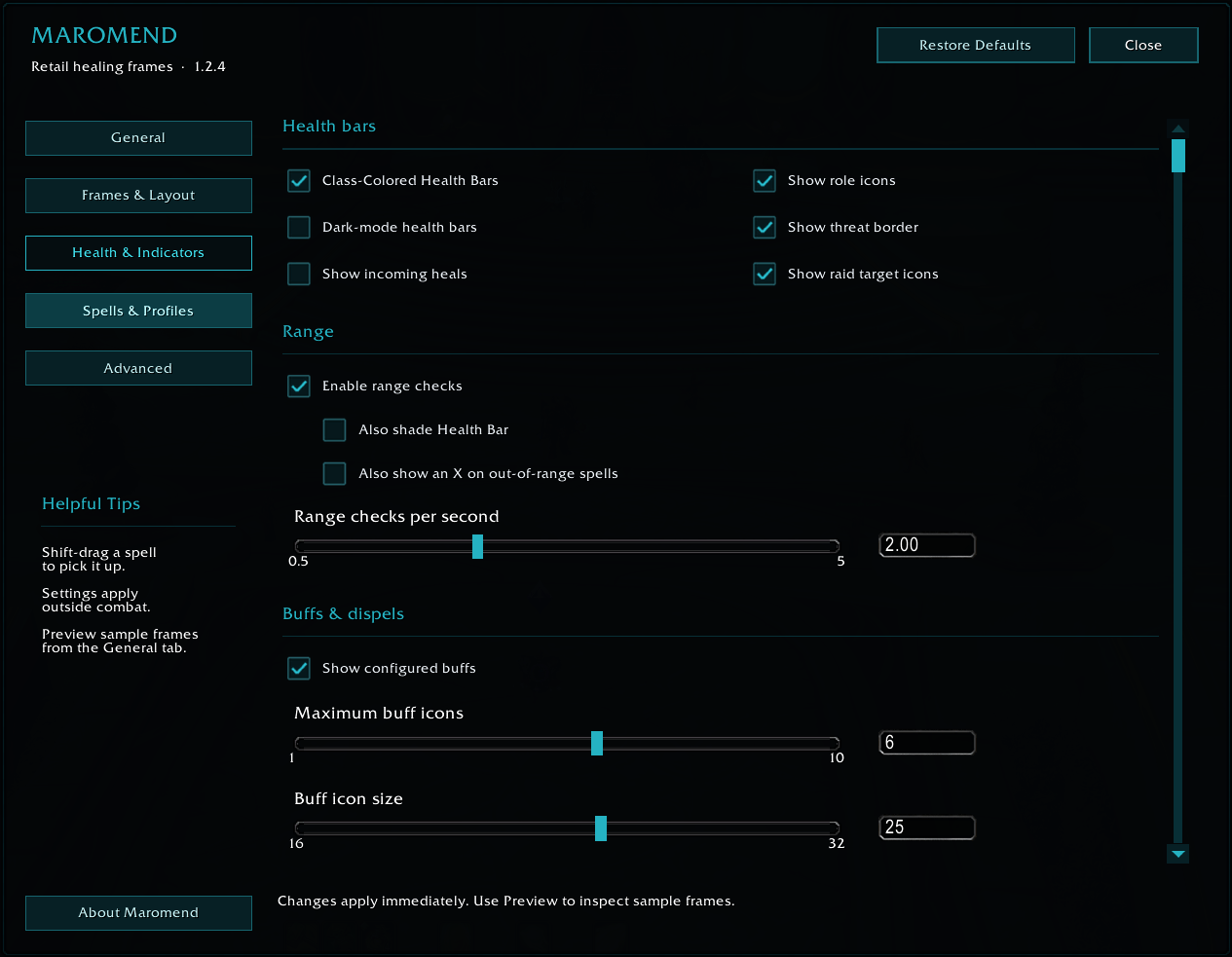
- Range and line-of-sight feedback
- Out-of-range spell buttons are displayed in red
- Incoming heal tracking
- Heal absorb tracking with various visual options
- Normal Mode Theme - shows missing health
- Dark Mode theme so only shows color when health is missing
- Support for party and raid groups
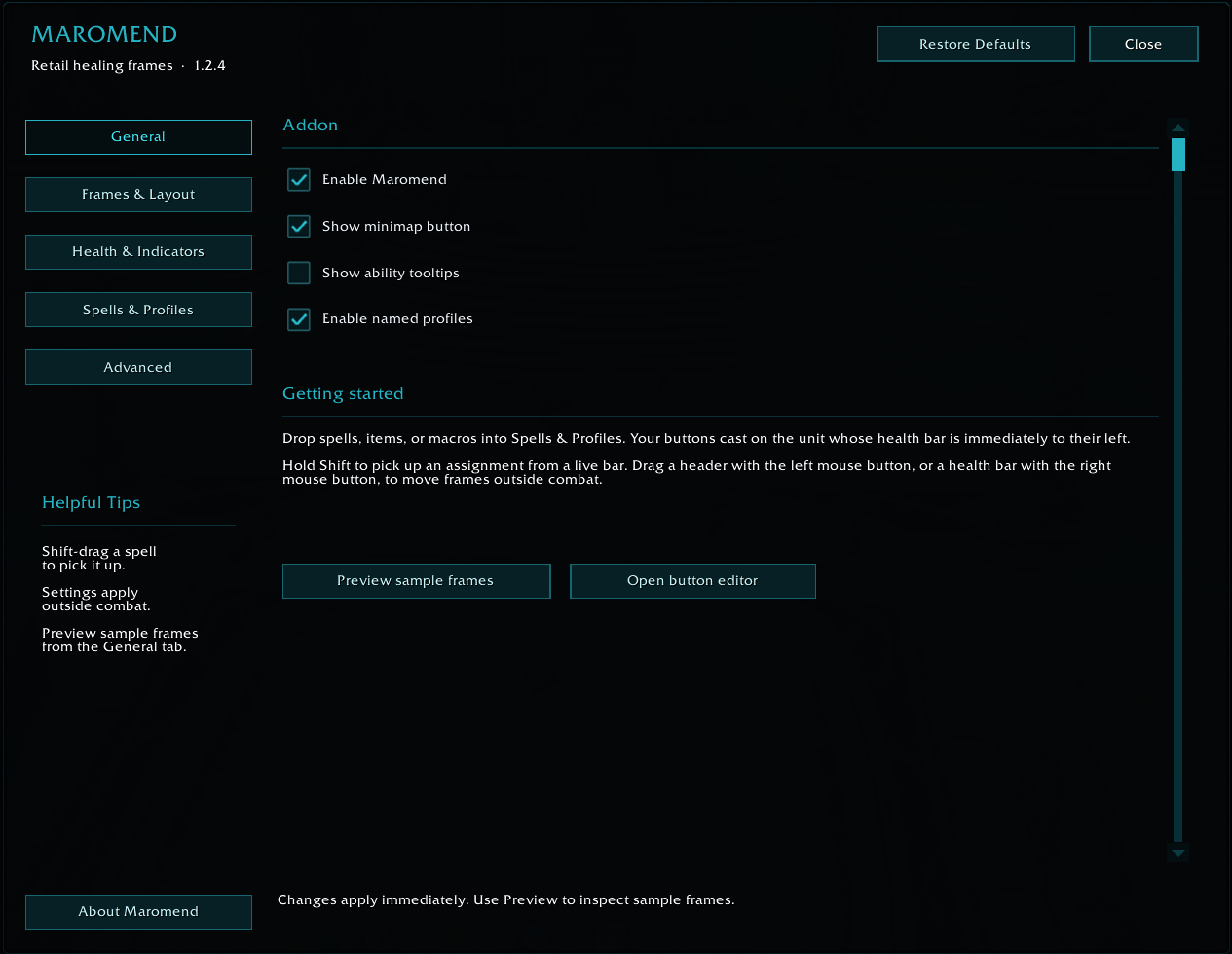
- Minimap button for quick access to Maromend
- Aggro and threat idenfication for each party member (Red box around health frame)
- HoTs and Buff tracking (if applied by a spell on the bars)
- Retail-focused design using World of Warcraft’s current secure-action system
Spell Configuration
Maromend allows you to select which healing, defensive, and utility spells appear beside your group members. Spell visibility and button placement can be adjusted through the addon settings.
Different profiles can be created for different healing styles, characters, or specializations. Profiles can store information such as:
- Selected spells
- Spell-button order
- Button placement
- Frame positioning
- Display preferences
Profiles may also be assigned by specialization, allowing Maromend to automatically use an appropriate setup when you change specs.
Range and Line-of-Sight Indicators
Maromend helps identify when a group member cannot currently be reached.
When a player is out of range or outside your line of sight: Their spell buttons change to red
Note: Range information is subject to the restrictions and information made available by the World of Warcraft API.
Dispellable Debuff Indicators
When a player has a debuff your character can remove, Maromend can provide a prominent visual alert.
Available indicators include:
- A visible border around the player’s health bar
- A highlighted dispel button
- The debuff icon displayed on the dispel button
- A tooltip identifying the debuff when the icon is available and hovered over (including stack counts)
Indicator location and appearance can be adjusted through the addon settings.
Due to World of Warcraft’s protected and restricted aura system, the information available for some debuffs may vary during combat.
Buff Tracking
Maromend can track selected buffs and help you identify which group members are missing an assigned effect. This is useful for class buffs, healing effects, shields, beacons, and other abilities that should be maintained on specific players.
Maromend also enables you to select and prioritize buffs to make managing abilities like Atonement easier.
Configuration
Maromend can be configured through:
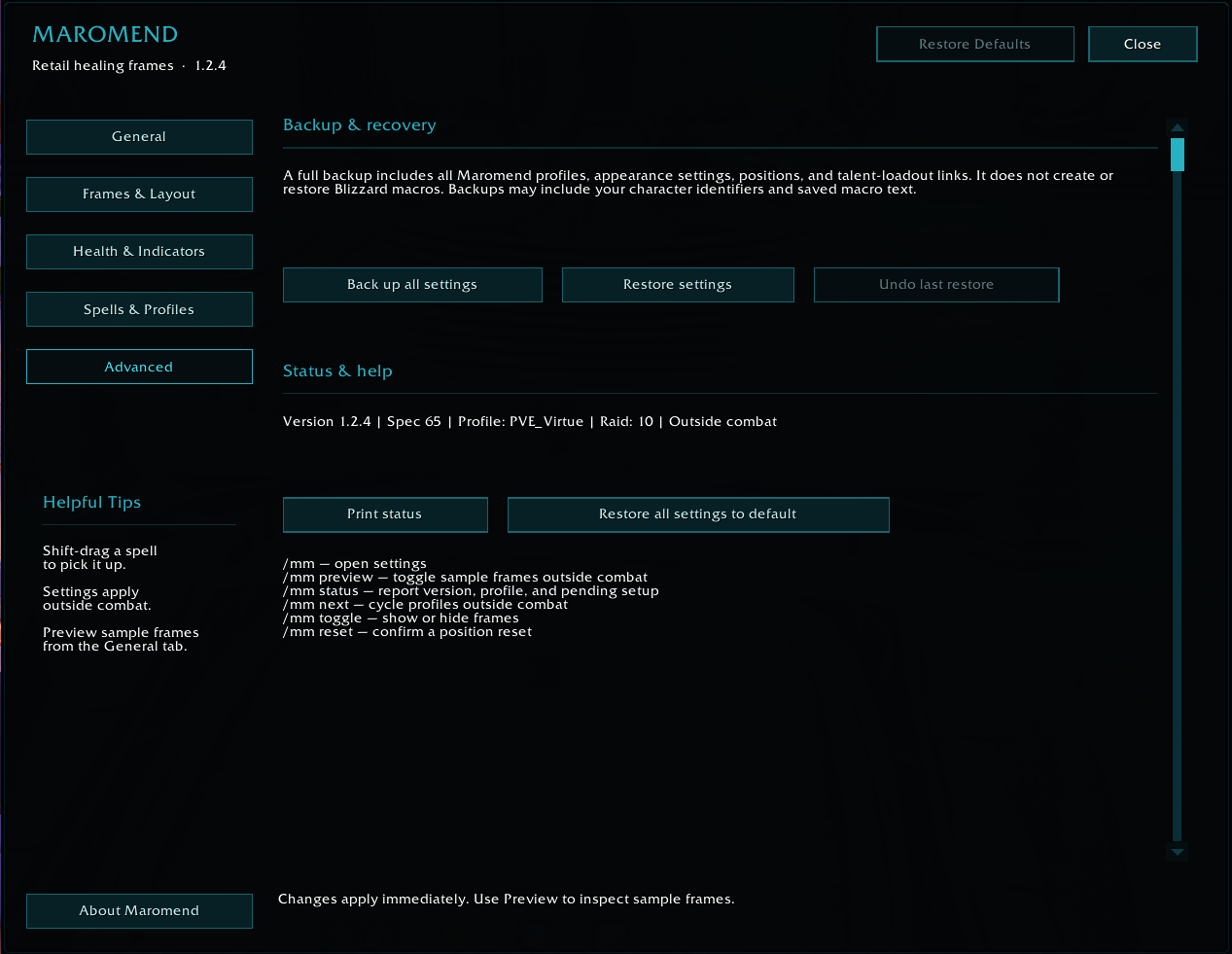
* The Maromend minimap button or by typing /marowmend, /mm or /mend
* The World of Warcraft **Options → AddOns → Maromend** menu
Configuration options includes spell selection, profile management, button count, frame options, range indicators, dispel indicators, buff tracking, and other display preferences.
Slash Commands:
Maromend is primarily configured through its minimap button and addon settings panel.
/marowmend, /mm or /mend will open the primary settings window if the minimap is turned off or unavailable.
Getting Started
1. Install Maromend and enable it from the World of Warcraft AddOns screen.
2. Log in on your healer.
3. Open Maromend using the minimap button or the AddOns settings menu.
4. Select the spells you want displayed.
5. Arrange the spell buttons in your preferred order.
6. Position the Maromend group frames.
7. Save the configuration to a profile if desired.
8. Join a party or raid and use the buttons beside each player to cast directly on them.
Supported Game Version
Maromend is developed for **World of Warcraft Retail**. Classic versions of World of Warcraft are not currently supported.
Feedback and Bug Reports
Maromend is under active development. If you encounter a problem, please include:
- Your class and specialization
- The spell or feature involved
- Whether the issue occurred in or out of combat
- Whether you were in a party, raid, dungeon, or battleground
- Any Lua error message received
- Steps that can be used to reproduce the problem
Feature suggestions are welcome. Pleaes open and "Issue" so they don't get lost in chat!
Maromend is designed fresh from the ground up to be optimized for Retail WOW and includes support for WoW Forever. There are currently no plans to make this available on other Classic game versions at this time and we recommend the addon called "Healium" for those versions as an alternative with similiar functionality.
Note: Maromend was created by Marovingian of Kul-Tiras and was originally inspired by Healium which was created by Engee of Durotan and FB Heal Box created by Dourd of Argent Dawn EU.
The Maromend Team