


MinimapButtonBag Reborn
- By
- Addons
MiniMap.png
MiniMapInfo.png
MiniMapOpen.png
Minimaplose.png
Description
MinimapButtonBag Reborn (MBB Reborn)
One MinimapButtonBag for multiple World of Warcraft versions.
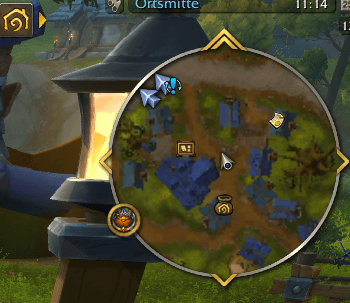
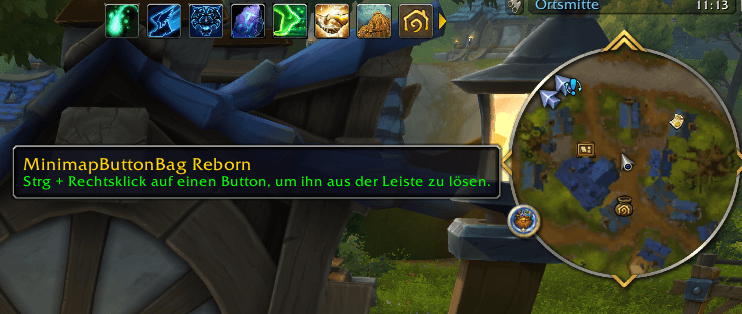
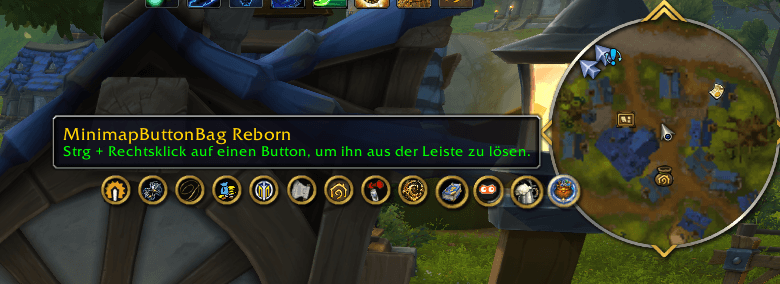
MBB Reborn keeps your minimap clean by collecting addon buttons into a single expandable menu.
Instead of filling the minimap with dozens of addon icons, MBB organizes them behind one button while keeping the original addon functionality accessible.
With MBB Reborn 2.0, the addon now includes a complete Button Manager, custom button ordering, profiles and expanded positioning options.
MBB Reborn is based on MBB 4.0.26 and continues development as an independent multi-version fork.
Supported WoW Versions
MBB Reborn uses a shared codebase and currently supports:
- World of Warcraft Retail / Midnight
- World of Warcraft Forever
- WoW Classic Era
- The Burning Crusade Classic
- Mists of Pandaria Classic
One addon package – multiple supported WoW versions.
MBB Reborn 2.0 has been successfully tested on all clients listed above.
Features
- Collects minimap addon buttons into one expandable menu
- Keeps the minimap clean and uncluttered
- New Button Manager
- Custom button ordering with Drag & Drop
- Manual button sorting with Up / Down controls
- Complete Profile System
- Quick profile switching
- Configurable button scaling from 75% to 150%
- Configurable expand direction
- Configurable secondary row direction
- Configurable maximum number of buttons per row
- Automatic hide timer
- Detachable and freely movable MBB button
- Position locking
- Snapping to WoW window edges
- Movable settings window
- Character-specific button exclusion list
- Supports left, right and middle mouse button actions
- Manual recovery of missing buttons via /mbb rescan
- Additional delayed detection for late-loaded buttons on TBC Classic
- Built-in WoW patch compatibility check
- In-game version detection between MBB users
- Localization for multiple languages
- Shared codebase across all supported WoW clients
- Lightweight and non-intrusive
Button Manager
MBB Reborn 2.0 introduces a new Button Manager for managing detected minimap buttons.
Buttons can be added to or removed from MBB directly from the manager.
The current state of each detected button is displayed visually:
- In MBB – the button is currently collected by MBB
- On Minimap – the button is currently outside MBB
- Unavailable – the button is known to MBB but is currently not loaded
The Button Manager also provides:
- Drag & Drop sorting
- Up / Down controls
- Manual rescan
- Persistent custom button order
- Reset button order
Long internal frame names are shortened in the list while the complete name remains available through the tooltip.
Open the Button Manager through the MBB settings or with:
/mbb manager
Custom Button Ordering
MBB Reborn 2.0 allows you to define exactly how buttons are ordered inside MBB.
Buttons can be reordered using:
- Drag & Drop
- Up / Down controls
The custom order is saved automatically.
Buttons that are temporarily excluded or unavailable retain their stored position and return to the correct place when available again.
Profiles
MBB Reborn 2.0 includes a complete profile system.
Profiles can be:
- Created
- Renamed
- Duplicated
- Deleted
- Switched directly from the MBB settings
New profiles start as a copy of the currently active profile.
The default profile is protected from deletion and renaming.
Profiles store settings including:
- Button scale
- Expand direction
- Secondary row direction
- Maximum buttons per row
- Auto-hide settings
- Detached MBB button position
- Position lock
- WoW window edge snapping
- Custom button order
The button exclusion list remains character-specific and independent from profiles.
Profile management can also be opened using:
/mbb profiles
or:
/mbb profile
Button Scaling
The MBB button and collected addon buttons can be scaled between:
75% – 150%
This can be useful for high-resolution displays or players who prefer larger and easier-to-see minimap buttons.
The default size remains 100%.
Mouse Button Support
Collected minimap buttons retain their addon-specific mouse actions.
MBB supports:
- Left Click
- Right Click
- Middle Click
This allows addons that use additional mouse actions to continue working correctly while their button is stored inside MBB.
Detach & Positioning
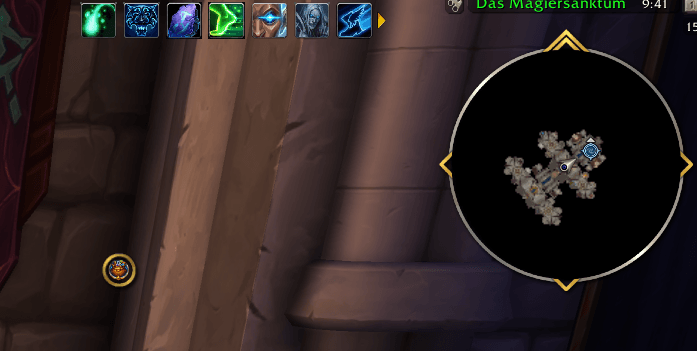
The MBB button can be detached from the minimap and positioned freely inside the WoW UI.
This is especially useful for:
- Square minimaps
- Custom UI layouts
- Minimap replacement addons
- Players who prefer MBB outside the minimap area
Additional positioning options include:
- Position locking
- Snapping to WoW window edges
- Persistent detached button position
Multi-monitor note: WoW addons can detect the boundaries of the WoW UI viewport, but cannot detect the physical boundary between individual monitors.
Movable Settings Window
The MBB settings window can be moved freely.
Its position is stored account-wide and restored when the settings are opened again.
Using /mbb reset all also restores the settings window to its default position.
Hot Keys
Ctrl + Right Click
Detach or reattach a minimap button.
Slash Commands
/mbb – Shows all available commands
/mbb buttons – Lists buttons currently known to MBB
/mbb manager – Opens the Button Manager
/mbb profiles – Opens profile management
/mbb profile – Opens profile management
/mbb rescan – Rescans the minimap for missing buttons
/mbb reset position – Resets the position of the MBB button
/mbb reset all – Resets MBB settings and custom button order
/mbb patch – Shows patch compatibility status
/mbb about – Shows addon version and credits
Rescan & Late-Loaded Buttons
Some addons create their minimap buttons after the initial login process.
MBB includes a manual rescan command:
/mbb rescan
TBC Classic also receives additional delayed automatic rescans to detect minimap buttons that are created shortly after login.
Patch Compatibility
MBB Reborn includes a built-in patch compatibility check.
If World of Warcraft receives a new patch and the interface version changes, MBB can warn you that an addon update may be required.
You can manually check the current status using:
/mbb patch
MBB automatically uses the appropriate interface information for the currently running WoW client.
In-Game Update Detection
MBB Reborn can exchange version information with other MBB users through World of Warcraft's addon communication system.
If a newer stable MBB version is detected, you may receive an update notification in chat.
This does not require MBB to access the internet directly.
Development builds such as Alpha and Beta versions are not advertised as stable updates to normal users.
World of Warcraft Forever
MBB Reborn 2.0 includes support for World of Warcraft Forever.
The addon has been successfully tested with the WoW Forever Beta client using:
Interface 16001
Forever uses Blizzard's Mainline UI architecture, allowing MBB Reborn to share the same codebase while maintaining compatibility with the other supported WoW clients.
Localization
English (enUS) is used as the default fallback language.
MBB Reborn currently includes localization support for:
- English
- German
- French
- Italian
- Korean
- Russian
- Simplified Chinese
- Traditional Chinese
Translations are community-driven and maintained through GitHub.
Contributions and translation improvements are always welcome.
Credits
MBB Reborn is based on MinimapButtonBag 4.0.26.
Original Authors
- karlsnyder
- vallantv
- SkunFly
Current Maintainer
GrazyMonster
MBB Reborn continues to credit the original authors while developing the addon as an independent multi-version fork.
Source Code
The MinimapButtonBag Reborn Team
