Description
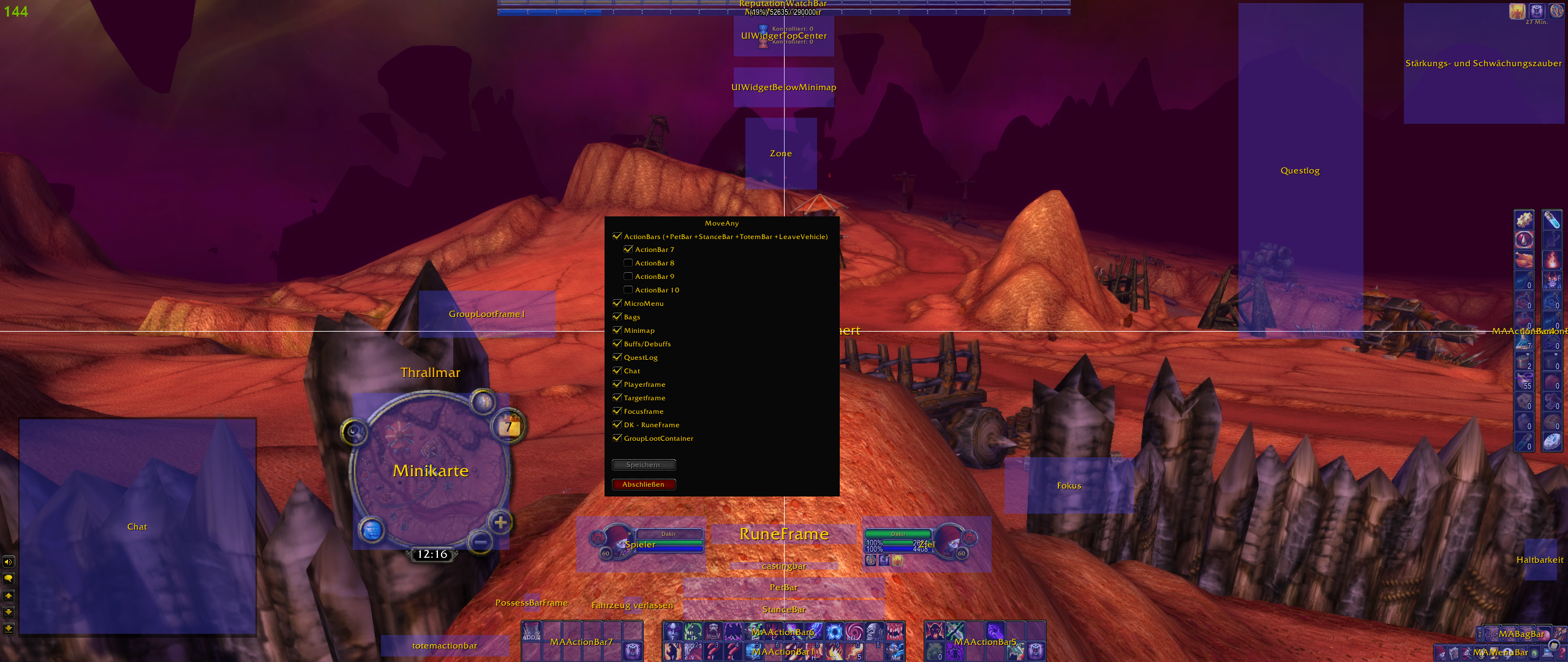
MoveAny is a World of Warcraft add-on for moving, scaling, hiding, and fine-tuning Blizzard UI elements. It complements Blizzard's Edit Mode with access to many frames and options that are otherwise unavailable.
Features
- Move and scale a large selection of Blizzard UI elements and windows.
- Hide elements, make them click-through, or keep them attached to MoveAny's UI parent.
- Adjust frame strata, frame level, and context-dependent opacity.
- Snap movers to a configurable grid or to the edges and centers of other elements.
- Find frames directly with the built-in picker or search the categorized element list.
- Configure action bars, aura layouts, duration text, stack text, status bars, and other supported elements.
- Create multiple account-wide profiles and select a profile per character.
- Export and import profiles or share them through clickable in-game chat links.
- Use a localized interface in all supported game languages.
The exact list of available elements and options depends on the World of Warcraft client and the frames currently provided by Blizzard.
Getting started
- Open MoveAny with
/move,/moveany, or the minimap button. - Enable the UI element you want to modify. Use the search field or the picker button in the window header if you do not know its name.
- Left-click the element's row to highlight its mover.
- Drag the mover with the left mouse button. The arrow keys move the selected element one pixel at a time.
- Right-click the row or mover to open its detailed options.
- Use Reset Element in the options window to restore that element's defaults.
Some settings are marked as requiring a UI reload. MoveAny will reload when the settings window is closed after such a change, or you can use its reload button.
Profiles
Open Profiles from the MoveAny window to create, select, rename, remove, export, import, or share layouts. Profiles are stored account-wide, while the active profile is selected separately for each character.
Profile imports and in-game profile sharing require both players to use the same MoveAny version. Shared chat links are available for a limited time and the receiving player must also have MoveAny installed.
Supported game clients
MoveAny provides packages for:
- Retail
- Classic Era
- WoW Forever
- Burning Crusade Classic
- Wrath of the Lich King Classic
- Titan Reforged Classic
- Cataclysm Classic
- Mists of Pandaria Classic
Download the package matching your client. Current interface versions are maintained in the corresponding .toc files.
Languages
MoveAny includes translations for:
- English
- German
- Spanish (Spain and Latin America)
- French
- Italian
- Korean
- Portuguese (Brazil)
- Russian
- Simplified Chinese
- Traditional Chinese
Notes and troubleshooting
- Protected frames cannot always be changed during combat. Leave combat and try the action again.
- If Blizzard Edit Mode and MoveAny both manage the same element, their saved positions can conflict. Reset or disable the element in one of the two systems.
- Other UI add-ons may replace, reparent, or continuously reposition Blizzard frames. The Lock Parent option can help when a supported element jumps back, resizes, or loses its position.
- If an element is not visible in the list, clear the search field and check whether Hide hidden Elements is enabled.
- Before reporting a layout problem, test it with other UI-modifying add-ons disabled and include your game client and MoveAny version.
Support and development
- Report a bug or request a feature
- Source code
- Discord:
discord.gg/qxpK6PKYAD
The MoveAny (Edit Mode, Windows and Ui) Team