


Description
Plan your crafts. Know your costs. See your potential profit.
Tradeskill Queue turns your profession window into a complete crafting workspace. Build queues across professions, compare material costs and estimated returns, follow your progress, and keep a searchable record of everything you make—all in an interface designed to feel at home in World of Warcraft.
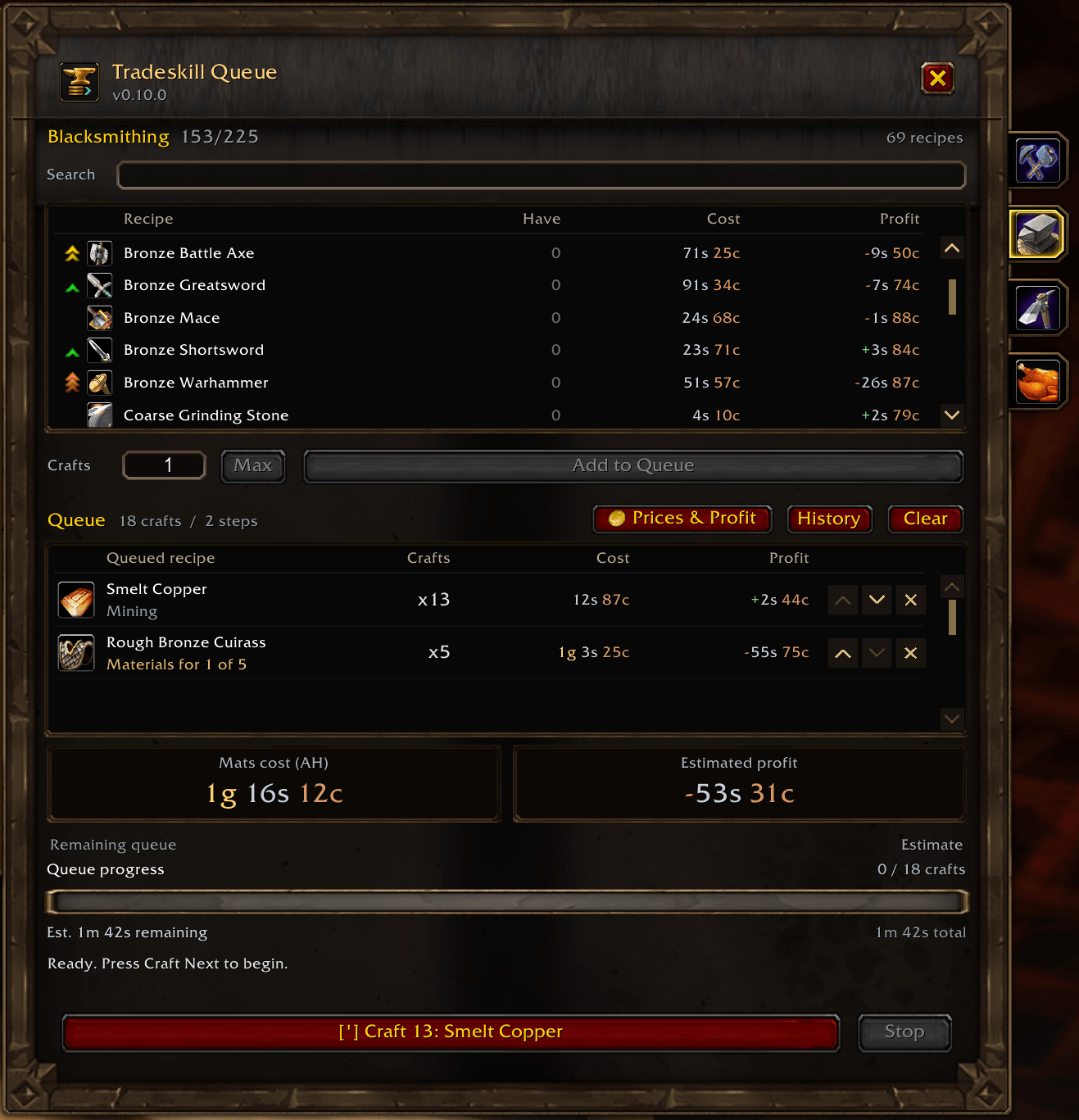
See the value of every craft
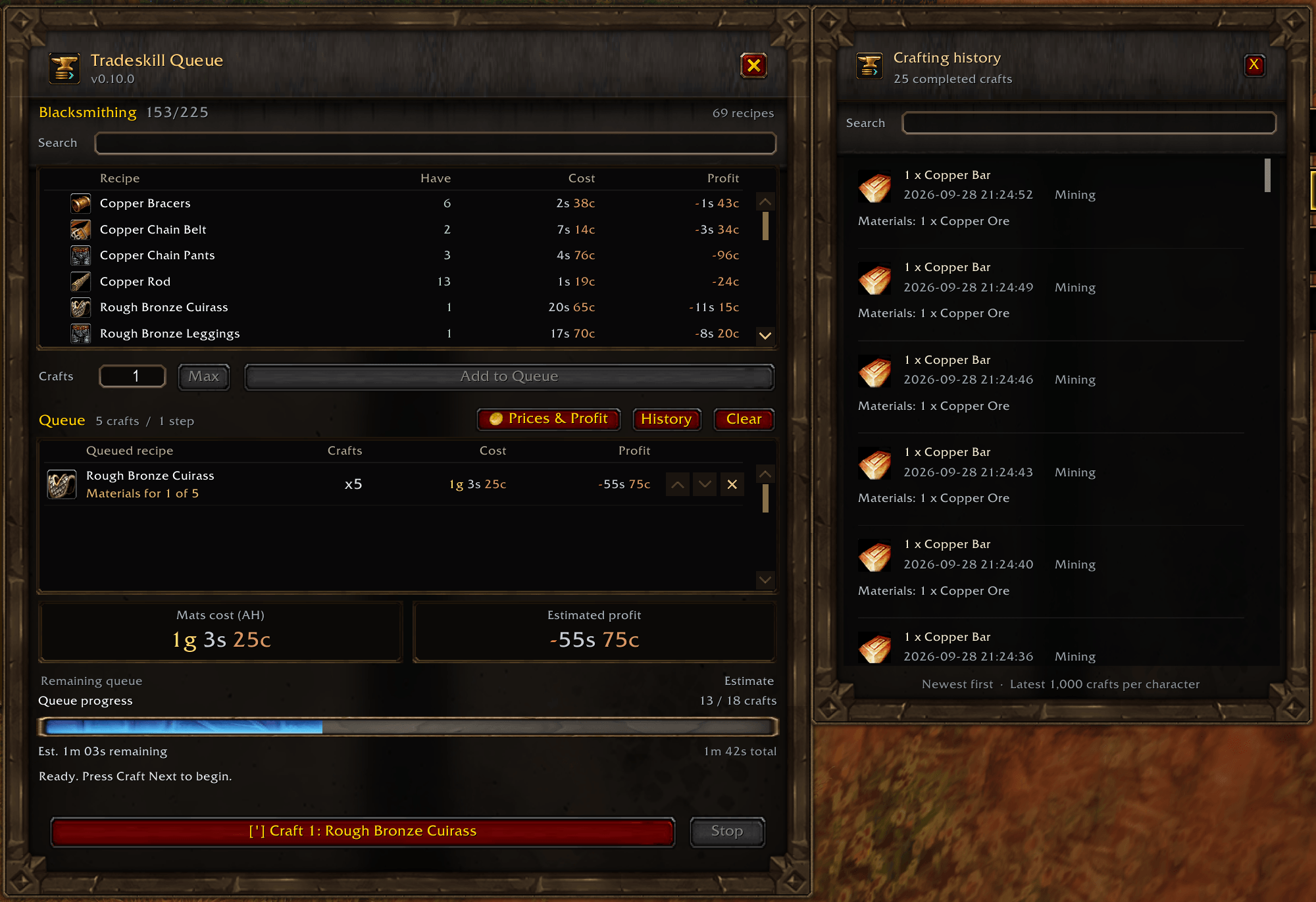
Compare Cost and Profit directly in the recipe list before adding anything to your queue. Queued entries show estimates for their remaining batches, while prominent summary cards display the material cost and estimated profit of your entire plan.
Gold, silver, and copper have distinct colors, with a green + for estimated gains and a red − for losses. Multi-output recipes include every item produced in their calculations.
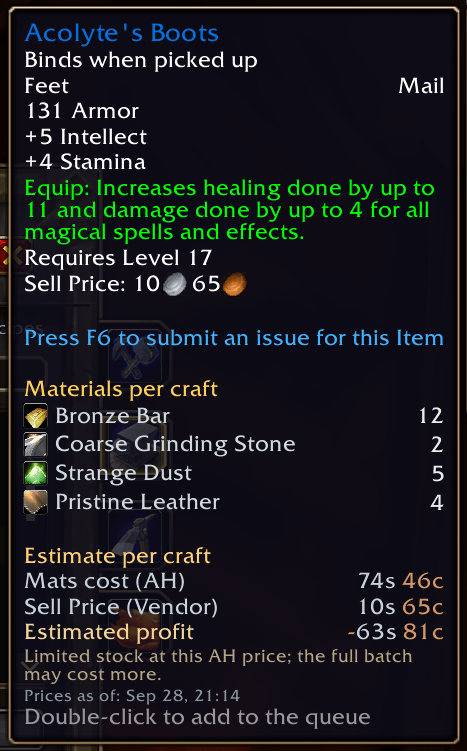
Material costs use the lowest known purchasable AH prices. Unbound and Bind on Equip outputs use AH sale estimates after commission; other known binding types use their vendor sell value. Auction commission is configurable, and missing prices remain unknown.
Get a clear financial breakdown
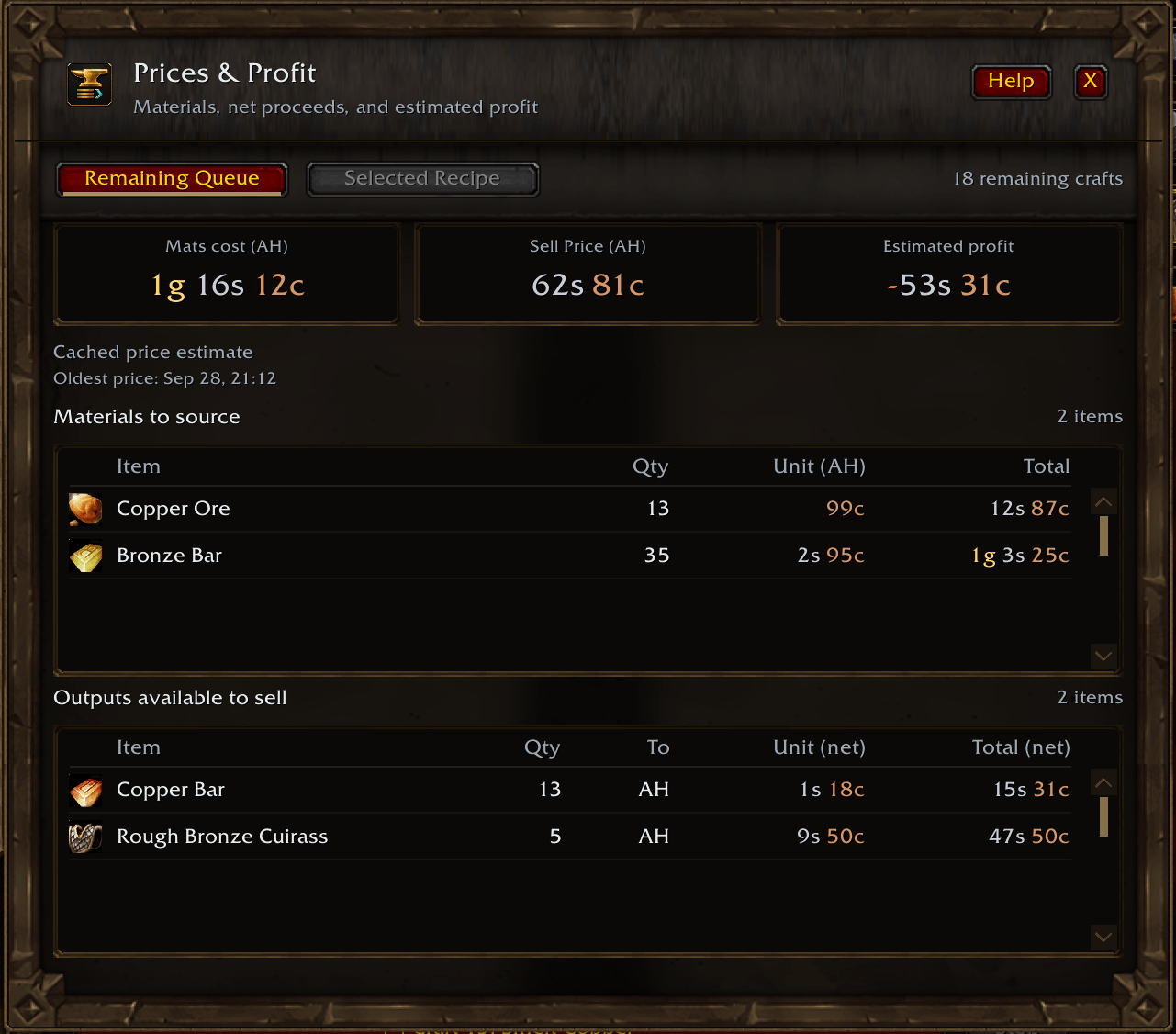
Open Prices & Profit to explore your remaining queue or the selected recipe at your chosen quantity.
- Materials to source: item names, quantities, AH unit prices, and total costs.
- Outputs available to sell: quantities, sale destination, net unit values, and net totals.
- At-a-glance summaries: centered cards for material cost, sale proceeds, and estimated profit.
Queue totals account for earlier crafts supplying later recipes, valuing only the final surplus as available to sell. A separate Help panel explains the calculations whenever you need it.
Refresh prices where you shop
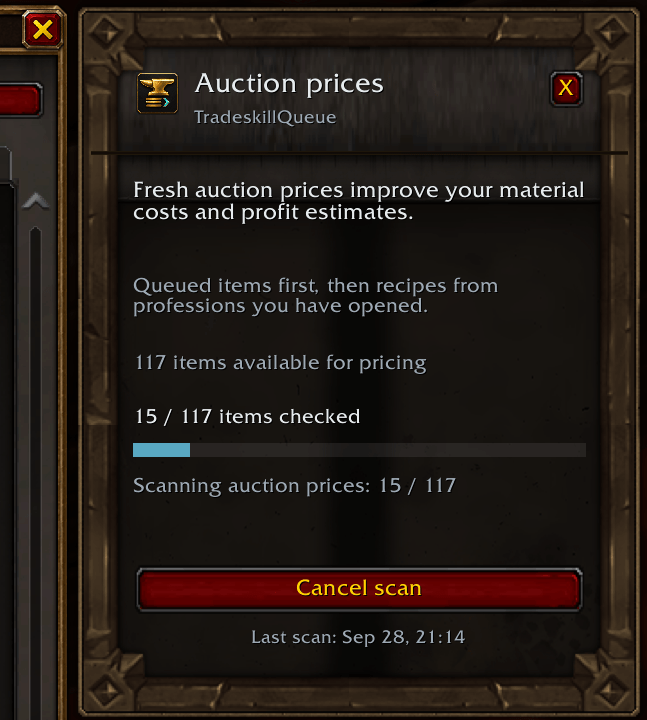
A dedicated companion panel opens beside the Auction House, putting Scan AH prices exactly where you need it.
Scans check queued items first, followed by items from professions you have opened. Follow the progress bar and item counter, cancel whenever you like, and keep completed observations for later use. Starting your own Auction House search stops the addon scan so your search can take over.
Prices are saved per character and remain available after you leave the Auction House. Timestamps and notices for older prices or limited stock help you judge each estimate.
Build your crafting plan
Add recipes and quantities, arrange their order, and work through each batch using Craft Next or a custom keybind. Queue intermediate materials before the finished items that consume them.
Recipes you have materials for appear first, with alphabetical sorting within each group. Search by name, check available craft counts, and use the native orange, yellow, and green chevrons to assess skill-up potential.
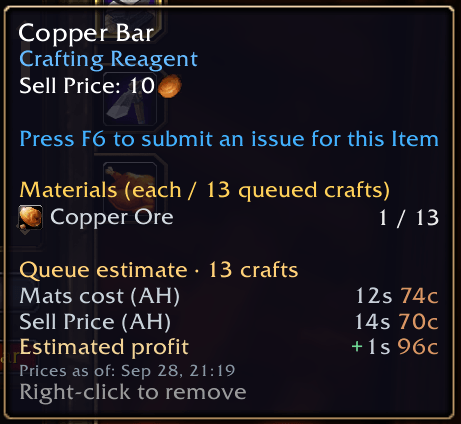
Hover a recipe to see its ingredients and pricing breakdown. Queue tooltips also show the materials required for the remaining craft quantity.
Follow every step
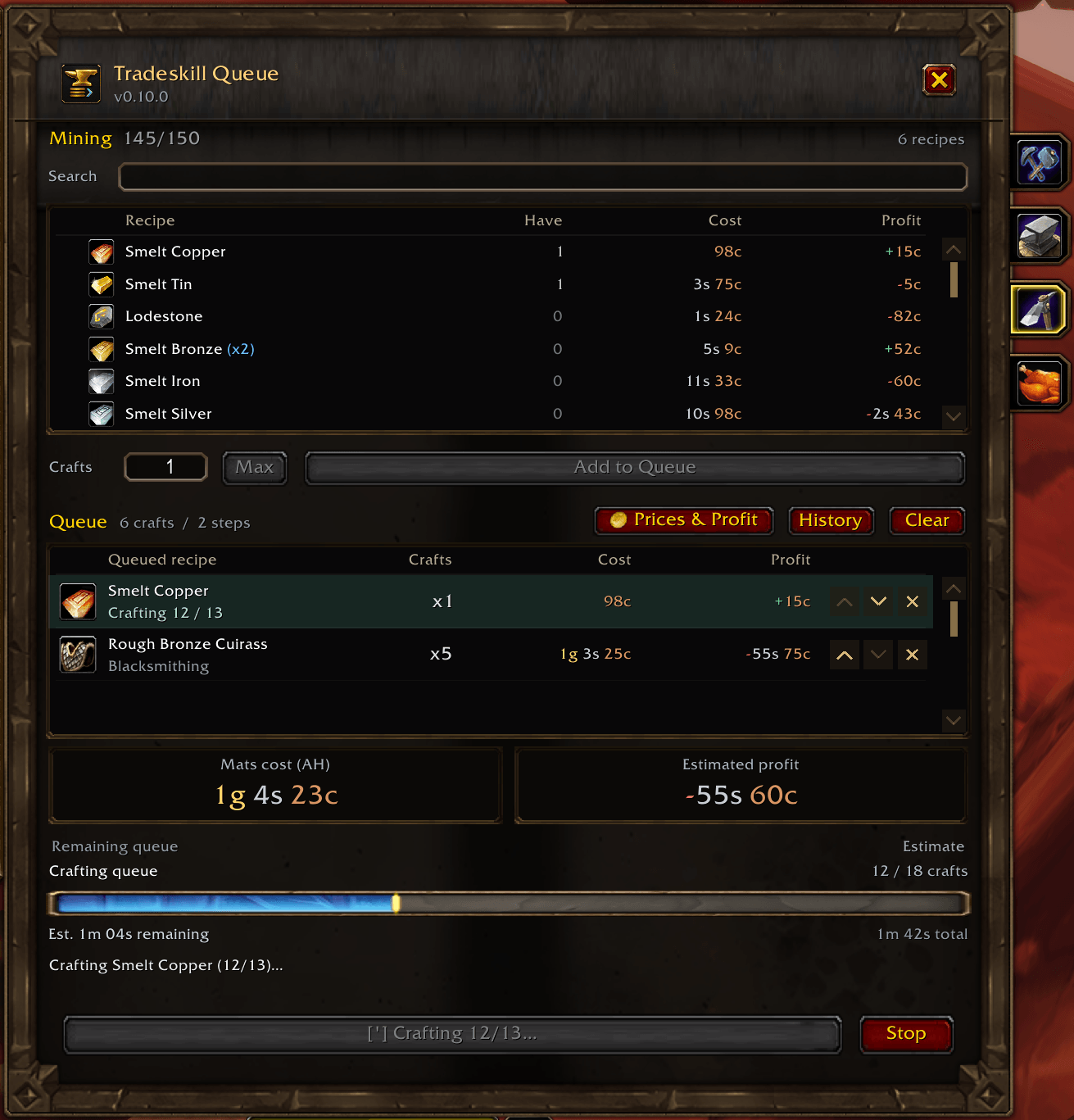
A live progress bar tracks completed crafts and estimated crafting time remaining. Compact blue (x2) indicators identify recipes that produce multiple items, keeping craft counts and output quantities easy to distinguish.
An optional, movable idle alert helps you notice when crafting pauses. Resume directly from its action button, which identifies the next recipe, quantity, and assigned keybind.
Keep your professions within reach
Tradeskill Queue docks beside the profession window, with profession shortcuts along its outer edge. Open History, and those shortcuts move to the History panel automatically.
Switch professions, review your plan, and continue crafting from one connected workspace.
Remember what you made
Per-character History retains your latest 1,000 completed crafts, newest first, with timestamps, products, quantities, and consumed materials.
Search by recipe, crafted item, or ingredient to find exactly what you need. History is saved across reloads and logins.
Make it fit your interface
Choose the Default appearance for a native-style companion to the profession window, or use EllesmereUI integration.
Optional automatic skin selection chooses EllesmereUI when it is installed and enabled, and Default otherwise. Configure appearance, alerts, sounds, and auction commission through ESC > Options > AddOns > TradeskillQueue. Sounds are off by default.
Crafting under your control
Each recipe batch starts with a click or keypress. The game handles repeated crafts within that batch, and Tradeskill Queue keeps your next action ready.
Prices are estimates based on saved observations, including the value of materials you already own. Deposits, failed-auction costs, and sale probability are excluded. Time estimates cover crafting time; History begins recording after installation and identifies unavailable material details.
From a few bars to a full crafting session, Tradeskill Queue brings your plan, progress, and potential profit together.
The Tradeskill Queue Team
