


ItemWatch - Bag Item Counter
- By
- Addons

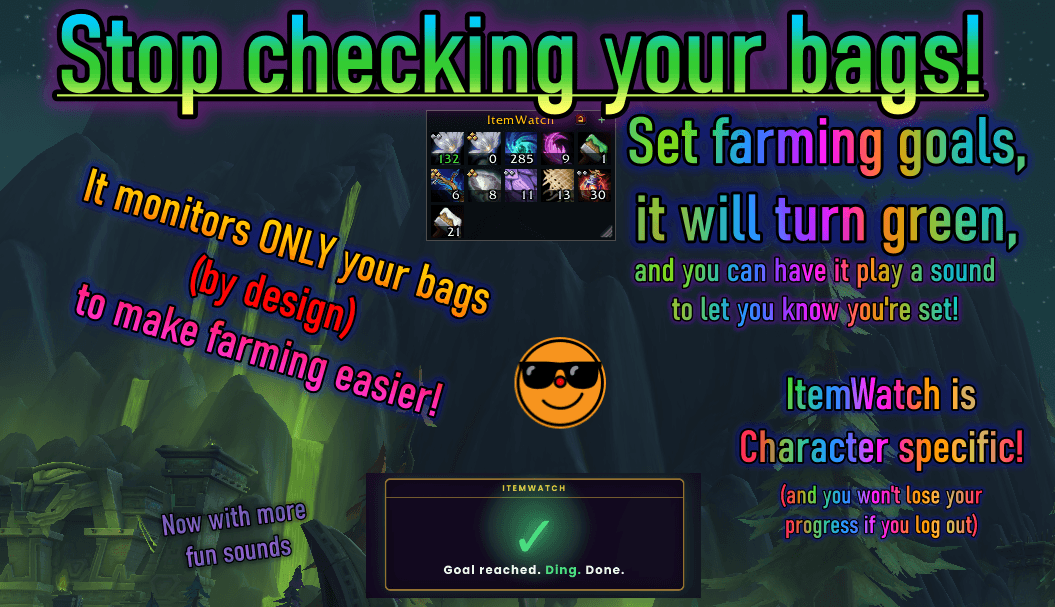
Stop Checking Your Bags! ItemWatch lets you keep farming, and check items at a glance instead of rifling through your bags every whipstitch. Herbs, Transmogs, Ore, Lumber, Leather, and More - if you can loot it you can track it, and play a sound when done!
thisItemwatchnewfeatureshopping.png
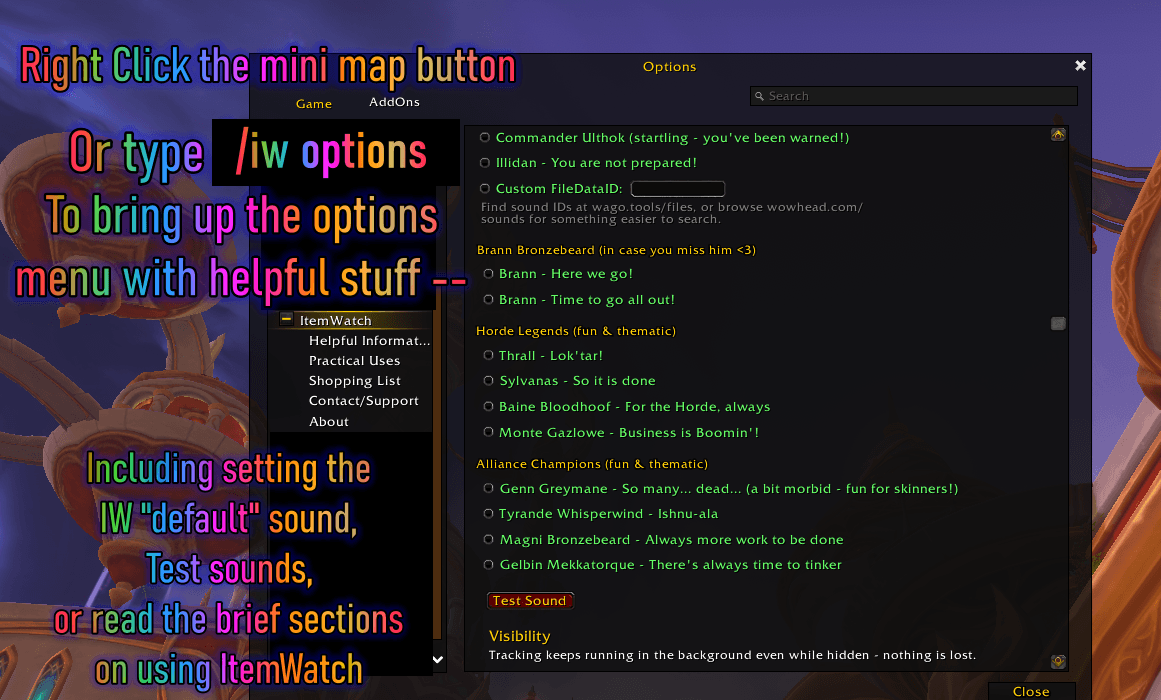
/iw options menu brings this up to set the default sound, test the sounds, read the brief documentations, and set the visibility for pet battles, combat, or show/hide the minimap button.
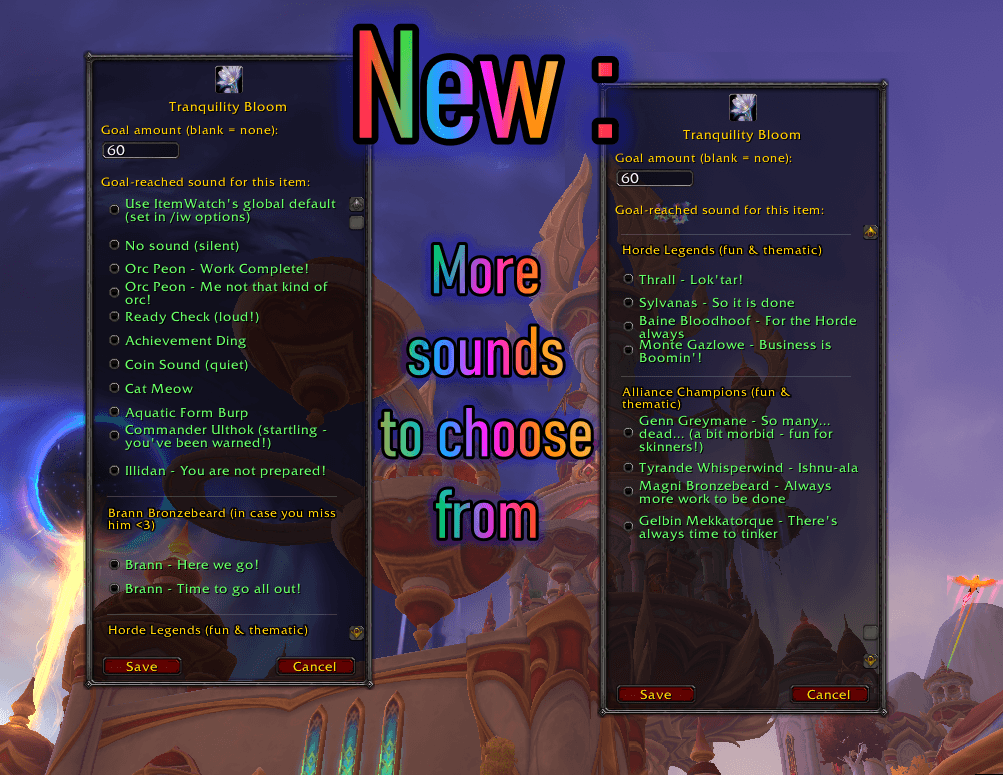
Extra menu shown for visibility, it's one menu with a scroll bar, not two, but I wanted to showcase all our new sounds to pick from!
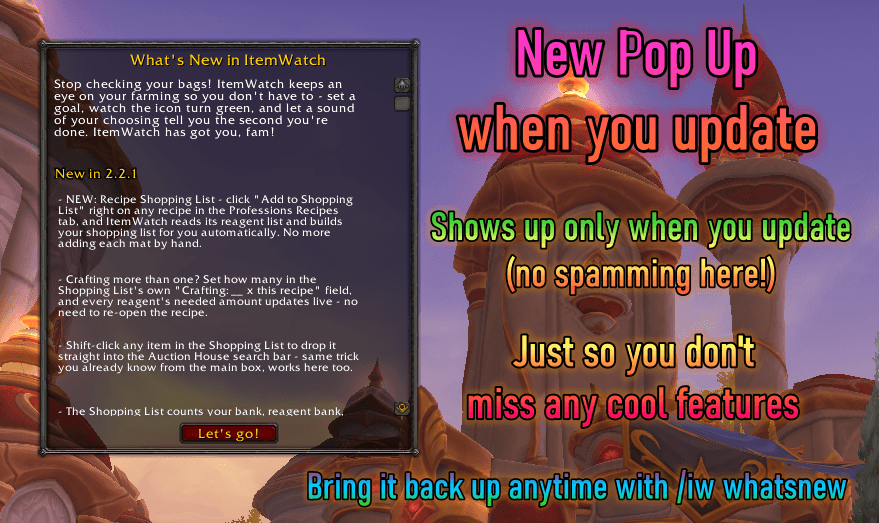
ONLY when you update (or type in /iw whatsnew) you'll see the pop up, so you don't miss any new features I'm implementing. Won't spam you every time you log in, but will show up on alts the first time you log into them after updating!
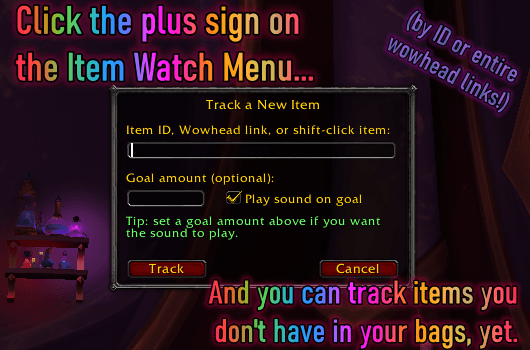
Clicking on the little + (plus) sign on the ItemWatch box menu will let you add and track items not in your bags yet, by ID, entire wowhead links, or shift clicking the item into the IW Track a New Item menu!
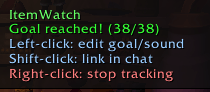
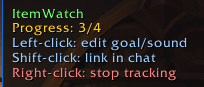
New: Tooltips on ItemWatch's watched items (in the ItemWatch box). It will say either Goal reached, or Progress, to let you know at a glance how close you are to your target goal, with short instructions to edit the goal or sound, etc
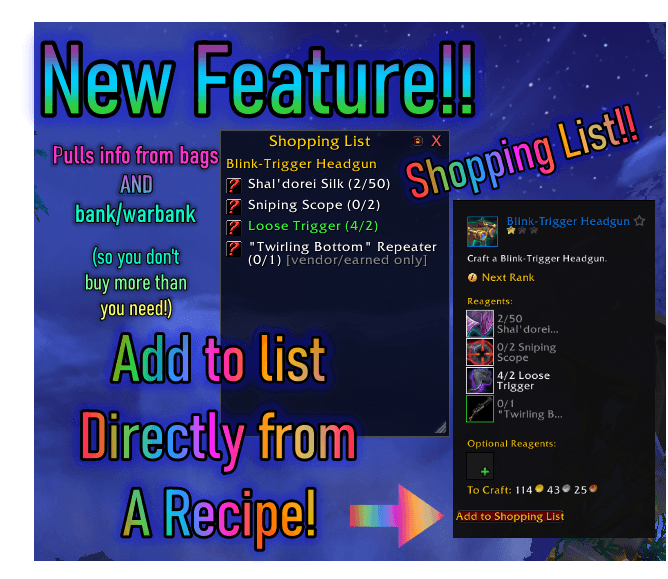
Shift click also works to put into the auction house search-bar! Build a shopping list, and use it on each tracked item to buy what you need. Especially good if you are asking a crafter to make you something via the crafting work order table!
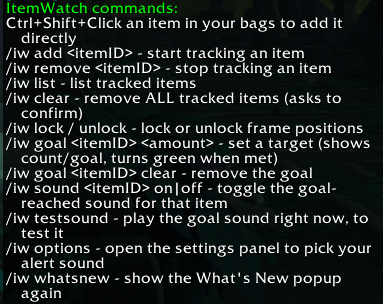
This is just a quick list to let you know what slash commands are available if you prefer to type them out. Typing "/iw" will bring up this list (without quotes), most of these aren't necessary, since the menus already do most of the work now.
ItemWatch v2.1.4 Tutorial!
Shopping list Tutorial